
Edición basada en instrucciones
Describe el cambio en una frase en lugar de seleccionar una región.
Los modelos de edición de Black Forest Labs, FLUX Kontext Pro y Kontext Max, creados para aplicar un único cambio descrito mientras el resto del encuadre permanece intacto.
Abre esta página en un navegador de escritorio para empezar a crear.
FLUX Kontext existe porque «editar esta imagen» y «generar una imagen similar» son tareas distintas que la mayoría de los modelos realizan de forma idéntica.
Pide a un generador que cambie una sola cosa en una fotografía y normalmente obtendrás una nueva imagen verosímil: la composición sutilmente redibujada, detalles que nunca mencionaste reorganizados discretamente, el sujeto casi, pero no del todo, la misma persona. Kontext está construido justo al revés. Su objetivo de diseño es aplicar el cambio que has indicado y devolver todo lo demás reconociblemente intacto.
Usa FLUX Kontext cuando algo ya existe y necesita que una cosa concreta sea diferente. Cambia fondos, elimina objetos, modifica materiales y colores, ajusta la luz y encadena esos cambios de uno en uno para que cada paso siga siendo revisable.
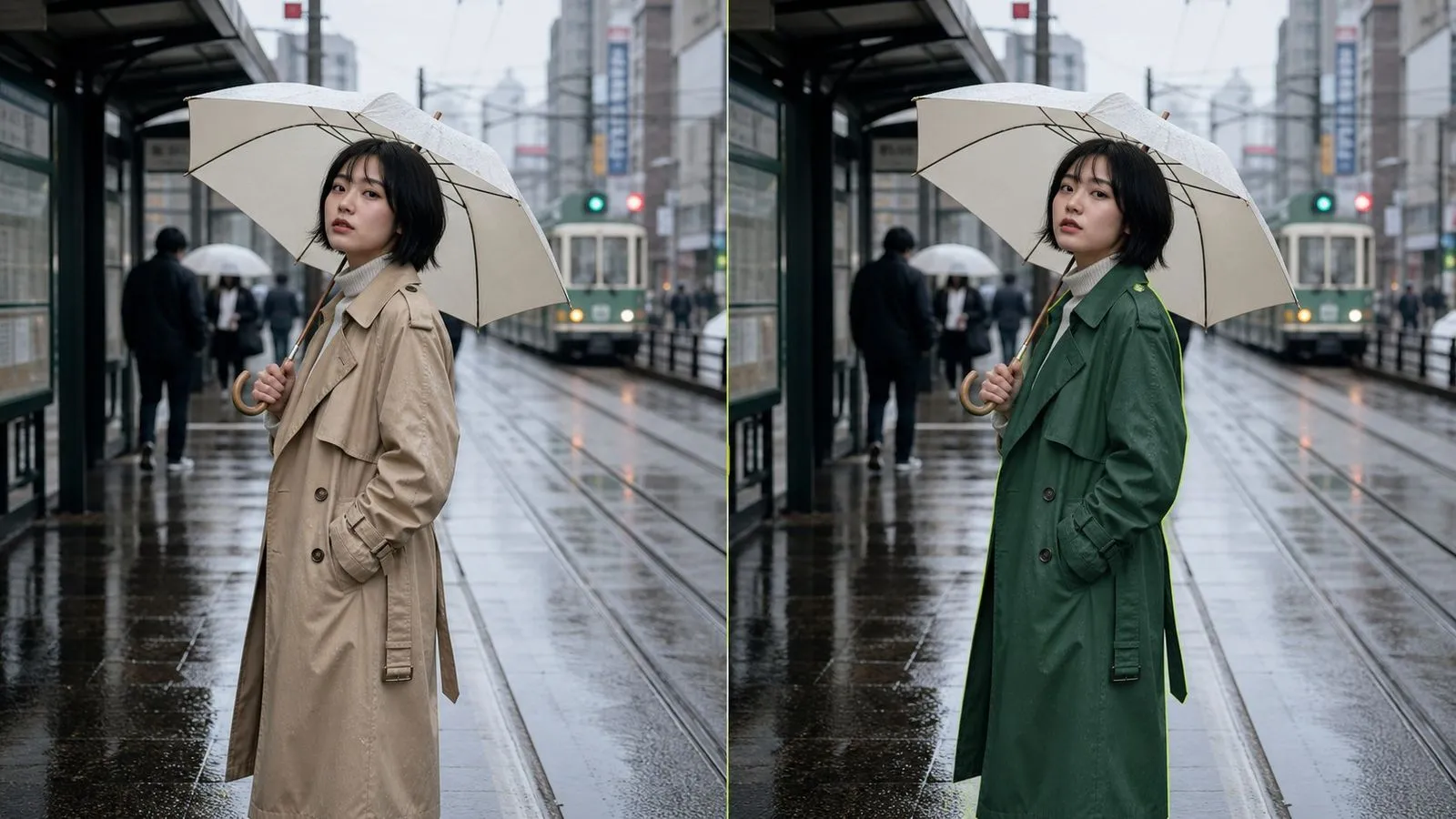
FLUX Kontext es una familia de modelos de edición de imágenes desarrollada por Black Forest Labs, ofrecida en Virse como dos entradas: FLUX Kontext Pro y FLUX Kontext Max. Proporcionas una imagen y una instrucción escrita, y el modelo interpreta esa instrucción en el contexto de lo que ya está en el encuadre; de ahí viene el nombre.
El modelo se basa en tres grandes fortalezas:
Ambas entradas aceptan las mismas entradas y las mismas instrucciones, diferenciándose en el margen para ediciones exigentes más que en lo que se les puede pedir que hagan. No hay máscara que pintar, ni región que rodear con lazo, ni pila de capas que gestionar.
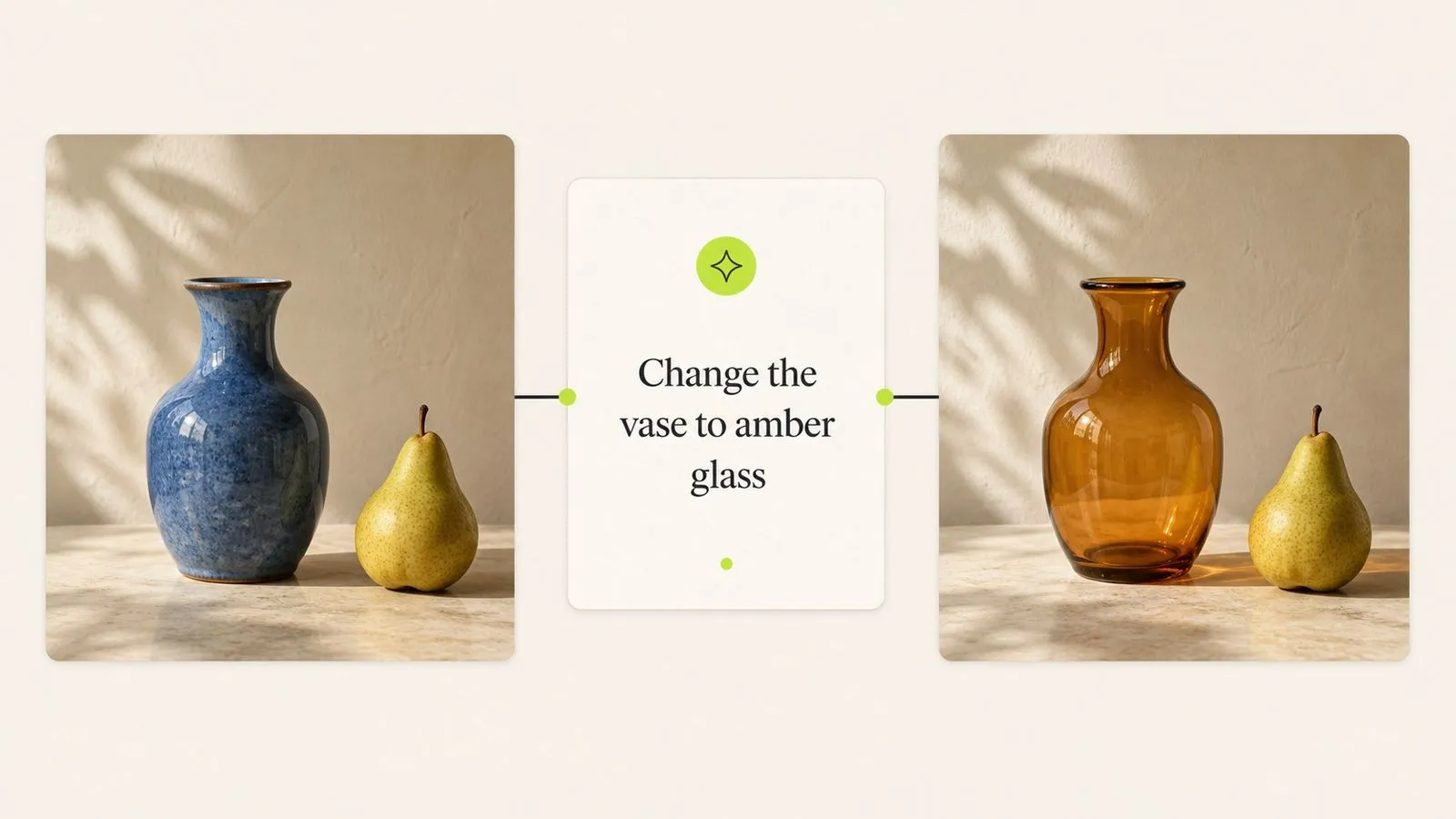
Describe el cambio en una frase en lugar de seleccionar una región.
Todo lo que no menciones debe volver sin cambios.
Kontext Pro para el trabajo diario, Kontext Max para ediciones acumuladas.
La selección se realiza con lenguaje: nombra el objeto y dónde está situado.
Vuelve a introducir un resultado para añadir el siguiente cambio como un paso independiente.
Un briefing escrito para una entrada funciona en la otra sin modificaciones.

Nombrar lo que debe permanecer no es relleno en una instrucción de Kontext, es la mitad que soporta la carga. El modelo está diseñado para respetarlo, que es el comportamiento que distingue a un modelo de edición de un generador al que se le entrega una imagen de entrada.
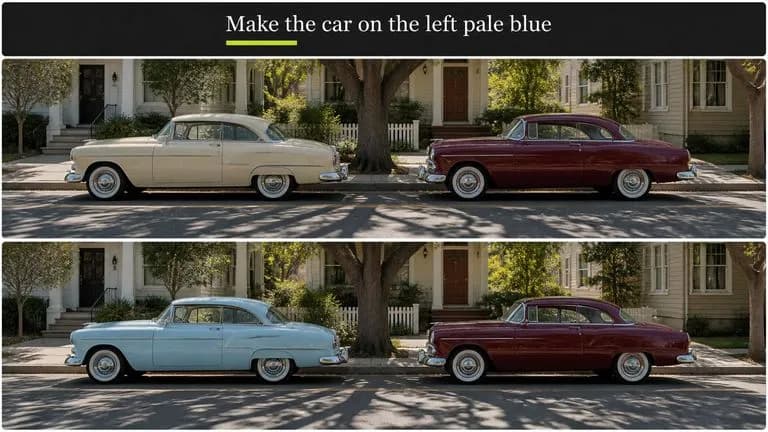
"El coche de la izquierda" es una forma válida de señalar algo. No hay máscara que pintar ni trazado que dibujar, lo que elimina el paso que normalmente hace que las pequeñas ediciones no merezcan la pena.
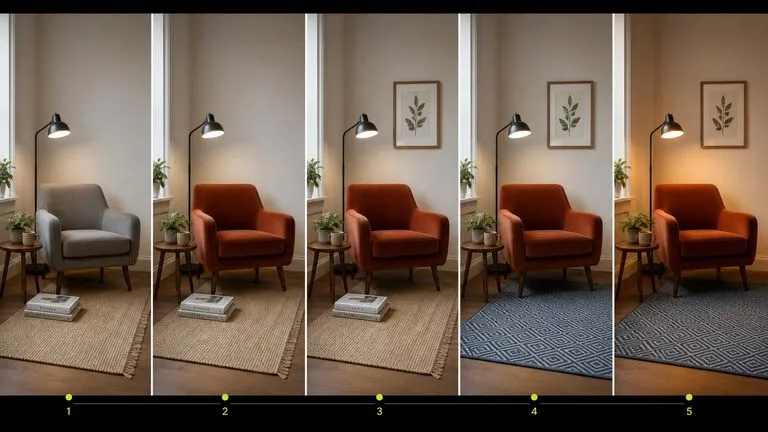
Como cada pasada devuelve una imagen en lugar de una reinterpretación, ejecutar cinco cambios individuales en secuencia produce cinco estados revisables en vez de acumular desviaciones.
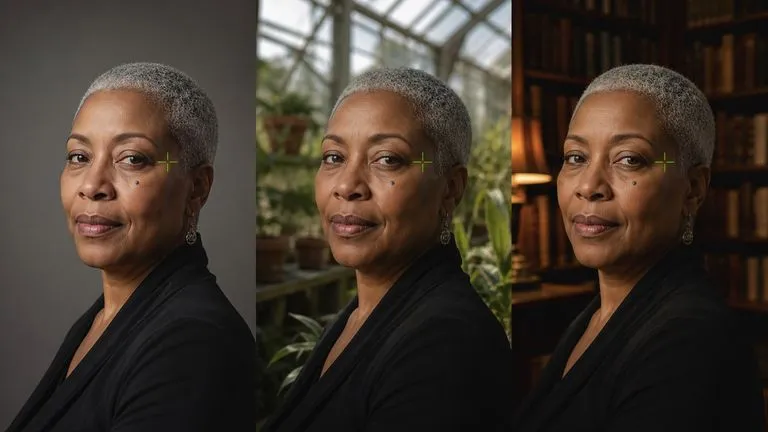
Una persona o un producto que debe seguir siendo reconocible a lo largo de una serie de ediciones se mantiene mejor aquí que mediante generación repetida, porque no se está regenerando nada.
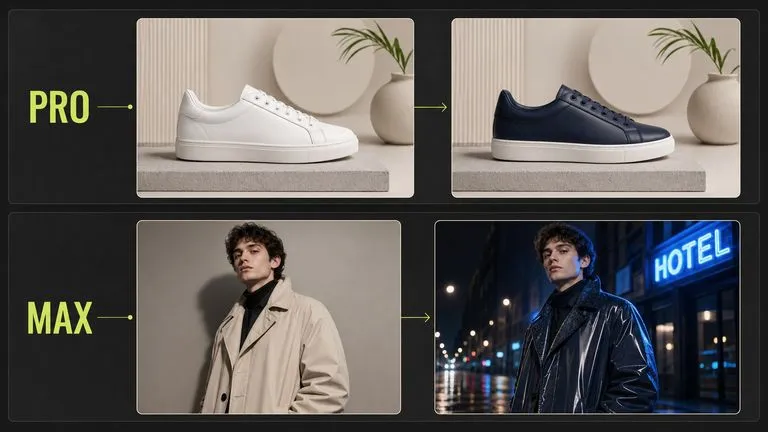
Kontext Pro se encarga del caso cotidiano. Kontext Max ofrece más margen para instrucciones que cambian varias cosas relacionadas a la vez: un fondo y la iluminación del sujeto, o una prenda mientras se conserva un patrón.
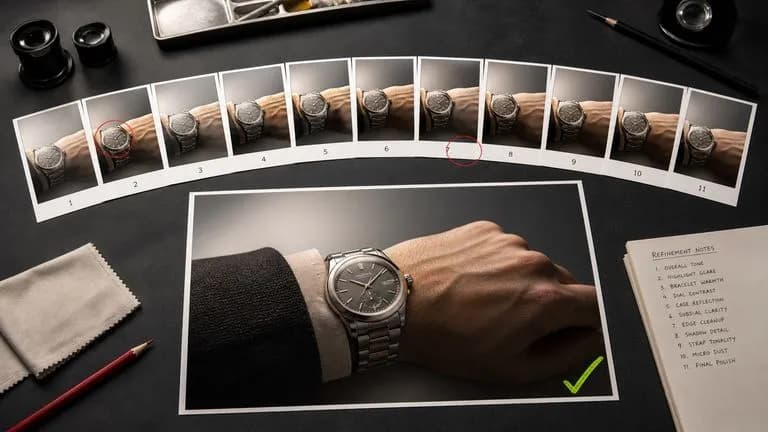
La mayoría de los modelos están optimizados para la primera imagen. Este está optimizado para la undécima, que es donde realmente se crean los recursos terminados.
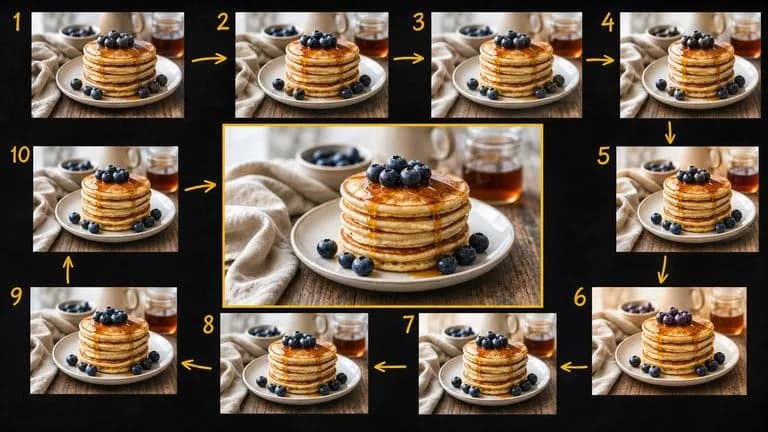
La edición es iterativa y la iteración produce archivos casi idénticos. La cuarta versión suele ser la buena, y en la novena nadie puede distinguirlas por el nombre de archivo. Virse mantiene la cadena visible. La fuente, cada pasada intermedia y la imagen final quedan una junto a otra en un mismo lienzo, de modo que una edición que salió mal cuesta un solo paso en lugar de todo el hilo.
Cada pasada se mantiene ordenada en secuencia, lo que hace evidente en qué punto una serie dejó de mejorar.
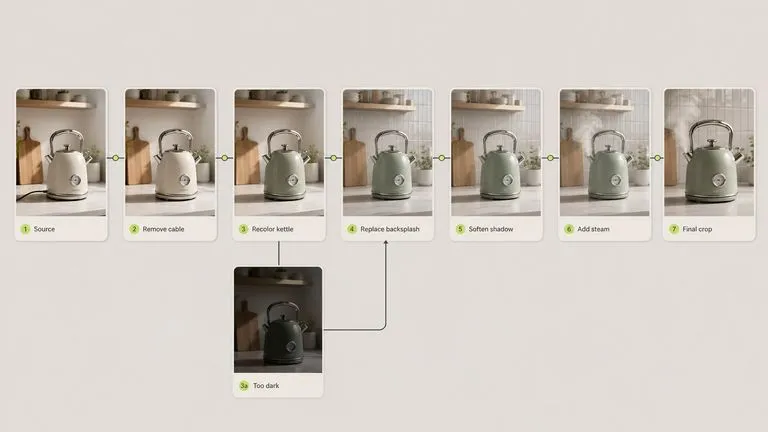
Un resultado casi acertado de un generador caro suele ser más barato de arreglar aquí que de regenerar allí, y la corrección se hace sin salir del lienzo.
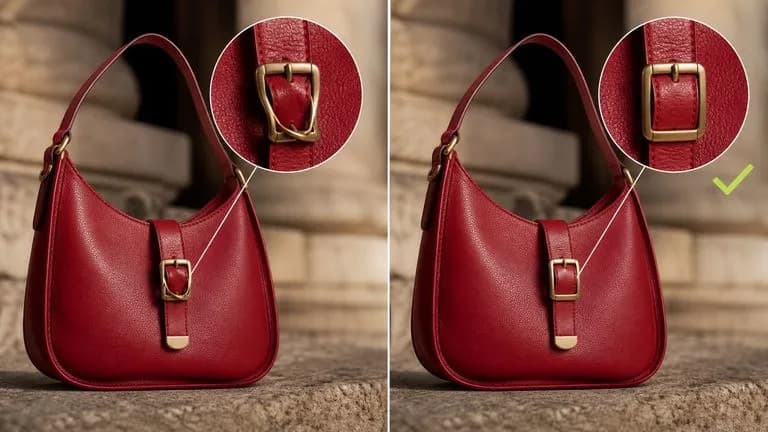
Muévete entre FLUX Kontext y más de 30 modelos de imagen y vídeo sin salir del lienzo ni reescribir el brief.
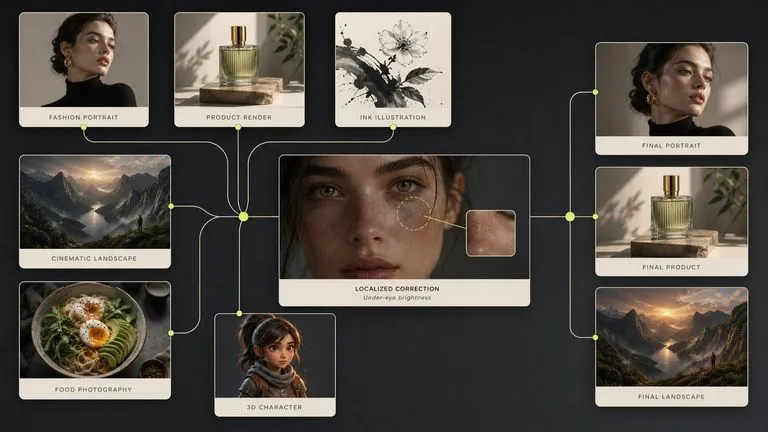
Ajusta un fotograma inicial hasta que quede bien y luego pásalo a Seedance 2.0, Kling 3.0 o Veo 3.1.
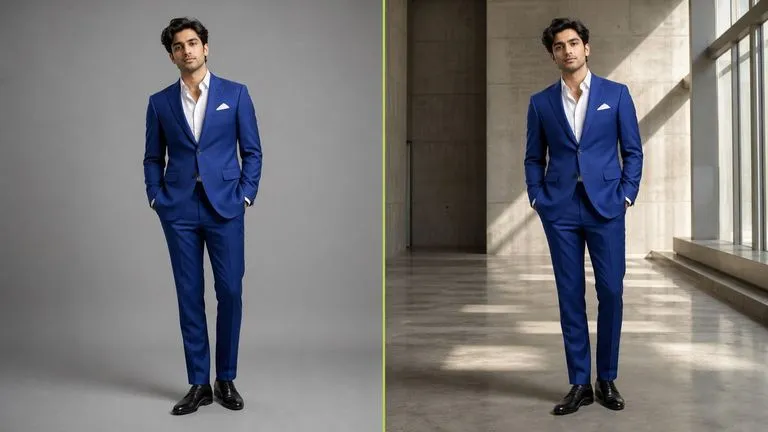
Mueve un sujeto a un nuevo fondo mientras se conservan la pose, la escala y la iluminación.
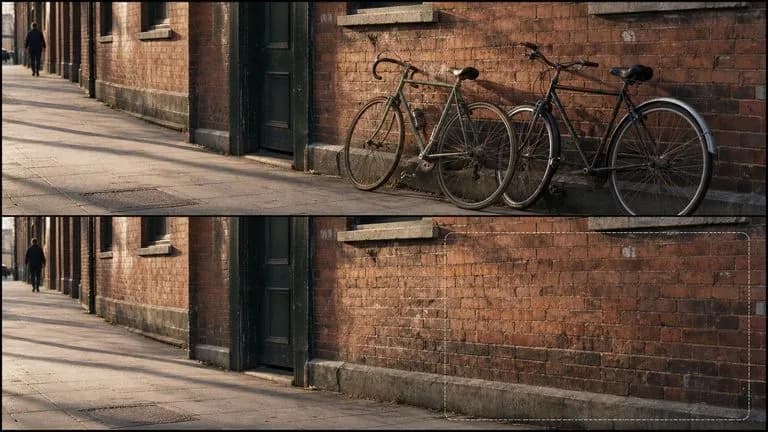
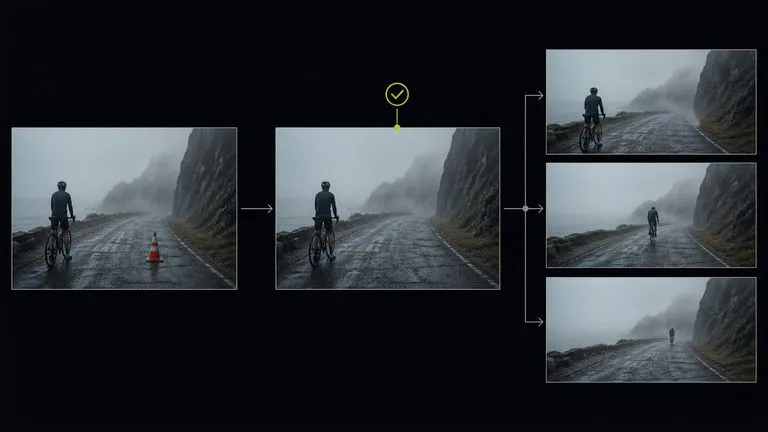
Saca un elemento y haz que el espacio se rellene con lo que plausiblemente debería estar ahí.
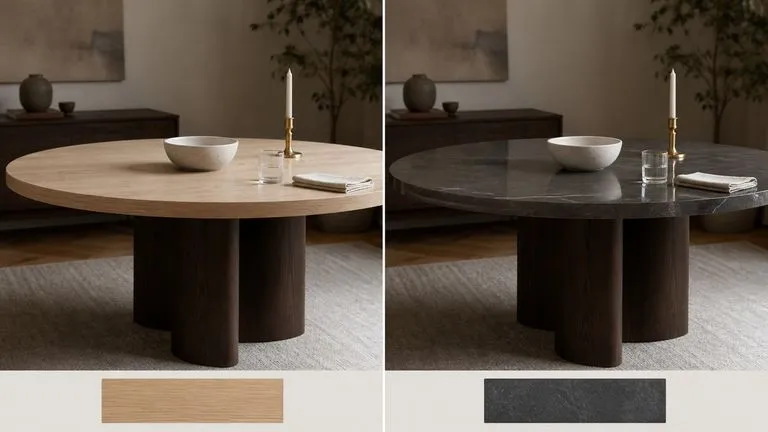
Convierte el lino en terciopelo o el beis en verde bosque mientras se mantienen la forma y la sombra.
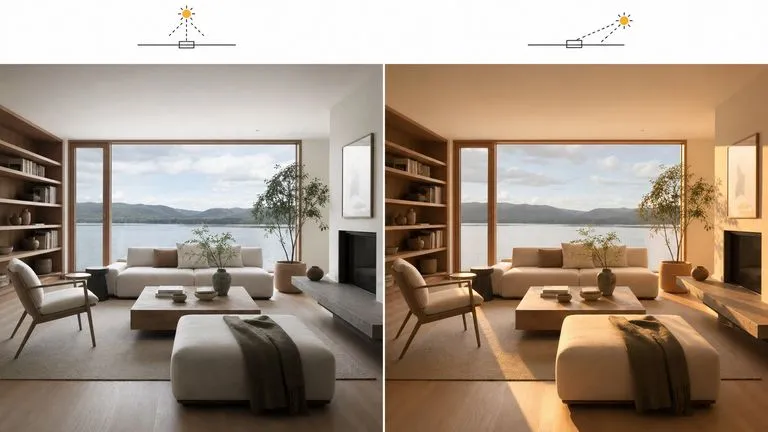
Reilumina una escena sin reconstruirla.
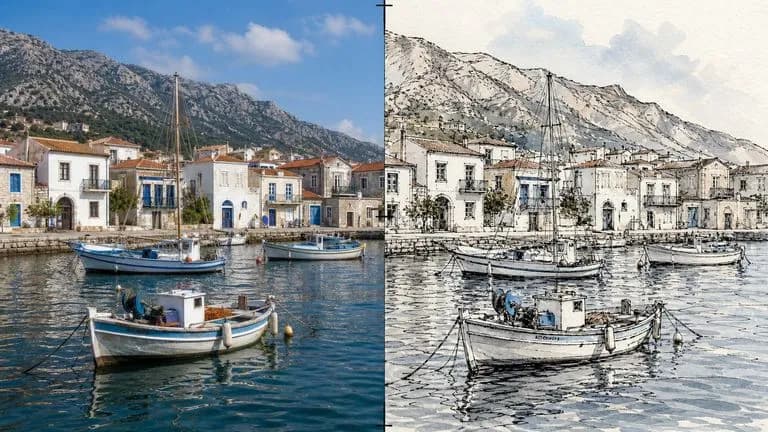
Convierte una fotografía en un dibujo mientras la composición permanece exactamente en su sitio.
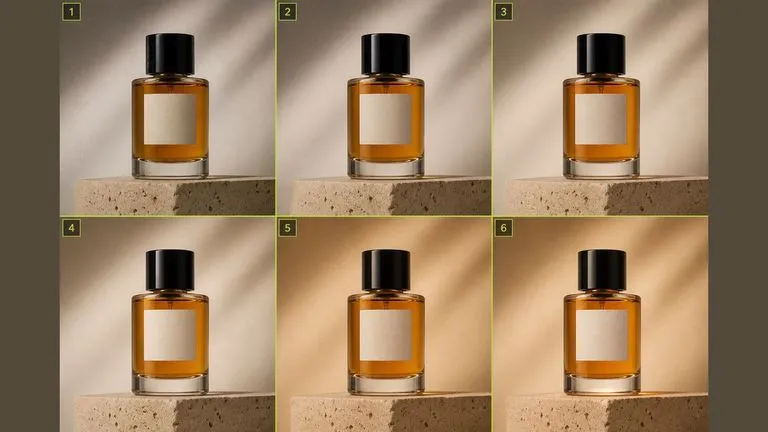
Encadena una serie de correcciones individuales hasta obtener un recurso terminado, un paso revisable cada vez.
Importa una fotografía, una imagen generada o un fotograma de otro lugar del lienzo.
Indica qué debe ser diferente y nombra qué debe permanecer exactamente igual.
Observa las partes sobre las que no has pedido nada, especialmente cerca de los bordes del encuadre.
Vuelve a introducir el resultado para la siguiente edición en lugar de describirlo todo a la vez.
Un prompt útil de FLUX Kontext suele incluir tres elementos:
En lugar de escribir
Una mujer con un vestido rojo de pie en una cocina moderna con encimeras de mármol, luz natural de ventana, fotografía profesional.
Escribe
Cambia el vestido a rojo. Mantén la pose, el rostro, el pelo y la posición de la mujer en el encuadre exactamente como están, y deja intactas la cocina y la iluminación.
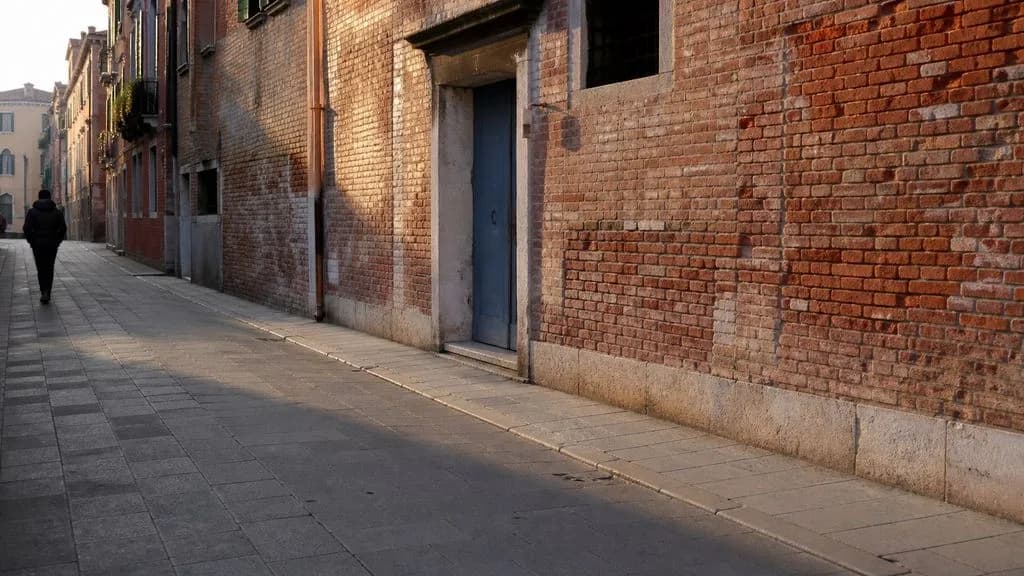
Elimina las dos bicicletas apoyadas contra la pared en el lado derecho de la imagen. Rellena el espacio con una continuación de la misma pared de ladrillo y el pavimento, haciendo coincidir la textura existente, las líneas de mortero y la dirección de la sombra. Deja el resto de la calle, la entrada y la figura de la izquierda completamente sin cambios.
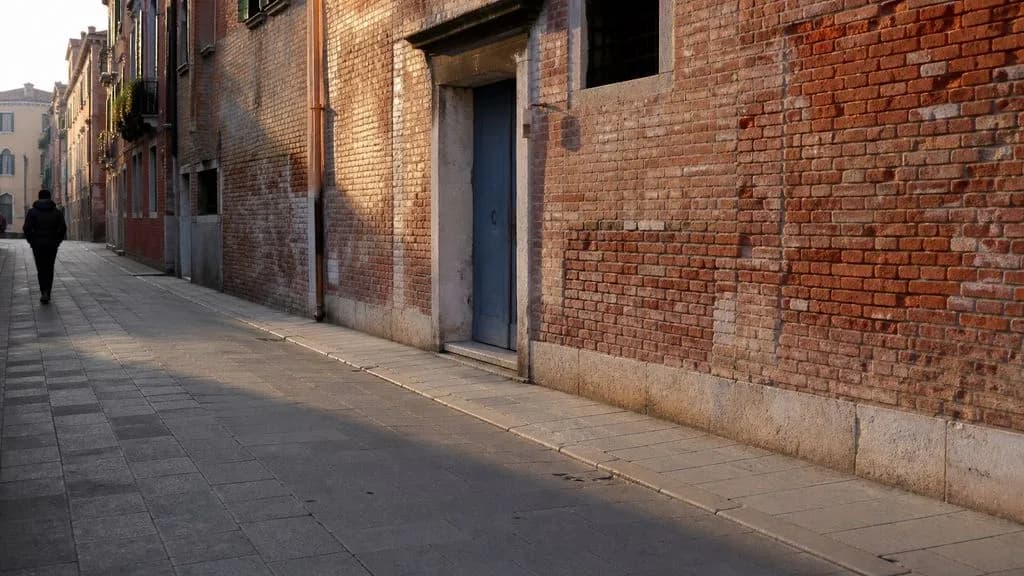
Cambia el tablero de la mesa de roble claro a pizarra oscura pulida. Mantén idénticos la forma de la mesa, el perfil del borde y la posición. Mantén todos los objetos sobre la mesa exactamente donde están, a la misma escala y con el mismo ángulo. Actualiza solo los reflejos y las sombras de contacto sobre la superficie para que se vean correctamente con el nuevo material.
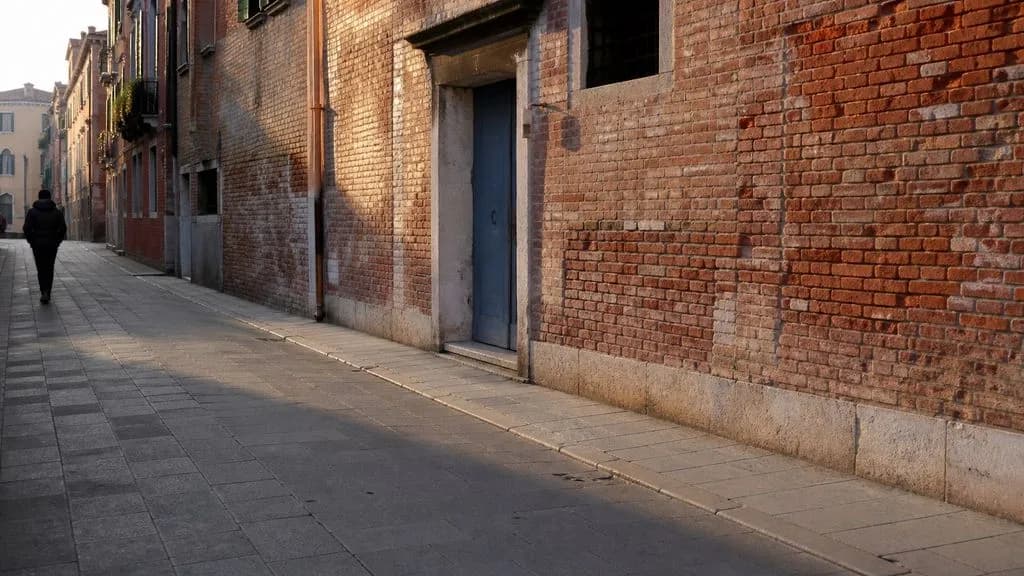
Cambia la luz de la habitación de una iluminación cenital de mediodía a una luz de última hora de la tarde que entra baja desde la derecha. Mantén los muebles, la posición de la cámara y todos los objetos exactamente donde están. Alarga las sombras para que coincidan con la nueva dirección y calienta ligeramente la temperatura de color. Deja sin cambios la vista a través de la ventana.
| Dimensión | FLUX Kontext Pro | FLUX Kontext Max |
|---|---|---|
| Pensado para | Ediciones cotidianas de un solo cambio | Ediciones acumuladas o exigentes |
| Entrada | Imagen más instrucción escrita | Imagen más instrucción escrita |
| Conjunto de instrucciones | Idéntico a Max | Idéntico a Pro |
| Enmascaramiento | No requerido | No requerido |
| Uso habitual | Retoque en volumen, sustituciones de fondo | Varios cambios relacionados en una sola pasada |
| Coste de cambio | La instrucción se ejecuta en Max sin cambios | La instrucción se ejecuta en Pro sin cambios |
"Mantener todo lo demás sin cambios" reduce la deriva de forma medible. Es el hábito más útil en este modelo.
Encadenar tres ediciones individuales es mejor que una instrucción que contenga tres, y te deja tres puntos a los que volver atrás.
"El coche de la izquierda" se puede seleccionar como objetivo. "El coche" resulta ambiguo en cuanto hay dos.
La deriva aparece en los bordes del encuadre, lejos de donde estabas mirando cuando escribiste la instrucción.
Explora herramientas específicas para crear, editar y preparar recursos de diseño.
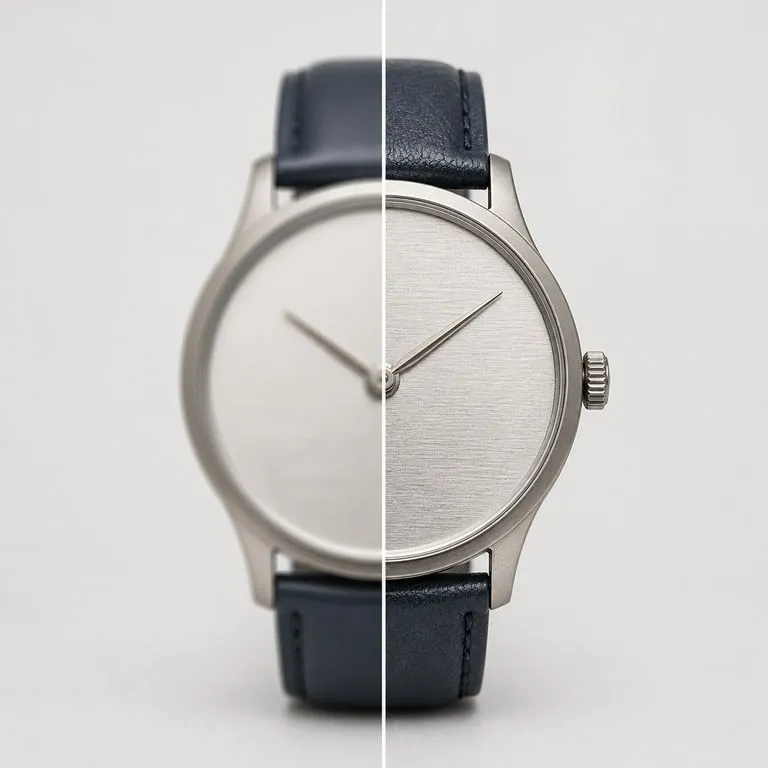
Sube una imagen que no tenga la calidad suficiente para usarla. Detecta qué ha fallado realmente, ya sea desenfoque, ruido, artefactos de compresión o simplemente falta de píxeles, lo repara primero y luego renderiza a la resolución que elijas.
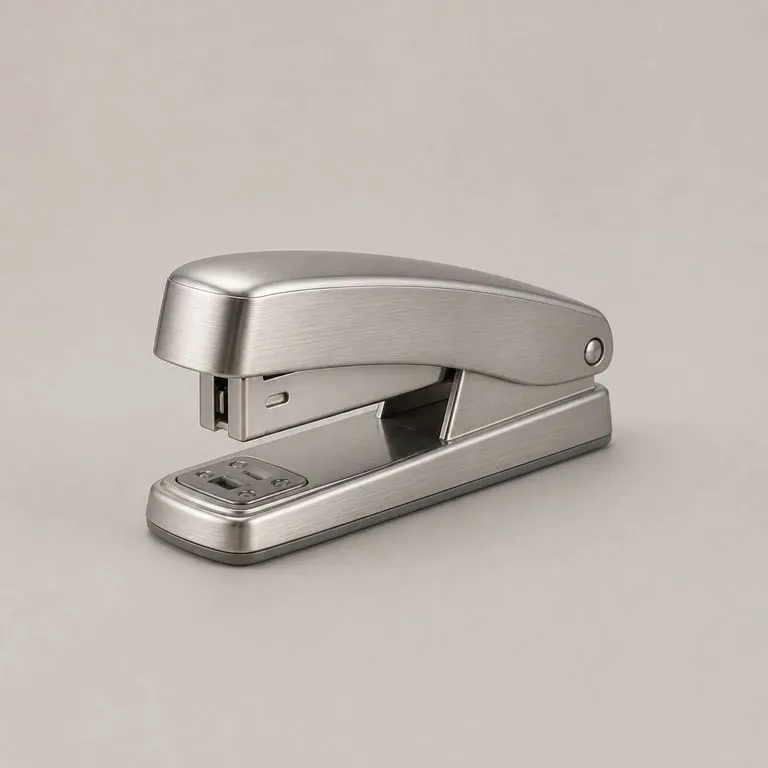
Sube la foto de tu producto y una referencia de material. Lee la estructura subyacente, determina qué panel es cada uno y dónde gira cada superficie, y después aplica el nuevo material siguiendo esa estructura, con una iluminación coherente y la forma exactamente donde estaba.
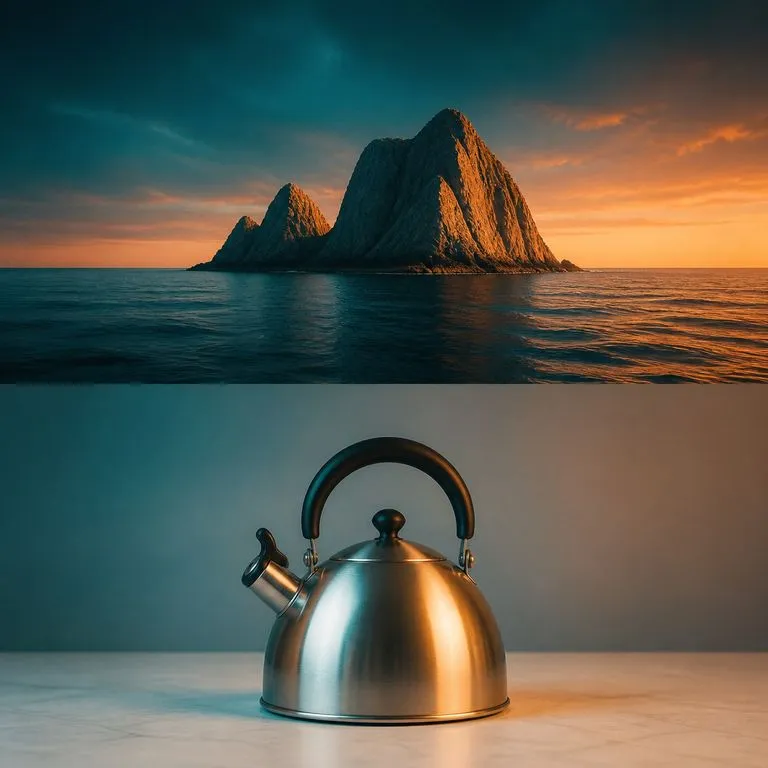
Dale tu imagen y una referencia de tono. La gradación de la referencia se transfiere mediante coincidencia estadística en Lab, que es un cálculo y no una regeneración, de modo que la paleta cambia mientras la estructura y el contenido permanecen idénticos píxel a píxel.
Gemini 2.5 Flash Image de Google — el Nano Banana original — genera y edita imágenes a la velocidad de una conversación, de modo que una corrección requiere una frase en lugar de una sesión.
Seedream 4.0 y Seedream 4.5 de ByteDance generan a partir de descripciones escritas y de imágenes que proporciones, convirtiendo una imagen de origen en tantas direcciones como necesite un proyecto.
Qwen Image 3.0 Pro de Alibaba renderiza la tipografía como lenguaje en una docena de sistemas de escritura, manteniendo la legibilidad hasta diez píxeles en diseños densos.
Describe la diferencia en lugar de reconstruir la imagen, y encadena las ediciones para que cada paso quede en algún lugar al que puedas volver.