How to Make a Moodboard: Step-by-Step Guide With Traditional and AI Methods
 Yifan Zhao読了 8 分 ·
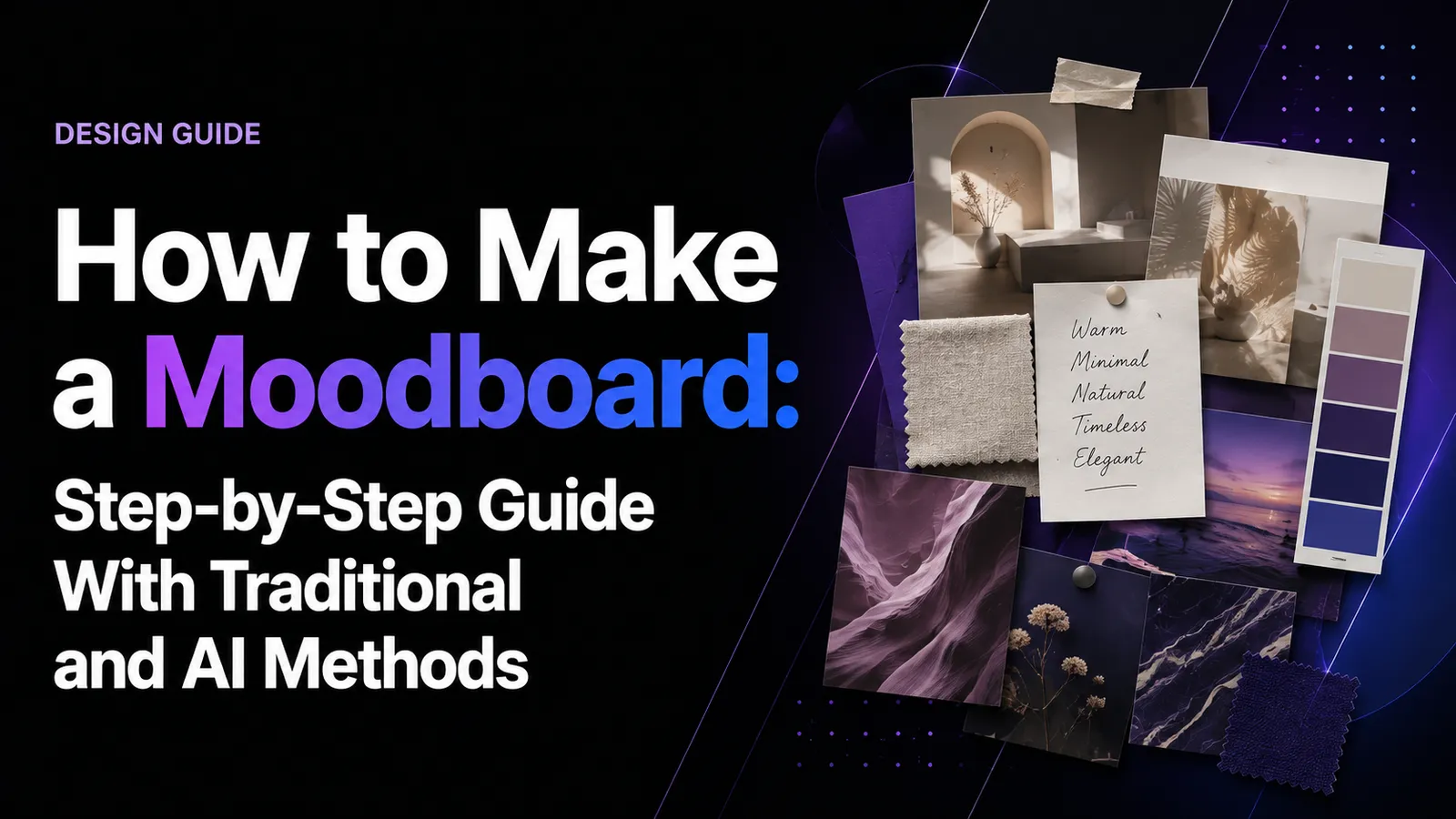
A moodboard is a visual tool that transforms abstract ideas into a clear creative direction by combining images, colors, typography, materials, and design references. A strong moodboard does not simply collect attractive pictures — it communicates how a project should feel, look, and evolve before detailed production begins. Learning how to make a moodboard also gives teams a more structured starting point for art direction.
For designers, creative teams, and clients, moodboards solve a common problem: many design ideas start as vague emotions such as “premium,” “modern,” or “playful.” Without visual alignment, teams can interpret these words differently, leading to inefficient revisions and inconsistent outcomes. Researching real designer discussions shows that professionals increasingly use moodboards as workflow tools for organizing inspiration, communicating direction, and managing visual decisions rather than simple image collections. This makes moodboards especially useful inside a broader AI design workflow and when teams need stronger brand consistency.
In this guide, I will explain how to create a professional moodboard, including how to define your goal, collect references, select the right AI design tools, avoid common mistakes, and use AI to improve the creative exploration process. The same principles can also support more connected AI design agent workflows.
What Is a Moodboard?
A moodboard is a curated collection of visual elements that communicates the style, atmosphere, and creative direction of a project.
Designers commonly use moodboards in:
- Brand identity design
- Product design
- Website and UX projects
- Interior design
- Fashion design
- Marketing campaigns
- Event and wedding design
A moodboard helps answer three important questions:
- What should this project feel like?
- What visual language should guide future decisions?
- Are designers, clients, and teams imagining the same direction?
However, a moodboard is not:
- A random collection of beautiful images
- A final design solution
- A Pinterest board without structure
From a product design perspective, I see moodboards as a bridge between inspiration and execution. They allow teams to discuss design intent before investing significant time in production.
Why Do Designers Use Moodboards Before Starting a Project?
The main value of a moodboard is not visual decoration. It creates alignment.
Professional design workflows often face challenges such as:
- Unclear creative direction
- Different interpretations between stakeholders
- Too many unrelated references
- Slow feedback cycles
- Inconsistent visual styles
A well-designed moodboard helps teams:
Translate Abstract Ideas Into Visual Language
Words like “luxury,” “minimal,” or “innovative” are subjective.
A moodboard converts these concepts into:
- Color systems
- Material choices
- Photography styles
- Typography direction
- Composition principles
For example:
Instead of saying:
“Create a premium technology brand.”
A moodboard can communicate:
- Dark backgrounds
- Metallic materials
- Minimal typography
- High-contrast photography
- Precise geometric layouts
Reduce Design Misalignment
In client projects, moodboards create an early checkpoint.
Before designers create final assets, stakeholders can confirm:
- Overall atmosphere
- Brand personality
- Visual expectations
- Emotional direction
This prevents teams from discovering major disagreements after weeks of production.
How to Define Your Moodboard Goal Before Collecting Images
Many beginners start by searching for images immediately. This often creates a collection of unrelated references.
A better workflow begins with defining the design objective.
Step 1: Identify What You Are Creating
Ask:
- Is this a brand identity?
- A website?
- A product concept?
- A packaging system?
- A campaign?
- An interior space?
The purpose determines what references matter.
For example:
A packaging moodboard should focus on:
- Materials
- Product photography
- Typography
- Color relationships
A website moodboard should focus on:
- Layout patterns
- Interface styles
- Interaction references
Step 2: Define the Target Audience
A moodboard should reflect the people experiencing the design.
Consider:
- Who is the user?
- What emotions should they experience?
- What expectations already exist in the market?
Step 3: Convert Feelings Into Visual Keywords
Avoid vague keywords.
Instead of:
“Modern”
Define:
- Clean geometry
- Neutral colors
- Minimal typography
- Spacious layouts
Instead of:
“Luxury”
Define:
- Elegant serif fonts
- Dark tones
- Premium materials
- Controlled composition
These keywords become your search foundation.
Where to Find High-Quality Moodboard Inspiration
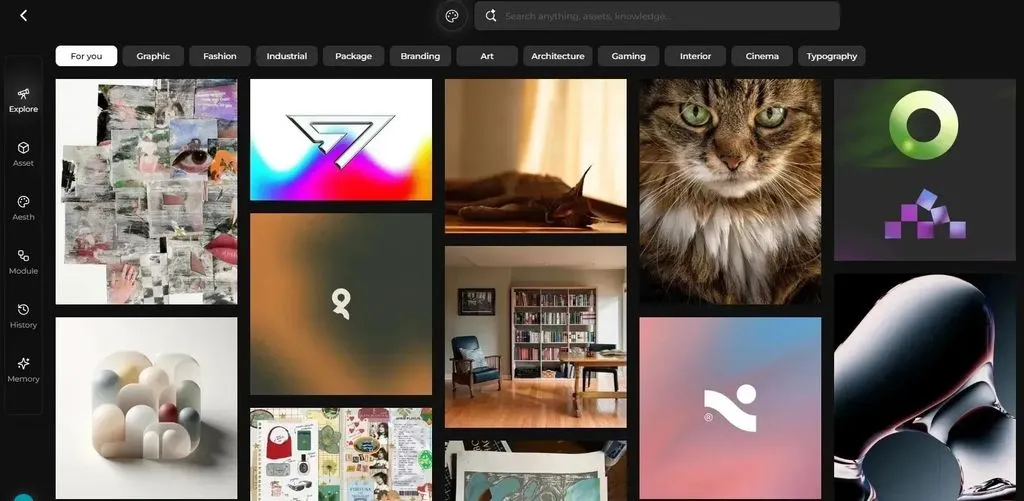
Finding references is often the most time-consuming part of moodboard creation. Designers frequently collect inspiration across multiple platforms, including Pinterest, Behance, Instagram, Vimeo, Are.na, and design communities.
Best for:
- Fast visual exploration
- Discovering broad styles
- Finding common design patterns
Limitations:
- Can create repetitive visual trends
- Recommendations may lead designers toward similar styles
Pinterest is useful for exploration, but professional moodboards usually require additional sources.
Behance
Best for:
- Branding projects
- Complete design cases
- Professional references
Behance helps designers understand not only individual images but also complete design systems.
Are.na
Best for:
- Long-term visual research
- Building inspiration libraries
It is useful when designers want deeper references beyond popular trends.
Figma and Miro Communities
Best for:
- Collaborative design workflows
- Team discussions
- Product design projects
Community discussions show that designers often prefer Figma for flexible moodboard creation, while Miro is commonly used for team brainstorming.
What Elements Should a Professional Moodboard Include?
A strong moodboard usually combines multiple visual dimensions.
Element | Purpose | Example |
Color palette | Defines emotional tone | Warm beige for natural premium style |
Typography | Establishes personality | Serif for elegance, sans-serif for modernity |
Photography | Shows visual storytelling | Editorial, lifestyle, product photography |
Materials | Communicates texture | Glass, metal, wood, fabric |
Layout style | Defines composition | Minimal grid, dynamic arrangement |
Color Palette
Colors influence perception.
Examples:
- Black + metallic → technology and luxury
- Beige + natural textures → calm and premium
- Bright colors → energetic and playful
Typography References
Typography communicates personality.
Examples:
- Serif fonts → traditional, elegant
- Sans-serif fonts → modern, clean
- Handwritten styles → personal, creative
Materials and Textures
Especially important for:
- Industrial design
- Packaging
- Interior design
Examples:
- Wood
- Glass
- Fabric
- Metal
- Paper textures
How to Make a Moodboard Step by Step
Step 1: Collect References Broadly
Start with exploration.
Collect:
- Images
- Colors
- Fonts
- Materials
- Screenshots
- Illustrations
- Layout examples
At this stage, focus on discovering possibilities.
Step 2: Remove Weak References
Do not keep images only because they look attractive.
Ask:
- Does this support my project direction?
- Does it communicate the intended feeling?
- Does it create consistency?
Remove references that:
- Are visually impressive but unrelated
- Introduce conflicting styles
- Add unnecessary complexity
Step 3: Identify Visual Patterns
Look for repetition.
You may discover:
- Similar color combinations
- Similar compositions
- Similar materials
- Similar emotional qualities
These patterns become the foundation of the design language.
Step 4: Organize the Moodboard
A professional structure could include:
Section 1: Overall Atmosphere
The emotional direction.
Section 2: Colors and Materials
The visual foundation.
Section 3: Typography and Graphic Style
The communication style.
Section 4: Applications and Examples
How the direction may appear in reality.
Step 5: Add Explanations
Images alone can create different interpretations.
Add notes such as:
“Soft natural textures create a calm and premium experience.”
This helps teams understand the reasoning behind each choice.
Best Moodboard Tools for Designers
Tool | Best For | Advantages | Limitations |
Canva | Beginners and quick presentations | Easy templates and sharing | Limited advanced control |
Figma | Professional design teams | Flexible layouts and collaboration | Requires design knowledge |
Miro | Team brainstorming | Strong collaboration features | Less focused on visual creativity |
Milanote | Creative research | Excellent visual organization | More suitable for research workflows |
Inspiration discovery | Huge visual database | Not ideal as final presentation |
The right tool depends on the workflow. A designer exploring ideas alone may prefer Pinterest or Are.na, while a product team collaborating on a project may choose Figma or Miro.
Common Moodboard Mistakes Designers Should Avoid
Mistake 1: Collecting Too Many Images
More references do not always create better direction.
A crowded moodboard can make decisions harder.
Solution: Prioritize meaningful references over quantity.
Mistake 2: Following Trends Too Closely
Popular visual styles can make projects feel generic.
Solution: Combine different references to create a unique visual language.
Mistake 3: Making a Beautiful but Unhelpful Moodboard
Aesthetic quality alone is not enough.
A useful moodboard should explain:
- Why these colors?
- Why these materials?
- Why this photography style?
Mistake 4: Ignoring Users and Business Goals
Design direction must connect with:
- Audience expectations
- Brand positioning
- Product goals
How AI Is Changing Moodboard Creation
Traditional moodboard creation requires designers to spend significant time searching, organizing, and comparing references.
AI-assisted workflows can help with:
- Generating initial visual concepts
- Exploring multiple creative directions
- Creating image variations
- Transforming keywords into visual explorations
However, AI should support creative decisions rather than replace them.
In professional workflows, designers remain responsible for:
- Defining the creative goal
- Selecting meaningful references
- Understanding users
- Making final design decisions
Emerging AI design systems are moving toward collaboration models where AI assists with exploration and organization while designers maintain creative control.
Moodboard Examples by Design Scenario
Brand Identity Moodboard
Include:
- Logo references
- Typography
- Colors
- Brand personality
Goal:
Create a consistent brand feeling.
Product Design Moodboard
Include:
- Materials
- Form references
- User lifestyle images
- Technology inspiration
Goal:
Align product vision before prototyping.
Website Design Moodboard
Include:
- UI references
- Layout patterns
- Interaction examples
Goal:
Define digital experience direction.
Marketing Campaign Moodboard
Include:
- Photography style
- Storytelling references
- Visual tone
Goal:
Maintain campaign consistency.
Final Moodboard Checklist
Before presenting your moodboard, check:
✅ Does it communicate one clear feeling?
✅ Are visual elements consistent?
✅ Do images support the same direction?
✅ Can others understand the concept quickly?
✅ Does it help future design decisions?
A successful moodboard is not measured by how many images it contains. It is measured by how effectively it transforms ideas into a shared visual language.
FAQ
What is the purpose of a moodboard?
A moodboard helps designers communicate visual direction before creating final designs. It aligns teams around colors, styles, materials, and emotions, reducing misunderstandings during the creative process.
How many images should a moodboard contain?
There is no fixed number, but quality is more important than quantity. A professional moodboard should include enough references to communicate a clear direction without creating visual confusion.
What tools are best for making a moodboard?
The best tool depends on your workflow. Canva works well for beginners, Figma is suitable for design teams, Miro supports collaboration, and Pinterest is useful for discovering inspiration. Teams incorporating AI can also compare AI design tools based on their specific creative needs.
Can AI create a moodboard?
AI can assist with generating visual concepts, exploring styles, and organizing ideas. However, designers still need to define goals, evaluate references, and make creative decisions.
What is the difference between a moodboard and a Pinterest board?
A Pinterest board is mainly a collection of saved inspiration. A moodboard is a structured design tool that communicates a specific creative direction with intentional selection and organization.
When should designers create a moodboard?
Designers usually create moodboards during the early exploration phase of a project, before detailed design production begins. They are useful for aligning teams, clients, and creative decisions.