Veo 3.1 AI Video Generator

Google DeepMind's Veo 3.1 generates short clips with synchronised 48kHz audio and extends them into longer sequences by carrying the closing frames forward.

作成を始めるには、デスクトップのブラウザでこのページを開いてください。

Build Length by Chaining, Not by Asking for It

Veo 3.1 is Google DeepMind's video model, and it takes a different approach to duration than most of the field.

Rather than stretching a single generation, it produces clips of four, six, or eight seconds and then extends them — the closing frames of one clip become the opening of the next, so a sequence grows shot by shot with continuity carried across each join. That structure gives you a decision point between every segment instead of one long roll of the dice, which is a meaningfully different way to build a piece of video.

Use Veo 3.1 when the finished thing is longer than a single shot. Assemble narrative sequences, campaign films, walkthroughs, and any piece where the second half depends on how the first half turned out.

What Is Veo 3.1?

Veo 3.1 is an AI video generation model developed by Google DeepMind, offered in Virse alongside a lower-cost variant called Veo 3.1 Fast. Both accept a first frame, a last frame, or both, together with a written brief.

The model is built around three major strengths:

  • Scene extension, chaining short generations into longer sequences
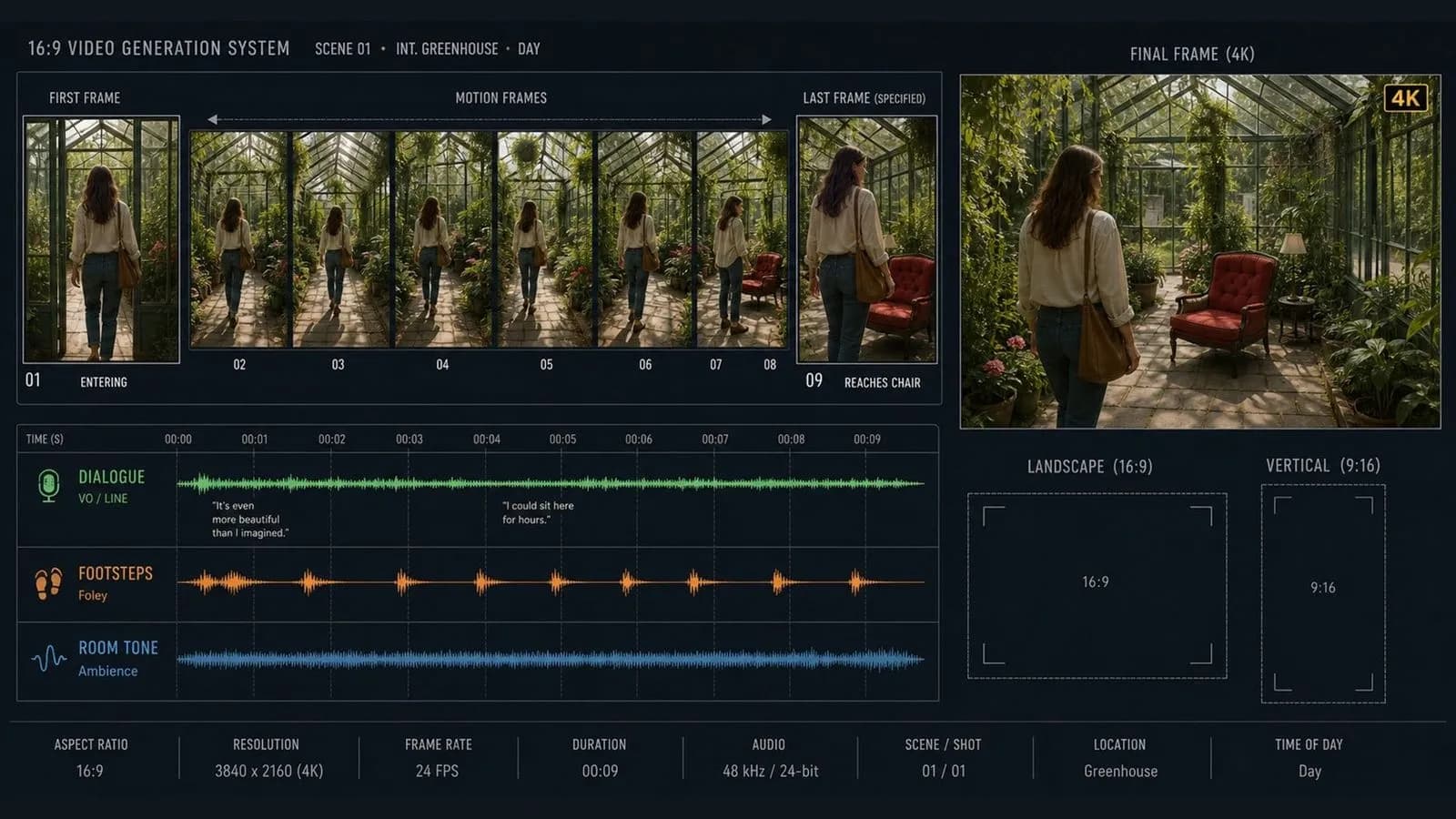
  • Synchronised 48kHz stereo audio covering dialogue, effects, and ambience
  • Native 4K output at 3840×2160, alongside 720p and 1080p

Generations run four, six, or eight seconds, in 16:9 and vertical 9:16. The two entries differ in cost and rendering quality rather than in what they accept, so a brief written for one runs unchanged on the other.

Veo 3.1 Specs at a Glance

Four, Six or Eight Seconds

Selectable generation length per clip.

Scene Extension

Closing frames of one clip become the opening of the next.

Native 4K

True 3840×2160 output, with 1080p and 720p below it.

48kHz Stereo Audio

Dialogue, sound effects, and ambient noise generated with the picture.

16:9 and 9:16

Landscape and vertical from the same written brief.

Two Speed Tiers

Veo 3.1 and Veo 3.1 Fast, taking identical inputs.

Key Features of the Veo 3.1 AI Video Generator

Length Assembled in Segments

Scene extension turns duration into a series of decisions rather than one commitment. If segment three goes wrong, you regenerate segment three — not the whole piece.

Continuity Carried Across Joins

Because the extension starts from the previous clip's closing frames, the subject, lighting, and setting persist across the cut rather than being re-derived from a description.

Broadcast-Grade Audio

At 48kHz stereo, the sound is at a specification that survives a real edit rather than needing replacement before anything goes to air.

Selectable Clip Length

Four, six, or eight seconds is a genuine choice, and it matters because pacing is set by duration more than by anything in the brief.

Native 4K Output

3840×2160 rendered directly, for work that will be projected, cropped into, or delivered at full size.

A Fast Tier That Takes the Same Brief

Veo 3.1 Fast accepts identical inputs, so the exploratory pass and the delivery pass are the same prompt on different entries.

Build with Veo 3.1 in Virse

A chained sequence is only manageable if you can see the chain. Segment four is built on segment three, and if segment three gets replaced, everything downstream needs rechecking. Virse keeps the whole run laid out in order on one canvas. Each extension sits after the clip it grew from, so the structure of the sequence stays visible rather than living in a filename convention.

See the Sequence in Order

Every segment sits beside the one it extends, which makes a broken join obvious at a glance.

Regenerate a Segment Without Losing the Rest

Replace one link in the chain and rebuild forward from there rather than starting the whole piece again.

Access 30+ Creative Models

Move between Veo 3.1 and 30+ other image and video models without leaving the canvas or rewriting the brief.

Generate the Opening Frame First

Produce the establishing frame with an image model in the same workspace and start the chain from it.

What Can You Create with Veo 3.1?

Narrative Sequences

Multi-segment pieces assembled shot by shot with continuity across the joins.

Campaign Films

Branded video built to a length that a single generation cannot reach.

Product Walkthroughs

Extended demonstrations that carry the product consistently from segment to segment.

Establishing and Atmosphere Shots

Location footage where ambience carries as much as the picture.

Vertical Social Cuts

9:16 output for feeds, from the same brief as the landscape version.

Previz From Boards

Storyboards turned into moving reference, extended into full sequences.

How to Use Veo 3.1 in Virse

  1. Choose a Tier and a Length

    Fast for exploration, the standard entry for delivery. Pick four, six, or eight seconds by the pacing you want.

  2. Set the Opening Frame

    Upload the composition the sequence starts on, and the closing one if the shot has to land somewhere specific.

  3. Write Motion and Sound

    State the movement, the camera's behaviour, and the mix — and be specific about how the segment ends.

  4. Extend Into the Next Segment

    Use the closing frames to generate the following shot, and review each join before continuing.

How to Write a Veo 3.1 Prompt

A useful Veo 3.1 prompt usually includes five elements:

  • Subject and Setting
  • What Moves
  • Camera
  • Sound
  • Ending

こう書く代わりに

A dramatic shot of waves hitting rocks, cinematic, with epic music.

こう書く

A wide shot of grey waves breaking against black volcanic rock under overcast light. Each swell rises and collapses at an unhurried pace, spray carrying to the right on the wind. Camera locked off on a tripod, slightly above the waterline. Audio is water and wind only, no music. End on a wave receding and the rock left glistening.

Veo 3.1 Prompt Examples

Opening Segment of a Sequence

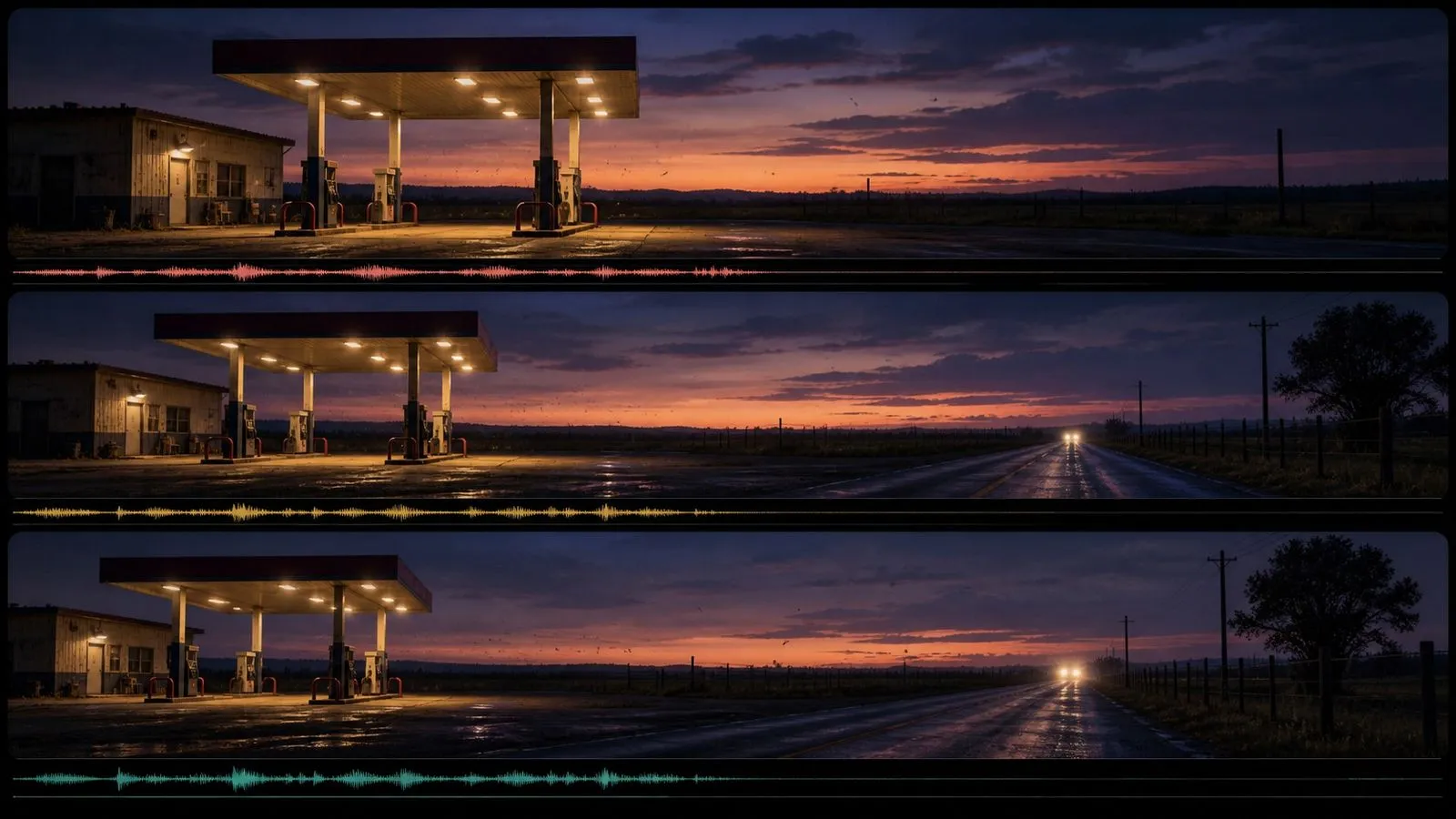
Open on the composition in Image 1: a rural petrol station at dusk, single canopy light on, no cars and no people. Insects move through the beam of the canopy light. Everything else is still. Camera tracks slowly right at a constant speed, keeping the canopy in frame throughout. Cicadas, the electrical buzz of the light, one distant vehicle passing without appearing. No music. End with the canopy at the left edge and open road filling the right.

Product Reveal With Sound Design

Open on a pair of over-ear headphones resting closed on a dark walnut surface, lit from a single source above and behind. The earcups rotate open slowly and evenly over the first two seconds while the camera pushes in a short distance and stops. Low room tone with one soft mechanical click as the cups reach their open position. No music. End with the headphones fully open, filling the lower half of the frame.

Short Dialogue Beat

A man in a canvas jacket stands in a hardware shop aisle, holding a tin of paint and reading the label. He looks up toward someone off camera and says, "This one's the matt, right?" Camera static in a medium shot from the end of the aisle, no movement. Fluorescent hum, distant shelving noise, his voice at conversational level, no music. End on him looking back down at the tin.

Veo 3.1 vs. Veo 3.1 Fast

比較項目Veo 3.1 FastVeo 3.1
Positioned forExploration and timingDelivery
InputsIdentical to standardIdentical to Fast
Clip lengthsFour, six, or eight secondsFour, six, or eight seconds
Scene extensionYesYes
AudioOptional, 48kHz stereoOptional, 48kHz stereo
Output range720p to 4K720p to 4K

Tips for Better Veo 3.1 Results

Write the Ending Carefully

The closing state becomes the next segment's opening. A loose ending propagates through everything you build after it.

Review Each Join Before Extending

Check the transition between segments before generating the next one. Errors compound down a chain.

Name the Mix, Not the Mood

"No music, room tone and footsteps only" is directable. "Epic score" is a feeling the model has to guess at.

One Action per Segment

Four to eight seconds holds one thing happening. Stacking events is what segmenting exists to avoid.

Veo 3.1 FAQ

What is Veo 3.1?
Veo 3.1 is Google DeepMind's video generation model, producing clips of four, six, or eight seconds with synchronised audio, extendable into longer sequences.
How long can a Veo 3.1 clip be?
Each generation runs four, six, or eight seconds. Scene extension chains them by using the closing frames of one clip as the opening of the next.
Is Veo 3.1 free, and what does it cost?
Veo 3.1 is available on Virse's paid plans. Generation is billed by the second from a monthly credit allowance, and the higher plans make it unmetered within fair use. Current plan rates are listed on the Virse pricing page.
Can Veo 3.1 generate audio?
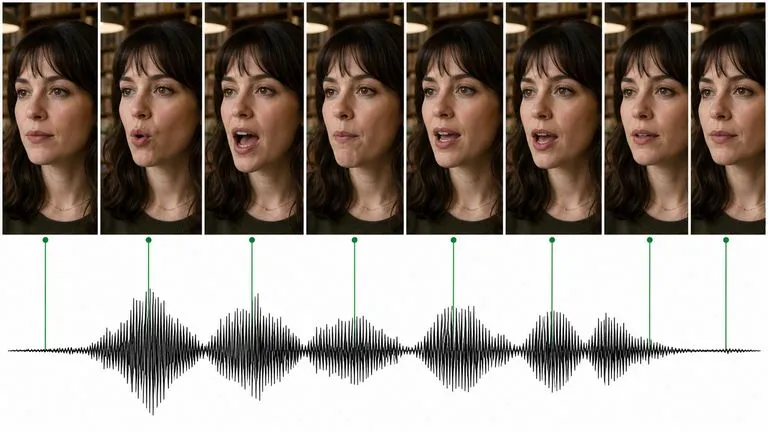
Yes — 48kHz stereo covering dialogue, sound effects, and ambience, timed to the action rather than laid over a finished clip.
Can Veo 3.1 generate 4K video?
Yes, natively at 3840×2160, with 1080p and 720p also available.
What is the difference between Veo 3.1 and Veo 3.1 Fast?
Cost and rendering quality. Both accept the same inputs, the same clip lengths, and the same prompts, so a brief moves between them unchanged.
What aspect ratios does Veo 3.1 support?
16:9 landscape and 9:16 vertical, from the same written brief.
How do I use Veo 3.1 in Virse?
Select Veo 3.1 or Veo 3.1 Fast, upload a first frame, a last frame, or both, write a brief covering motion and sound, and generate.

One Segment at a Time

Build the sequence in pieces, check each join, and keep the decision points that a single long generation would take away from you.