How to Make an Album Cover in 2026
Vincent読了 14 分 ·
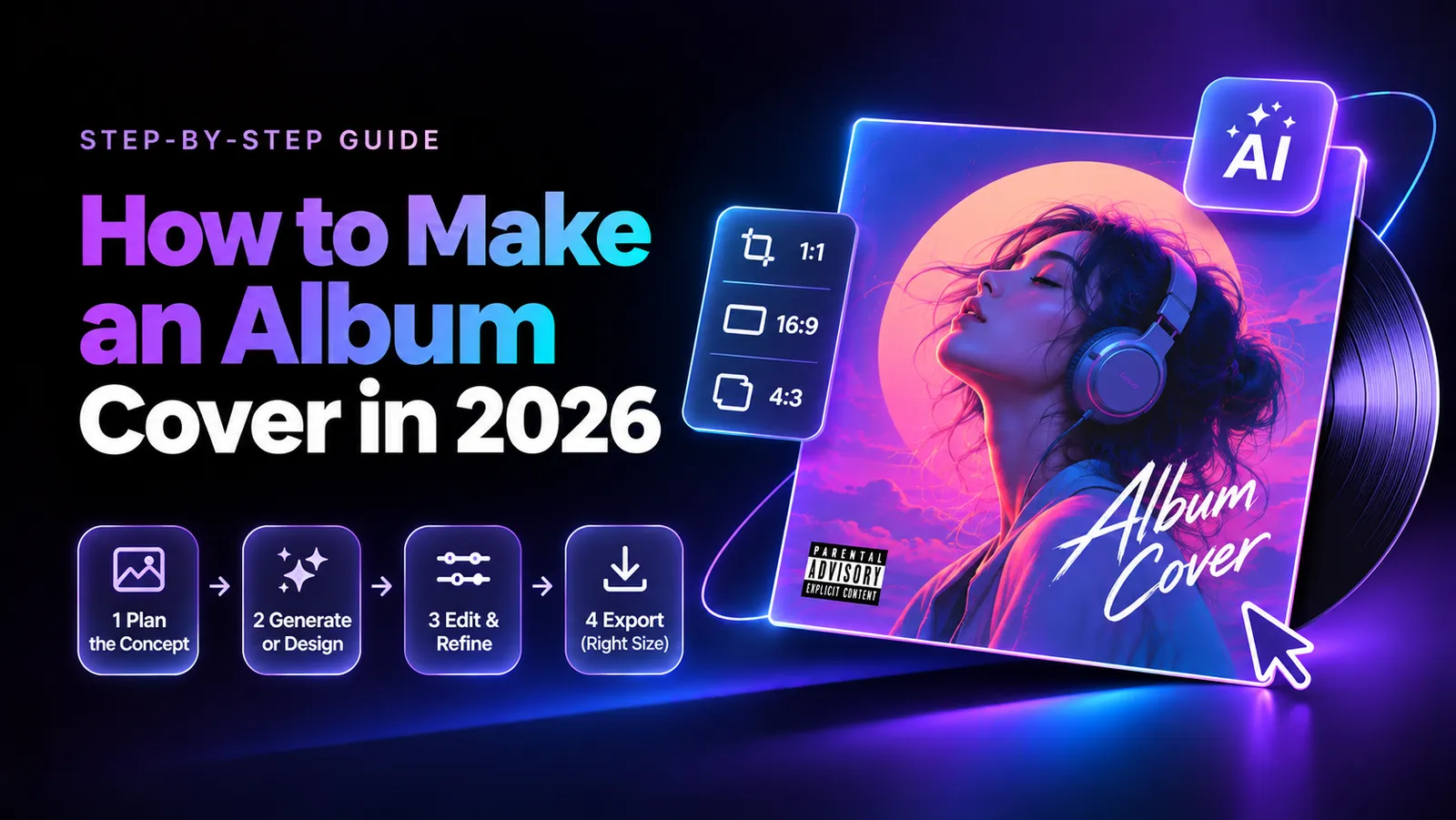
To make an album cover, define a concept that matches your music, create or choose original imagery, arrange it on a square canvas, refine the typography and colors, and export high-resolution artwork for distribution. You can do this with phone photography, free design software, or AI-assisted creative tools.
But creating an attractive image is only half the challenge. Generic AI artwork, overused templates, awkward typography, and unclear licensing can make a cover feel unfinished. Our research identified a musician who completed a photo-based cover in approximately 15 minutes, while another band encountered delivery problems despite budgeting $150–$250 for commissioned artwork. Spending more doesn't automatically guarantee a better result.
Want to explore album cover ideas without constantly switching between AI tools? Virse brings 50+ AI models, visual references, and creative workflows together on one infinite canvas. Explore different concepts, compare visual directions, and keep your creative assets connected while refining your ideas. You can also use the AI Album Cover Generator to develop artwork concepts while keeping the artistic direction in your hands.
How to Make an Album Cover Step by Step
Making an album cover involves seven steps: define your concept, choose a style, gather visual materials, build a composition, add typography, refine the design, and export the final file.
The most important decision comes before opening a design tool: understanding what the artwork should communicate about your music.
Step 1: Define Your Album Cover Concept
Start by identifying the emotions and ideas behind your release.
Ask yourself:
- What three words describe the album?
- Which colors, objects, or locations represent its story?
- Should the artwork feel nostalgic, intimate, mysterious, or experimental?
- Does it need to connect visually with previous releases?
For example, an indie album about isolation might feature an empty street, a solitary figure, and muted blue lighting. An electronic release could use abstract shapes, reflective materials, and dramatic contrast.
Write a short creative brief before designing.
Example: A cinematic album cover about loneliness, featuring an empty swimming pool at dusk, faded turquoise colors, and subtle film grain.
This brief becomes your reference when comparing compositions and deciding which elements belong in the finished artwork. If you're struggling to define the visual direction, creating a moodboard can help organize your references, colors, and creative ideas.
Step 2: Choose Your Album Cover Style and Materials
You don't need professional photography equipment to create distinctive artwork.
Our review of user questions identified several practical methods:
- Personal photography: Use original portraits, landscapes, or meaningful objects.
- Physical collage: Combine paper, handwritten notes, photographs, and fabric.
- Abstract textures: Photograph rusted metal, old wood, stone, water, or reflections.
- Digital illustration: Create stylized characters, shapes, or environments.
- AI-assisted imagery: Explore visual concepts using prompts and reference images.
One creative approach documented in our research involved arranging newspaper cutouts on a physical surface and photographing the result. Another involved using everyday textures as the foundation for abstract artwork.
The advantage of these methods is originality at the source. Instead of starting with a familiar template, you create visual material connected to your own creative decisions.
For more inspiration across musical styles, explore these 50 album cover ideas by genre.
Step 3: Design, Refine, and Export Your Artwork
Start with a square canvas and establish one clear focal point.
A portrait, handwritten phrase, or unusual object can be enough. Avoid adding decorative elements simply to fill empty space.
Follow this workflow:
- Crop and position your main image.
- Adjust lighting, contrast, and colors.
- Add your artist name or album title if needed.
- Refine font selection, spacing, and alignment.
- Preview the cover at thumbnail size.
- Save an editable master file.
- Export the artwork according to your distributor's specifications.
A 3000 × 3000 px square JPG in RGB color mode is a practical choice for many digital releases, but requirements vary by distributor and delivery route.
Always verify the current specifications before uploading. For a detailed breakdown of digital and physical formats, see our album cover size guide.
How to Make an Album Cover for Free
You can make an album cover for free using your own photographs, physical materials, and suitable image-editing tools. The simplest workflow is often more effective than a complicated design filled with unnecessary effects.
Make an Album Cover Using Only Your Phone
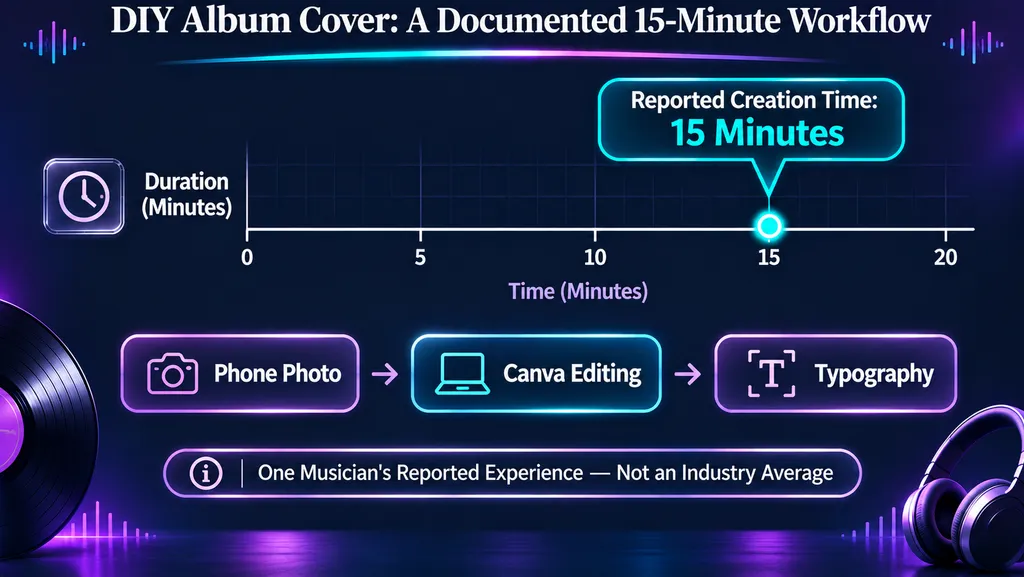
One documented case in our research involved a musician selecting a photograph from their phone gallery, editing it in Canva, and adding typography.
The creator reported completing the artwork in approximately 15 minutes and shared two recent examples.
This is an individual production experience, not an industry-wide benchmark. However, it demonstrates how efficiently a straightforward design can come together when the source photograph is already suitable.
Try this process:
- Choose an original photograph with a recognizable subject.
- Crop it into a square.
- Adjust exposure and color temperature.
- Add subtle texture if it supports the concept.
- Insert typography when necessary.
- Review the finished image at a smaller size.
A strong original photograph often needs less editing than a weak image. Prioritize composition and mood before adding filters.
Create Original Album Art Without Photoshop
Physical collage and texture photography are useful alternatives when you want artwork with a distinctive handmade character.
Gather materials such as colored paper, fabric scraps, handwritten notes, old magazines, or painted surfaces.
Arrange them, photograph the composition, and refine the image digitally.
Our review of questions about abstract album art also identified a simple technique: photograph unusual surfaces such as rusted metal, weathered wood, or reflections in water.
These materials naturally produce patterns and color relationships that can become interesting cover art.
You can use GIMP or Photopea for manual image editing, while Canva can handle simpler layouts and typography.
The goal isn't to use the most sophisticated software. It's to create artwork that communicates your chosen concept. If you're new to visual composition, understanding the basic principles of graphic design can help you make more intentional creative decisions.
How to Make an AI Album Cover Without Looking Generic
AI can help develop album cover concepts, but a generated image is not automatically a finished design. Originality, typography, composition, and audience perception still matter.
Our research found contrasting reactions to AI-generated covers.
Some musicians use AI for initial concepts or editing assistance. Others report negative reactions when artwork appears entirely generated.
One documented artist experience described difficulty attracting interest from music-promotion contacts after using AI artwork. Another discussion highlighted listeners associating obviously AI-generated covers with AI-generated music.
These are reported experiences rather than controlled measurements. They do not establish that AI-generated artwork universally reduces streams or promotional opportunities.
Start With a Specific Creative Brief
Avoid generic instructions such as asking AI to create a beautiful or professional album cover.
Instead, specify the subject, environment, lighting, colors, composition, and mood. Learning how to write effective AI design prompts can help translate a creative brief into more controlled visual results.
For example:
A solitary figure beside an empty swimming pool at dusk, faded turquoise tiles, warm reflections, subtle film grain, quiet nostalgic atmosphere, cinematic square composition, no text.
Generate several meaningful variations rather than repeatedly changing minor details.
Compare the visual results against your original creative brief.
You might prefer the lighting of one concept, the composition of another, and the color palette of a third.
The strongest direction is the one that represents the music, not necessarily the most visually elaborate image.
Refine AI Album Artwork With Virse
A common challenge in AI-assisted creation is keeping visual references, concepts, and revisions organized.
Virse provides an infinite creative canvas that connects multiple AI models, reference materials, and creative assets within a shared workspace.
For album cover development, a practical workflow is to:
- Collect original photographs and visual references.
- Define the album's artistic direction.
- Explore alternative image concepts.
- Compare lighting, colors, and compositions.
- Select promising visuals for refinement.
- Complete typography and export checks.
For example, you could explore several visual interpretations of the same abandoned-motel concept while keeping the original reference materials accessible.
The Virse AI Album Cover Generator can support early concept development, while a connected canvas helps organize the broader creative process.
Virse supports the broader creative exploration process; the quality of the final cover still depends on your artistic decisions and finishing work.
Adding original photographs, handwritten details, or meaningful objects can help distinguish the artwork from generic AI imagery.
For projects requiring multiple stages of image generation and refinement, a structured AI design workflow can help keep creative decisions consistent.
How to Make an Album Cover Look Professional
Professional-looking album artwork relies on clear composition, readable typography, and consistent visual identity—not necessarily expensive software.
Our review of graphic-design feedback identified recurring problems involving incompatible fonts, inconsistent alignment, weak contrast, and overcrowded layouts.
Improve Album Cover Typography and Composition
Start by choosing one dominant visual element.
If your cover contains a portrait, large title, decorative graphics, and multiple textures, decide what viewers should notice first.
Then simplify competing elements.
Pay attention to three principles:
- Visual hierarchy: Give the most important subject or text the greatest prominence.
- Contrast: Make sure essential elements remain distinguishable from their backgrounds.
- Alignment: Use consistent positioning unless an intentional alternative strengthens the design.
In one design critique examined during our research, reviewers identified playful lettering that conflicted with a darker illustration. Other discussions highlighted inconsistent spacing and alignment.
These examples demonstrate why typography should be evaluated as part of the full composition.
A font can be readable but still feel wrong for the music.
Understanding layout design can make it easier to balance artwork, typography, and negative space without overcrowding the cover.
Test Your Cover at Thumbnail Size
Album artwork is often viewed as a small square in streaming interfaces.
A design that looks impressive on a monitor may lose important details when reduced.
As a practical review exercise, preview your artwork at approximately 100 × 100 pixels. This is a suggested design test, not a platform requirement.
Check whether:
- The main subject remains recognizable.
- The color palette feels distinctive.
- Essential typography remains readable.
- Small details create unnecessary visual clutter.
If the composition becomes confusing, simplify it or increase contrast.
For multiple singles, maintain consistent typography, color relationships, and image treatment.
Our research identified a case involving two related tracks whose artwork appeared inconsistent after distribution. Although the exact cause was not established, the experience highlights the value of using consistent source dimensions and reusable design rules.
For artists developing an identity across multiple releases, a consistent art direction can help connect individual covers without making them look identical.
Which Album Cover Design Tool Should You Use?
The best album cover maker depends on your design experience, visual goals, and required editing control.
Different tools are better suited to different stages of the creative process.
Canva vs. Photoshop vs. AI Design Tools
Canva is suitable for beginners creating straightforward layouts, typography, and promotional graphics. However, heavily reused templates can make artwork feel generic.
Photoshop provides detailed control over image compositing, masking, retouching, and layered editing.
GIMP and Photopea are alternatives for creators who want more manual image-editing capabilities.
Blender is useful when the design requires original 3D objects, environments, or lighting.
Virse supports AI-assisted concept exploration and connected creative workflows using multiple models and visual references.
Choose your software according to the most demanding part of the project.
If you already have an excellent photograph, a simple editor may be enough. If you're developing several creative directions, a workspace that supports visual exploration may be more useful.
You can also explore our guide to the best AI design tools to compare different approaches to creative production.
Should You Design Your Own Album Cover or Hire an Artist?
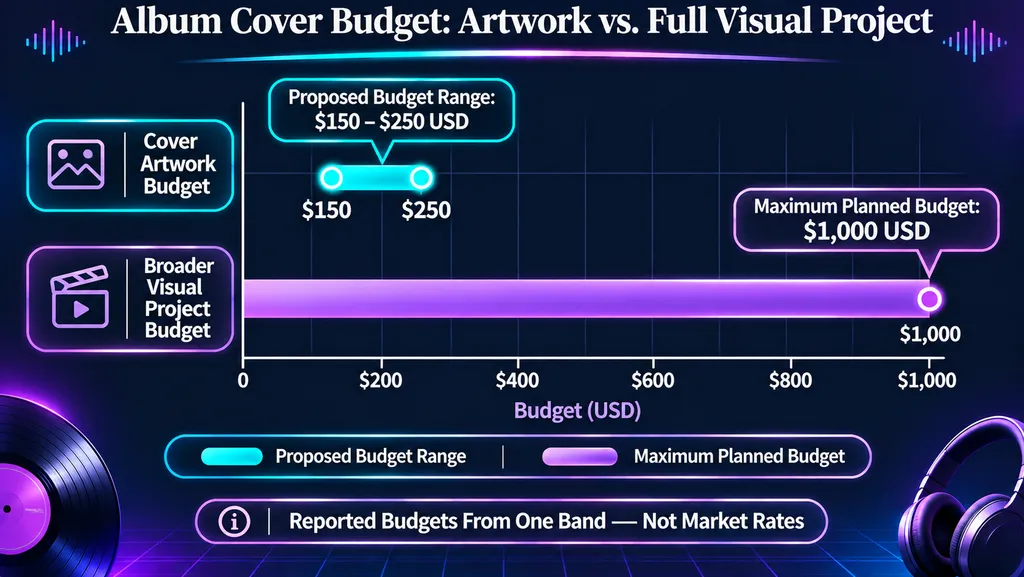
Our research identified a band that budgeted $150–$250 for cover artwork and up to $1,000 for a broader visual project.
Despite having a creative brief and budget, the band reported difficulties with two designers.
The first reportedly delayed delivery and stopped communicating. The second delivered an unsatisfactory AI-style draft after two days.
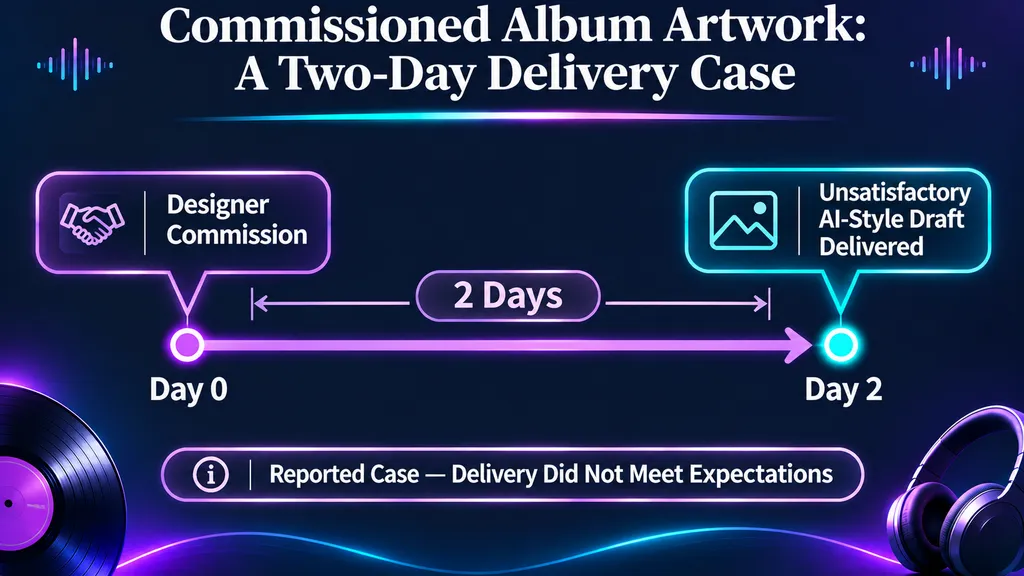
These figures describe one band's proposed budget and experience, not typical market rates.
The case highlights why clear expectations matter as much as pricing.
Before hiring a designer, agree on:
- Creative direction and references
- Deliverables and file formats
- Revision rounds and deadlines
- AI usage expectations
- Commercial licensing and ownership
- Payment and approval milestones
DIY is practical when you want direct control over simple artwork. Hiring a designer may be more appropriate for specialized illustration, complex packaging, or a coordinated release identity.
What Size Should an Album Cover Be in 2026?
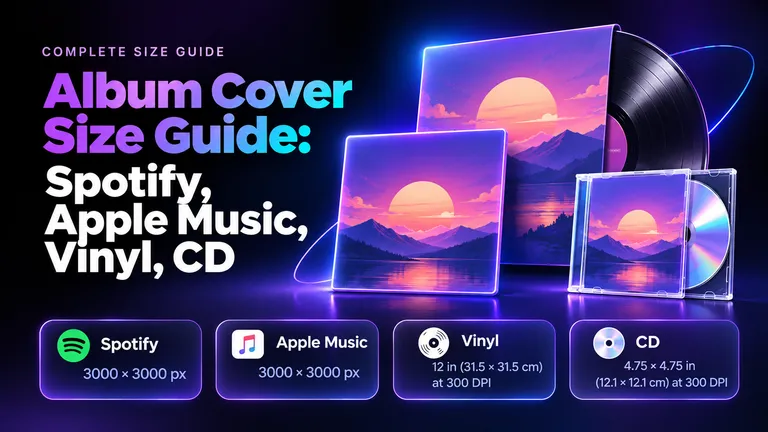
For digital music distribution, use high-resolution square artwork and confirm your distributor's current specifications. A 3000 × 3000 px master is a useful starting point for many releases, but platform requirements are not identical.
Spotify and Apple Music Album Cover Requirements
Current official documentation provides the following guidance:
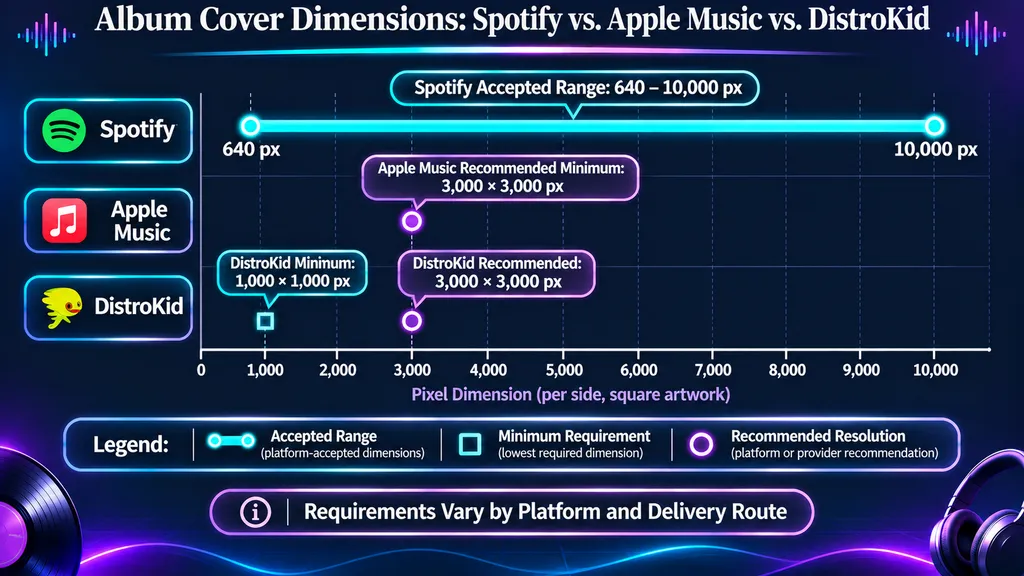
- Spotify: Square artwork between 640 and 10,000 pixels per side, with additional technical requirements for color encoding and file format.
- Apple Music: Its music-delivery specification recommends artwork with a minimum resolution of 3000 × 3000 pixels. Requirements may differ by delivery workflow.
- DistroKid: A minimum of 1000 × 1000 pixels, with 3000 × 3000 pixels recommended.
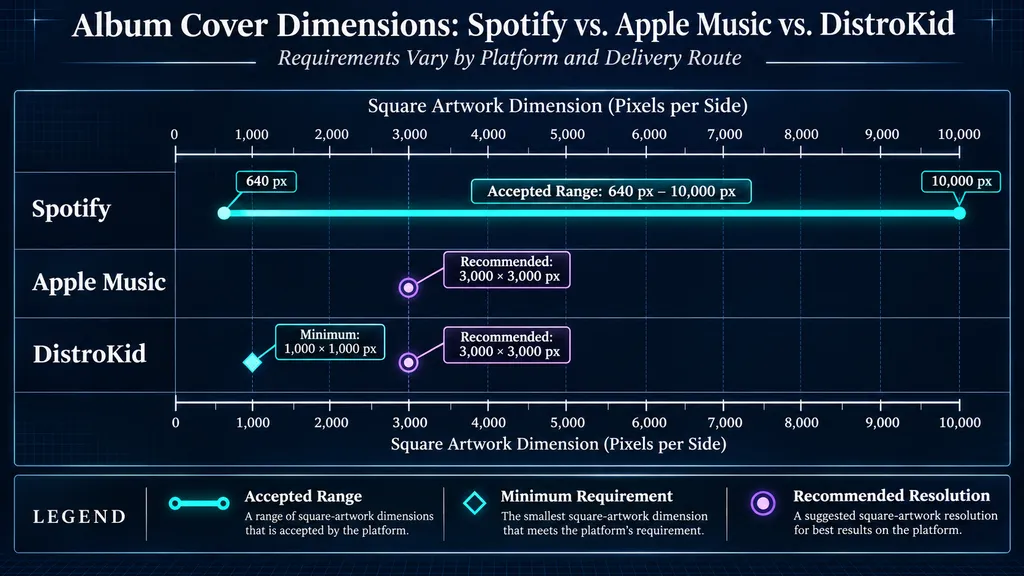
Spotify also advises against upscaling small images merely to reach a larger dimension.
DistroKid recommends square JPG artwork in RGB color mode.
Meeting the recommended dimensions does not guarantee acceptance. Your distributor may apply additional quality, formatting, and metadata requirements.
Avoid prohibited promotional elements such as website URLs, QR codes, prices, and streaming-service logos.
Also remember that vinyl sleeves and CD packaging require separate printer-specific dimensions and production templates.
For a format-by-format comparison, read the complete Album Cover Size Guide for Spotify, Apple Music, Vinyl, and CD.
Check Album Artwork Copyright and Commercial Rights
One documented question in our research involved a musician who purchased a physical painting and wanted to reproduce it as EP artwork.
This illustrates an important distinction: owning a physical painting does not automatically mean owning its copyright or commercial reproduction rights.
The same concern applies to photographs, commissioned illustrations, stock imagery, and AI-assisted compositions.
Before releasing your artwork, confirm:
- Who owns the original visual material.
- Whether you have permission for commercial reproduction.
- Whether the license covers streaming and merchandise.
- Whether attribution or modification restrictions apply.
- Whether third-party rights or AI-tool terms affect your intended use.
The U.S. Copyright Office distinguishes ownership of a physical object from ownership of the copyright in the underlying work.
Keep your licenses, written agreements, and original project files with your finished cover.
When permissions are uncertain, seek appropriate authorization or legal guidance before publishing.
FAQ
Can I make an album cover for free using only my phone?
Yes. Take an original photograph, crop it into a square, adjust the colors, and add typography using a suitable editing app. Our research identified a phone-photo workflow completed in approximately 15 minutes, although production times vary by project.
Is Canva or Photoshop better for album cover design?
Canva is generally easier for simple layouts and typography, while Photoshop offers more detailed image-editing control. Choose based on whether your project requires straightforward composition or advanced image manipulation.
Does AI-generated album art hurt music promotion?
Some musicians and listeners report negative reactions to obviously AI-generated covers. However, the available anecdotal evidence does not establish a universal effect on streams or promotional opportunities. Original concepts and deliberate editing help make artwork more connected to your music.
Can I use someone else's painting or stock photo for my album cover?
Only when you have the necessary rights or permission. Purchasing a physical artwork or downloading an image does not automatically grant commercial reproduction rights. Review the applicable license before distributing your cover.
Conclusion
Learning how to make an album cover in 2026 is ultimately about translating your music's identity into a memorable visual concept. Whether you use original phone photography, physical collage, traditional design software, or an AI-assisted creative workspace like Virse, focus on distinctive materials, intentional composition, readable typography, and consistent visual direction. Our research shows that both quick DIY projects and commissioned artwork involve tradeoffs, while licensing and distribution requirements remain essential regardless of budget. The strongest album cover is one that reflects your music, maintains creative originality, and is carefully prepared for release. If you're ready to explore your own visual direction, start with the Virse AI Album Cover Generator.