
Diálogo sincronizado com os lábios
Fala temporizada com o movimento da boca, em vez de sobreposta.
O Kling 3.0 da Kuaishou fala — diálogo sincronizado com os lábios em cinco idiomas, uma voz diferente por personagem e um modo de storyboard que estrutura uma sequência completa.
Abra esta página em um navegador de desktop para começar a criar.
Kling 3.0 é o modelo de vídeo de terceira geração da Kuaishou, e a capacidade que o distingue do restante conjunto é a fala.
Muitos modelos geram som. Muito menos geram diálogo com sincronização labial, e ainda menos dão a cada personagem uma voz distinta, lidam com cinco idiomas e suportam cenas em que duas pessoas falam idiomas diferentes. O Kling 3.0 faz tudo isso na mesma geração que a imagem, juntamente com um modo de storyboard com múltiplos planos que define uma sequência de enquadramentos de câmara separados a partir de um único prompt.
Use o Kling 3.0 quando alguém no plano tem algo a dizer. Crie cenas de diálogo, curtas narrativas, conteúdos explicativos com um apresentador, versões de campanhas multilingues e sequências com múltiplos planos que, de outra forma, exigiriam várias gerações para serem montadas.
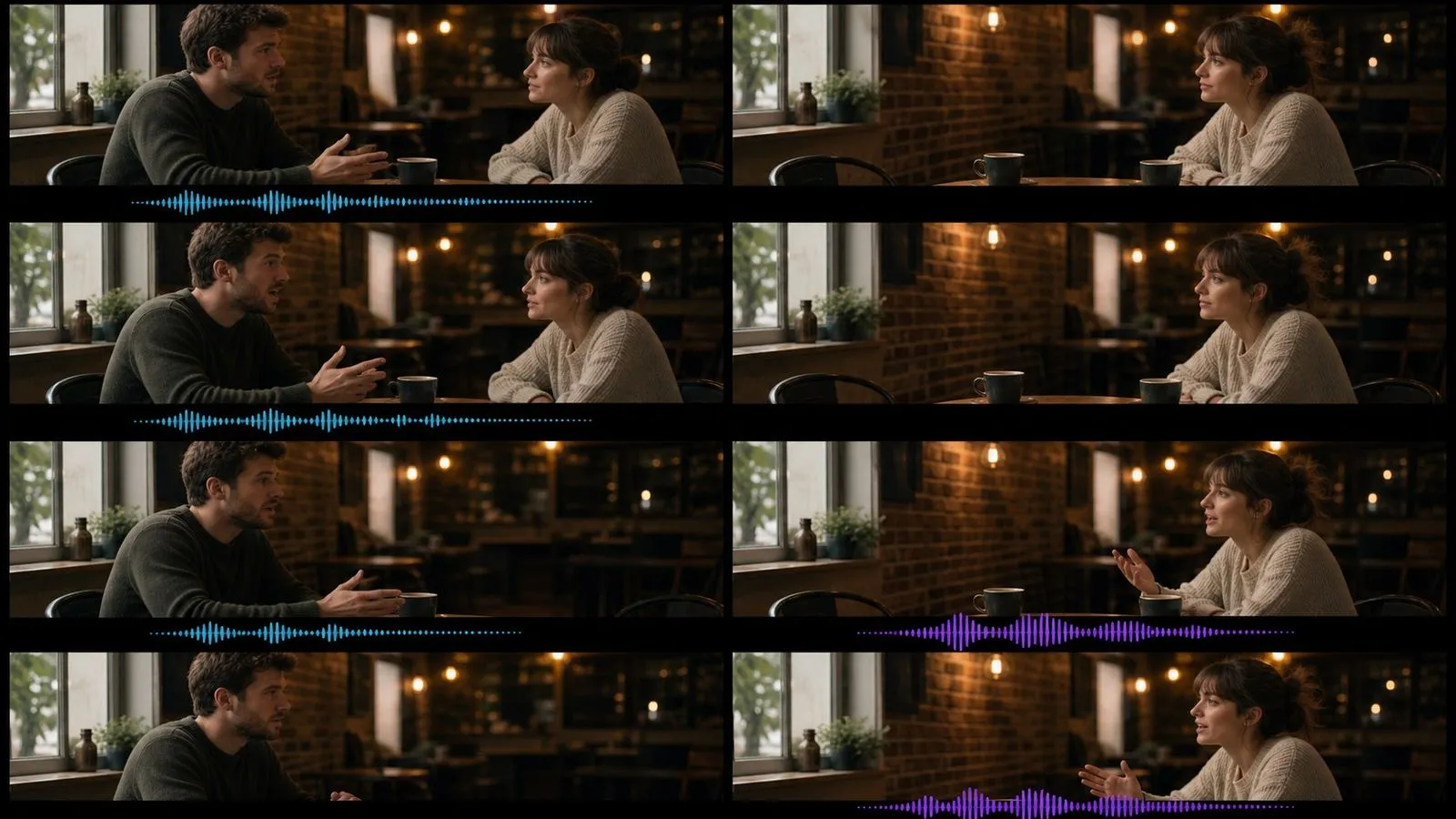
Kling 3.0 é um modelo de geração de vídeo por IA desenvolvido pela Kuaishou. Fornece-lhe um fotograma inicial, um fotograma final, ou ambos, juntamente com uma descrição escrita do que deve acontecer entre eles.
O modelo assenta em três grandes pontos fortes:
Os clipes podem ter até quinze segundos, com até 60fps. O som é co-gerado com a imagem — música, efeitos, ambiente e fala em conjunto. A Virse lista a linha como duas entradas, com a Kuaishou a posicionar a Standard como o nível de iteração eficiente em termos de custos e a Pro como a de qualidade final; ambas aceitam entradas idênticas.
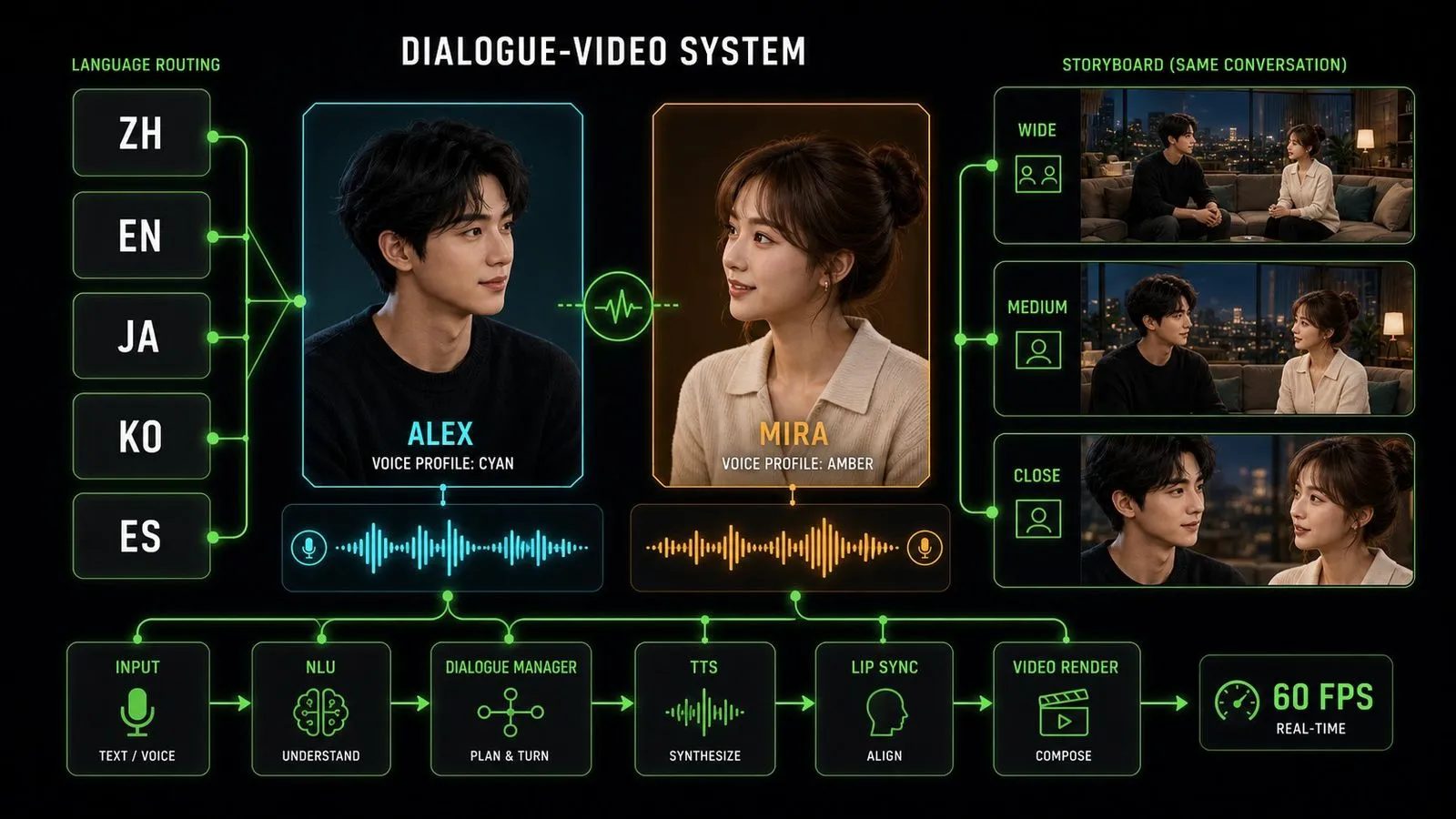
Fala temporizada com o movimento da boca, em vez de sobreposta.
Chinês, inglês, japonês, coreano e espanhol, incluindo cenas com mistura de idiomas.
Cada interlocutor numa cena soa como uma pessoa diferente.
Duração de clip numa só passagem, acima do limite máximo da geração anterior.
O dobro da taxa de fotogramas da versão anterior.
Uma sequência de configurações de câmara separadas, planeadas a partir de um único prompt.
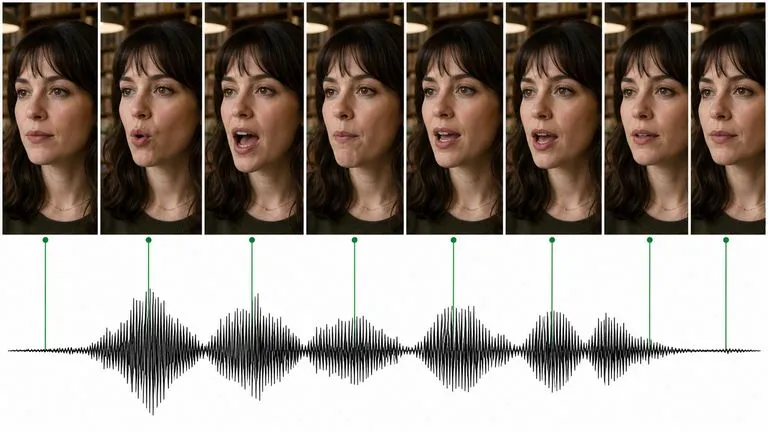
A sincronização labial é a diferença entre uma personagem que fala e uma personagem que parece estar a mastigar. O Kling 3.0 sincroniza a fala com o movimento visível da boca, que é o que torna o diálogo utilizável em vez de meramente presente.
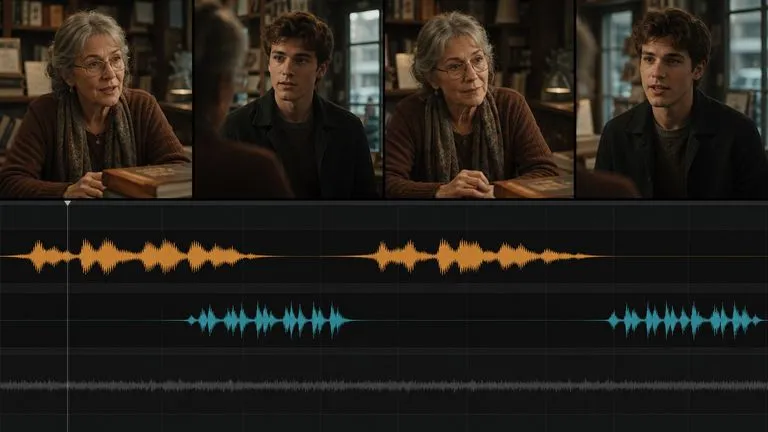
Numa cena a dois, é imediatamente errado que ambas as pessoas soem da mesma forma. Vozes distintas por personagem eliminam o indício mais óbvio em cenas de diálogo geradas.
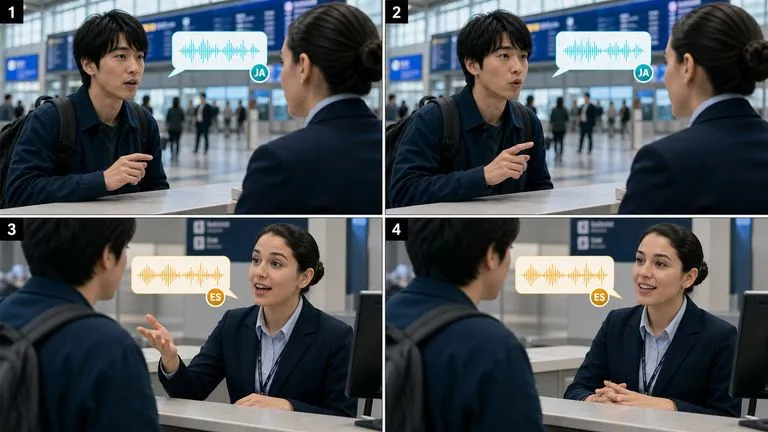
São suportadas cinco línguas, e uma cena pode conter personagens a falar línguas diferentes — o que é genuinamente invulgar e diretamente útil para campanhas lançadas em vários mercados.
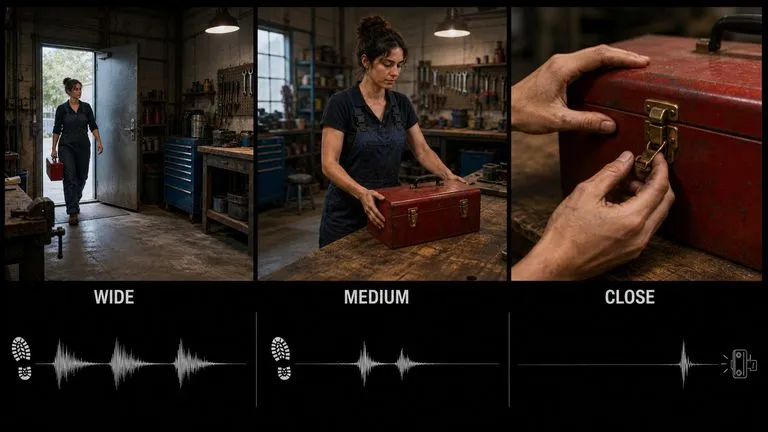
Em vez de gerar três planos e montá-los em conjunto, o modo multi-plano planeia a sequência a partir de um único prompt, para que os enquadramentos se relacionem entre si por conceção.
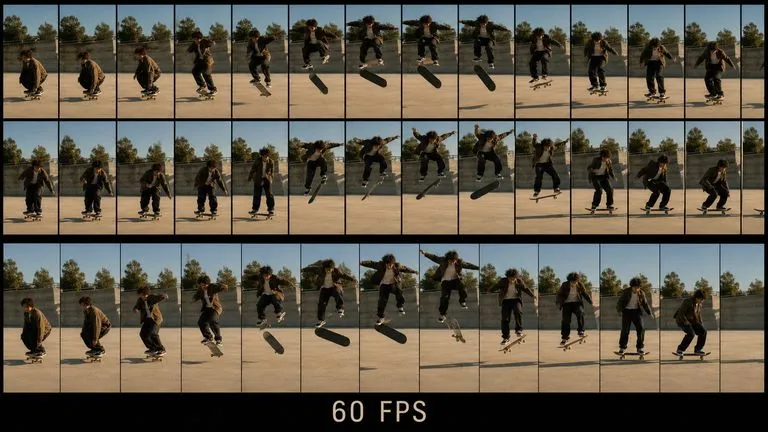
O dobro da taxa de fotogramas da geração anterior, algo que se nota sobretudo em movimentos rápidos e movimentos de câmara, onde 30fps começa a tremer.
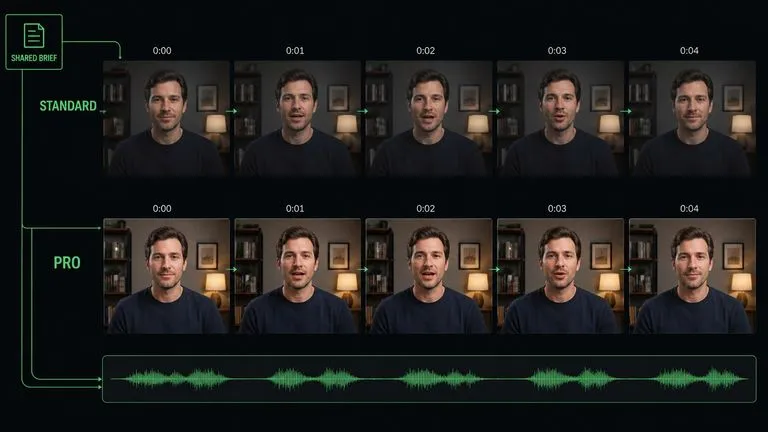
Standard e Pro aceitam os mesmos inputs e os mesmos prompts, por isso passar da iteração à entrega é um clique em vez de uma reescrita.
O trabalho de diálogo tem um problema de ritmo que o vídeo sem som não tem. Uma fala que fica bem na página demora quatro segundos a ser dita, e só descobre isso depois de gerar. Virse mantém o guião ao lado do resultado. O diálogo escrito, os fotogramas sobre os quais é reproduzido e cada take ficam numa só tela, por isso ajustar uma fala e voltar a gerar é uma edição no próprio local, em vez de uma procura por ficheiros.
Coloque o diálogo escrito ao lado do clip gerado para que os problemas de temporização possam ser atribuídos à fala que os causou.
Construa a composição inicial com um modelo de imagem na mesma tela e entregue-a diretamente ao Kling 3.0.
Alterne entre o Kling 3.0 e mais de 30 outros modelos de imagem e vídeo sem sair da tela nem reescrever o briefing.
Gere a mesma cena na língua de cada mercado e coloque as versões lado a lado.
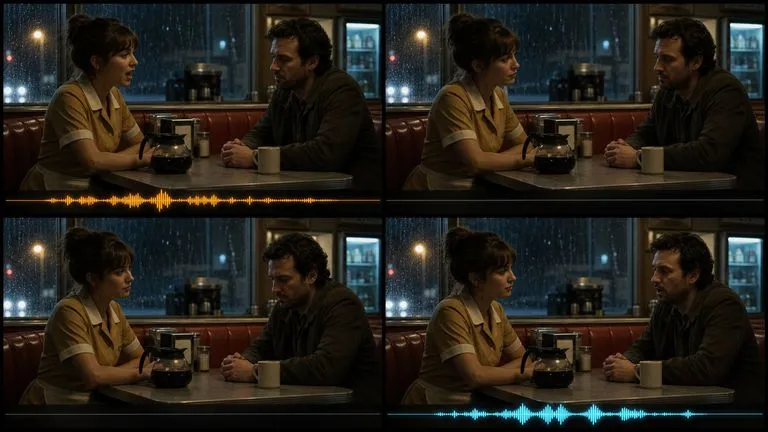
Trocas curtas em que a fala tem de assentar na boca e corresponder à atuação.
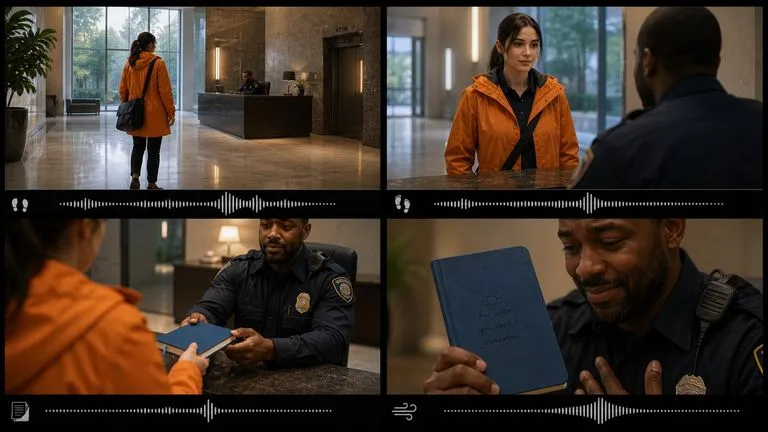
Sequências multi-plano planeadas como uma sequência, em vez de montadas a partir de clips sem relação entre si.
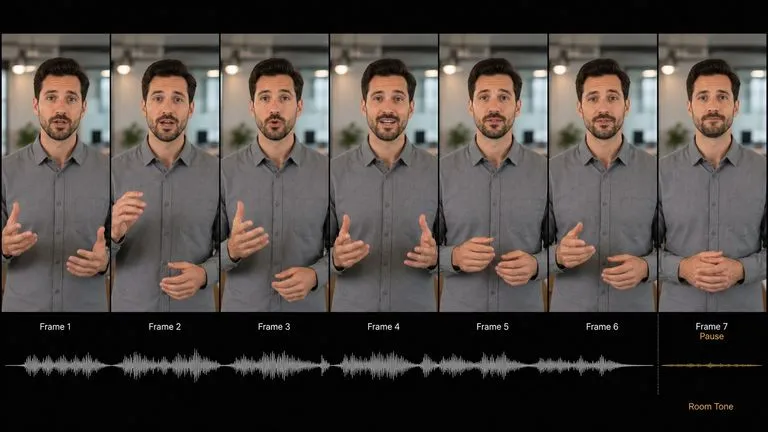
Uma pessoa a falar para a câmara, em qualquer uma das línguas suportadas de que um mercado precise.
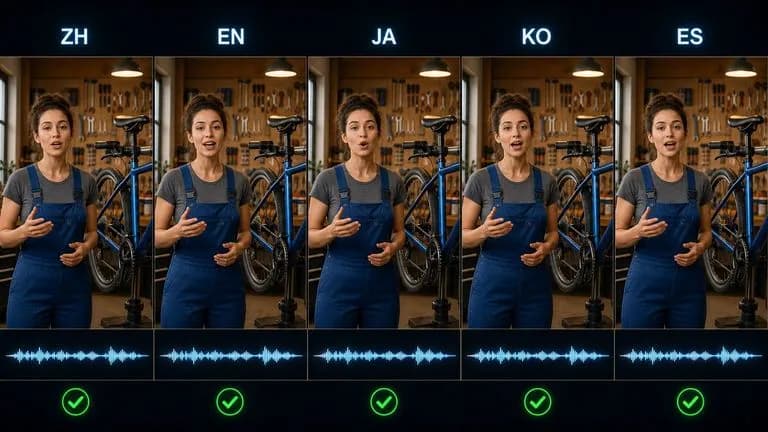
A mesma cena filmada de novo para cada língua, sem a redesenhar.
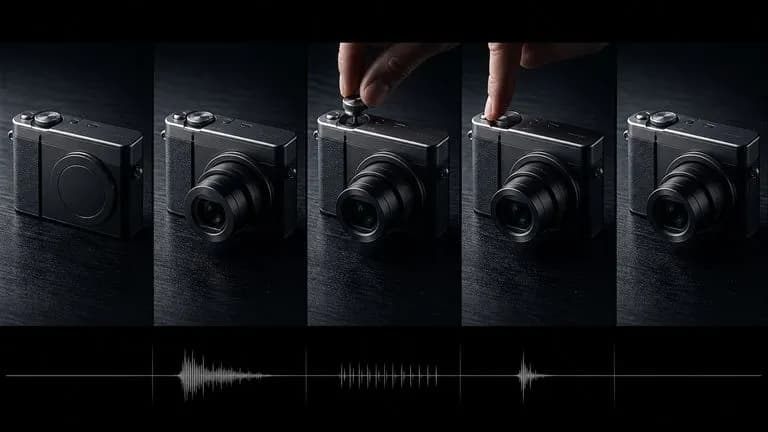
Revelações e demonstrações em que os efeitos e a ambiência são gerados com a imagem.
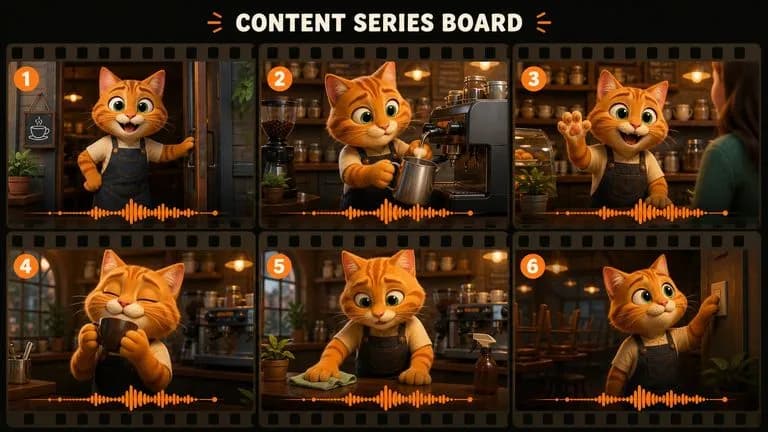
Personagens recorrentes a dizer falas curtas ao longo de uma série de publicações.
Standard enquanto está a trabalhar a cena, Pro para a versão final.
Carregue o fotograma inicial, o fotograma final ou ambos. Fixar ambos os extremos dá o resultado mais previsível.
Coloque o diálogo real entre aspas e diga quem o profere.
Veja uma vez pelo ritmo antes de olhar para a qualidade da imagem. Os problemas de ritmo são problemas de timing.
Um prompt útil para o Kling 3.0 inclui normalmente cinco elementos:
Em vez de escrever
Um lojista a falar com um cliente, cinematográfico, diálogo natural.
Escreva
Abrir com uma mulher na casa dos cinquenta atrás do balcão de uma livraria, de lado para a câmara, a organizar recibos. Ela levanta o olhar e diz: 'Fechamos dentro de dez minutos', depois volta aos recibos. Plano médio estático a partir da posição do cliente, sem movimento. Ambiente interior silencioso, manuseamento de papel, ruído distante da rua através do vidro, sem música. Terminar com a cabeça dela novamente baixa.
Duas pessoas numa pequena mesa de café, vistas de lado num plano médio estático. O homem diz, "Não lhe contaste." A mulher espera e depois responde, "Não foi preciso." Vozes distintas, fala sem pressa, uma pausa de silêncio entre as falas. Ambiente de café com chávenas e conversa baixa, sem música. Terminar com a mulher a desviar o olhar.
Uma sequência de três planos numa oficina, planeada como uma cena contínua. Plano um: geral, uma mulher a entrar por uma porta. Plano dois: médio, ela coloca uma caixa de ferramentas na bancada. Plano três: grande plano, as suas mãos a abrir o fecho. Iluminação superior consistente e a mesma personagem ao longo de toda a sequência. Ambiente de oficina, passos e o clique do fecho no plano final. Sem diálogo, sem música.
Um homem com uma camisa cinzenta lisa, em pé contra um fundo de escritório suavemente desfocado, enquadrado da cintura para cima, virado para a câmara. Ele diz: "Três coisas mudaram este trimestre, e só uma delas estava planeada." Câmara estática, sem movimento. Luz principal suave e uniforme a partir da frente esquerda. Som ambiente discreto da sala, sem música, sem vozes de fundo. Terminar com ele em pausa, de boca fechada.
| Dimensão | Kling 3.0 Standard | Kling 3.0 Pro |
|---|---|---|
| Indicado para | Iteração económica | Resultado com qualidade final |
| Entradas | Idêntico ao Pro | Idêntico ao Standard |
| Suporte para diálogo | Sim | Sim |
| Modo storyboard | Sim | Sim |
| Áudio | Opcional, cobrado separadamente | Opcional, cobrado separadamente |
| Utilização típica | Definir marcação, timing e interpretação | A tomada que segue para entrega |
Um clip de três segundos contém aproximadamente uma frase curta a um ritmo natural. Um parágrafo obriga o modelo a apressá-lo ou a truncá-lo.
Identifique-as como três camadas. Juntá-las numa única frase produz uma mistura confusa.
Uma pausa sustentada antes de uma fala é uma escolha que pode ser dirigida, e normalmente resulta melhor do que som contínuo.
Descrever três planos por ordem é melhor do que comprimi-los numa única tomada contínua que o modelo tem de interpretar.
Prepare reference images and visual directions for your next video.

A maioria dos prompts de personagens parece boa para uma pessoa e desmorona-se perante um modelo de imagem, porque a identidade, o mundo e o estilo visual estão espalhados por três frases diferentes em vez de estarem numa só que ele consiga interpretar. Descreva quem são, gere uma versão estruturada e teste-a com uma renderização real diretamente na mesma tela. Os créditos gratuitos cobrem a primeira ronda.

Uma variação que altera discretamente o produto não é uma variação, é um produto diferente. Carregue uma imagem, diga se é o cenário, a cor ou o ângulo que deve mudar, e receba um conjunto em que tudo o resto permanece igual. Os créditos gratuitos são suficientes para testar se o motivo realmente se mantém ao longo do conjunto.
A maioria dos prompts de design falha nos detalhes aborrecidos: proporção errada, cor da marca em falta, nenhuma menção ao texto que tem de caber e onde. Liste o objetivo, o público, o formato e as restrições, e isto escreve um prompt estruturado para que um modelo de imagem consiga realmente acompanhar tudo, começando com créditos Virse gratuitos.
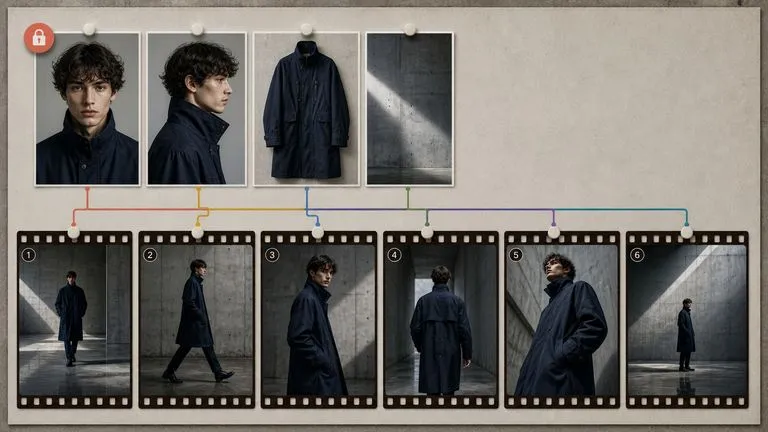
MiniMax's Hailuo 03 model produces silent 2K video, driven either by a first and last frame or by a set of reference images.
Gere vídeos cinematográficos de 30 segundos com Seedance 2.5, com áudio sincronizado, referências multimodais e controlo criativo preciso.
Google DeepMind's Veo 3.1 generates short clips with synchronised 48kHz audio and extends them into longer sequences by carrying the closing frames forward.
Escreva a fala, indique a voz e deixe o modelo tratar da boca, do ritmo e da divisão onde é dita.