Kling 4.0 Flash vs Standard: Features, Quality & Limits
 Yifan Zhao9 min de lectura ·
Kling 4.0 Flash is better for rapid prompt and action testing, while Kling 4.0 Standard is better suited to longer, higher-resolution production. The main trade-off is that Standard’s extra duration and control do not guarantee continuous shots, stable characters, clean audio, or fewer failed generations.
That difference matters when every retry consumes credits. Our review of user questions and documented generation cases found that Flash can add unwanted music, change camera angles, and remain limited to approximately 720p and 20 seconds, while complex 30-second Standard scenes can still fail when they combine multiple characters, fast movement, and scene transitions.
Virse helps manage this trade-off in one creative workflow. Paid plans provide unlimited use across many AI models and unlimited seats, allowing teams to test Kling alongside alternative models without rebuilding the entire process around one generator. New users also receive free signup credits, so you can compare approaches before committing more production credits.
Kling 4.0 Flash vs Standard: What Is the Real Difference?
Kling 4.0 Flash functions mainly as a rapid iteration model. It is useful when you need to test whether a prompt understands an action, camera movement, composition, or basic character direction before investing more credits.
Kling 4.0 Standard, also described in some discussions as the complete Kling 4.0 experience, is intended for more demanding generation. It becomes more useful when duration, resolution, reference control, and final delivery quality matter more than fast experimentation.
Version | Best For | Reported Profile |
|---|---|---|
Kling 4.0 Flash | Prompt and action testing | Approximately 720p, approximately 20 seconds, faster iteration, multilingual audio |
Kling 4.0 Standard | Final-quality testing | Up to 30 seconds, higher resolution, 4K and 10-bit HDR reported, stronger reference controls |
Kling 3.0 | Existing workflows | Familiar production process, with earlier motion and audio limitations reported |
The practical difference is low-cost exploration versus higher-cost validation. Flash can remove weak concepts before they reach Standard, but Standard still requires storyboarding, reference management, audio review, and post-production.
How Do Kling 4.0 Flash and Standard Compare on Quality, Resolution, and Duration?
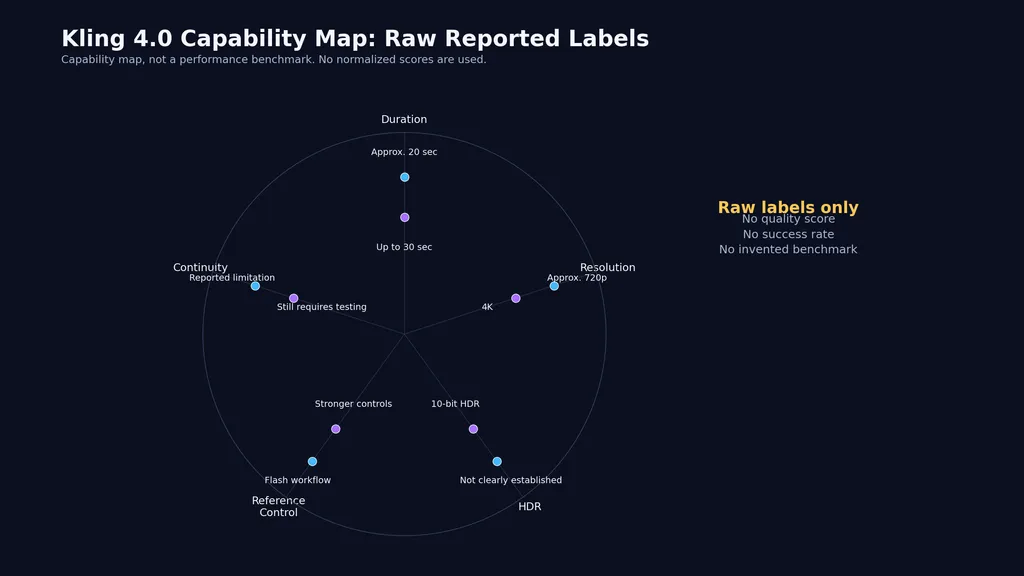
The clearest reported difference concerns output length and image quality. Flash is commonly associated with approximately 720p and 20-second videos, while the complete Kling 4.0 workflow is associated with 30-second output, 4K, and 10-bit HDR.
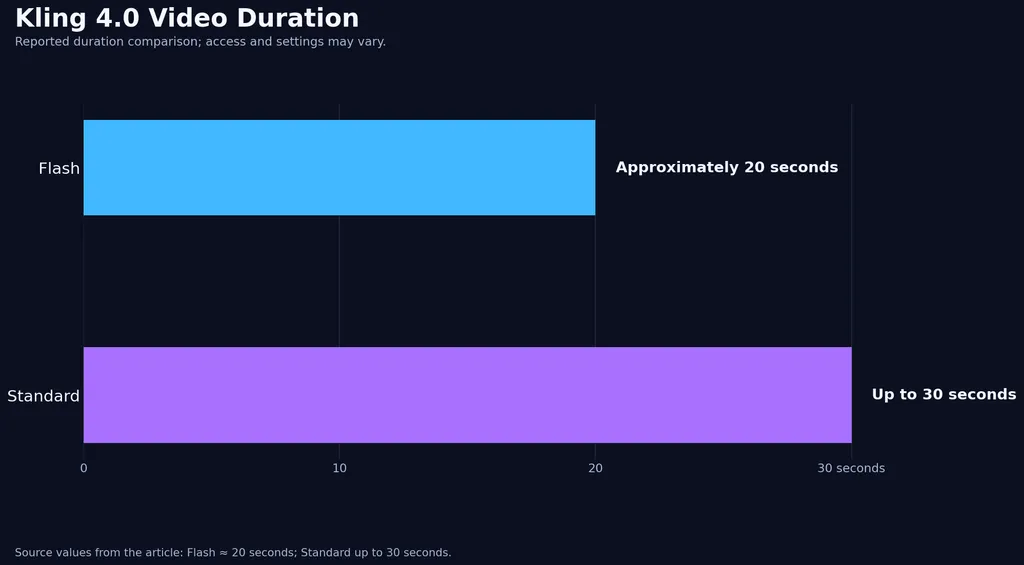
These figures should be treated as reported capabilities rather than universal guarantees for every account or interface. Our research did not identify a controlled A/B test using the same prompt, references, settings, and seed across both versions.
Capability | Flash | Standard |
|---|---|---|
Reported duration | Approximately 20 seconds | Up to 30 seconds |
Reported resolution | Up to approximately 720p | Higher resolution, including 4K |
HDR | Not clearly established | 10-bit HDR reported |
Primary role | Drafting and iteration | Final-quality evaluation |
A 30-second generation can reduce the need to combine many short clips, but it also gives characters, props, camera direction, audio, and continuity more opportunities to fail.
For projects with strict delivery requirements, compare technical claims with actual output before running a large batch. Credit planning also matters, especially when a usable result may require multiple attempts. Our Kling 3.0 pricing analysis provides additional context for evaluating generation costs.
What Did Our Kling 4.0 Case Review Find About Motion and Audio?
Our case review identified three practical patterns: Flash is useful for testing fast movement, multilingual audio is promising but inconsistent, and Standard handles more ambitious camera work without making complex scenes predictable.
Case Study 1: Fast-Motion and Action Testing
The first case involved an AI video creator testing fast movement and action prompts with Kling 4.0 Flash.
The result was a subjective improvement over Kling 3.0. The creator considered the motion more natural and believed Flash understood action prompts more effectively. However, the case did not disclose a numerical success rate, a fixed number of retries, or a controlled comparison set.
The practical conclusion is limited but useful: Flash can help determine whether an action concept is worth developing. It should not be treated as proof that every fast movement will render naturally.
A stronger workflow is to test the primary action first, remove secondary movements, and only then decide whether the concept deserves a Standard generation.
Case Study 2: Multilingual Dialogue and Unwanted Music
The second case focused on multilingual character dialogue in Kling 4.0 Flash. Multiple languages were tested, but the exact number was not disclosed. The voice output received positive feedback because dialogue could be generated directly inside the video workflow.
The main failure was audio control. The model sometimes added background music even when the prompt explicitly requested no music. This creates problems for advertising, tutorials, product demonstrations, and dialogue scenes that require precise mixing.
Our review therefore treats Flash audio as suitable for concept drafts. For final delivery, check dialogue clarity, voice consistency, lip-sync, background noise, and unexpected music before approving the clip.
Case Study 3: Complex 30-Second Scenes
The third case involved several 30-second scenes with multiple characters, rotations, orbiting camera movement, drone-style tracking, and fantasy environments.
The reviewed results suggested improvement in camera movement and ambitious scene direction compared with older workflows. However, the case did not publish a numerical success rate. It also showed that completing several complex actions continuously for 30 seconds remained difficult.
The practical recommendation was to divide the sequence into shorter shots and assemble them during editing. Standard may be the better place to test final visual quality, but it does not replace shot planning or editorial control.
Why Do Kling 4.0 Continuous Shots Still Fail?
Continuous-shot reliability remains one of the most frequent production problems. Flash may change camera distance, introduce a new angle, or cut to another setting even when the prompt requests one uninterrupted shot.
Standard offers longer generation and more control options, but a 30-second limit does not mean that every 30-second scene will remain continuous. Problems become more likely when a prompt combines multiple characters, rapid movement, complex physical interactions, and several transitions.
To improve continuity:
- Define one main action before adding secondary actions.
- Describe camera movement separately from subject movement.
- State the starting and ending positions clearly.
- Avoid combining several location changes in one generation.
- Split complex sequences into shorter clips when continuity is essential.
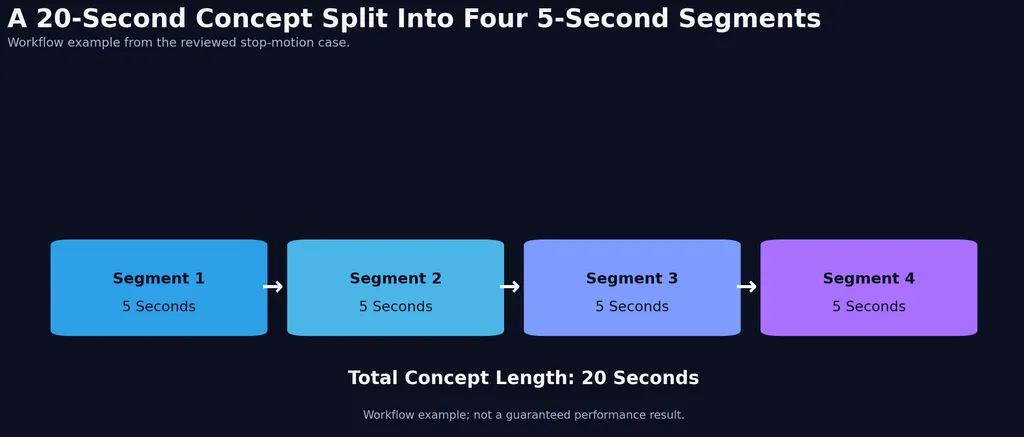
A documented 20-second stop-motion concept, for example, was organized into four 5-second segments. This does not prove that segmentation always produces better results, but it gives the editor more control when one uninterrupted generation is unreliable.
How Reliable Are Kling 4.0 Elements, References, and Lip-Sync?
Element consistency has improved in some reviewed cases, but it remains inconsistent enough to require inspection. Characters, clothing, props, facial details, and environments may change during a shot.
Standard provides stronger support for reference images and Omni Reference, multiple reference images, and start-and-end frame workflows. These controls are more useful for character replacement, scene continuation, and visual consistency, but they do not guarantee that a face, outfit, prop, mouth movement, and body action will remain stable together.
Our review found two different patterns:
- Reference tools can improve identity and scene continuity.
- Some outputs still show changing appearances, mismatched lip-sync, or actions that do not align with the character’s face.
For better results, use a limited number of high-priority references, describe identity-defining details, keep lighting and wardrobe stable, and test a short continuation before attempting a full 30-second sequence.
What Are the Biggest Kling 4.0 Production Risks?
The main risks affect more than image quality. They influence budget, delivery schedules, audio editing, and the number of usable clips produced from each credit allocation.
Risk | Production Impact | Recommended Response |
|---|---|---|
Unwanted music | Damages dialogue and branded content | Review audio and remix externally |
Automatic cuts | Breaks continuous storytelling | Simplify prompts or split shots |
Complex actions | Increases retries | Reduce simultaneous movements |
Element drift | Creates continuity errors | Use references and shorter clips |
Credit loss | Raises production costs | Test concepts in Flash first |
Stricter moderation | Blocks some prompts | Review current policies |
Unstable delivery speed | Delays batch production | Allow processing time |
Limited Flash frame control | Restricts transitions | Move approved concepts to Standard |
Our review also identified reports of failed generations where credits were not returned immediately. This creates a financial risk when testing complex Standard scenes. Before production, confirm how failed outputs, moderation blocks, and interrupted jobs are handled in the current plan.
Third-party access creates another trade-off. Some users comparing Kling through external platforms such as Runway considered the image quality, color, and fine detail weaker than the official Kling workflow, while also noting limits on included generations. Seedance 2.5 was viewed more favorably in some comparisons for transitions and prompt-following, but it is not a direct Flash-versus-Standard equivalent.
Which Kling 4.0 Version Should You Use?
Choose Kling 4.0 Flash when you need to test a prompt, action, camera idea, or rough dialogue concept quickly. It is most useful when the project is still changing and repeated Standard generations would be difficult to justify.
Choose Kling 4.0 Standard when the concept has passed basic testing and you need longer output, higher resolution, reference controls, or a stronger final-quality attempt.
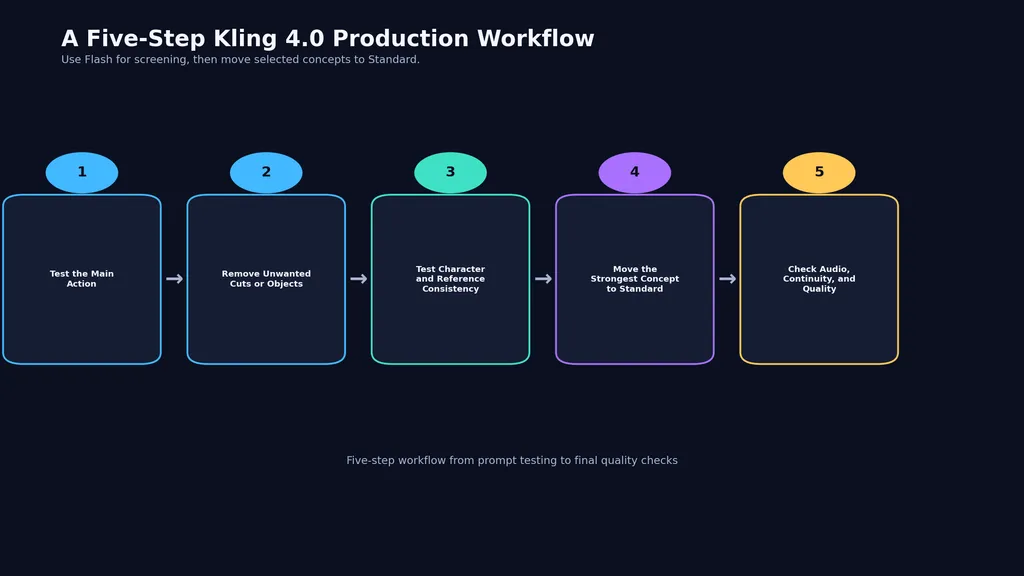
A practical workflow is:
- Use Flash to test the main action.
- Remove prompt details that cause automatic cuts or unwanted objects.
- Test character and reference consistency in a short clip.
- Move only the strongest concept to Standard.
- Complete audio, continuity, and quality checks before delivery.
This process reduces avoidable retries while accepting that neither version guarantees a usable result on the first generation.
Conclusion
Kling 4.0 Flash is the more practical option for fast iteration, action testing, and early concept development, while Standard is better suited to longer videos, higher resolution, and advanced reference workflows. The available case evidence shows improved motion, promising multilingual audio, and stronger camera possibilities, but also persistent problems with automatic cuts, unwanted music, complex actions, character consistency, moderation, delivery speed, and credit handling. The most reliable strategy is to use Flash as a screening stage, then reserve Standard credits for concepts that have already demonstrated workable motion, composition, and continuity.
FAQ
Is Kling 4.0 Flash lower quality than Standard?
Flash is designed for faster drafts and is commonly associated with approximately 720p and 20-second output. Standard supports longer and higher-resolution workflows, but our research did not find controlled evidence proving that Standard is always better in every scene.
Does Kling 4.0 Flash support 1080p, 4K, or 30-second videos?
Reviewed discussions associate Flash with approximately 720p and 20-second videos. The complete Kling 4.0 workflow is associated with 30-second output and 4K, while current access may depend on the selected plan or interface.
Can Kling 4.0 stop automatic cuts and background music?
Not consistently. Flash may change shots even when a prompt requests one continuous take, and it may add music despite a no-music instruction. Simplify the prompt and inspect the result during post-production.
Is Standard better for characters, lip-sync, and reference images?
Standard offers stronger reference and frame-control options, which can improve consistency. It may still produce changing faces, clothing, props, or mismatched lip-sync during complex scenes.
Should I generate a complete 30-second scene in one prompt?
Usually, shorter shots are safer when a scene contains multiple characters, rotations, complex actions, or transitions. Test the concept in Flash, then use Standard for selected shots that require longer duration or higher resolution.