
Recursos da equipe
Em comparação com um espaço pessoal, um espaço de equipe é mais adequado para gerenciar recursos compartilhados em projetos da empresa. Os membros podem criar com os mesmos materiais e estilos estéticos, reduzindo uploads repetidos e facilitando a consistência da direção visual.
Tipo de recurso | Para que serve |
|---|---|
Materiais | Salve imagens de marca, fotos de produtos, referências e recursos visuais comuns para que os membros possam usá-los diretamente durante a criação. |
Estética | Salve estilos estéticos compartilhados para que os resultados gerados se aproximem mais de uma direção unificada de marca ou projeto. |
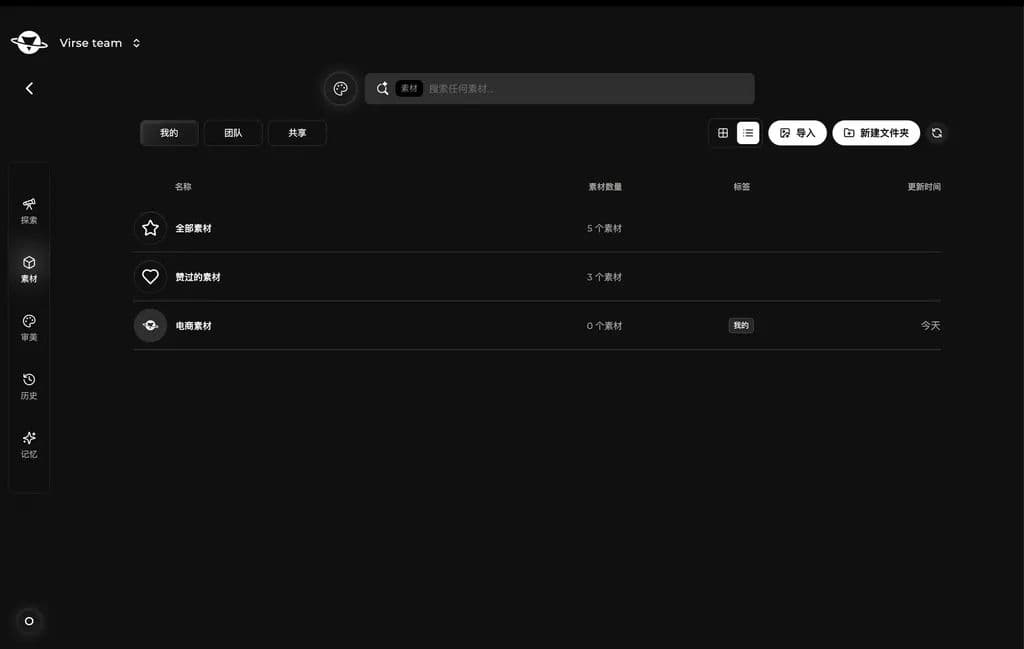
A biblioteca de recursos ajuda as equipes a gerenciar imagens e referências de uso frequente. Você pode manter materiais na sua própria biblioteca ou publicar recursos reutilizáveis como materiais da equipe.
Aba | Descrição |
|---|---|
Equipe | Materiais disponíveis para os membros da equipe, como imagens de marca, fotos de produtos, referências e elementos visuais do projeto. |
Meus | Materiais pessoais salvos no espaço de equipe atual, úteis para recursos que você usa individualmente. |
Compartilhados | Materiais compartilhados diretamente com você, úteis para colaboração focada ou alinhamento de recursos por etapa. |
Depois que os materiais são publicados para a equipe, os membros podem reutilizá-los em trabalhos futuros sem que todos precisem enviar as mesmas imagens repetidamente.
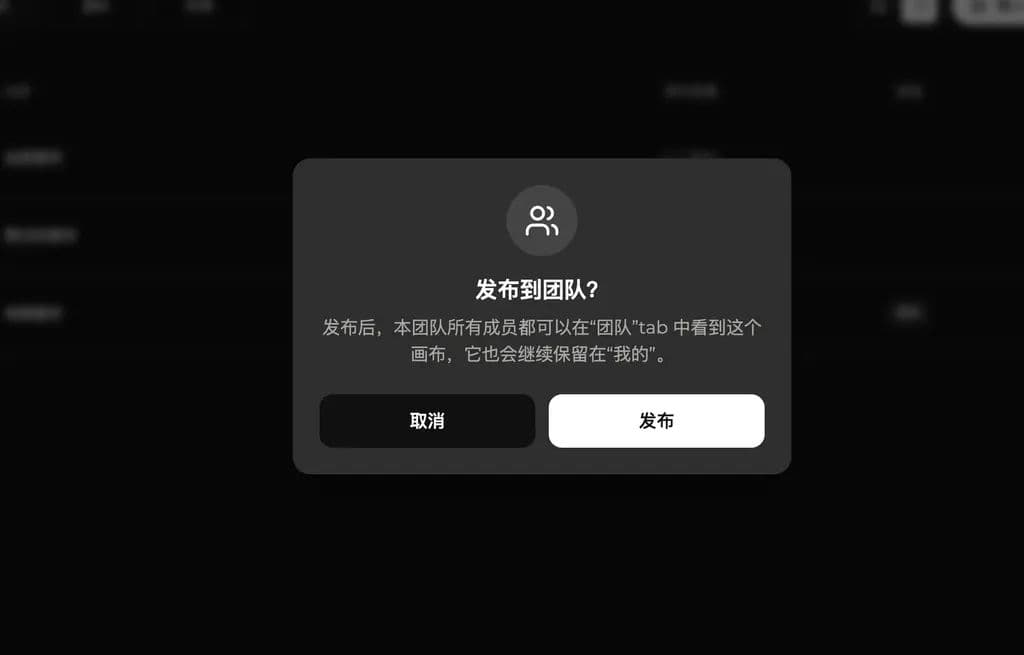
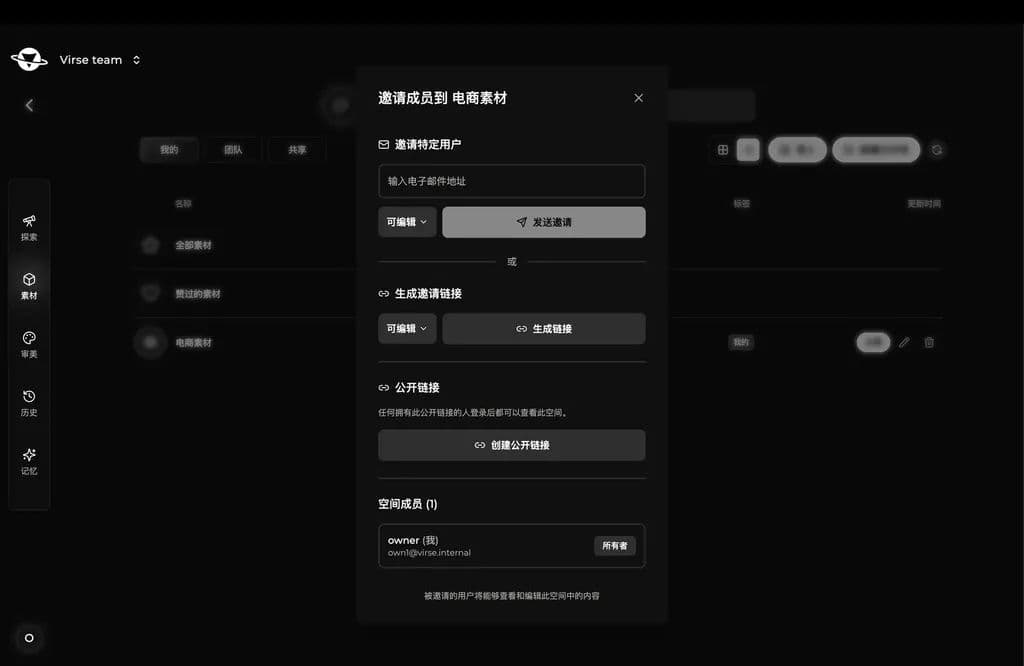
Se uma pasta de materiais deve ser usada apenas por alguns membros, convide membros específicos no espaço de recursos ou gere um link de compartilhamento. Isso atende tanto aos recursos da equipe quanto a escopos menores de colaboração.
Estética da equipe
Os estilos estéticos também podem ser salvos e reutilizados no espaço de equipe. Os membros podem gerar com o mesmo estilo para que os resultados de pessoas diferentes sejam mais consistentes.
Aba | Descrição |
|---|---|
Equipe | Estéticas compartilhadas para o estilo da marca, o estilo do projeto ou a direção visual de uma série. |
Meus | Estéticas que você salvou ou treinou, úteis para exploração pessoal e criações temporárias. |
Quando os membros geram a partir da mesma estética da equipe, os resultados ficam mais estáveis e a linguagem visual é mais fácil de manter.
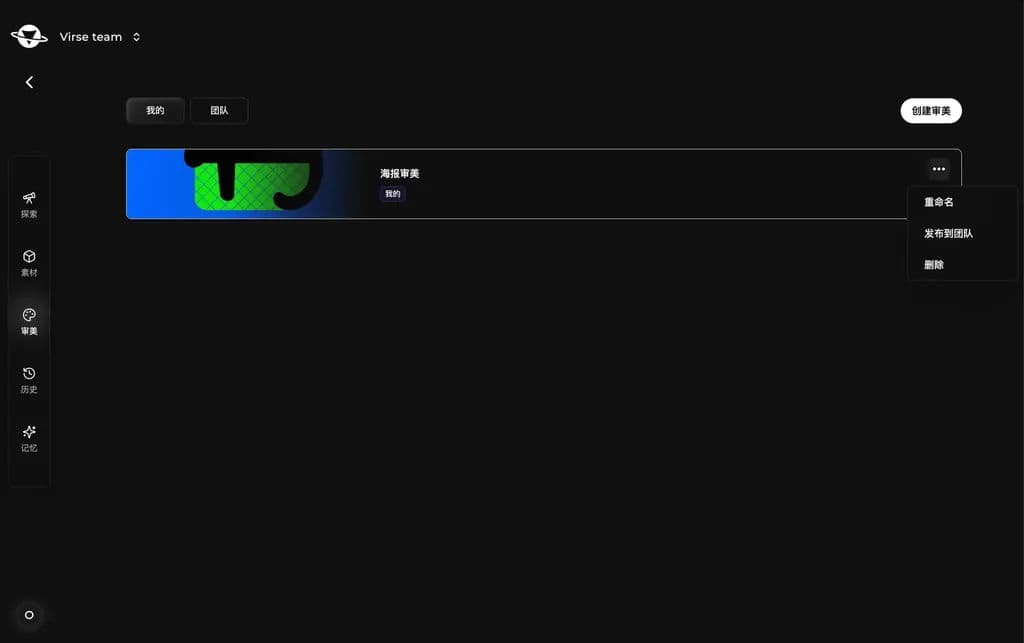
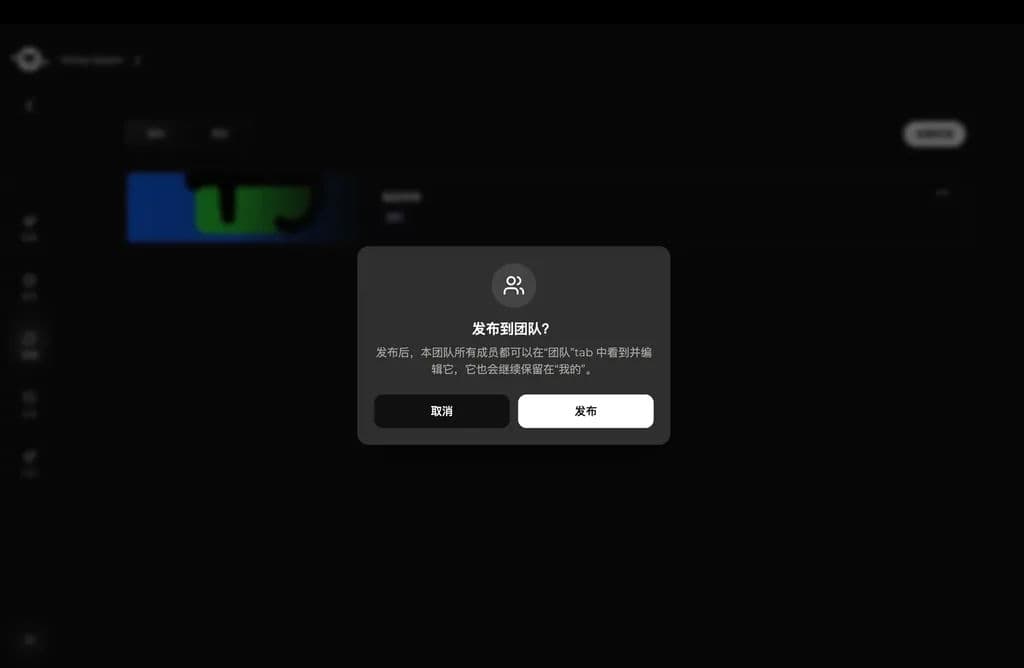
Em Mine, abra o menu do cartão de estética e escolha Publish to team. Após a confirmação, os membros podem ver e usar a estética na aba Team.
Torne os recursos reutilizáveis ao longo do tempo
O objetivo dos recursos de equipe não é o armazenamento pontual, mas tornar os recursos úteis em projetos futuros. Os materiais podem servir como referências de geração, e as estéticas podem orientar o estilo. Juntos, ajudam a equipe a construir uma base criativa estável mais rapidamente.
Antes | Depois |
|---|---|
Os materiais ficam espalhados entre diferentes membros e precisam ser encontrados e enviados repetidamente. | Os materiais comuns ficam centralizados no espaço de equipe e podem ser usados diretamente. |
Cada pessoa gera com estilos diferentes, tornando os resultados inconsistentes. | A equipe pode reutilizar uma estética compartilhada, tornando os resultados de uma série mais estáveis. |
O conhecimento do projeto fica com indivíduos e é difícil dar continuidade a ele. | Materiais e estilos úteis tornam-se recursos da equipe que podem ser reutilizados em projetos futuros. |
Última atualização: