
팀 에셋
개인 공간과 비교하면 팀 공간은 회사 프로젝트의 공유 자산을 관리하는 데 더 적합합니다. 멤버가 동일한 소재와 미적 스타일로 제작하면 반복 업로드를 줄이고 시각적 방향을 일관되게 유지하기 쉬워집니다.
자산 유형 | 용도 |
|---|---|
소재 | 브랜드 이미지, 제품 사진, 참고 자료 및 자주 쓰는 시각 자료를 저장해 멤버가 제작할 때 바로 사용할 수 있게 합니다. |
미적 스타일 | 공유 미적 스타일을 저장해 생성 결과가 통일된 브랜드 또는 프로젝트 방향에 더 가깝게 유지되도록 합니다. |
자산 라이브러리는 팀에서 자주 사용하는 이미지와 참고 자료를 관리하는 데 도움이 됩니다. 소재를 내 라이브러리에 보관하거나 재사용 가능한 자료를 팀 소재로 게시할 수 있습니다.
탭 | 설명 |
|---|---|
팀 | 브랜드 이미지, 제품 사진, 참고 자료 및 프로젝트 시각 자료 등 팀 멤버가 사용할 수 있는 소재입니다. |
내 항목 | 현재 팀 공간에 저장된 개인 소재로, 혼자 사용하는 자료를 관리하기에 적합합니다. |
공유됨 | 나에게 직접 공유된 소재로, 특정 대상과의 협업이나 단계별 자료 공유에 유용합니다. |
소재를 팀에 게시하면 각자 같은 이미지를 반복해서 업로드할 필요 없이 멤버가 이후 작업에서 재사용할 수 있습니다.
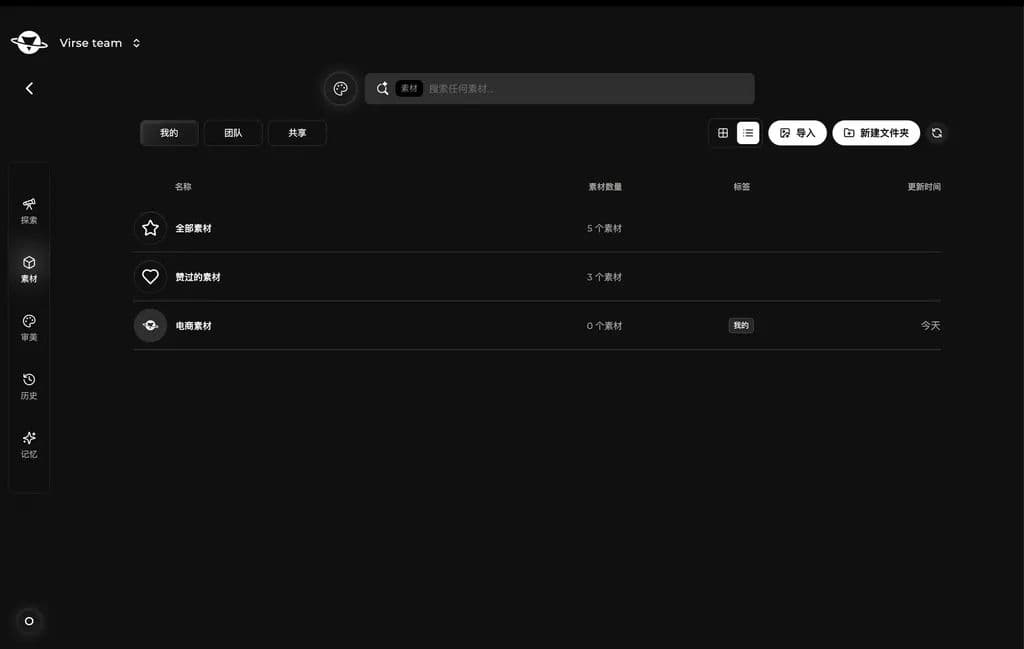
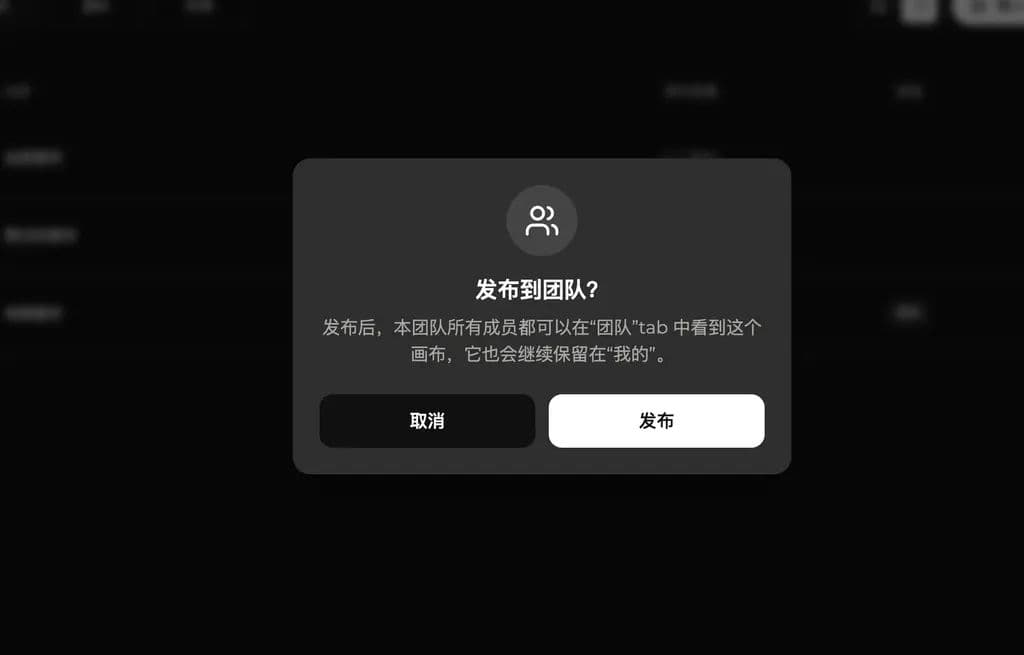
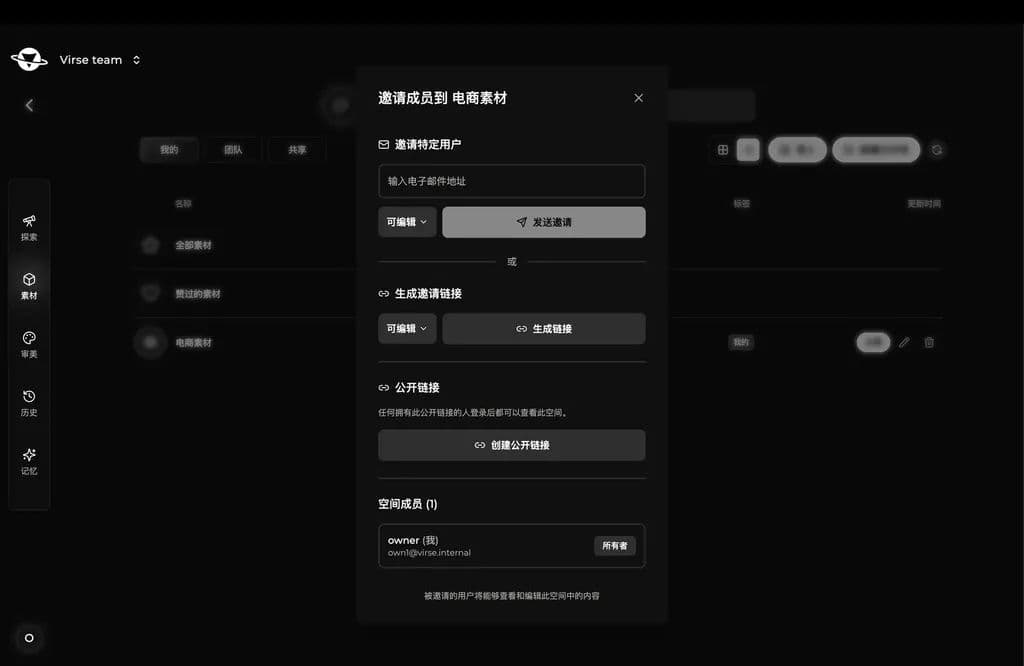
소재 폴더를 일부 멤버만 사용해야 한다면 자산 공간에서 특정 멤버를 초대하거나 공유 링크를 생성하세요. 팀 자산 공유와 더 작은 범위의 협업을 모두 지원합니다.
팀 미적 스타일
미적 스타일도 팀 공간에 저장하고 재사용할 수 있습니다. 멤버가 같은 스타일로 생성하면 서로 다른 사람이 만든 결과물도 더 일관되게 유지할 수 있습니다.
탭 | 설명 |
|---|---|
팀 | 브랜드 스타일, 프로젝트 스타일 또는 시리즈 전반의 시각적 방향을 위한 공유 미적 스타일입니다. |
내 항목 | 직접 저장하거나 학습시킨 미적 스타일로, 개인적인 탐색과 임시 제작에 적합합니다. |
멤버가 같은 팀 미적 스타일로 생성하면 결과물이 더 안정되고 시각적 표현을 유지하기 쉬워집니다.
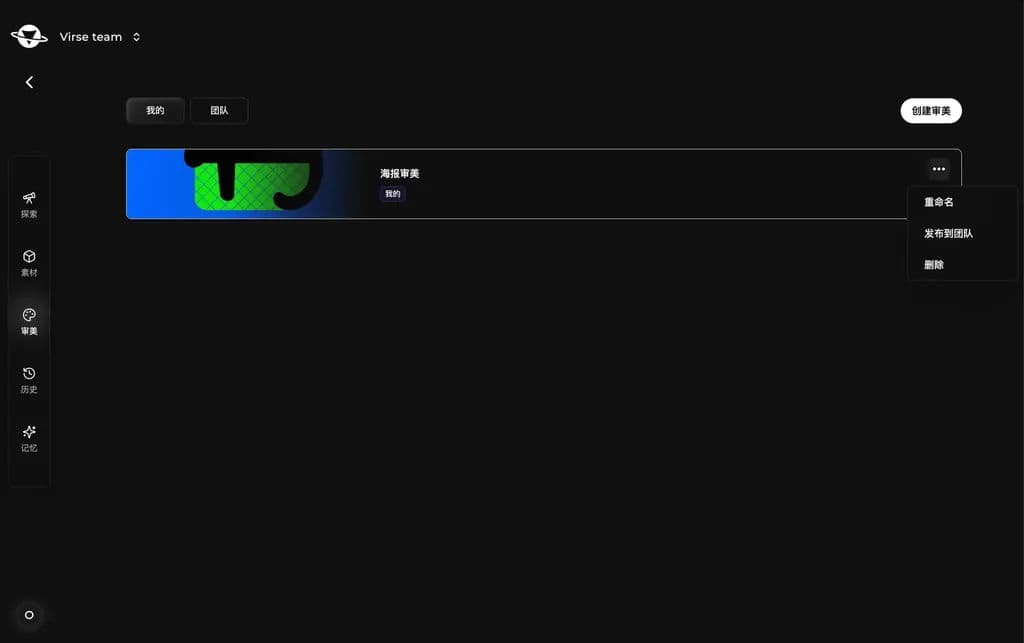
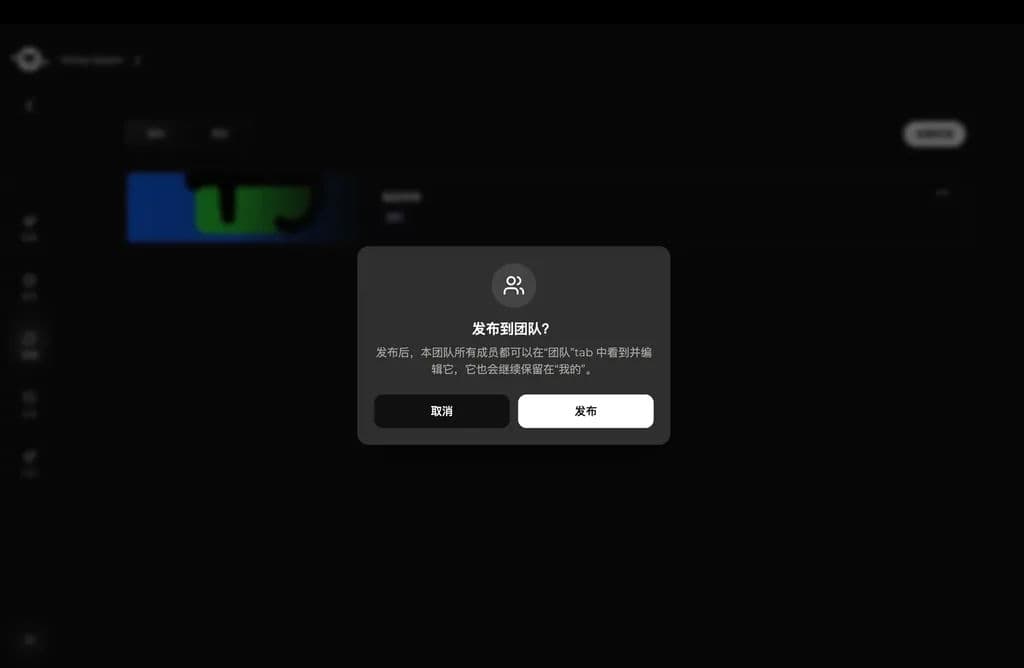
Mine에서 미적 스타일 카드 메뉴를 열고 Publish to team을 선택하세요. 확인하면 멤버가 Team 탭에서 해당 미적 스타일을 보고 사용할 수 있습니다.
자산을 지속적으로 재사용할 수 있게 하기
팀 자산의 목적은 한 번 저장하는 데 그치지 않고 향후 프로젝트에서도 자산을 유용하게 활용하는 것입니다. 소재는 생성 참고 자료로, 미적 스타일은 스타일을 안내하는 기준으로 쓰일 수 있습니다. 두 가지를 함께 활용하면 팀이 안정적인 창작 기반을 더 빠르게 구축할 수 있습니다.
이전 | 이후 |
|---|---|
소재가 여러 멤버에게 흩어져 있어 반복해서 찾아 업로드해야 합니다. | 공통 소재가 팀 공간에 모여 있어 바로 사용할 수 있습니다. |
각자 다른 스타일로 생성해 결과가 일관되지 않습니다. | 팀이 공유 미적 스타일을 재사용해 시리즈 결과물이 더 안정됩니다. |
프로젝트 지식이 개인에게 머물러 이어 나가기 어렵습니다. | 유용한 소재와 스타일이 팀 자산이 되어 향후 프로젝트에서 재사용할 수 있습니다. |
마지막 업데이트: