
Entrée texte et image
Générez à partir d’un brief écrit, d’une image d’entrée, ou des deux ensemble.
Seedream 4.0 et Seedream 4.5 de ByteDance génèrent des images à partir de descriptions écrites et d’images que vous fournissez, transformant une image source en autant de directions qu’un projet l’exige.
Ouvrez cette page sur un navigateur de bureau pour commencer à créer.
Seedream 4 est la gamme d’images de ByteDance, et ce qui la distingue au quotidien, c’est son aisance à travailler à partir d’une image d’entrée plutôt qu’à partir d’un prompt vierge.
Le texte-vers-image est le mode que tout le monde présente en démonstration. L’image-vers-image est le mode dans lequel se déroule la majeure partie du travail réel : vous avez une photo produit qui nécessite un autre décor, une photographie qui doit devenir une illustration, une mise en page qui a besoin de six variantes. Seedream 4 traite cela comme le parcours principal, plutôt que comme une fonctionnalité ajoutée après coup à un générateur.
Utilisez Seedream 4 lorsqu’un élément existe déjà. Transformez des photos produit, restylez des visuels existants, générez des ensembles de variantes à partir d’une seule source, créez des doubles pages de catalogue et produisez le volume de ressources quasi identiques qu’un pipeline e-commerce ou de contenu consomme réellement.
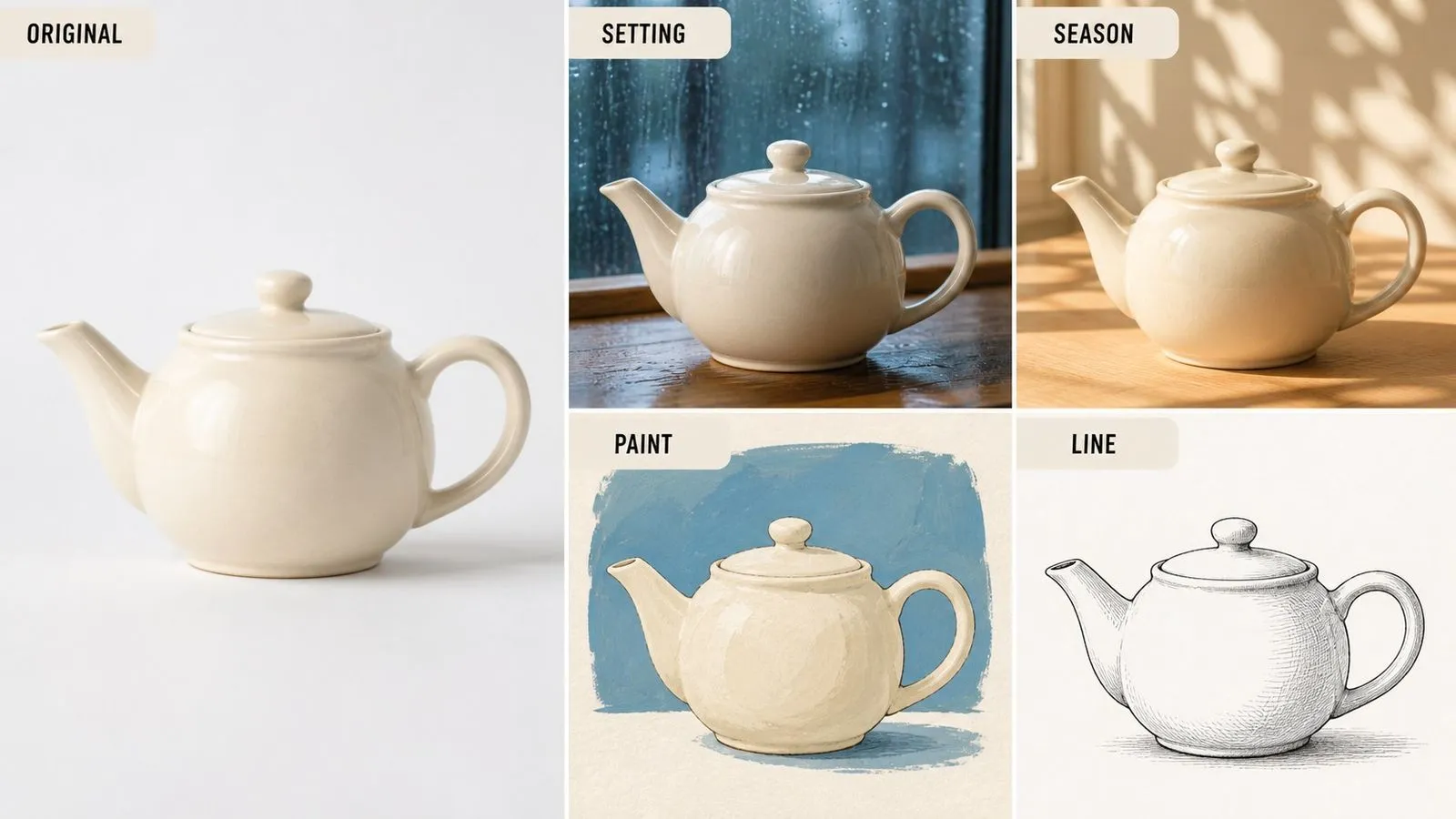
Seedream 4.0 est un modèle de génération d’images par IA développé par ByteDance. Il génère des images à partir de descriptions écrites et accepte une image d’entrée en plus du prompt, ce qui lui permet de modifier, de restyler et de transformer des images plutôt que de seulement en produire de nouvelles.
Le modèle repose sur trois grands points forts :
Virse propose la gamme sous forme de deux entrées, la 4.5 étant la révision la plus récente. Les deux sont des modèles fermés servis via une API — aucun poids n’est publié, c’est pourquoi les recherches d’une version téléchargeable ne donnent rien. Un prompt écrit pour l’un fonctionne sans changement sur l’autre.
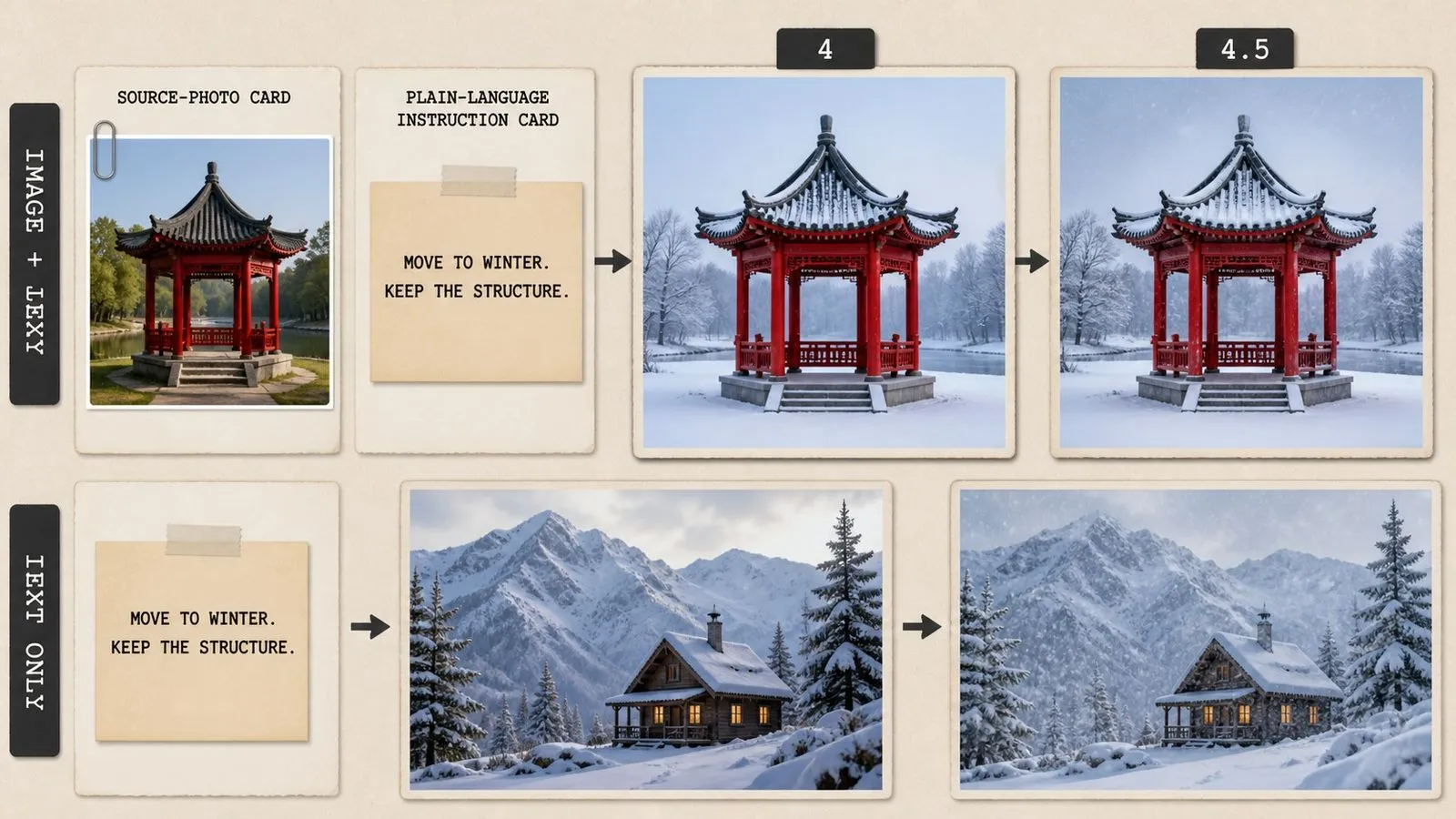
Générez à partir d’un brief écrit, d’une image d’entrée, ou des deux ensemble.
Les deux révisions apparaissent comme des entrées distinctes dans la liste des modèles.
L’instruction que vous avez rédigée pour une révision se transfère telle quelle à l’autre.
Des phrases descriptives simples, sans poids, crochets ni marqueurs d’emphase.
Convertissez une photographie en illustration, ou une illustration dans un autre traitement.
Fourni via une API, sans poids publiés à télécharger ni auto-hébergement.
Fournir une image source est la manière normale d’utiliser ce modèle, plutôt qu’une option avancée. La composition, le sujet et le cadrage sont repris de ce que vous lui avez donné, et le prompt décrit le delta.
Faites passer la même image d’entrée par plusieurs instructions différentes à la suite et obtenez une famille cohérente de sorties, car chacune d’elles est partie de la même image.
Transformez une photographie en dessin au trait, un rendu en peinture, ou une illustration plate en quelque chose de texturé, tout en conservant l’agencement de l’original malgré le changement.
Le modèle répond à des phrases descriptives ordinaires. Il n’y a aucune syntaxe de pondération à apprendre ni aucun champ de prompt négatif à remplir.
Comme les deux figurent dans la même liste de modèles et acceptent le même brief, tester celui qui convient à votre travail se fait en un seul clic plutôt que par une migration.
Les briefs passent d’une entrée à l’autre sans changement, ce qui rend peu coûteux de relancer un ancien prompt sur une révision plus récente lorsqu’elle apparaît.
Le travail image-à-image est itératif par nature. Une image source devient quatre traitements, dont trois servent d’entrées pour autre chose, et la version utile est souvent celle qui remonte à deux étapes. Virse conserve toute cette arborescence sur une seule toile. Les images sources, les passes intermédiaires et les résultats finaux sont placés côte à côte, de sorte qu’une chaîne de transformations reste lisible au lieu de se réduire à un dossier de fichiers aux noms similaires.
Placez l’original à côté de chaque dérivé afin de voir ce qui a réellement changé, plutôt que de vous fier à votre souvenir.
Faites passer la même source par plusieurs instructions en parallèle et conservez tous les résultats, plutôt que de remplacer chaque tentative par la suivante.
Passez de Seedream 4 à plus de 30 autres modèles d’image et de vidéo sans quitter le canevas ni réécrire le brief.
Faites passer un prompt dans les deux révisions côte à côte et choisissez en regardant, non en lisant les numéros de version.
Déplacez une prise de vue produit existante vers de nouveaux décors, saisons ou palettes de couleurs.
Produisez un ensemble cohérent d’images d’articles à partir d’un traitement source commun.
Transformez des photographies en dessins au trait, en traitements vectoriels plats ou en rendus picturaux.
Placez un sujet existant dans un environnement différent sans avoir à le photographier de nouveau.
Générez plusieurs traitements visuels d’un même concept pour qu’un client puisse choisir.
Créez une série de publications liées qui partagent un même style parce qu’elles partagent une même source.
Téléversez la photographie, le rendu ou la génération précédente que vous souhaitez utiliser comme base.
Indiquez ce qui doit être différent. Tout ce que vous ne mentionnez pas est censé être conservé.
Faites passer la même source par trois ou quatre instructions différentes et comparez les résultats ensemble.
Prenez l’instruction qui a fonctionné et essayez-la sur l’autre entrée avant de trancher.
Un prompt Seedream 4.5 utile comprend généralement quatre éléments :
Au lieu d’écrire
Améliorez cette photo pour la rendre plus professionnelle, avec un arrière-plan plus esthétique.
Écrivez
Remplacez le bureau encombré derrière le sujet par un mur uni gris moyen. Conservez exactement la pose, l’expression, les vêtements du sujet et la direction de la lumière sur son visage. Traitement photographique avec conservation de la texture naturelle de la peau. Conservez le recadrage d’origine et la position du sujet dans le cadre.
À partir de la photographie fournie, convertissez la scène en dessin à la plume et à l’encre. Conservez la composition, la position de chaque objet et la perspective exactement comme dans l’original. Hachures croisées pour les ombres, lignes de contour nettes, pas de couleur ni de remplissage gris. Papier blanc là où apparaît le ciel d’origine.
À partir de la photo produit fournie du mug en céramique, déplacez-le du fond de studio blanc vers une table en chêne patiné à côté d’une fenêtre. Conservez exactement la forme du mug, la couleur de l’émail, l’angle de l’anse et l’échelle. Lumière douce du matin venant de la gauche, une longue ombre projetée vers la droite, faible profondeur de champ derrière le mug. Même hauteur de caméra et même cadrage que l’original.
À partir de l’image fournie de l’écharpe en laine pliée, générez la même prise de vue dans un autre coloris. Conservez à l’identique le motif de pliage, l’éclairage, la forme de l’ombre, l’arrière-plan et le recadrage. Changez uniquement la couleur du fil en rouille profond, en préservant la texture de tissage visible. Éclairage de studio uniforme et sans ombre sur l’ensemble, format carré.
| Critère | Seedream 4 | Seedream 4.5 |
|---|---|---|
| Position dans la gamme | Version antérieure | Révision ultérieure de la même gamme |
| Modes d’entrée | Texte et image | Texte et image |
| Syntaxe des prompts | Langage descriptif simple | Langage descriptif simple |
| Portabilité du brief | Fonctionne sur 4.5 sans modification | Fonctionne sur 4 sans modification |
| Comment choisir | Comparez sur votre propre brief | Comparez sur votre propre brief |
| Où il s’inscrit | Séries établies créées avec lui | Nouveaux projets avec la révision actuelle |
Dans le travail d’image à image, la clause de préservation compte autant que l’instruction. Énumérer ce qui reste est ce qui empêche le modèle de le refaire discrètement.
Lorsque vous faites passer une image par plusieurs traitements, revenez à l’original à chaque fois. Les modifications en chaîne dérivent un peu plus à chaque passage.
Dites ce qui doit être présent plutôt que de lister ce qui ne doit pas l’être. Nommer un objet indésirable le fait souvent apparaître.
Pour une famille de sorties, gardez tout constant et ne modifiez qu’un seul attribut. C’est ce qui fait qu’un ensemble est perçu comme un ensemble.
Découvrez des outils ciblés pour créer, modifier et préparer des ressources de design.
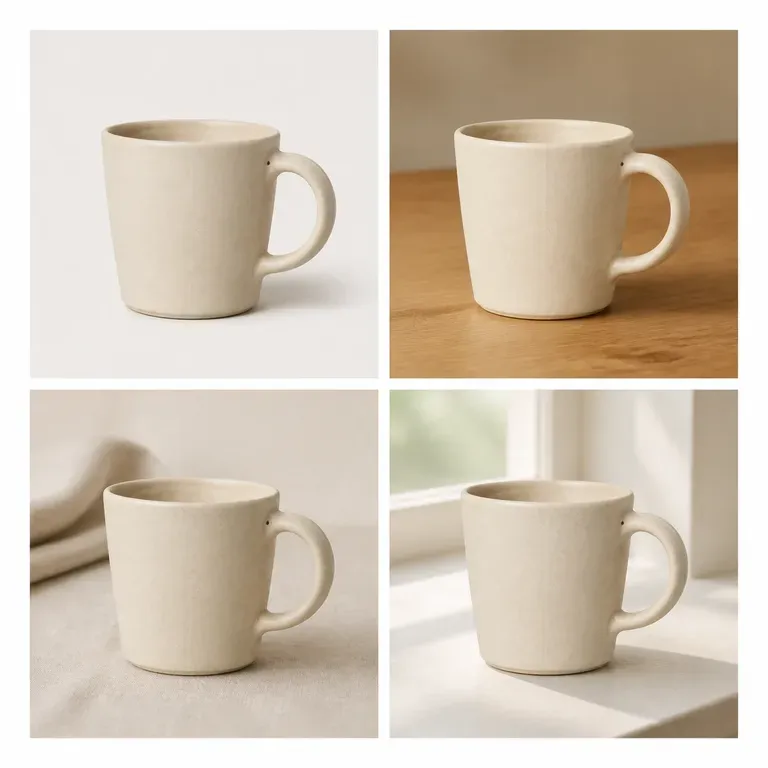
Une variation qui modifie discrètement le produit n’est pas une variation, c’est un produit différent. Importez une image, indiquez si c’est la scène, la couleur ou l’angle qui doit changer, et récupérez une série où tout le reste reste immobile. Les crédits gratuits suffisent pour vérifier si le sujet survit réellement à la série.
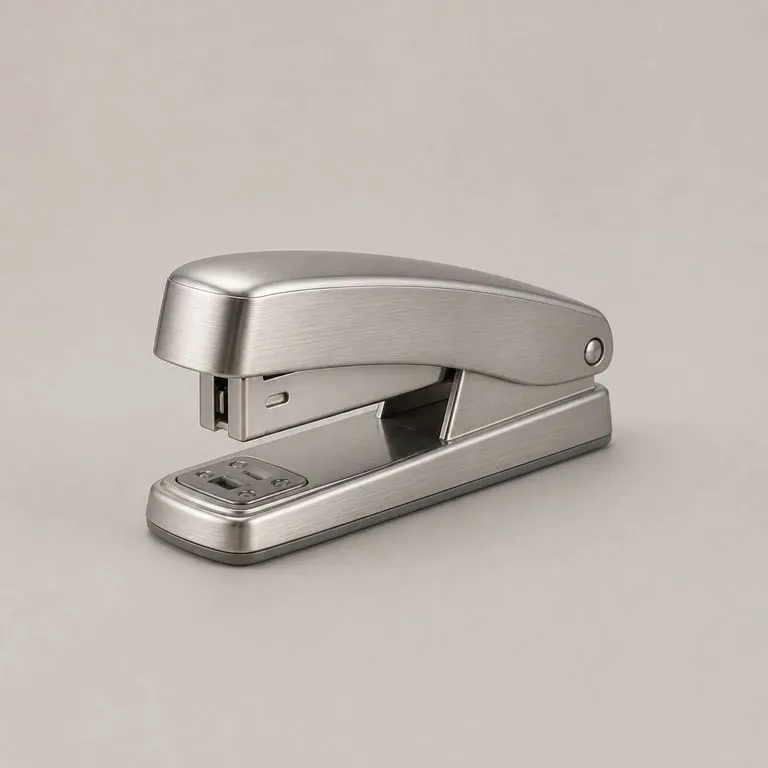
Importez la photo de votre produit et une référence de matériau. Il lit la structure sous-jacente, détermine quel panneau est lequel et où chaque surface tourne, puis applique le nouveau matériau le long de cette structure, avec un éclairage cohérent et la forme exactement là où elle était.
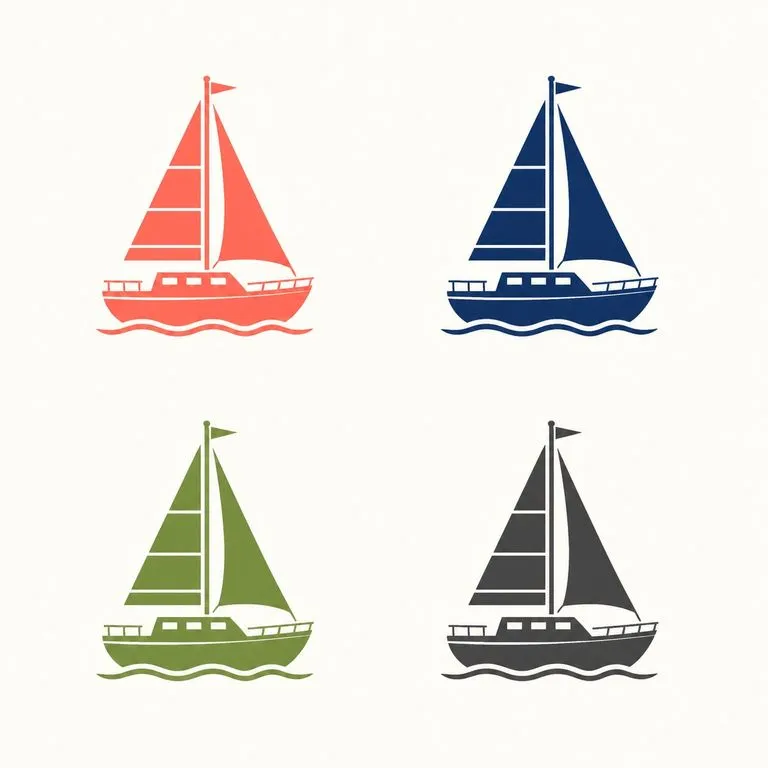
Importez une illustration. Le dessin est conservé exactement tel quel et recolorisé en variantes réellement distinguables les unes des autres, plutôt qu’en trois versions du même ton.

La toute dernière génération Seedream de ByteDance, disponible sous forme de Seedream 5.0 Pro et Seedream V5 Lite, toutes deux à partir du même brief écrit.

Black Forest Labs' editing models, FLUX Kontext Pro and Kontext Max, built to apply one described change while the rest of the frame survives untouched.
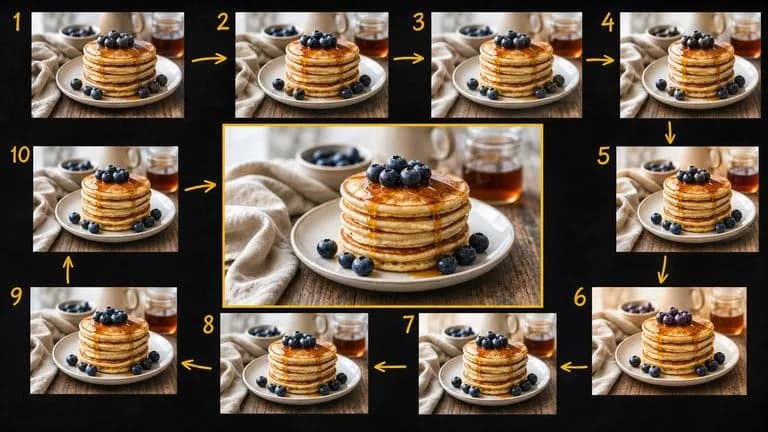
Google's Gemini 2.5 Flash Image — the original Nano Banana — generates and edits pictures at conversation speed, so a correction takes a sentence instead of a session.
Importez l’image que vous avez déjà, déclinez-la dans les versions dont le projet a besoin et gardez toute l’arborescence là où vous pouvez la voir.