Kling 4.0 Prompt Guide: Fix Motion, Camera Cuts & Audio
Vincent11 分钟阅读 ·
Kling 4.0 prompts work best when you clearly define the subject, action sequence, camera behavior, and intended audio. Yet even detailed instructions can produce unexpected camera cuts, unnatural motion, or background music you never requested. These failures can turn promising footage into unusable clips and force creators to spend more credits on retries. Read our Kling 4.0 review for more context on these generation issues.
Our review of user questions and documented generation cases highlights a practical challenge: better prompts can reduce ambiguity, but they cannot guarantee consistent results. The most useful approach is to simplify complex actions, separate camera instructions, and test each requirement against the actual output.
Virse brings multiple AI models into one creative workspace, making it easier to explore different approaches without relying on a single model for every project. Paid plans offer unlimited model usage and unlimited seats, while new users receive free credits to get started. Explore different creative directions, compare Kling 4.0 and Seedance 2.5, and build a workflow around usable results rather than repeated guesswork.
Kling 4.0 Prompt Guide: What Prompt Structure Works Best?
A practical Kling 4.0 prompt should define five elements: the subject, action order, camera, environment, and intended audio. This is a recommended workflow structure, not an official formula or a guarantee of successful generation.
Element | What to Specify | Example |
Subject | Appearance and identity | A woman beside a window |
Action | Ordered movements | Looks down, pauses, then turns |
Camera | Position and movement | Fixed eye-level medium shot |
Environment | Location and lighting | Quiet room, soft daylight |
Audio | Desired sounds and exclusions | Wind and footsteps, no music |
Are Short Prompts Better Than Detailed Prompts?
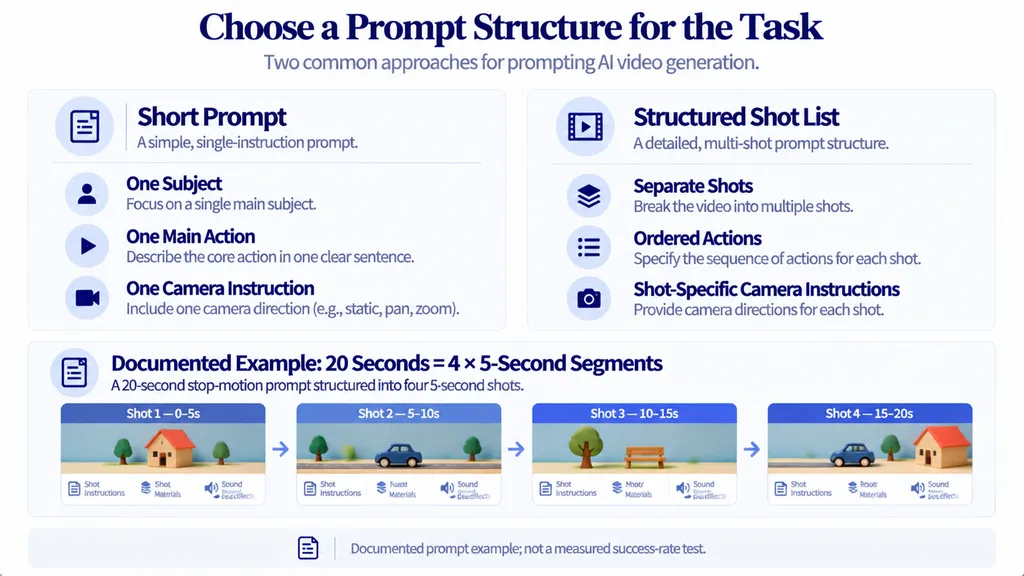
Short prompts work well as a starting point for simple actions. Detailed shot lists help organize multi-scene sequences involving different camera angles, actions, and sound effects, similar to a structured storyboard-to-video workflow. Our research did not identify controlled evidence proving that either approach consistently performs better.
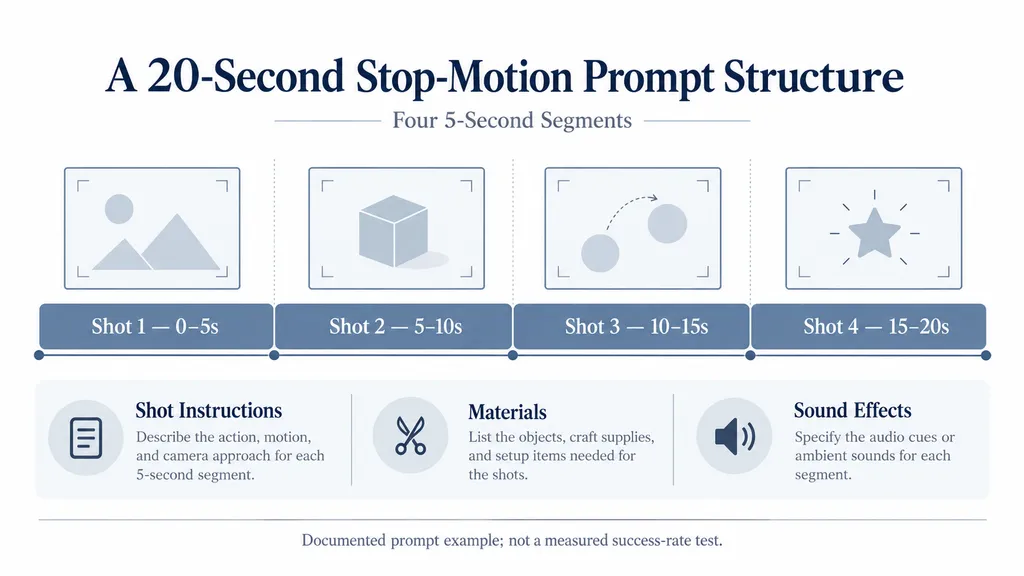
A documented Kling 4.0 Flash stop-motion example organized a 20-second concept into four 5-second segments. The prompt described individual shots, materials, and corresponding sound effects. This illustrates how a complex concept can be divided into manageable instructions, but it does not establish a success rate or prove that shot lists outperform shorter prompts.
Use a short prompt for a single action, add camera constraints for a continuous shot, and separate instructions by shot for multi-scene storytelling. Always verify that your selected interface supports the controls you intend to use. For another example of organizing video prompts into a repeatable process, see our Seedance 2.5 prompt guide.
How to Fix Unnatural Motion in Kling 4.0
To troubleshoot unnatural motion, reduce simultaneous actions, specify movement order, and inspect the subject throughout the clip. Historical Kling case studies provide useful diagnostic ideas, but they do not establish Kling 4.0 performance thresholds.
How Do You Make Kling 4.0 Motion Smoother?
Compare these two instructions.
Vague: A person walks forward, turns around, waves, picks up a bag, and runs away while the camera circles around them.
Structured: A person takes two deliberate steps forward, stops, shifts weight naturally, and slowly turns toward the camera. Each movement follows the previous action. Maintain consistent facial features and clothing. Use a fixed medium shot with no abrupt acceleration.
The structured version clarifies the action sequence and removes competing camera instructions. This is a proposed prompt revision, not a verified head-to-head test.
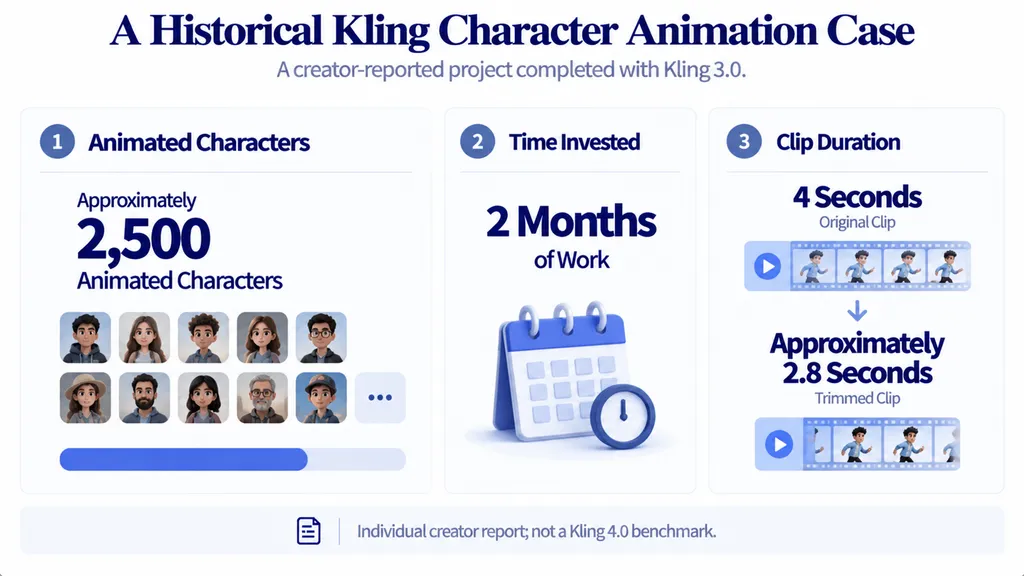
A historical Kling 3.0 case study described approximately 2,500 animated characters over two months. The creator reported increased identity drift during more substantial head movement, including an example involving a turn of approximately 15 degrees. The account also described trimming a 4-second animation to approximately 2.8 seconds to remove problematic ending frames.
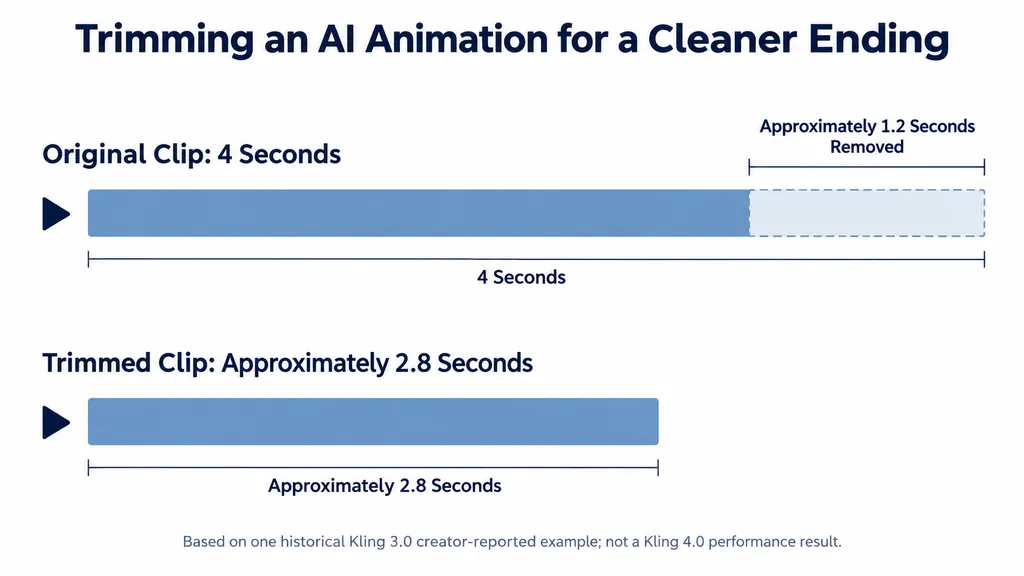
These are individual historical observations, not universal motion thresholds or Kling 4.0 benchmarks. The practical lesson is to inspect facial identity, body proportions, movement transitions, and final frames rather than judging a clip only by its overall appearance.
How Do You Keep Characters Consistent?
Reuse the same character description and reference materials when supported by the interface. Avoid changing facial, wardrobe, or body details between shots.
Problem | Recommended Adjustment | What to Inspect |
Face changes during movement | Keep identity instructions consistent | Facial features |
Clothing changes between clips | Reuse wardrobe details | Colors and accessories |
Hands or limbs distort | Simplify the movement | Body proportions |
Appearance changes between scenes | Reuse references where supported | Character continuity |
Final frames become unstable | Review and trim the ending | Last usable frame |
For more context on this issue, see our guide to character consistency in AI video.
These recommendations draw partly on earlier-version experience. Their effectiveness should be evaluated for the specific Kling 4.0 task.
How to Stop Unwanted Camera Cuts in Kling 4.0
To reduce unexpected cuts, specify one location, one continuous shot, one primary camera instruction, and an ordered action sequence. Some Kling 4.0 Flash feedback describes unexpected camera changes despite requests for continuous footage. The available evidence does not establish a prompt that guarantees an uninterrupted take.
What Is the Best Kling 4.0 One-Shot Prompt?
Use this starting prompt:
One continuous shot of a woman standing beside a window overlooking a valley. She looks down at a map, pauses, then slowly turns toward the valley. The camera remains fixed at eye level throughout. Maintain the same framing, lighting, and location. No cuts, angle changes, transitions, or camera movement. Only natural wind and soft footsteps are audible. No music or narration.
The key constraints are one scene, one camera position, and a limited action sequence. If unexpected cuts persist, remove secondary actions and test a simpler version.
When Should You Use Multi-Shot Prompts?
Use one-shot prompts when continuity is essential. Use separate shots when the story needs different perspectives.
A product advertisement, for example, might use a wide studio shot, a medium shot showing the product, and a close-up highlighting its material. Give each shot a distinct visual purpose while keeping the product, lighting, and environment consistent.
The documented 20-second stop-motion case illustrates how shot-by-shot organization can structure a complex concept. It does not prove that the same format works identically across every Kling interface. Verify the available controls and duration limits before relying on a particular shot-list format.
How to Control Kling 4.0 Audio and Unwanted Music
To improve audio control, name the intended sounds and explicitly exclude unwanted music, speech, or narration. Some Kling 4.0 Flash feedback reports unexpected background music, while other feedback praises multilingual audio. These observations concern different aspects of generation and do not establish a universal success rate.
How Do You Stop Kling 4.0 From Adding Music?
Try this environmental audio prompt:
A person walks through a quiet forest. The only audible sounds are footsteps on dry leaves, a light breeze, and distant birds. No background music, soundtrack, speech, or narration. Preserve the natural character of the environmental sounds.
Specifying desired sounds provides a clearer target than simply describing a quiet scene. However, negative instructions cannot be assumed to suppress every unwanted sound.
If music remains, check the available audio settings, revise the audio instructions, or remove the unwanted track during editing. If the deliverable must be silent, inspect the exported audio instead of relying on the prompt alone.
How Do You Fix Dialogue and Lip Sync?
Dialogue-driven videos require visible mouth movements and final audio to align. Historical Kling workflow discussions describe missed lyrics, inconsistent voices between clips, and additional synchronization work. These are earlier-version observations, not measured Kling 4.0 limitations.
For dialogue sequences, review mouth movement against the final speech, check voice consistency between clips, and listen for abrupt transitions. If synchronization remains unreliable, generate or adjust the soundtrack separately and align it in a video editor.
Kling 4.0 Prompt Examples for Motion, Products, and Audio
The following templates are suggested starting points based on the identified workflow problems. They are not independently validated Kling 4.0 outputs.
Motion and Product Prompts
Natural movement: A person takes two slow steps forward, pauses, shifts weight naturally, and turns toward the camera. Each action follows the previous one. Maintain consistent facial features, clothing, and body proportions. Use a fixed medium shot with no abrupt camera movement.
Product presentation: A premium skincare bottle stands on a clean studio surface. Soft light reveals its shape and material. The camera performs one slow push-in. Maintain the same label, proportions, color, and position. Avoid sudden cuts and unrequested objects.
Multi-Shot and Audio Prompts
Three-shot advertisement:
- Shot 1: Wide view of a minimalist studio with the product centered on a table.
- Shot 2: Medium view showing the product's shape and surface.
- Shot 3: Close-up highlighting a specific material detail.
Maintain consistent product design, lighting, and color palette. Give each shot one visual objective and use only controls supported by the selected interface.
Environmental audio: A quiet room with a stationary camera. Audible sounds are limited to a distant ventilation fan, soft footsteps, and a door closing. No music, speech, or narration. Keep the visual action simple and the environmental sounds natural.
Why Kling 4.0 Ignores Prompts: A Testing Workflow
When Kling does not follow instructions, isolate the failure before rewriting the entire prompt. Conflicting camera directions, excessive simultaneous actions, unclear audio requirements, and inconsistent character descriptions are useful starting points for diagnosis.
What Do Generation Case Studies Teach Us About Retries?
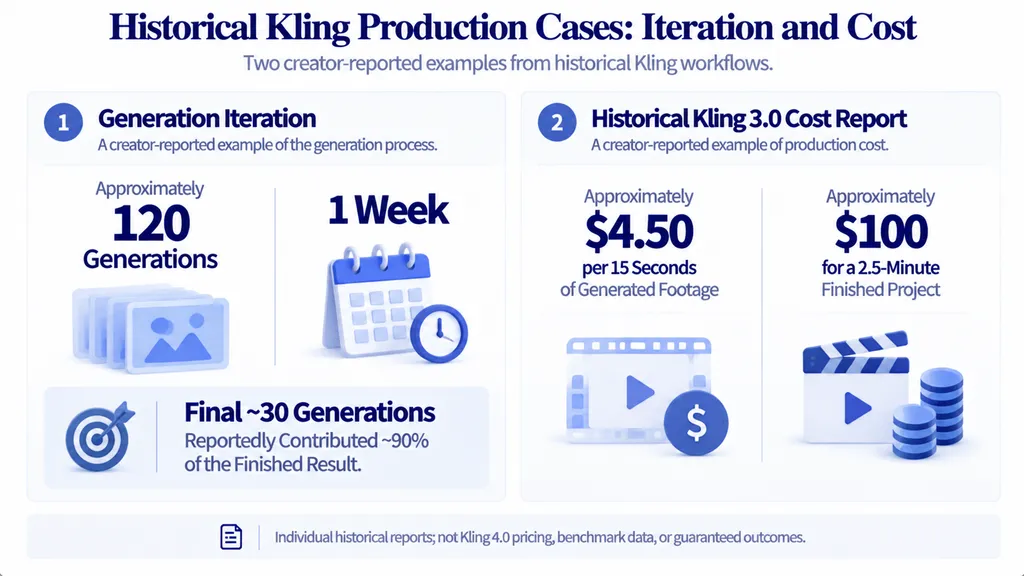
A historical Kling 2.5 Turbo music-video account described approximately 120 generations over one week. The creator reported that the final roughly 30 generations contributed about 90% of the finished result. This is a single creator's retrospective, not a general success rate or evidence that Kling 4.0 requires the same number of attempts.
A separate Kling 3.0 short-film account reported approximately $4.50 per 15 seconds of generated footage and around $100 for a 2.5-minute finished project. These are historical self-reported costs, not current Kling 4.0 prices or reliable budget benchmarks.
Together, these cases illustrate why creators should track iteration and usable output. They do not prove that a particular prompt reduces costs or that other creators will experience the same learning curve. For context on historical pricing, see our Kling 3.0 pricing guide.
How Do You Test Prompts Without Wasting Credits?
- Define acceptance criteria for motion, framing, identity, and audio.
- Generate a short sample with the simplest viable prompt.
- Record the model, settings, prompt revision, observed failure, and actual credit usage.
- Change one variable at a time.
- Compare the output against the same acceptance criteria.
- Expand to longer scenes only after the essential behavior is acceptable.
Track cost per usable clip rather than cost per generation. A failed output may consume credits without contributing usable footage. The available research does not establish a universal Kling 4.0 cost per finished clip, so record actual spending and count only footage that meets delivery requirements.
FAQs
How Do I Stop Kling 4.0 From Adding Camera Cuts?
Specify one continuous shot, one location, and one camera instruction. Keep actions in a clear sequence and test a short clip first. Unexpected cuts have been reported in Kling 4.0 Flash, so inspect the result rather than assuming that a no-cuts instruction guarantees continuity.
Why Does Kling 4.0 Add Music When I Request No Music?
Specify the exact sounds you want and explicitly exclude background music, speech, and narration. If unwanted music remains, check the available audio settings or remove it during editing. The available evidence does not establish that every Kling 4.0 interface supports completely silent output.
How Can I Keep the Same Character Across Kling Clips?
Reuse a stable character description and reference materials where supported. Simplify movements if facial identity or body proportions change, and inspect the final frames for distortion. Historical Kling case studies describe identity drift during movement, but they do not establish a universal threshold for Kling 4.0.
Are Short Prompts Better Than Detailed Kling 4.0 Prompts?
Short prompts suit simple actions and continuous shots. Detailed shot lists help organize multiple scenes and camera changes. The available research does not establish that either format consistently performs better. Choose the format that matches the task and validate it with short tests.
Conclusion
A reliable Kling 4.0 workflow combines clear action sequences, controlled camera instructions, explicit audio requirements, and consistent character references. Historical cases illustrate the practical costs of iteration and the value of reviewing individual frames, but their generation counts and spending figures are not Kling 4.0 performance benchmarks. Test one requirement at a time, record actual results, and judge success by usable footage rather than prompt complexity alone.