Design Brief: What to Include + Free Template
Vincent15 分钟阅读 ·
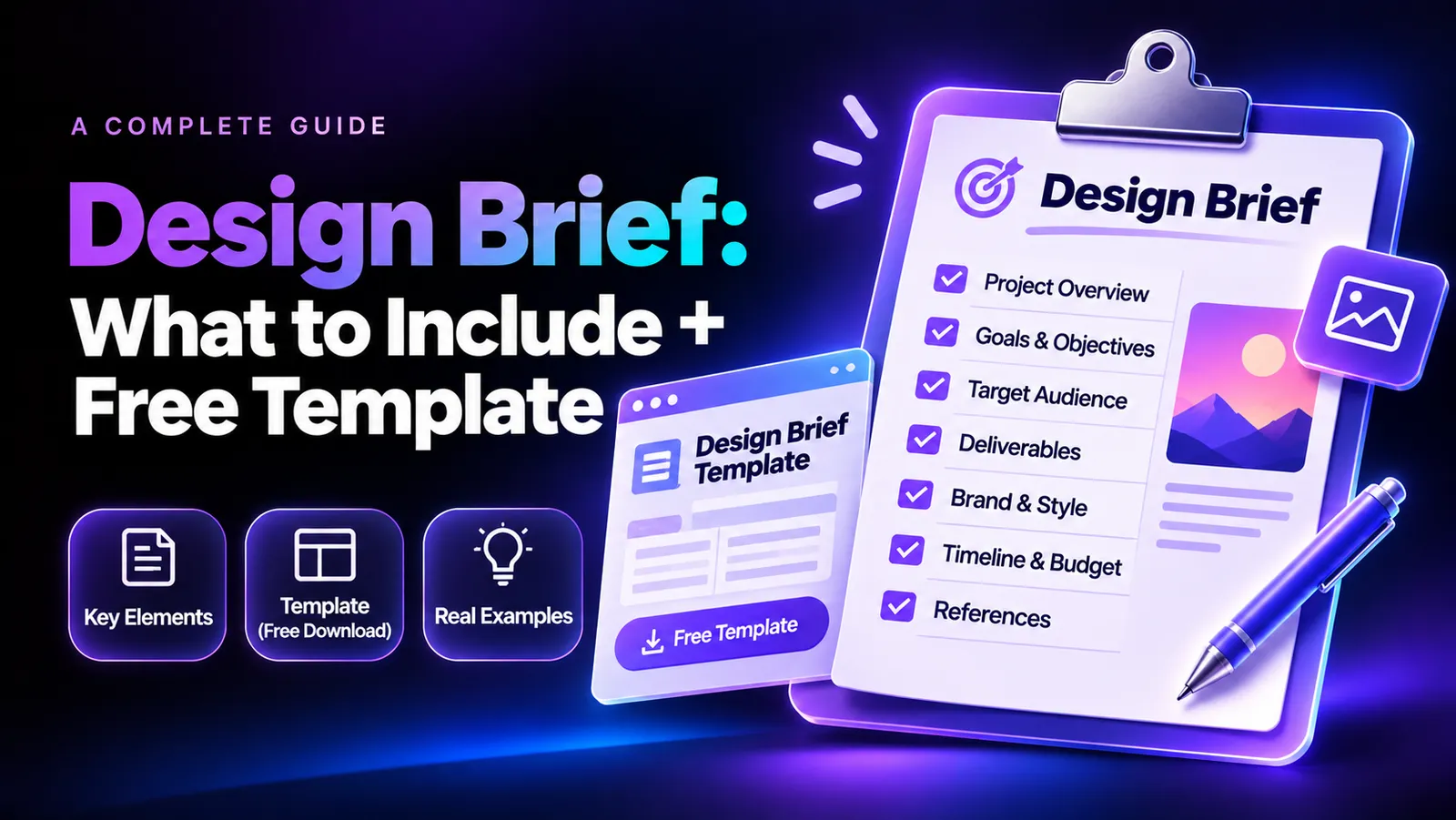
A design brief is a document that defines a project's background, objectives, target audience, creative direction, scope, requirements, and deliverables. It explains what needs to be designed, why the project matters, and how success will be evaluated.
However, a brief that only describes what to create is rarely enough. Without realistic business context, measurable objectives, and clear constraints, designers can struggle to make meaningful creative decisions. This is particularly challenging when building a design portfolio without real clients, managing complex branding projects, or translating scattered feedback into a consistent visual direction.
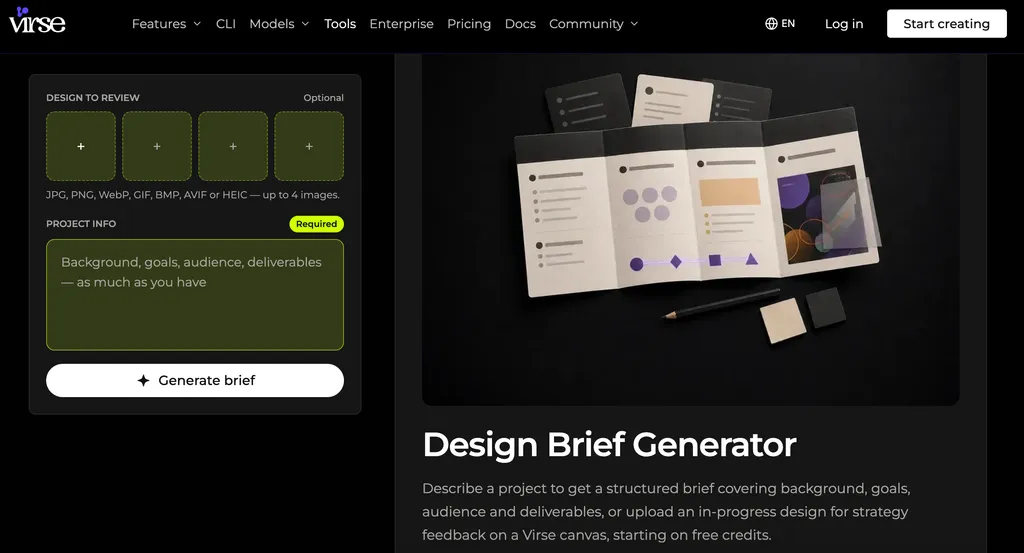
This is where Virse can help. Its Infinite Canvas brings AI-powered creative workflows into one visual workspace, allowing you to organize reference images, connect ideas, explore different design directions, and refine visual concepts in context. With AI design agents working across related creative tasks and shared project context, Virse helps turn a design brief into an evolving creative process rather than leaving you with a document and a blank canvas. You can also use the Virse Design Brief Generator to transform project information into a structured brief or review an existing design.
What Is a Design Brief and Why Is It Important?
A design brief is a structured project document that communicates the purpose, scope, and requirements of a creative assignment. It gives clients, designers, and stakeholders a shared understanding of what needs to be achieved before production begins.
Consider the difference between these two requests:
Basic Design Request | Professional Design Brief |
Design a logo for a coffee shop. | Create a brand identity for a specialty coffee shop targeting young urban professionals. Communicate craftsmanship and sustainability across packaging, signage, and social media. |
Create a fitness website. | Redesign a fitness subscription website to improve membership discovery, clarify pricing, and simplify mobile registration. |
The second request gives designers a problem to solve, a target audience to consider, and specific requirements to follow.
A well-written brief also establishes the foundation for a complete AI design workflow from brief to delivery, helping teams connect early planning with concept development, revisions, and final production.
Design Brief vs. Creative Brief
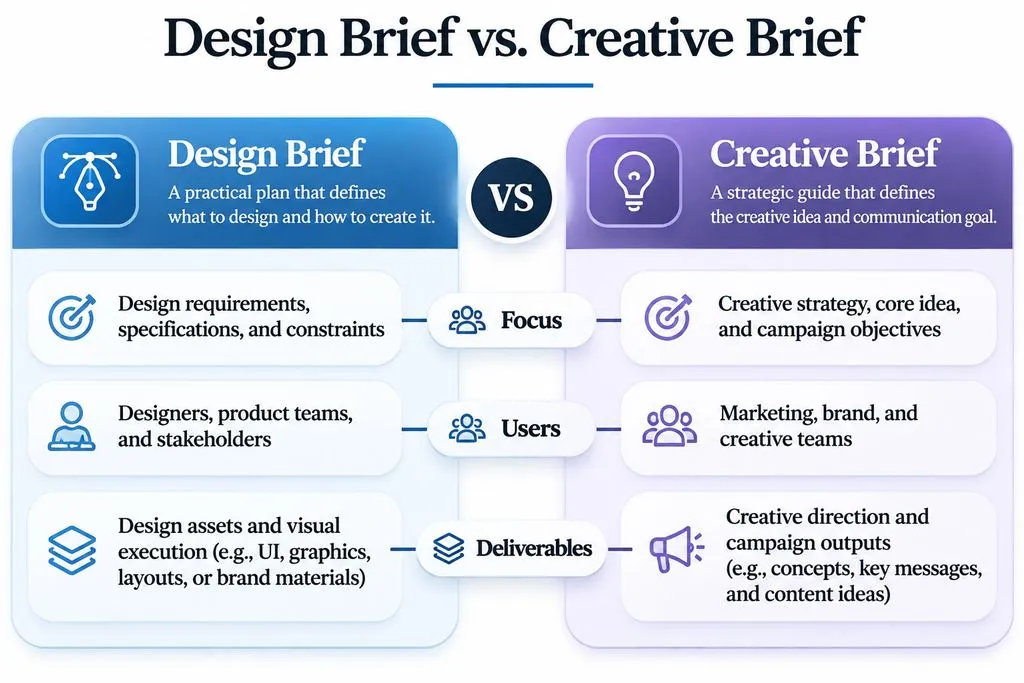
Although these terms are sometimes used interchangeably, they have different areas of emphasis.
Aspect | Design Brief | Creative Brief |
Primary Focus | Design requirements and execution | Creative strategy and messaging |
Main Users | Designers and design teams | Marketers and creative teams |
Key Information | Specifications, constraints, deliverables | Audience, messaging, campaign objectives |
Typical Projects | Branding, websites, packaging, UI/UX | Advertising, campaigns, content |
Expected Output | Visual or functional design assets | Creative concepts and campaigns |
A design brief generally translates project requirements into design solutions, while a creative brief establishes the strategic direction behind the creative work.
What Should a Professional Design Brief Include?
A professional design brief should provide enough context to guide creative decisions without unnecessarily restricting the designer. These seven essential elements form a practical framework for branding, graphic design, and digital product projects.
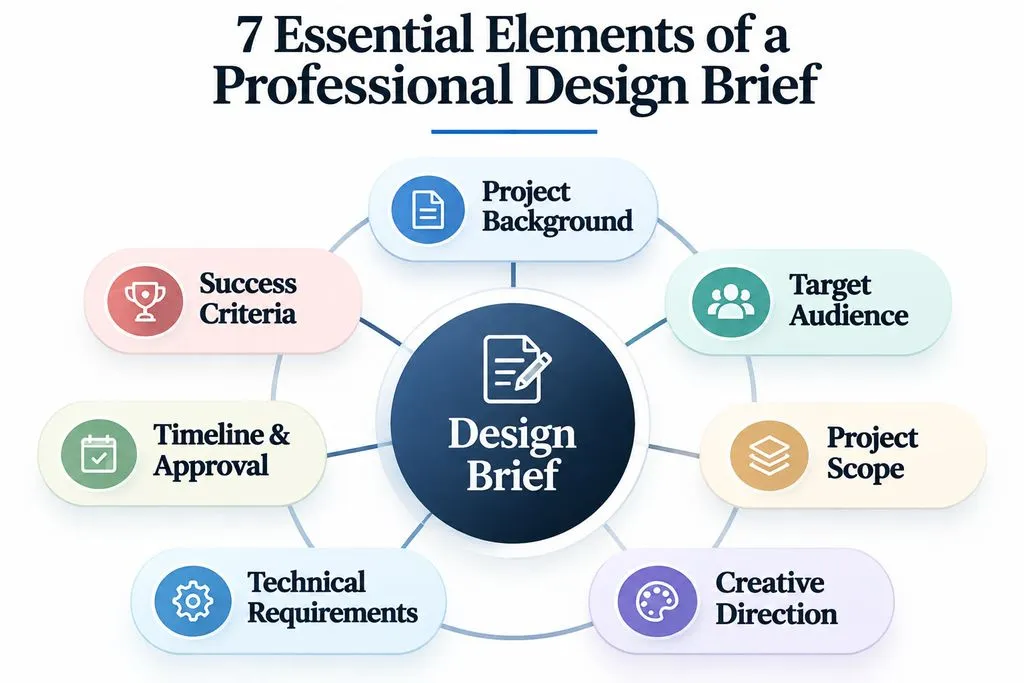
Project Background and Business Objectives
Explain what the project is, why it exists, and what business problem it needs to address.
Include:
- Company and industry background.
- Existing products or brand assets.
- Current challenges.
- Reason for starting the project.
- Primary business objectives.
For example, a sustainable skincare startup may need a new packaging identity because its existing labels lack consistency and fail to communicate its environmental positioning.
The actual design challenge is not simply making attractive packaging. It is creating a recognizable visual system that communicates the brand's positioning across multiple products and marketing channels.
Target Audience and Design Goals
Identify who the design serves and what it should accomplish.
Useful audience information includes customer characteristics, needs, preferences, behavioral patterns, and pain points.
For a productivity app, the target audience might include students and working professionals who need a simpler way to organize daily tasks.
The design objectives could include simplifying navigation, improving task discovery, and making essential actions easier to access.
For UX projects, distinguish hypothetical personas from verified customer research. Fictional personas can guide design exercises, but they should never be presented as actual user research.
Project Scope and Deliverables
Define exactly what is included in the project and what falls outside its boundaries.
A branding project, for example, might include logo design, typography, color palettes, and packaging, but exclude website development and advertising production.
A useful scope section should specify:
- Included design assets and services.
- Excluded work and additional requests.
- Number of concepts and revision rounds.
- Required file formats and dimensions.
- Source files and final delivery requirements.
This distinction is important because unclear project scope can lead to disagreements about what the designer is expected to deliver.
Creative Direction and Visual References
Creative direction defines the intended visual language of a project.
Include:
- Preferred color palettes.
- Typography and font styles.
- Layout and composition.
- Photography or illustration styles.
- Brand personality.
- Reference designs.
- Visual approaches to avoid.
Avoid vague instructions such as "make it modern" or "make it look premium." Explain what those qualities mean in the project's context.
Moodboards are particularly useful when stakeholders struggle to describe visual preferences. They allow designers to compare references, identify patterns, and establish a shared creative direction.
If you are unsure how to communicate visual preferences, start by understanding what a moodboard is and following a practical guide on how to make a moodboard.
For more complex creative workflows, Virse's Infinite Canvas provides a visual workspace for organizing reference images, exploring multiple concepts, and refining design directions. Multiple AI agents can work on related creative tasks while sharing project context.
Technical Requirements and Project Constraints
Document the technical and practical limitations that influence implementation.
Requirement | Examples |
Brand | Existing logos, fonts, colors, guidelines |
Technical | File formats, dimensions, responsive layouts |
Platform | Website, mobile app, print, social media |
Accessibility | Contrast, readability, accessible interactions |
Content | Copy, product images, existing assets |
Legal | Copyright and licensing requirements |
A useful brief distinguishes mandatory requirements from optional preferences. This gives designers creative flexibility while ensuring the final work remains practical.
For interface projects, understanding wireframes can help teams clarify layouts and interactions before committing to detailed visual design.
Timeline, Budget, and Approval Process
Define the project start date, milestones, final deadline, budget, decision makers, and feedback process.
A typical design workflow includes discovery, concept development, design presentation, revisions, approval, and final delivery.
Clearly identify who provides feedback, who has final approval, and how changes are handled. This helps prevent fragmented feedback and uncontrolled scope changes.
Success Criteria and Measurement
Explain how the project will be evaluated after delivery.
Success criteria should connect design outputs to the original business or user objectives.
Examples include:
- Improved consistency across brand assets.
- Easier navigation through a redesigned interface.
- Completion of all agreed deliverables.
- Compliance with technical requirements.
- Improved task completion or conversion performance, when measured against a defined baseline.
Avoid using subjective descriptions such as "looks better" as the only evaluation standard. A good brief explains what improvement means and how it can be assessed.
Real Design Brief Examples for Branding, Graphic Design, and UX/UI
The following fictional project scenarios demonstrate how a simple creative request can become a professional design brief. They are illustrative examples rather than claimed client engagements.
Example 1: Brand Identity Design Brief
Client: GreenNest
Industry: Sustainable Home Products
Project: Brand Identity
Field | Project Requirements |
Objective | Build a recognizable identity for an eco-conscious home products brand |
Audience | Environmentally conscious homeowners |
Visual Direction | Natural, simple, approachable |
Deliverables | Logo, colors, typography, packaging, brand guidelines |
Constraints | Must work across digital and printed applications |
Design challenge: Create an identity that communicates sustainability without relying on generic environmental symbols.
The designer needs to consider how the identity works across packaging, product labels, websites, and social media. A logo that looks attractive in isolation may not provide a consistent visual language across all these applications.
The brief should therefore guide the development of a complete identity system rather than a single graphic asset.
For projects involving multiple brand applications, learning how to create a design system can help designers organize reusable visual rules and maintain consistency.
Example 2: Graphic Design Brief for a Marketing Campaign
Client: FitFlow
Industry: Fitness Technology
Project: Promotional Campaign
Field | Project Requirements |
Objective | Promote a new online fitness membership |
Audience | People interested in accessible fitness programs |
Visual Direction | Energetic, confident, modern |
Deliverables | Social media graphics, banners, landing page visuals |
Constraints | Consistent brand identity and platform-specific dimensions |
Design challenge: Create a recognizable campaign across multiple channels while maintaining consistent messaging and visual hierarchy.
The designer must consider how individual assets work together. Social media graphics, promotional banners, and landing page visuals should feel like parts of one campaign rather than unrelated designs.
Maintaining a recognizable campaign also requires consistent creative direction across formats, especially when different designers or AI tools generate individual assets. See how to approach brand consistency in AI-generated advertising creatives.
Example 3: UX/UI Design Brief for a Mobile App
Client: TaskMate
Industry: Productivity Software
Project: Mobile App Design
Field | Project Requirements |
Objective | Simplify personal task management |
Audience | Students and working professionals |
User Problem | Existing task workflows feel complicated |
Deliverables | Onboarding, dashboard, task creation, reminders |
Constraints | Mobile-first interface and accessible interactions |
Design challenge: Make task creation and prioritization intuitive without overwhelming users with unnecessary controls.
A complete UX brief should also define user stories, core user flows, platform requirements, and assumptions that need validation.
This is an important distinction between graphic design and UX/UI briefs: the latter must explain the user problem and expected interaction, not just the appearance of individual screens.
Teams developing digital products can also explore AI tools for product design to support concept exploration and early design development.
How to Write a Design Brief Step by Step
A good design brief is developed through clarification and iteration, not simply by completing a document.
Step 1: Identify the Actual Design Problem
Start by asking why the project exists.
- What problem needs to be solved?
- Who experiences the problem?
- Why is design necessary?
- What should improve after completion?
Avoid jumping directly into visual concepts before understanding the underlying need.
Step 2: Collect Stakeholder and User Information
Gather company background, audience insights, existing assets, technical requirements, and stakeholder expectations.
For client projects, use a structured questionnaire. For UX/UI projects, distinguish stakeholder assumptions from actual user research.
Step 3: Define Project Scope and Deliverables
Translate general expectations into specific outputs.
For example, "create a complete brand identity" should be clarified into logo variations, typography, colors, usage guidelines, and required file formats.
Also document what is excluded from the project to avoid misunderstandings later.
Step 4: Establish Creative Direction
Collect reference images, typography examples, color palettes, and moodboards.
When multiple visual directions are possible, organize references together so stakeholders can compare alternatives instead of relying on vague descriptions.
If a team needs clearer guidance on translating project goals into visual decisions, the principles of art direction can help connect creative strategy with design execution.
Step 5: Set Success Criteria and Approve the Brief
Define how the final work will be evaluated, identify the decision maker, and confirm the project requirements before production begins.
A brief should be approved by the relevant stakeholders so everyone starts with the same expectations.
If your project notes are incomplete or scattered, the Virse AI Design Brief Generator can help organize background information, objectives, audience requirements, and deliverables into a structured first draft. You can then review and refine the result before sharing it with stakeholders.
Free Design Brief Template: Copy and Use for Your Next Project
Use this reusable design brief template as a starting point for branding, graphic design, website, and UX/UI projects.
Project Information
- Project Name:
- Client / Company:
- Project Type:
- Project Owner:
- Project Description:
Project Background
- Company Overview:
- Current Situation:
- Reason for the Project:
- Main Challenges:
Project Objectives
- Primary Goal:
- Secondary Goals:
- Expected Outcomes:
- Success Metrics:
Target Audience
- Primary Audience:
- Audience Needs:
- Pain Points:
- User Characteristics:
Project Scope
- Included Work:
- Excluded Work:
- Number of Concepts:
- Revision Rounds:
Creative Direction
- Desired Style:
- Brand Personality:
- Preferred Colors:
- Typography:
- Visual References:
- Designs to Avoid:
Design Requirements
- Required Features:
- Technical Specifications:
- Platform Requirements:
- Brand Guidelines:
- Content and Existing Assets:
- Other Constraints:
Deliverables
- Required Design Assets:
- File Formats:
- Dimensions:
- Source Files:
- Final Delivery Method:
Timeline and Budget
- Project Start Date:
- Key Milestones:
- Final Deadline:
- Budget:
Feedback and Approval
- Main Contact:
- Decision Maker:
- Revision Process:
- Approval Criteria:
Not every project needs every section. A small poster assignment may only require a short description, target audience, visual direction, and delivery specifications. A complex product design project needs more detailed user requirements and technical considerations.
Want to turn your project information into a structured brief automatically? Try the free-to-start Design Brief Generator from Virse. Describe your project, including its background, goals, audience, and expected deliverables, and generate a draft that you can review and refine.
How to Create a Realistic Design Brief Without a Client
A design brief generator can help students, beginners, and independent designers develop self-initiated projects when they do not have access to real clients.
Our review of recurring design-workflow questions identified several needs: finding practice assignments, creating believable fictional clients, and turning incomplete project ideas into portfolio-ready work.
The important distinction is that a portfolio project needs a design problem, not just a design prompt.
From Fictional Client to Complete Portfolio Case Study
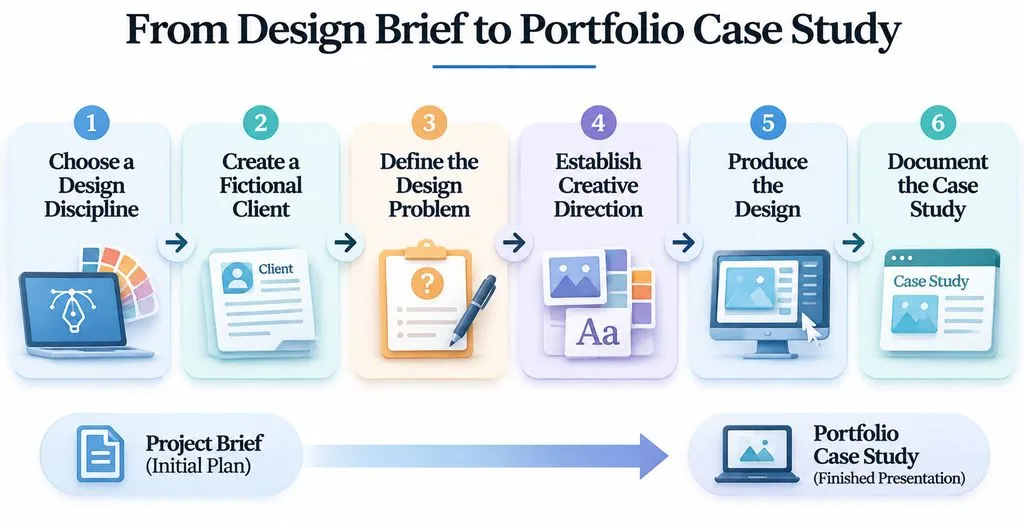
A practical portfolio workflow includes:
- Choose a design discipline, such as branding, packaging, or UX/UI.
- Create a fictional client with a believable industry and business model.
- Define the business problem and target audience.
- Establish creative direction and project constraints.
- Produce the design and document important decisions.
- Present the outcome as a case study, clearly labeling it as self-initiated work.
For example, instead of presenting a random coffee shop logo, develop a fictional specialty coffee brand with a defined audience, market positioning, packaging requirements, and visual identity system.
The resulting case study can explain the initial problem, research assumptions, creative exploration, design decisions, and final deliverables.
For additional inspiration, explore design portfolio examples to understand how designers present their creative decisions and project outcomes.
What Makes a Fictional Design Project Credible?
A believable project needs more than an invented company name.
It should contain:
- A consistent business background.
- A specific target audience.
- A realistic design challenge.
- Practical technical constraints.
- Clear deliverables and success criteria.
One common portfolio mistake is presenting fictional work as a commissioned client project. Self-initiated projects can demonstrate design thinking and execution, but they should always be identified honestly.
What Our Research Reveals About Design Brief Generators
Our research into design community discussions and recurring user questions highlights several patterns that matter when creating or evaluating design brief generators.
Portfolio Practice Is a Major Use Case
Students, beginners, and independent designers need project ideas when they lack access to real clients.
A useful generator should provide more than random topics. It should produce a fictional client, project background, business objective, audience, constraints, and deliverables.
This transforms a simple creative exercise into a structured design assignment.
Realistic Context Matters More Than Randomness
A prompt such as "design a restaurant logo" may provide inspiration, but it offers little guidance for professional decision-making.
A stronger brief explains the restaurant's positioning, target customers, competitive environment, visual direction, and required applications.
The difference is the amount of context available to guide the designer.
AI-Generated Briefs Require Human Review
AI tools can help generate project scenarios and organize creative requirements, but outputs may be repetitive, incomplete, or inconsistent.
Designers should review business logic, audience assumptions, technical feasibility, and deliverable requirements before using generated briefs for professional work or portfolio exercises.
The Virse Design Brief Generator supports both generating a new brief and reviewing an existing design. With its design review workflow, you can upload a design, describe its intended goal, and receive findings, suggestions, and a revision strategy. These suggestions should still be checked against real project requirements and stakeholder feedback.
For more practical guidance on communicating design requirements to AI tools, see how to write effective AI design prompts.
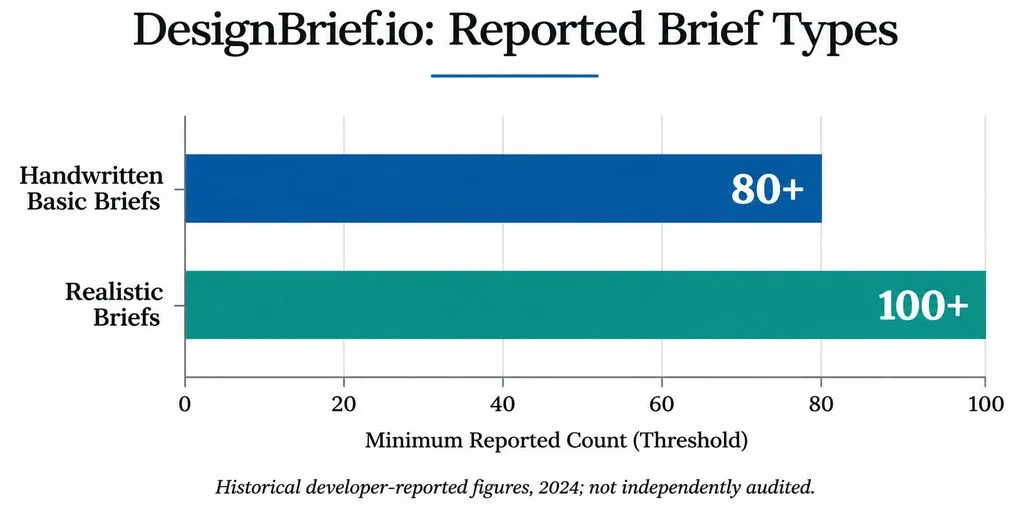
Historical DesignBrief.io Data
In a 2024 developer-reported discussion about DesignBrief.io, the creator shared the following historical figures:
Metric | Developer-Reported Figure |
Monthly Users | 500–1,000 |
Handwritten Basic Briefs | 80+ |
Realistic Briefs | 100+ |
These figures are historical developer self-reports, not independently audited statistics or current 2026 usage data.
They provide context for the distinction between quick practice prompts and more developed project scenarios. However, they do not establish current market size, conversion rates, retention, or project completion rates.
Our research did not establish verified efficiency improvements or measurable reductions in design revisions for brief generators. These outcomes should be evaluated through independent testing rather than assumed.
FAQs:
What are the 5 essential elements of a design brief?
The five essentials are project background, objectives, target audience, creative direction, and deliverables. More complex projects should also document technical constraints, scope, timelines, budgets, and approval criteria. The exact structure depends on the design discipline and project scope.
How do I create a design brief without a client?
Start with a fictional business, define its audience and business problem, and establish realistic design requirements. Create the final work as a self-initiated project and document your research assumptions, design decisions, and deliverables. Clearly label fictional work rather than presenting it as commissioned client work.
Can AI generate a professional design brief?
AI can generate structured project scenarios, draft requirements, and organize creative ideas. However, designers must review the output for realistic business context, consistent audience assumptions, feasible constraints, and clear deliverables. AI-generated personas should not be confused with verified user research.
You can use an AI design brief generator to create an initial draft from project details, then refine it for professional use.
What is the difference between a design brief and a project proposal?
A design brief explains what needs to be achieved and the project's requirements. A project proposal explains how the designer plans to deliver the work, including strategy, scope, timeline, process, and potentially pricing. The brief defines the need; the proposal presents the approach.
Conclusion
A strong design brief transforms a vague creative request into a clear, actionable project. Whether you are working with a client, developing a brand identity, designing a digital product, or building a portfolio without clients, defining the background, objectives, audience, scope, constraints, and deliverables is essential. Start with the free template, adapt it to your design discipline, and use the Virse Design Brief Generator to turn your project ideas into a structured starting point for better creative decisions and more consistent project outcomes.
Author: Yifan Zhao — AI Design Workflow Strategist and Creative Technology Advisor