Apa Itu Mockup Produk? Membuatnya Terlihat Nyata Tanpa Menyesatkan Pelanggan
Vincent10 menit baca ·
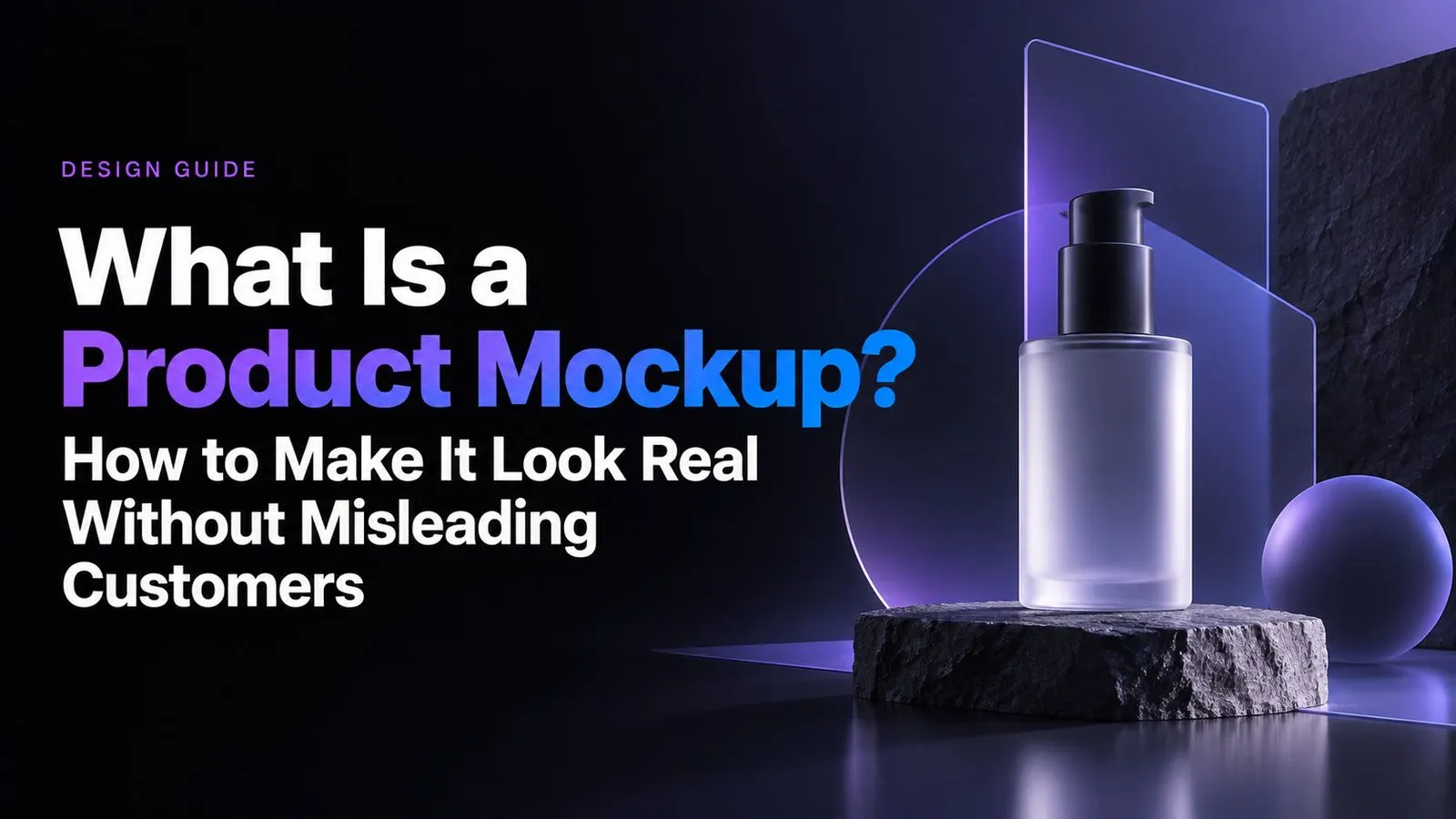
Sebuah mockup produk adalah pratinjau visual tampilan desain pada produk fisik atau digital nyata sebelum diproduksi atau difoto. Bagi penjual e-commerce dan POD, mockup yang baik harus menunjukkan secara akurat posisi desain, skala, proporsi, warna, bentuk produk, dan detail terlihat lain yang benar-benar akan diterima pelanggan. Tujuannya bukan sekadar realisme, melainkan realisme tanpa menyesatkan pelanggan.
Tantangannya, mockup dapat terlihat rapi sambil menunjukkan bentuk, proporsi, kain, posisi cetak, atau detail produk yang salah. Ketika produk, warna, desain, dan SKU bertambah, templat generik, variasi buatan AI, dan edit manual dapat menyulitkan konsistensi. Mockup yang terlihat realistis saja tidak cukup; kesetiaan pada produk harus diutamakan.
Alur yang lebih kuat dimulai dari referensi produk terverifikasi, menjaga karakteristik SKU penting tetap stabil, dan memakai templat pakai ulang, otomatisasi, atau AI untuk memperluas pekerjaan kreatif di sekitarnya. Virse membantu tim kreatif mengelola proses ini di kanvas tanpa batas, tempat referensi, panduan merek, aset, dan variasi produk tetap terhubung, sementara Agent AI membantu pembuatan massal, kesinambungan gaya, pengorganisasian aset, dan revisi berulang. Tim dapat meningkatkan skala produksi mockup sambil mempertahankan akurasi produk, konsistensi merek, dan tinjauan manusia sebagai pusat alur kerja.

Apa Itu Mockup Produk dan Apa Kegunaannya?
Definisi Mockup Produk
Sebuah mockup produk menunjukkan tampilan yang diharapkan ketika desain diterapkan pada produk nyata atau yang digambarkan secara realistis.
Sebuah alur kerja mockup yang umum adalah:
Ide → Desain → Mockup → Tinjauan → Revisi → Produksi atau Pencantuman Produk
Tahap tengah ini penting karena karya datar dalam desain produk sering menyembunyikan masalah yang baru tampak jelas dalam konteks. Grafis dada mungkin seimbang di artboard tetapi terlalu besar pada kaus. Tipografi kemasan mungkin cocok di layar tetapi terasa sesak saat membungkus kotak kecil.
Mockup membuat keputusan ini terlihat sebelum perubahan menjadi mahal atau sulit.
Apa yang Ditunjukkan Mockup Produk?
Bergantung pada produknya, mockup dapat menyampaikan:
- Posisi dan skala desain
- Proporsi produk
- Kombinasi warna
- Tipografi dan hierarki visual
- Perspektif dan interaksi permukaan
- Identitas merek dalam konteks realistis
- Penyajian yang diharapkan pada halaman e-commerce
Tujuannya bukan sekadar membuat karya grafis terlihat rapi. Mockup yang berguna membuat desain lebih mudah dievaluasi, dikomunikasikan, dan diproduksi.
Apa Saja Jenis Utama Mockup Produk?
Mockup Produk Fisik
Mockup produk fisik mewakili desain pada objek seperti kemasan, botol, kotak, buku, poster, papan tanda, dan barang dagangan.
Mockup ini sangat berguna ketika desain perlu berinteraksi dengan bentuk, permukaan, tepi, atau proporsi fisik.
Mockup Pakaian dan POD
Mockup pakaian menempatkan desain pada kaus, hoodie, topi, tas tote, dan pakaian lainnya.
Dalam alur POD, akurasi penting karena satu penjual dapat mengelola banyak desain, produk polos dasar, dan warna. Mockup harus cukup mencerminkan produk sebenarnya agar pelanggan tidak melihat bentuk atau konstruksi yang berbeda secara berarti.
Mockup Produk Digital
Mockup digital menampilkan antarmuka dalam konteks perangkat atau penggunaan realistis, seperti aplikasi yang ditampilkan pada ponsel pintar.
Mockup membantu tim mengevaluasi pengalaman visual di luar berkas desain tersendiri serta menyampaikan bagaimana antarmuka akhir mungkin terlihat bagi pengguna.
Mockup Produk vs Prototipe vs Wireframe: Apa Bedanya?
Istilah-istilah ini terkait, tetapi menjawab pertanyaan desain yang berbeda.
Wireframe Menentukan Struktur
Sebuah wireframe berfokus pada tata letak, hierarki, dan posisi. Ini membantu tim menentukan penempatan konten, navigasi, kontrol, dan elemen utama sebelum detail visual difinalkan.
Mockup Menentukan Tampilan Visual
Mockup menjawab: Seperti apa tampilannya seharusnya?
Biasanya mockup menambahkan tipografi, warna, gambar, penyajian produk, identitas merek, dan hierarki visual.
Prototipe Menguji Perilaku atau Mendukung Validasi
Prototipe digunakan untuk mengeksplorasi bagaimana sesuatu bekerja atau berperilaku. Dalam desain digital, ini dapat berarti interaksi dan navigasi. Dalam pengembangan produk fisik, ini dapat berarti menguji representasi yang lebih fungsional.
Secara sederhana:
- Wireframe: Di mana setiap elemen ditempatkan?
- Mockup: Seperti apa tampilannya seharusnya?
- Prototipe: Bagaimana seharusnya bekerja?
Mengapa Mockup Produk Penting untuk E-commerce dan POD?
Mockup Produk Mengurangi Produksi Berulang
POD adalah salah satu contoh paling jelas.
Toko dapat menggabungkan:
- Banyak grafis
- Beberapa produk polos dasar
- Beragam warna
- Kategori produk berbeda
- Banyak halaman produk
Memproduksi dan memotret setiap kombinasi sulit diperluas skalanya. Mockup memungkinkan tim menghasilkan variasi produk dari kumpulan aset visual terverifikasi yang lebih kecil.
Mockup Produk Mengubah Aset Pakai Ulang Menjadi Alur Kerja
Tinjauan kami atas alur POD terdokumentasi mencakup kasus produksi poster di mana beberapa mockup dapat dibuat dalam sekitar dua detik, dengan skala dan perspektif ditangani secara otomatis.
Kasus tersebut tidak menyediakan angka konversi, pendapatan, atau ROI, sehingga hasil itu tidak boleh diasumsikan. Nilainya bersifat operasional: penempatan, pengubahan ukuran, koreksi perspektif, dan ekspor berulang dapat dikurangi melalui otomatisasi.
Pada volume rendah, mockup adalah gambar. Pada volume lebih tinggi, mockup menjadi bagian dari alur produksi konten.
Mockup Produk vs Foto Produk Nyata: Mana yang Perlu Digunakan?
Gunakan Mockup untuk Skala dan Variasi
Mockup masuk akal ketika:
- Produk memiliki banyak variasi desain
- Warna sering berubah
- Desain memerlukan persetujuan sebelum produksi
- Katalog POD memuat banyak halaman produk
- Tim membutuhkan gambar produk yang konsisten
Mockup memungkinkan perluasan konten visual tanpa membuat sesi pemotretan terpisah untuk setiap kombinasi.
Gunakan Foto Nyata untuk Detail Produk yang Tepat
Fotografi lebih kuat ketika pelanggan perlu memahami:
- Material
- Tekstur
- Bentuk saat dikenakan
- Konstruksi
- Finishing permukaan
- Perilaku pencahayaan nyata
Mockup dapat menyampaikan posisi desain. Fotografi dapat menunjukkan bagaimana produk sebenarnya berperilaku di dunia nyata.
Gabungkan Foto Utama Nyata dengan Variasi Mockup
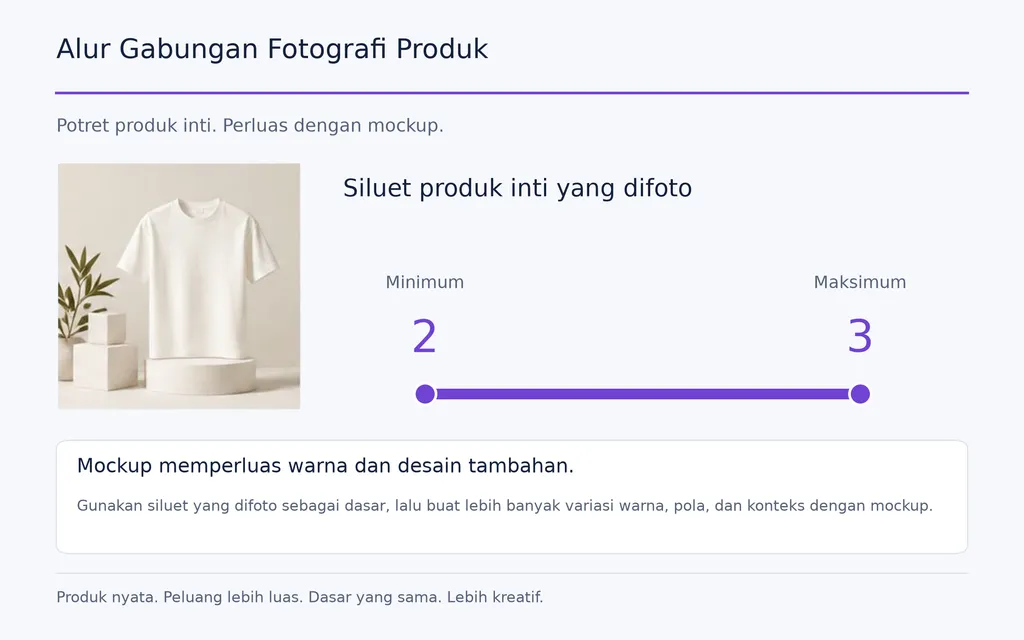
Alur gabungan praktis yang kami temukan dalam tinjauan pakaian dan POD adalah memotret dua atau tiga siluet produk inti, lalu memakai mockup yang akurat untuk warna dan grafis tambahan.
Prosesnya menjadi:
Sampel nyata → Fotografi merek → Gambar utama → Mockup pakai ulang → Variasi tambahan
Cara ini menjaga keaslian di bagian paling penting sambil memudahkan perluasan katalog melalui alur desain pakai ulang.
Seberapa Akurat Mockup Produk untuk E-commerce Seharusnya?
Cocokkan dengan Produk atau Produk Polos Sebenarnya
Salah satu pertanyaan yang paling sering berulang dalam tinjauan kami adalah apakah produk serupa boleh memakai mockup yang sama.
Untuk pakaian, periksa:
- Kerah dan garis leher
- Bentuk lengan
- Bentuk keseluruhan saat dikenakan
- Proporsi pakaian
- Tampilan kain
- Area yang dapat dicetak
Jika pelanggan dapat melihat perbedaan itu dengan jelas, produk polos generik bukan representasi yang dapat diandalkan.
Semakin dekat mockup untuk pelanggan dengan SKU nyata, semakin aman penggunaannya.
Ukur Realisme dari Kesetiaan pada Produk
Gambar beresolusi tinggi tetap bisa tidak akurat.
Karya grafis harus merespons dengan benar perspektif, kelengkungan, lipatan, bayangan, skala, dan batas produk. Mockup yang mengesankan secara visual tetapi salah bentuk pakaian atau tidak realistis posisi grafisnya dapat kurang berguna daripada gambar sederhana yang mencerminkan produk nyata secara akurat.
Dari perspektif desain produk, realisme terutama merupakan masalah kesetiaan, bukan resolusi.
Hindari Mockup Generik yang Melemahkan Identitas Merek
Tinjauan pertanyaan e-commerce berulang kami juga menyoroti masalah umum: banyak toko memakai ulang model, pose, latar belakang, dan templat pemasok yang sama.
Sistem yang lebih kuat menstandarkan:
- Sudut produk
- Pencahayaan
- Komposisi
- Pemotongan gambar
- Arah latar belakang
- Posisi karya grafis
Mockup yang baik bukan hanya mewakili produk dengan akurat. Mockup juga harus terasa milik merek tersebut.
Bagaimana Cara Membuat Mockup Produk?
Gunakan Smart Object PSD untuk Kendali Lebih Besar
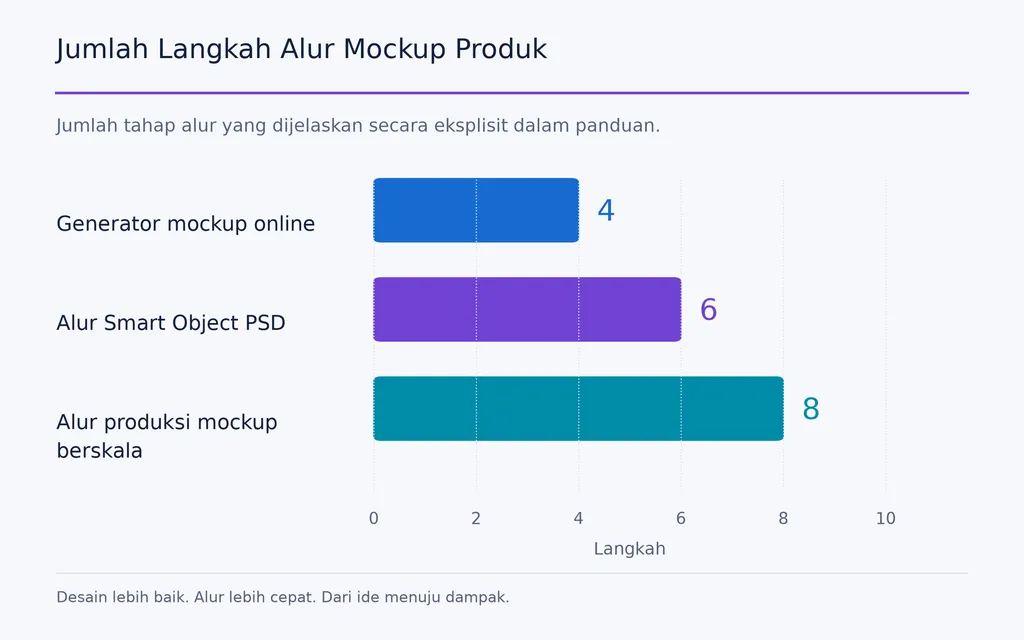
Alur PSD yang umum adalah:
Gambar produk → Templat PSD → Smart Object → Masukkan karya grafis → Sesuaikan → Ekspor
Pendekatan ini berguna saat desainer perlu mengendalikan posisi, perspektif, pencahayaan, dan penyajian merek secara presisi.
Keterbatasan utamanya adalah kerumitan alur. Tinjauan pertanyaan pengguna kami berulang kali menemukan masalah yang sama: Photoshop memang kuat, tetapi produksi mockup berulang menjadi tidak efisien bagi orang yang tidak memerlukan pengeditan manual mendalam.
Gunakan Generator Mockup Daring untuk Produksi Lebih Cepat
Generator mockup daring menyederhanakan alur pembuatan mockup:
Pilih templat → Unggah karya grafis → Posisikan → Ekspor
Alat ini berguna bagi tim e-commerce dan non-desainer yang mengutamakan kecepatan.
Konsekuensinya adalah ketergantungan pada templat. Jika banyak merek menggunakan pustaka visual yang sama, diferensiasi menjadi lebih sulit.
Bangun Mockup Khusus dari Foto Nyata
Merek dengan lini produk stabil dapat memotret produk sebenarnya sekali, lalu mengubah gambar itu menjadi templat pakai ulang.
Satu alur terdokumentasi dalam riset kami memakai satu foto produk untuk menghasilkan beberapa presentasi desain, alih-alih memotret setiap karya grafis secara terpisah.
Cara ini menggabungkan akurasi produk nyata dengan penggunaan ulang aset digital.
Bagaimana Membuat Mockup Produk dalam Skala Besar?
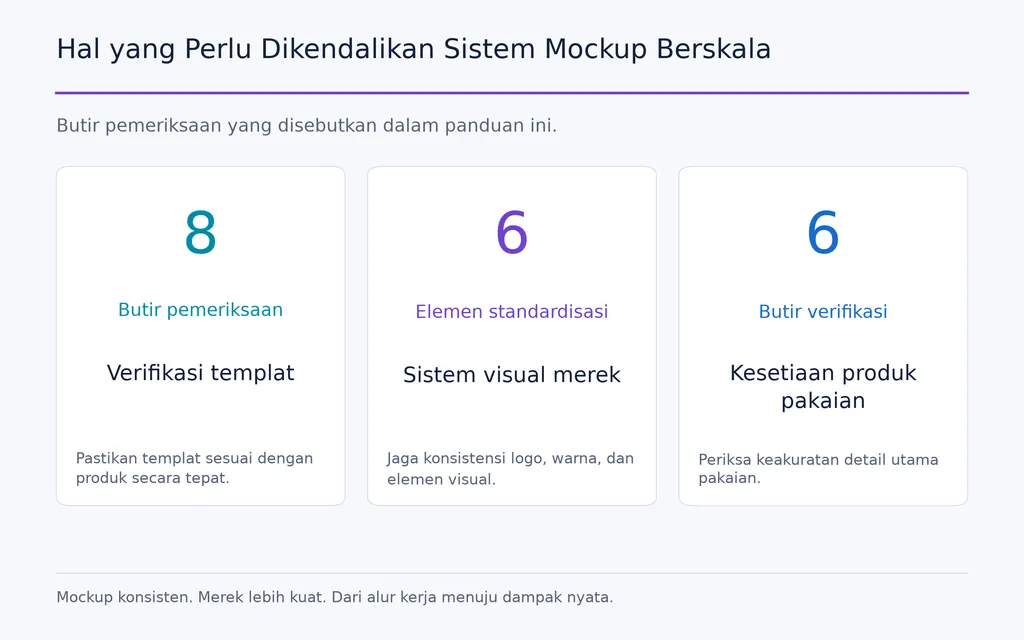
Verifikasi Templat Sebelum Mengotomatiskannya
Otomatisasi sebaiknya dimulai hanya setelah templat akurat.
Verifikasi:
- SKU
- Proporsi produk
- Batas karya grafis
- Ukuran cetak
- Perspektif
- Pencahayaan
- Komposisi merek
- Dimensi ekspor
Mengotomatiskan templat yang tidak akurat hanya menghasilkan konten tidak akurat dengan lebih cepat.
Otomatiskan Produksi Mockup Berulang
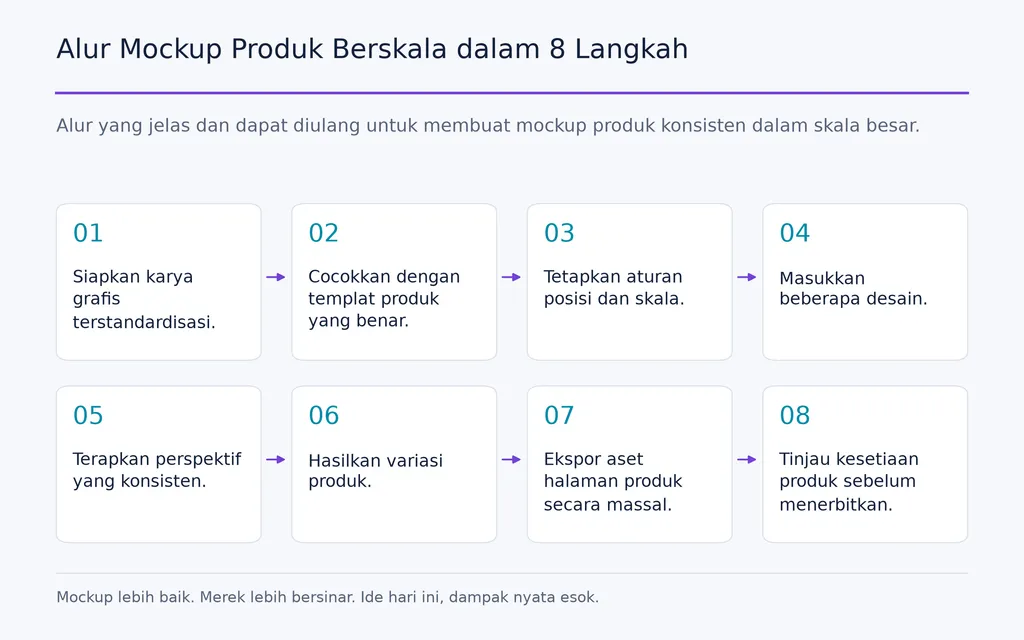
Sebuah alur desain AI yang dapat diskalakan dapat mengikuti langkah berikut:
- Siapkan karya grafis terstandardisasi.
- Cocokkan dengan templat produk yang benar.
- Tetapkan aturan posisi dan skala.
- Masukkan beberapa desain.
- Terapkan perspektif yang konsisten.
- Hasilkan variasi produk.
- Ekspor aset halaman produk secara massal.
- Tinjau kesetiaan produk sebelum menerbitkan.
Manfaat utamanya bukan sekadar menghasilkan lebih banyak gambar, melainkan mengalihkan waktu kreatif dari pelaksanaan berulang kembali ke keputusan desain.
Perlakukan Aturan Mockup seperti Sistem Desain
Pada skala besar, tim perlu mendokumentasikan templat yang disetujui, sudut produk, skala grafis, latar belakang, pencahayaan, pemotongan, dan standar kendali mutu.
Ini mengubah mockup dari berkas terpisah menjadi sebuah sistem produksi visual yang dapat diulang, sehingga meningkatkan konsistensi dalam katalog besar.
Apakah Mockup Produk AI Cukup Baik untuk E-commerce?
AI Paling Cocok untuk Eksplorasi Adegan
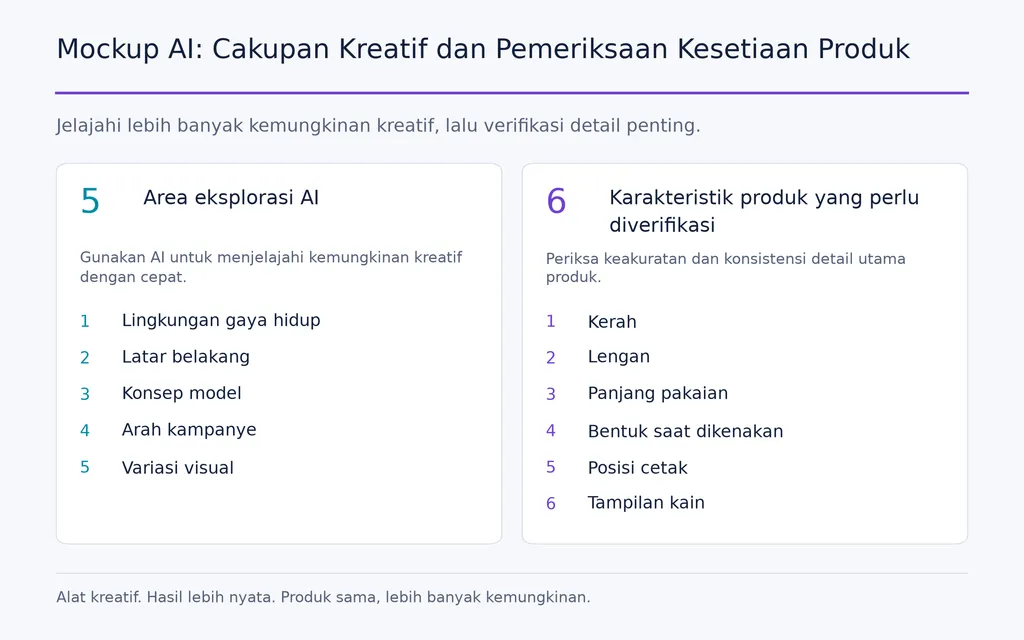
AI untuk desain grafis dapat membantu menghasilkan:
- Lingkungan gaya hidup
- Latar belakang
- Konsep model
- Arah kampanye
- Variasi visual
Karena itu, AI berguna untuk pencarian ide dan perluasan konten.
Namun, tinjauan kami atas pertanyaan pengguna dan alur desain AI menemukan risiko berulang: gambar dapat terlihat realistis sambil mengubah produk sebenarnya.
Untuk pakaian, AI dapat mengubah kerah, lengan, panjang pakaian, bentuk saat dikenakan, posisi cetak, atau tampilan kain.
Jaga Produk Tetap Stabil saat AI Mengubah Konteks
Alur yang lebih aman adalah:
Referensi produk terverifikasi → Pembuatan adegan AI → Perbandingan produk → Pemeriksaan geometri → Pemeriksaan grafis → Persetujuan manusia
Prinsip desainnya sederhana:
Biarkan AI mengubah lingkungan dengan lebih bebas daripada SKU.
Latar belakang, model, dan konteks kreatif boleh berubah. Karakteristik yang menentukan barang yang diterima pelanggan harus tetap stabil.
Pertanyaan Umum
Apa tujuan mockup produk?
Sebuah mockup produk membantu tim melihat desain dalam konteks sebelum setiap versi akhir diproduksi atau difoto. Mockup mendukung tinjauan desain, masukan pemangku kepentingan, halaman produk e-commerce, pemasaran, dan variasi produk. Untuk bisnis dengan banyak SKU, mockup pakai ulang juga mengurangi pekerjaan produksi visual berulang.
Apakah mockup POD harus sesuai dengan SKU yang tepat?
Mockup harus cukup sesuai agar mewakili secara akurat karakteristik terlihat seperti bentuk saat dikenakan, garis leher, lengan, proporsi, tampilan kain, dan area cetak. Jika produk polos sebenarnya terlihat berbeda secara berarti, gambar dapat menciptakan ekspektasi pelanggan yang keliru.
Bisakah mockup menggantikan foto produk nyata?
Tidak sepenuhnya dalam setiap kasus. Mockup lebih kuat untuk skala dan variasi, sedangkan foto nyata lebih kuat untuk material, bentuk saat dikenakan, tekstur, dan konstruksi. Alur praktisnya adalah memakai foto nyata untuk produk utama penting dan mockup akurat untuk warna serta desain tambahan.
Apakah mockup AI cukup baik untuk POD dan e-commerce?
Mockup AI dapat berguna jika kesetiaan produk ditinjau dengan cermat. AI sangat cocok untuk latar belakang, adegan gaya hidup, dan variasi kreatif. Sebelum menerbitkan, tim harus memverifikasi geometri, bentuk saat dikenakan, proporsi, posisi grafis, dan karakteristik lain terhadap SKU nyata.
Kesimpulan
Mockup produk adalah jembatan visual antara ide desain dan produk yang akhirnya ditinjau, disetujui, dipasarkan, atau dibeli orang. Nilainya melampaui presentasi: mockup membantu tim menemukan masalah lebih awal, menyampaikan keputusan lebih jelas, memakai ulang aset, memperluas konten e-commerce, dan mengotomatiskan produksi berulang. Alur terkuat tidak bergantung buta pada fotografi, templat PSD, generator, atau AI. Alur itu menggabungkannya sesuai masalah yang dipecahkan sambil mempertahankan akurasi produk, konsistensi merek, dan penilaian desain manusia sebagai standar kualitas akhir.