
How to Use AI for Graphic Design: Tools, Workflows, and Best Practices for Designers
 Yifan Zhao9 menit baca ·
AI for graphic design is best used as a creative assistant that helps designers explore ideas, automate repetitive tasks, edit visual assets, and accelerate production workflows — not as a replacement for professional design judgment. Today, designers commonly use AI for graphic design for brainstorming, moodboards, image editing, concept visualization, mockups, and production support while keeping humans responsible for strategy, art direction, and final decisions. Choosing the right AI design tools can make these tasks faster without removing human control.
The biggest value of AI in graphic design comes from reducing time spent on repetitive execution. Designers can quickly generate visual directions, expand images, remove unwanted objects, create presentation concepts, and explore alternatives without replacing the creative thinking behind the work. A structured AI design workflow helps connect those tasks, while AI design agents can support more complex creative processes where multiple assets and decisions need shared context.
In this guide, I will explain how designers can integrate AI into real graphic design workflows, which AI tools are useful for different design tasks, and why successful AI-assisted design depends on combining technology with visual expertise. The goal is to build a repeatable AI-assisted design workflow without losing the human creative direction behind the work.
How Is AI Changing Graphic Design?
AI is changing graphic design by shifting the designer’s role from primarily creating individual assets to managing creative systems, exploring possibilities, and directing intelligent tools. This shift is closely connected to the rise of AI design systems that organize tools, context, and reusable creative rules.
From my experience studying AI-powered design workflows, the most effective teams do not ask:
“Can AI make the design for me?”
They ask:
“Where can AI remove unnecessary effort so I can spend more time solving design problems?”
Graphic Design With AI Is Not About Replacing Designers
The rapid development of AI-generated visuals has raised questions about whether designers will eventually become unnecessary. However, current industry observations show a different direction: professional designers generally view AI as a productivity tool that expands creative capability rather than replacing human expertise.
Designers frequently use AI for:
- Brainstorming visual concepts
- Creating moodboards
- Exploring multiple creative directions
- Generating presentation mockups
- Editing images
- Expanding backgrounds
- Upscaling low-resolution assets
- Writing initial creative copy
However, AI still struggles with:
- Understanding brand strategy
- Making audience-specific decisions
- Maintaining consistent visual systems
- Creating production-ready files
- Choosing the strongest creative direction
A generated image may look impressive, but professional design requires decisions about typography, hierarchy, usability, business goals, and user perception.
The Power of Machine Learning in Design Workflows
Machine learning improves design workflows by helping systems recognize patterns, automate repetitive actions, and assist with creative decisions.
Examples include:
Design Task | Traditional Workflow | AI-Assisted Workflow |
Image editing | Manual retouching | AI object removal and expansion |
Concept exploration | Create ideas one by one | Generate multiple directions quickly |
Asset preparation | Search and modify manually | AI-assisted editing and organization |
Copywriting | Start from blank page | AI-assisted brainstorming |
The important shift is not that AI creates better designs automatically. Instead, AI reduces the cost of experimentation.
A designer can test more ideas before committing to one direction.
The Introduction of Generative AI
Generative AI has expanded graphic design possibilities by allowing designers to create images, layouts, and creative variations through natural language instructions.
Commonly used tools include:
- Midjourney for visual exploration
- OpenAI models for brainstorming and creative assistance
- Adobe Firefly for integrated creative workflows
- Stable Diffusion for customizable generation workflows
However, professional designers often discover that generation alone is not enough.
The strongest workflows combine:
AI generation → human selection → design refinement → production delivery
What Are the Benefits of AI in Graphic Design?
Improve Design Efficiency With AI Automation
The most practical benefit of AI in graphic design is reducing repetitive production work.
Designers commonly report that AI is most useful for tasks such as:
- Removing backgrounds
- Expanding images for different formats
- Repairing damaged images
- Creating multiple visual variations
- Preparing presentation concepts
For example, a designer creating a product advertisement may need several versions:
- Website banner
- Social media post
- Mobile advertisement
- Presentation slide
Instead of rebuilding every variation manually, AI can accelerate early production steps while designers control final quality.
Professional design teams often use AI as a production accelerator, allowing designers to spend more time on creative direction and less time on repetitive adjustments.
Explore More Creative Possibilities
AI allows designers to explore more concepts before choosing a final direction.
A traditional process may involve:
- Creating one concept
- Presenting it
- Receiving feedback
- Revising the design
An AI-assisted workflow can become:
- Generate multiple visual directions
- Compare different styles
- Identify promising ideas
- Develop selected concepts manually
This is particularly useful during:
- Branding exploration
- Campaign development
- Packaging concepts
- Product visualization
However, more options do not automatically create better design.
AI increases creative volume, but designers still provide taste, judgment, and strategy.
Make Design More Accessible
AI tools also lower barriers for non-specialists who need basic visual communication.
Examples:
- Small businesses creating early marketing concepts
- Product teams creating internal presentations
- Entrepreneurs visualizing startup ideas
However, accessibility does not remove the need for professional designers.
A professional designer contributes:
- Brand understanding
- Visual consistency
- User perspective
- Communication strategy
AI makes creation easier, but expertise determines quality.
How Can Graphic Designers Use AI Tools?
Use AI for Image Editing and Production Tasks
Many designers find AI editing more useful than AI image generation because editing solves immediate production problems.
Common applications:
- Remove unwanted objects
- Extend image backgrounds
- Resize images
- Improve image quality
- Create alternative versions
Tools frequently mentioned by designers include:
Tool | Best Use Case | Strength |
Photoshop AI features | Professional image editing | Integrated workflow |
Topaz AI | Image enhancement | Upscaling quality |
Krea | Creative image editing | Fast experimentation |
The key advantage is that AI editing works with existing design materials instead of creating disconnected outputs.
Generate Visual Concepts With AI Image Tools
AI image generators are valuable during the early exploration stage.
Designers use them for:
- Moodboards
- Style exploration
- Campaign concepts
- Product visualization
- Client presentations
Example workflow:
- Define the design objective
- Generate several visual directions
- Select promising concepts
- Refine composition manually
- Build final production assets
AI-generated images are usually starting points, not finished deliverables.
Use AI Assistants for Creative Thinking
AI assistants such as ChatGPT and Claude are increasingly used as creative partners.
Common applications include:
- Writing creative briefs
- Generating naming ideas
- Exploring audience personas
- Developing campaign concepts
- Creating design research summaries
For independent designers, AI can provide a form of creative collaboration when working alone.
Instead of replacing a creative team, AI can support parts of the thinking process.
Build AI Workflows Instead of Using Individual Tools
One important trend among professional designers is moving from isolated AI tools toward connected workflows.
A practical AI graphic design workflow may look like:
Step 1: Research and Concept Development
Use AI to:
- Analyze references
- Generate creative directions
- Organize ideas
Step 2: Visual Exploration
Use image generation tools for:
- Moodboards
- Style testing
- Concept visualization
Step 3: Production Support
Use AI editing tools for:
- Asset preparation
- Image correction
- Format adaptation
Step 4: Human Design Review
Designer evaluates:
- Brand alignment
- Visual hierarchy
- User communication
- Production requirements
This workflow keeps creative control with designers while using AI where it creates the most value.
What Are the Limitations of AI in Graphic Design?
AI Cannot Replace Art Direction and Design Thinking
The biggest limitation of AI is not image generation quality. It is understanding why a design decision matters.
AI can produce:
- Attractive visuals
- Multiple variations
- Interesting compositions
But it does not reliably understand:
- Brand positioning
- Cultural context
- Customer psychology
- Business objectives
A professional designer decides:
- Which idea communicates the message?
- Which style fits the audience?
- Which solution supports the brand?
These decisions require human experience.
AI-Generated Designs Are Often Not Production Ready
Many designers report that AI outputs still require significant refinement.
Common problems include:
- No editable layers
- Incorrect typography
- Inconsistent branding
- Poor file structure
- Difficult revision workflows
Commercial design requires:
- Version control
- Team collaboration
- Multiple output formats
- Future modifications
A single generated image does not solve these requirements.
AI Can Increase Creative Selection Work
AI creates more options, but more options require more judgment.
Designers often need to:
- Write prompts
- Generate variations
- Review outputs
- Remove unsuitable results
- Refine selected ideas
In some cases, AI converts production time into evaluation time.
The designer’s role becomes less about manually creating every option and more about directing and selecting the right solution.
The Future of AI-Powered Graphic Design
The future of AI in graphic design is likely to focus less on automatic generation and more on intelligent collaboration.
The next generation of AI design systems will increasingly support:
- Context-aware design assistance
- Brand-aware generation
- Multi-agent creative workflows
- Persistent design memory
- Team collaboration systems
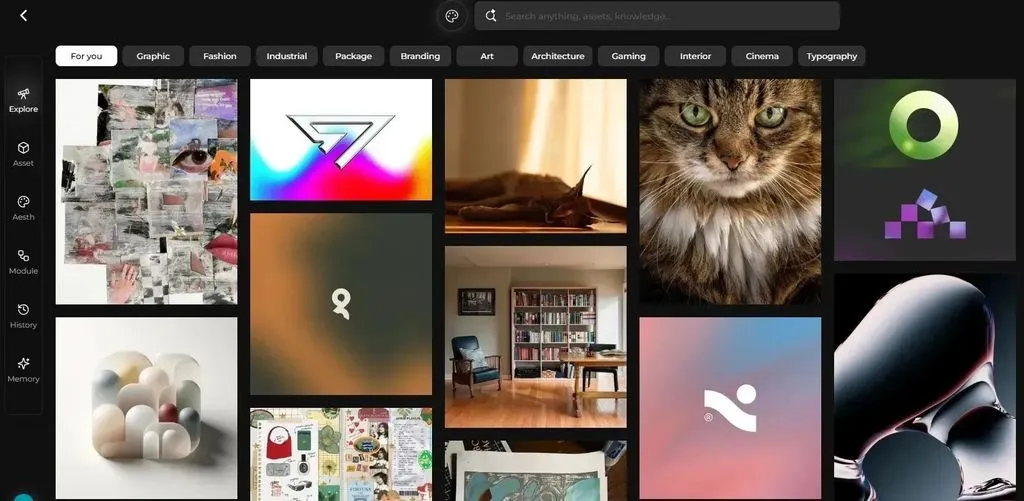
Emerging AI design platforms are moving toward environments where AI understands the entire creative process, not just individual prompts. For example, some AI design agents are being developed around canvas-based workflows, where agents understand project context, assets, and previous decisions rather than responding only to text instructions.
This direction reflects a broader industry shift:
AI is becoming less like a replacement designer and more like a creative operating system that supports professional workflows.
The designers who benefit most will not be those who simply generate images faster.
They will be designers who understand:
- Creative strategy
- Visual systems
- AI workflows
- Human-AI collaboration
AI expands creative capability, but design expertise determines meaningful outcomes.
FAQ
Can AI replace graphic designers?
No. AI can automate parts of graphic design, but it cannot replace human judgment, strategy, and creative direction. Designers are still needed to understand users, define concepts, maintain brand consistency, and make decisions about communication goals.
What is the best way to use AI in graphic design?
The best approach is using AI for repetitive tasks and creative exploration. Designers commonly use AI for brainstorming, moodboards, image editing, mockups, and concept development while controlling final design decisions themselves.
Which AI tools are most useful for graphic designers?
Popular AI tools include Photoshop AI features for editing, Midjourney for visual exploration, Adobe Firefly for creative generation, Topaz AI for image enhancement, and ChatGPT or Claude for creative research and brainstorming.
Can AI create professional graphic design files?
AI can create useful visual assets, but many generated outputs still require human refinement. Professional projects often need editable layers, accurate typography, brand consistency, and production-ready files.
Should graphic designers learn AI tools?
Yes. Learning AI tools can improve efficiency and expand creative possibilities. However, designers should prioritize understanding design principles, because AI skills are most valuable when combined with strong visual judgment.
Is AI useful for freelance graphic designers?
Yes. Freelancers can use AI as a creative assistant for brainstorming, writing proposals, creating concepts, preparing mockups, and reducing repetitive production work.
What design tasks should not be automated with AI?
Tasks involving strategic decisions, brand direction, user understanding, and final creative judgment should remain human-led because these require context and professional experience.
Artikel lainnya dari Blog Virse
Alur kerja
What Is Human-Centered Design? HCD Process, Real Examples & Why Most Teams Get It Wrong
21 September 2026 by Vincent
Alur kerja
What Is Design Thinking? 5 Stages, Real Examples & Why Most Teams Get It Wrong
21 September 2026 by Vincent
Alur kerja
How to Turn a Design Into a Real Product: What to Do After the Prototype
21 September 2026 by Vincent