
Native 4K Output
Render at 4K directly rather than upscaling a smaller image afterwards.
Generate studio-grade 4K images with Nano Banana Pro, blending multiple references while holding characters, products, and typography consistent.
Buka halaman ini di peramban desktop untuk mulai berkarya.
Nano Banana Pro is Google's flagship image model, built to deliver images that survive professional inspection rather than images that merely look impressive at a glance.
Instead of reinterpreting your brief on every run, the model holds what you fixed. Faces stay the same face across a set, a product keeps its exact form, and words you wrote appear as words rather than as lettering-shaped texture. A single generation can draw on several reference images at once and keep more than one person recognisable within the same scene.
Use Nano Banana Pro when the image has to ship. Build campaign key visuals, packaging mockups, character sets, annotated diagrams, editorial imagery, and print-ready hero shots with the consistency a production deadline requires.
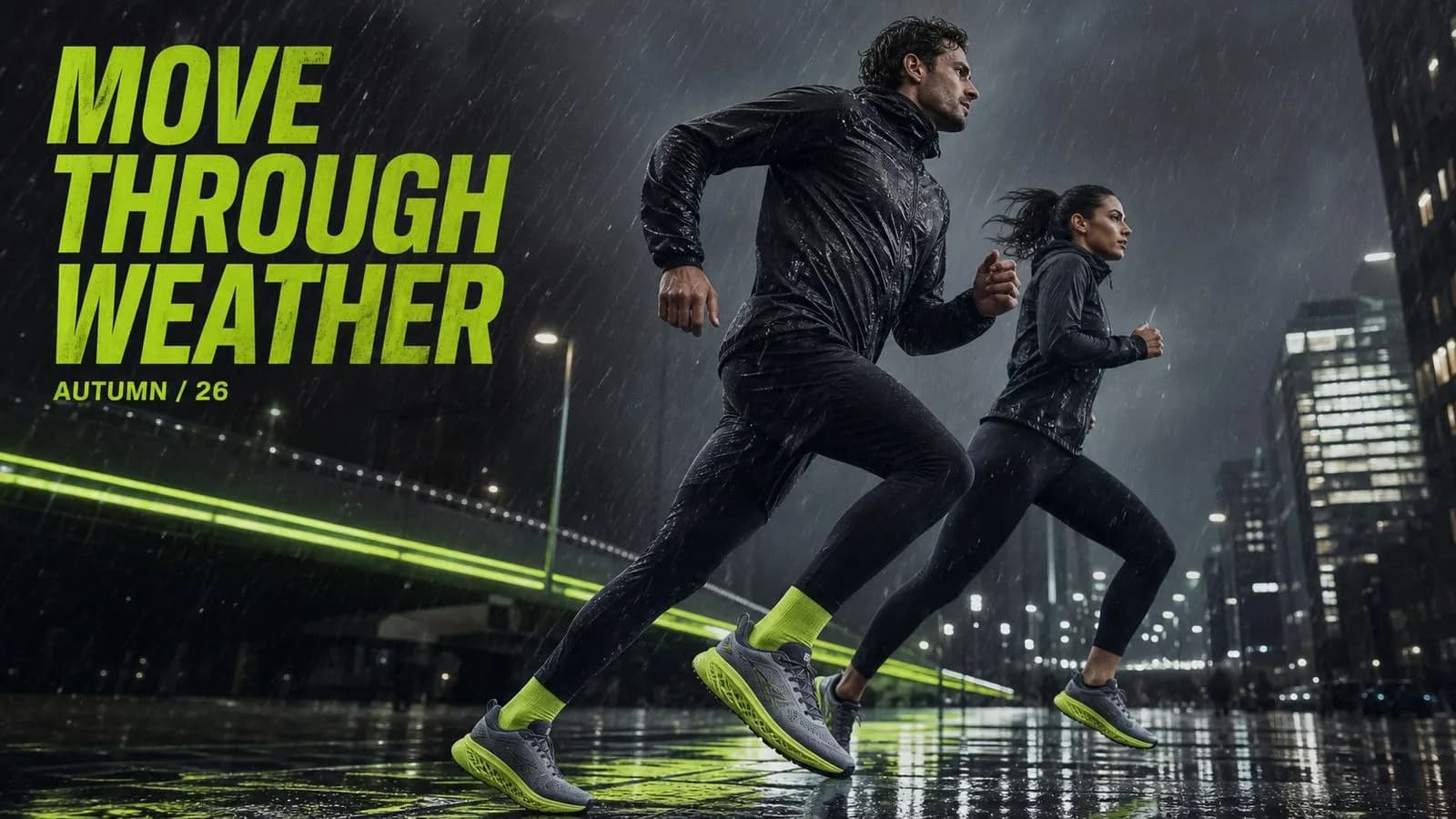
Nano Banana Pro is an AI image generation model developed by Google DeepMind, released as Gemini 3 Pro Image. It generates and edits images while following detailed instructions about subjects, composition, lighting, camera position, typography, and the role of each reference you supply.
The model is built around three major strengths:
Nano Banana Pro generates natively across 1K, 2K, and 4K tiers. It blends several input images in one pass and holds multiple subjects consistent within a scene, with third-party benchmarks placing its text-rendering accuracy at roughly 94 percent.
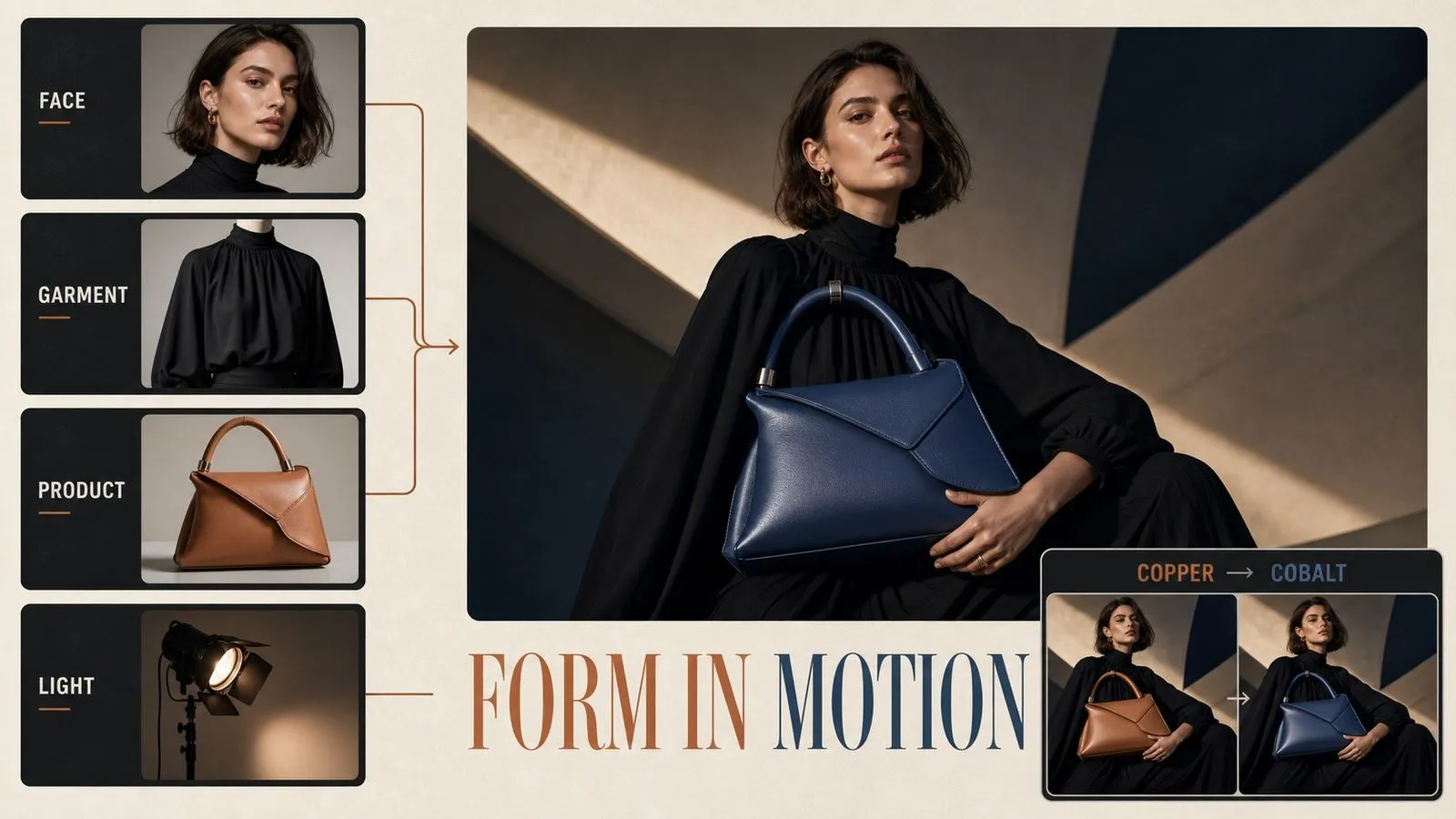
Render at 4K directly rather than upscaling a smaller image afterwards.
Blend subjects, products, environments, and styling from several sources in one generation.
Preserve the identity of more than one individual within a single scene.
Square, portrait, landscape, or wide crops from the same written brief.
Render headlines, labels, and long passages legibly, including multilingual layouts.
Adjust one region, the lighting, the focus, or the camera position without regenerating the frame.

Type appears as language rather than as decoration, holding up for posters, packaging, interface mockups, and signage. Long passages and multilingual layouts are supported, which removes the usual step of generating a blank composition and setting type over it by hand.
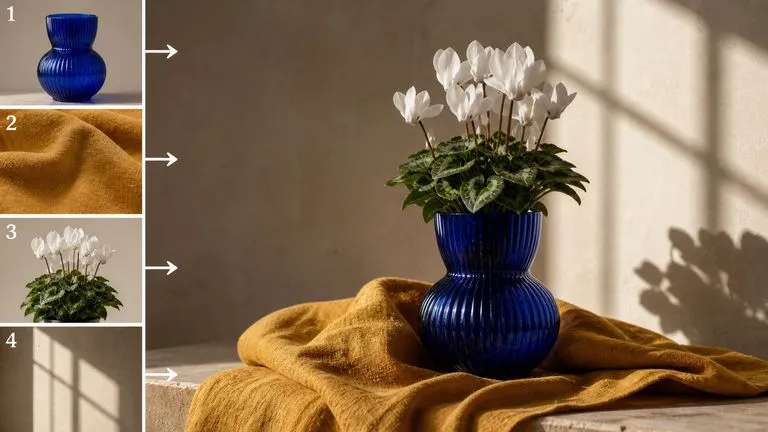
Combine several images in a single brief and assign each one a job. One reference defines a face, another a garment, another an environment or a lighting direction, and the model carries all of them into the result instead of averaging them together.
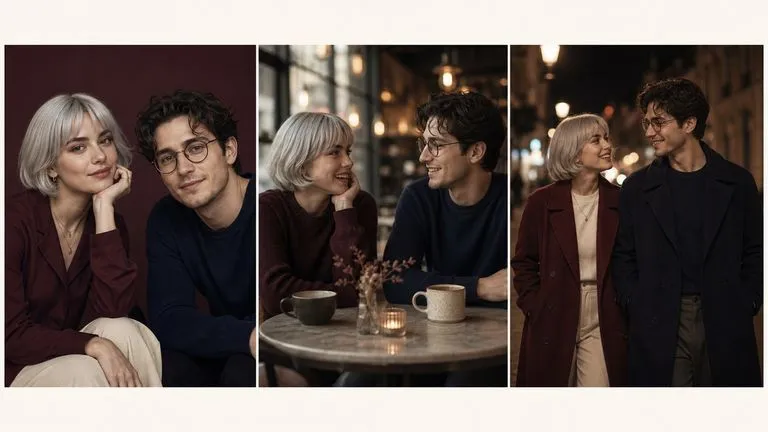
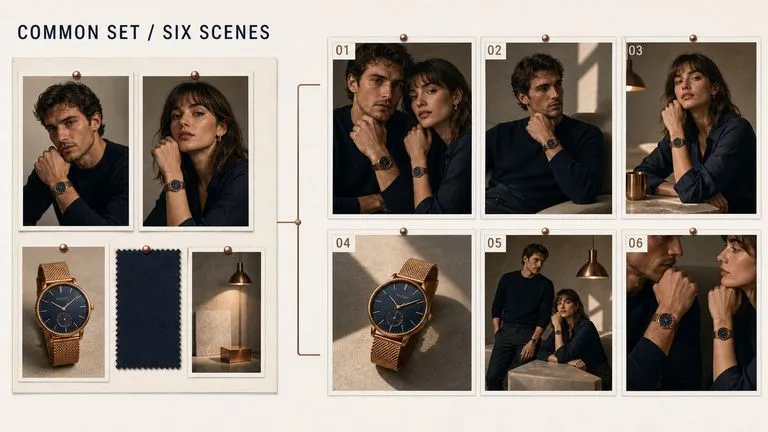
Keep multiple people recognisable within one scene and across a series of generations. This is what makes campaign sets practical, where the same talent has to appear in six different scenarios without becoming six different people.
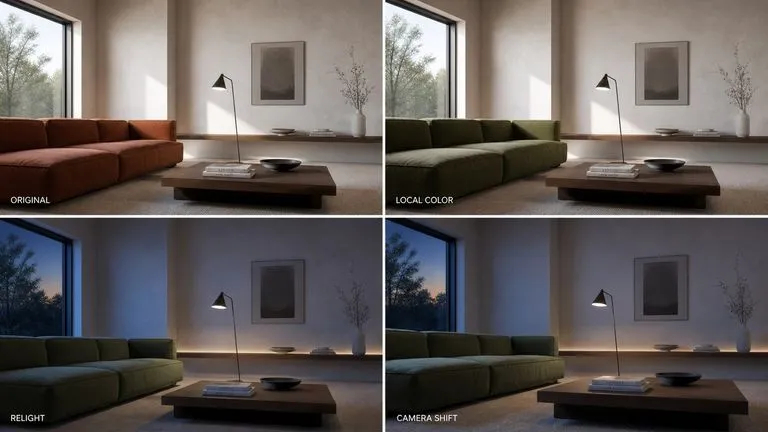
Change a single region, relight the scene, shift the focus, or move the camera position, all through written instruction. The parts you did not mention stay as they were, with no masking or selection required.
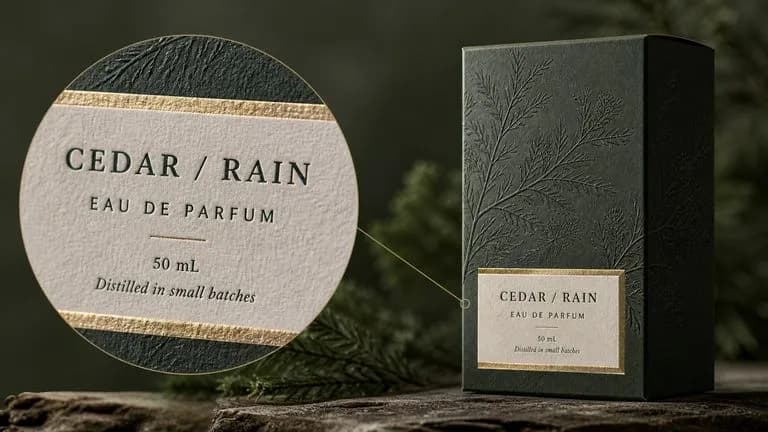
Fine detail, small type, and material texture survive at 4K because the image is rendered at that size rather than enlarged after the fact.
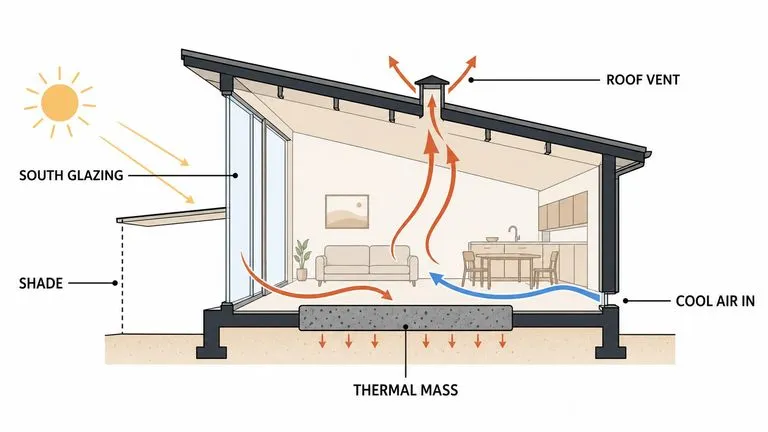
Because labels come back readable, charts, annotated cross-sections, and explanatory graphics are within reach — a category most image models cannot attempt.
This model asks for more input than a prompt box can hold. A reference set has to be gathered and labelled. A face has to survive six generations rather than one. A headline has to be proofed at full size before anyone signs it off. Virse gives that work somewhere to live. References, versions, and finished frames stay together on one canvas, so a set built over an afternoon remains a set instead of a folder of unrelated exports.
Assemble the faces, products, and style boards once, then run every generation in the campaign against the same inputs rather than re-uploading them each time.
Open the full-size render on the canvas and read the headline there, instead of finding a broken character after export.
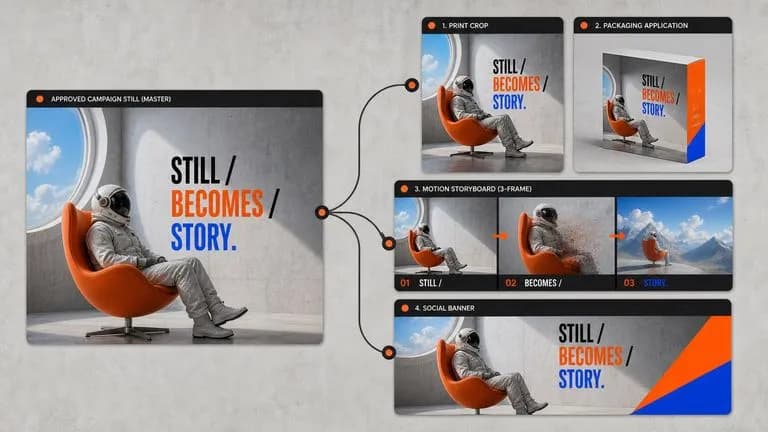
Move between Nano Banana Pro and 30+ other image and video models without leaving the canvas or rewriting the brief.
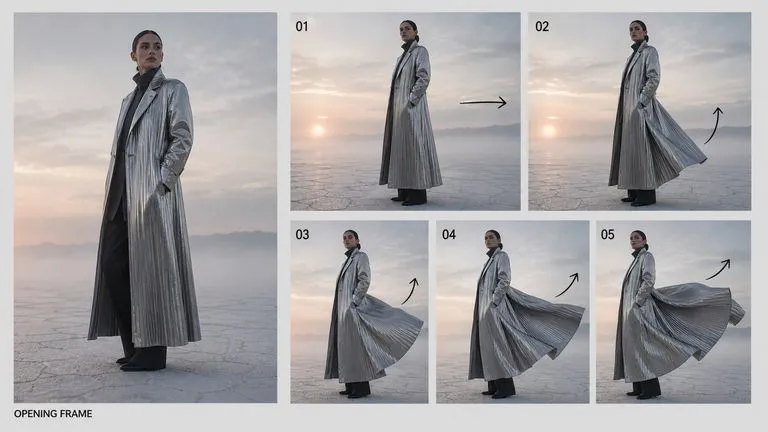
Hand a finished 4K frame directly to Seedance 2.0, Kling 3.0, or Veo 3.1 as an opening or closing shot.
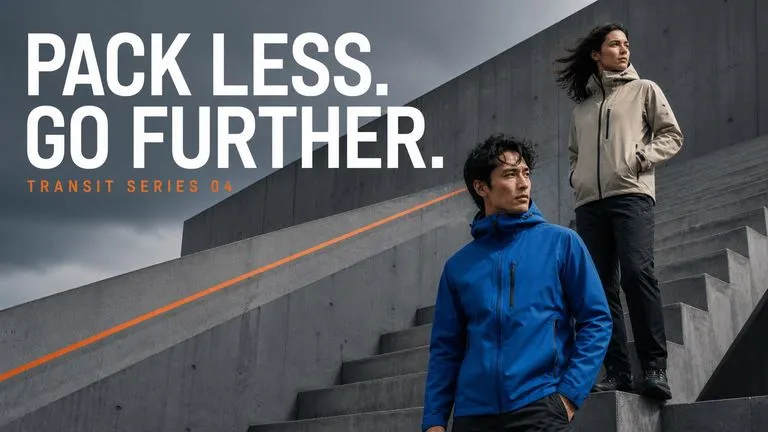
Build hero imagery with branded typography, consistent talent, and print-ready resolution.
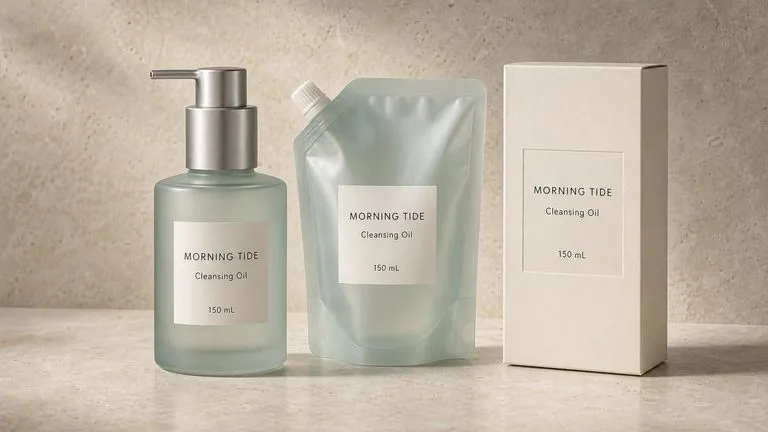
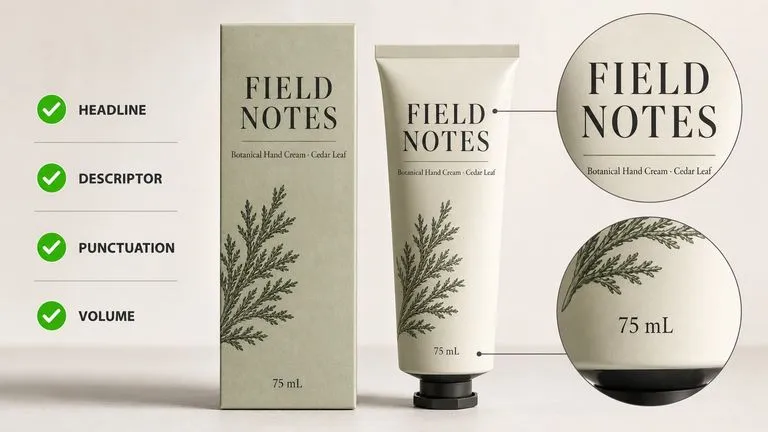
Place accurate product names, descriptors, and volumes onto plausible packaging in a single pass.
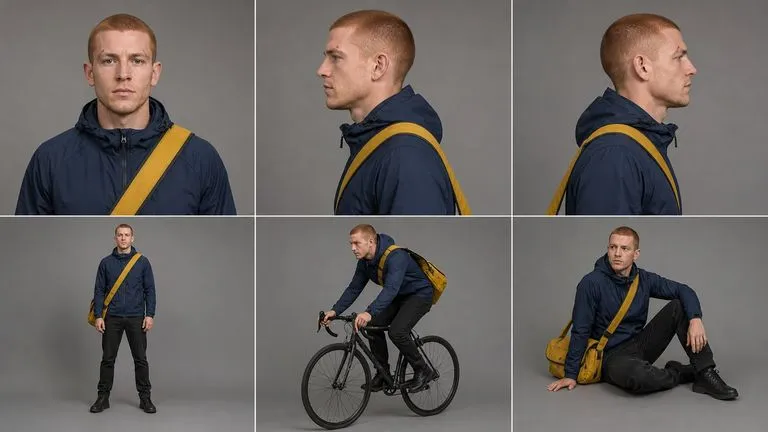
Generate the same person across multiple scenes, outfits, and camera angles without drift.
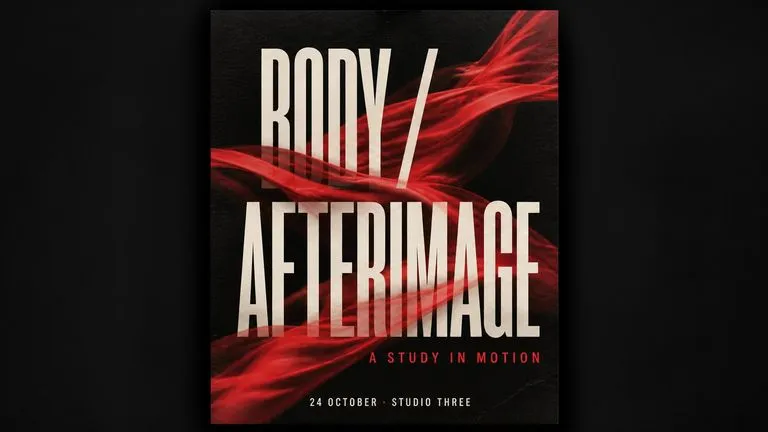
Compose imagery and headline type together rather than layering one over the other.
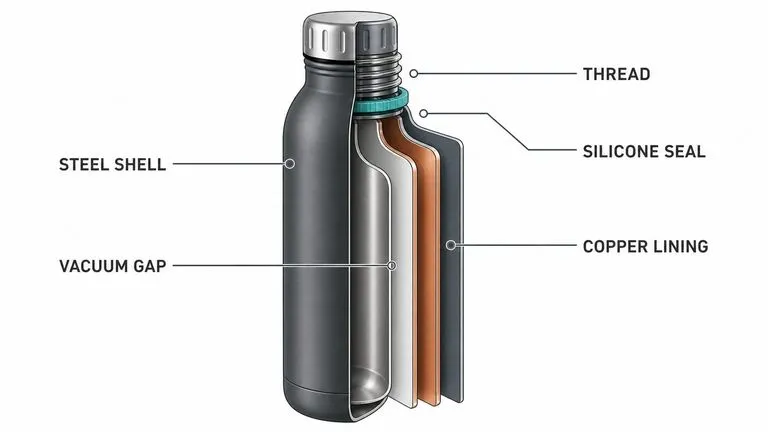
Produce cross-sections, charts, and explanatory graphics with labels that read correctly.
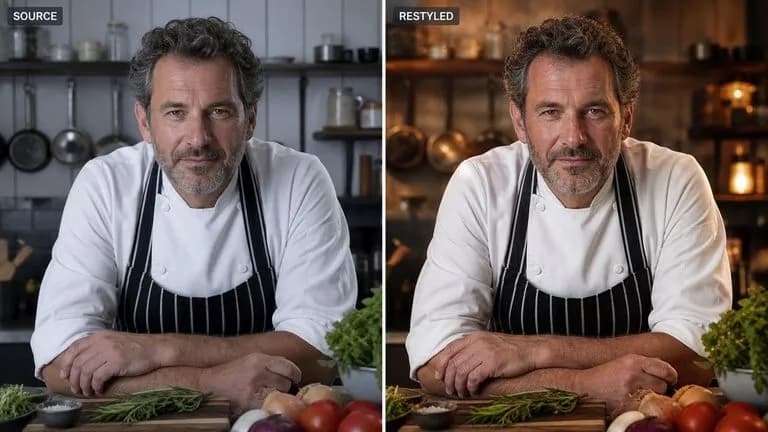
Relight, recompose, or restyle an existing photograph while preserving the subject exactly.
Bring in the photographs, character shots, product images, or style boards the model should work from.
State what the model should take from every image — the face from one, the palette from another.
Describe the subject, setting, and lighting, and type out the exact words that should appear in the frame.
Choose 2K for screen and presentation work, and 4K when the image will be printed large or cropped into.
A useful Nano Banana Pro prompt usually includes six elements:
Alih-alih menulis
A professional product photo of a coffee bag, high quality, 8k, award winning.
Tulis
A matte black coffee bag standing upright on a pale concrete surface, shot from slightly above at a three-quarter angle. Soft window light from the left with one visible shadow falling to the right. The label reads BLACKWOOD ROASTERS in a condensed sans-serif, with 'Single Origin — Ethiopia' beneath it in smaller type. Shallow depth of field, background falling out of focus. Take the bag shape from Image 1 and the colour palette from Image 2.
Using the person in Image 1, generate a studio headshot against a mid-grey seamless backdrop. Key light at 45 degrees from camera left with soft fill from the right. The subject faces the camera directly with a neutral expression. Hold the facial features, hair, and skin detail from the reference without alteration. Change only the lighting, background, and framing. Shot at 85mm, waist up, shallow depth of field.
A cylindrical skincare bottle in frosted glass with a brushed aluminium cap, centred on a warm sandstone surface. The front label reads AURELIA across the middle in a wide-set serif, with "Hydrating Serum · 30ml" underneath in small caps. Diffused overhead light, soft shadow pooling directly beneath the bottle, muted sand and cream palette throughout. Square composition with generous space above the bottle for later type.
A clean cross-section diagram of a mechanical watch movement on a white background. Label five components with thin leader lines and short text: mainspring, balance wheel, escapement, gear train, rotor. Use a single accent colour for the leader lines and keep every label in the same small sans-serif at consistent size. Flat vector style with no shading or texture.
| Dimensi | Nano Banana 2 | Nano Banana Pro |
|---|---|---|
| Resolution tiers | 0.5K, 1K, 2K, 4K | 1K, 2K, 4K |
| Reference images | Handles a single reference well | Blends several sources in one generation |
| Identity consistency | Good for single subjects | Holds multiple subjects across a series |
| Text rendering | Workable for short strings | Long passages and multilingual layouts, ~94% accuracy |
| Editing control | Prompt-level adjustment | Localized edits, relighting, focus and camera transformations |
| Best suited to | Volume work and exploration | Final assets, print, and client-facing work |
Type the exact words that should appear in the image. Describing the presence of text without supplying it produces filler.
Naming what each image contributes produces a different result from uploading several and hoping. The model follows the assignment when you make one.
With several people in frame, place each one against its reference: "the woman from Image 1 on the left, the man from Image 2 behind her." Identity holds far better when the model knows who goes where.
When one detail is wrong, re-upload the output and name only that detail. A localized edit protects everything already approved; a rewritten prompt regenerates the whole frame.
Explore focused tools for creating, editing, and preparing design assets.
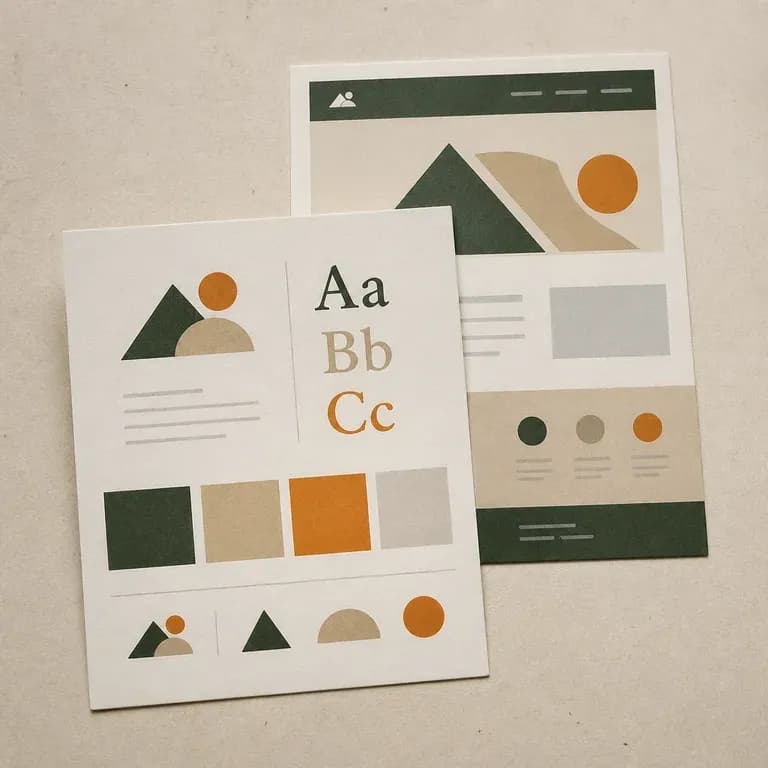
Sebagian besar pekerjaan identitas dimulai dari nol, yang satu ini dimulai dari apa pun yang sudah ada. Arahkan ke situs aktif, atau jelaskan brand dari awal, dan dapatkan kembali papan yang mencakup arahan logo, warna, dan tipografi yang diambil dari apa yang benar-benar ada di sana. Kredit gratis cukup untuk melihat pembacaan pertama.
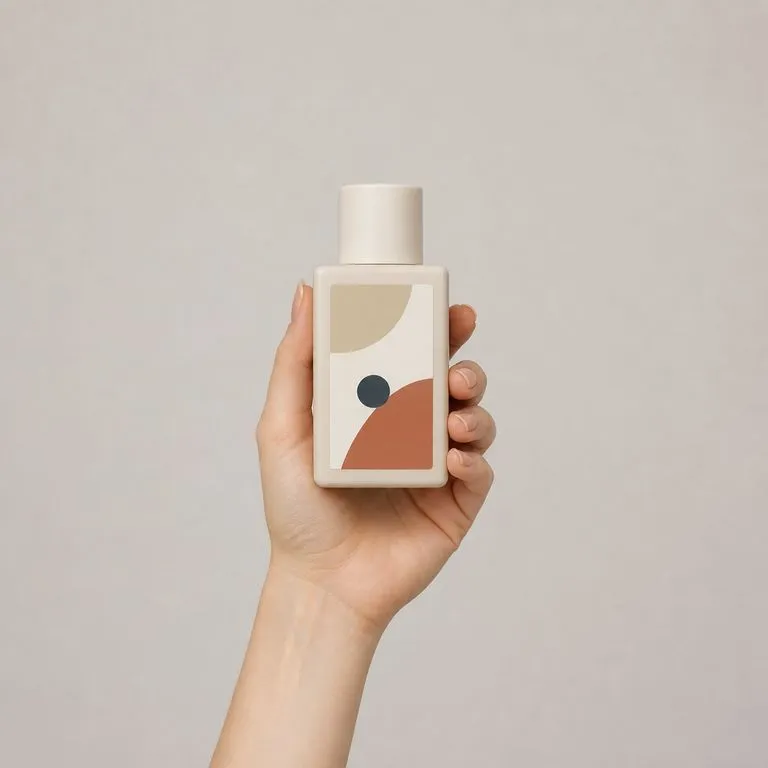
Unggah foto model dan foto produk. Anda mendapatkan satu gambar komersial yang dipoles dari model yang memegang produk, dengan genggaman alami, skala dan perspektif yang tepat, serta pencahayaan yang menyatu. Wajah dan produk tetap persis seperti saat difoto.
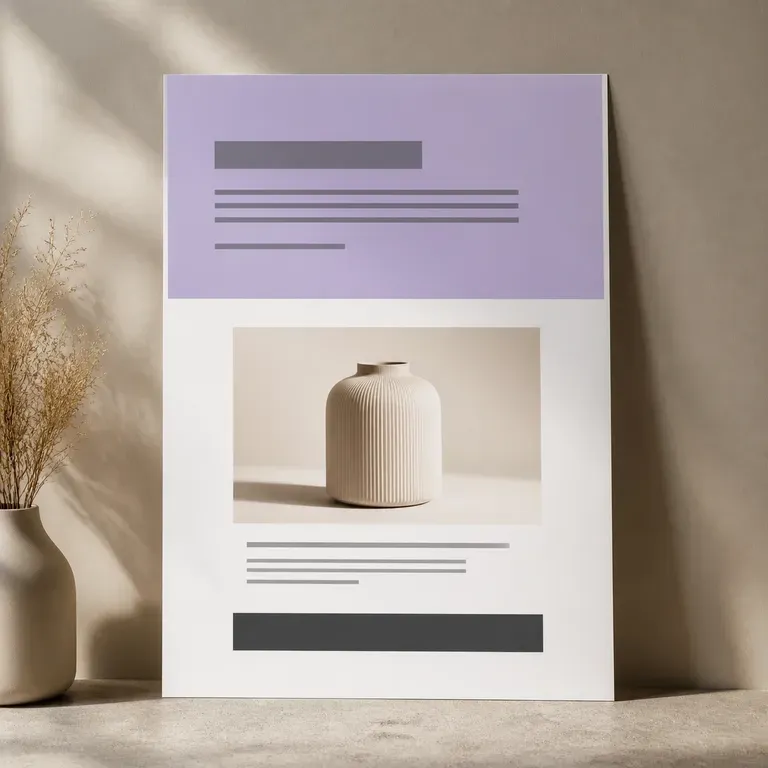
Halaman yang tidak pernah dibangun tidak menghabiskan satu minggu kerja developer. Unggah foto produk dan poin penjualan Anda, lalu lihat visual satu halaman penuh sebelum siapa pun menyentuh page builder, hero shot, blok manfaat, penawaran penutup, semuanya dalam satu scroll, dan versi pertamanya gratis.
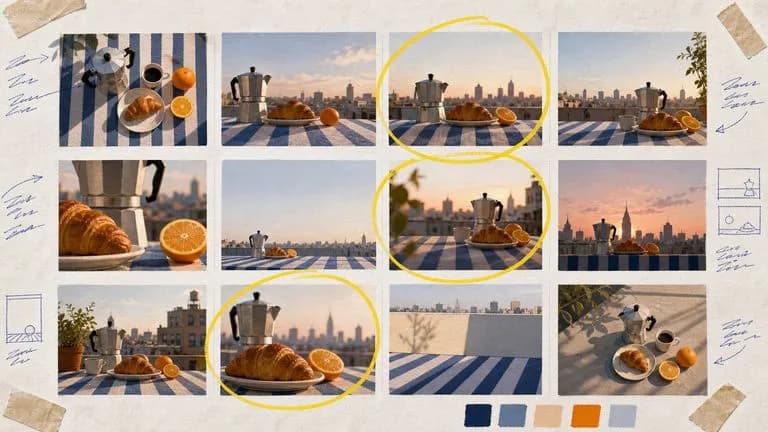
Google's Nano Banana 2 pairs flagship-level image quality with Flash-class speed, across four output sizes from rapid 0.5K prototypes to finished 4K.

Black Forest Labs' production model reads briefs up to 32,000 tokens, so brand rules, colour values, and compositional constraints can all go in at once.

OpenAI's GPT Image 2.0 reads a hundred-word brief and attempts all of it, with independent quality and resolution controls from 1K to 4K.
Bring your references, your brief, and your earlier attempts into one canvas, and let Nano Banana Pro handle the pass that has to be right. Blend several sources, hold your characters and typography steady, and export at 4K in the same workspace.