Nano Banana 2.1 vs Nano Banana Pro: Should You Switch?
 Yifan Zhao11 min de leitura ·
Nano Banana 2.1 is worth testing for efficient image generation, infographics, and conversational editing, while Nano Banana Pro remains worth keeping if it already delivers your preferred photographic style. Neither model is a proven winner across all tasks. The strongest reason to switch is better accepted output for your actual briefs—not a newer version number.
The difficulty is that an image can look more polished while becoming less useful. A portrait may lose its natural texture, an edit may change product packaging, or a platform update may remove the model behind an approved visual style. These problems create extra revisions and make recurring production harder to reproduce.
Our review of the available documentation, direct comparison accounts, and user questions points to a task-specific decision. Below, we separate documented capabilities from reported experiences and explain how to compare realism, text, editing, availability, and production cost.

Nano Banana 2.1 vs Nano Banana Pro: What Actually Changed?
Nano Banana 2.1 updates Nano Banana 2; it is not simply another name for Nano Banana Pro. Google identifies Pro as Gemini 3 Pro Image and describes 2.1 as its more efficient counterpart.
This distinction matters because many comparisons concern Nano Banana 2 versus Pro. Their results cannot be relabeled as evidence about 2.1.
Documented capabilities overlap more than the names suggest
Both models support image generation, editing, reference-based composition, and text-heavy visuals. The useful differences require closer inspection.
Capability | Nano Banana 2.1 | Nano Banana Pro |
|---|---|---|
Model identity | Gemini Nano Banana 2.1 | Gemini 3 Pro Image |
Documented positioning | Efficient generation and conversational editing | Generation and editing built on Gemini 3 Pro |
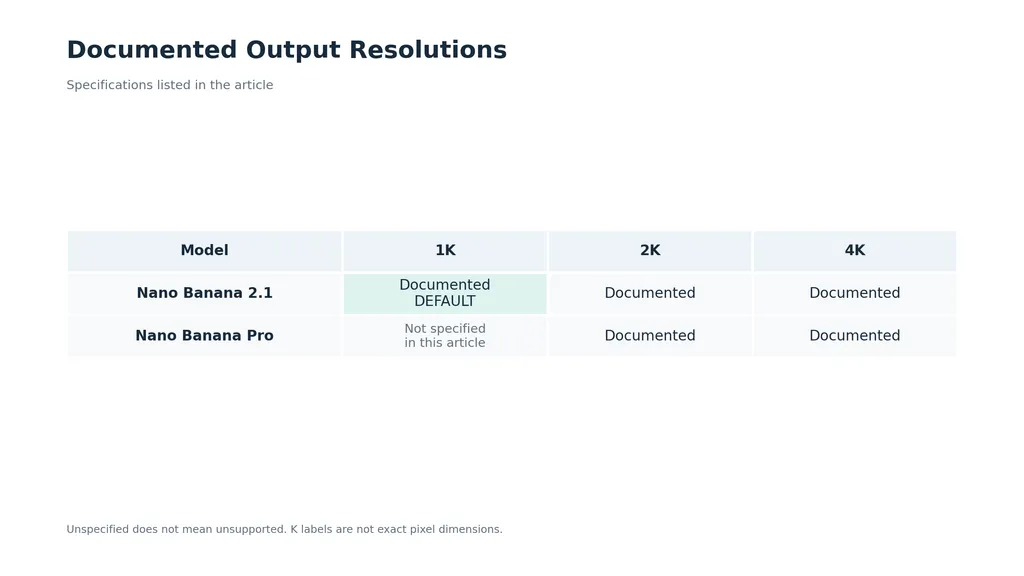
Output resolution | 1K, 2K, and 4K; default 1K | Google documents 2K and 4K output |
Reference images | Up to 14 | Up to 14 |
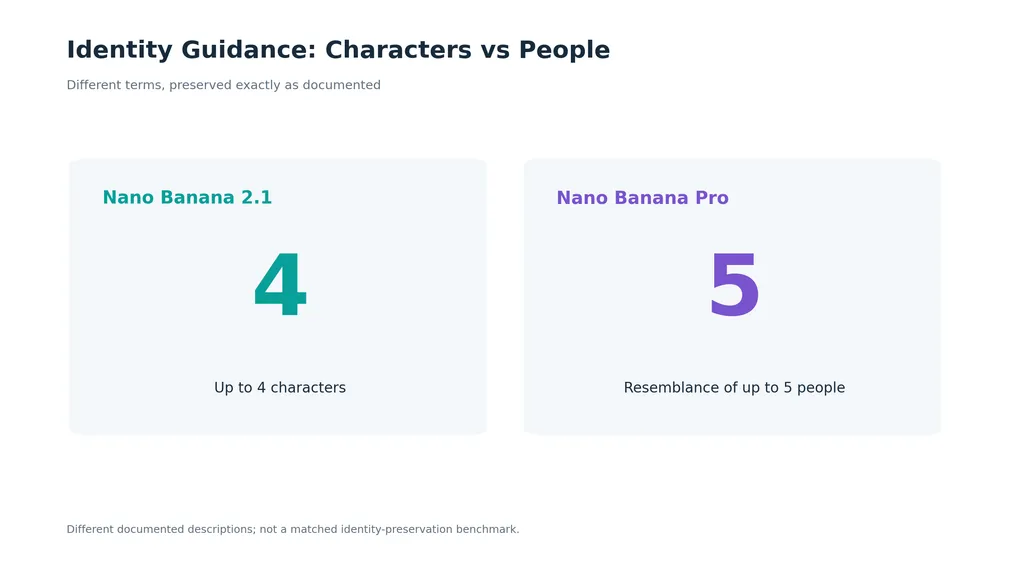
Identity-related guidance | Up to 4 characters | Resemblance of up to 5 people |
Object-related guidance | Fidelity for up to 10 objects | No directly equivalent figure established in the material reviewed |
Text and information graphics | Updated text rendering and infographic layouts | Multilingual text, diagrams, and infographics |
Creative controls | Conversational editing and configurable thinking | Localized editing, lighting, focus, and camera adjustments |
These figures describe documented capabilities, not guaranteed success rates. The character and people limits also use different wording and should not be interpreted as a controlled identity-preservation benchmark.
For a team composing several people into a campaign image, reference capacity establishes whether a workflow is supported. It does not establish whether faces, clothing, and spatial relationships will survive the final composition.
Thinking settings belong in the comparison
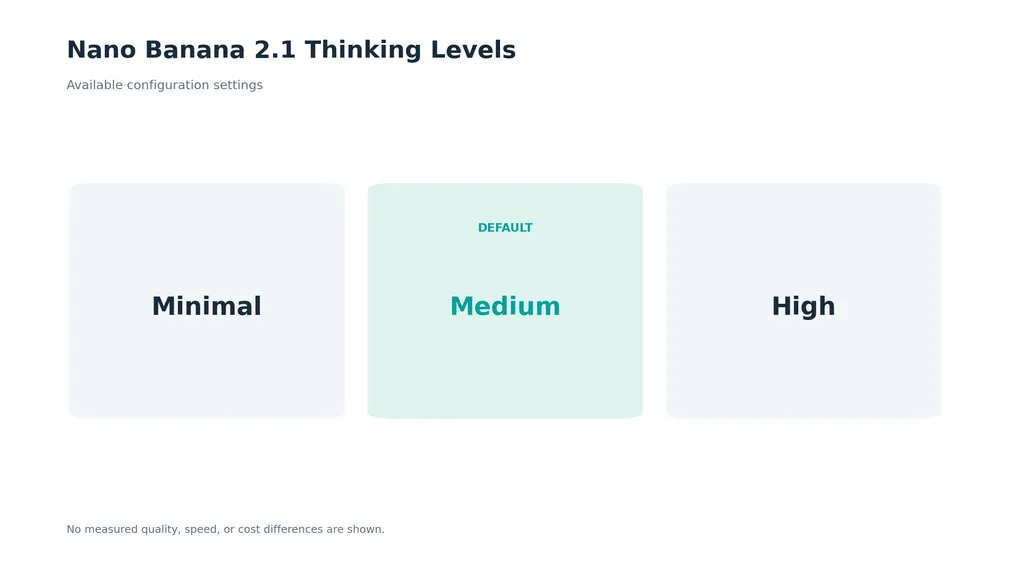
Nano Banana 2.1 documents minimal, medium, and high thinking levels, with medium as the default.
That makes the setting relevant when evaluating results. Do not assume two outputs represent equivalent conditions because they used the same prompt. Record the thinking level, resolution, reference images, and provider wherever those details are available.
A comparison with undisclosed settings can still show an interesting example. It provides a weaker basis for changing an entire production workflow.
Nano Banana 2.1 vs Nano Banana Pro for Realistic Images
The available direct feedback does not establish a universal realism winner. It does reveal a useful distinction between technical improvements and personal photographic preference.
Google documents improved realism for 2.1. That is a manufacturer claim about the update, rather than proof that every portrait or product photograph will look better than Pro.
Case review: information graphics favored, photographic style questioned
A Genspark account provides a direct example of task-based preference. The author appreciated 2.1’s speed and infographic output but preferred Pro for realistic images. After the update, the author reported seeing 2.1 and Flash Lite instead of the previous Pro option.
The account contains no measured generation times, acceptance rates, or matched image-quality scores. Its value is narrower: one person preferred different models for different deliverables.
The practical lesson is to preserve a successful photographic baseline. If Pro already produces an approved portrait style, compare 2.1 against those assets before rebuilding the workflow.
Evaluate realism through specific visual requirements
For a portrait, inspect skin texture, facial structure, hair edges, and lighting. For a product, inspect surface finish, geometry, reflections, and packaging.
An illustrative brief might request a natural editorial portrait in overcast window light, with visible skin texture, restrained contrast, and realistic fabric detail.
A more dramatic image is not automatically a more accurate response. If the brief calls for an ordinary photograph, cinematic lighting and heavily retouched skin may be reasons to reject the result.
Record visual preference separately from instruction accuracy. This helps distinguish “I like this image more” from “this model completed the assignment better.”
Nano Banana 2.1 vs Nano Banana Pro for Infographics and Text
Both models have documented capabilities for infographics and text rendering. The direct account favoring 2.1 makes it a reasonable candidate to test, but does not establish that Pro is unsuitable.
Information graphics need a stricter review than decorative images because the wording and relationships carry meaning.
Compare content accuracy before visual polish
Use the same approved copy and information hierarchy for both models.
Review area | What makes an output usable |
|---|---|
Wording | Every required word appears correctly |
Numbers | Values and units match the source |
Hierarchy | Headings, labels, and explanations remain distinct |
Reading order | The visual sequence follows the intended explanation |
Layout | Text fits without crowding or broken alignment |
Branding | Colors and visual treatment follow the brief |
For example, a process infographic can look balanced while reversing the order of its stages. A comparison graphic can preserve every number while attaching a value to the wrong label.
Treat those as content failures, even if the image looks professional.
Use generated layouts selectively
For concept exploration, a generated infographic can help establish composition and visual direction. For a final asset requiring precise typography or numerical geometry, retain an editable production step.
A useful brief specifies the exact copy, section order, allowed visual elements, and a prohibition on adding unsupported claims. Review the result against that source rather than judging it from memory.
For a data chart, verify both the labels and the plotted proportions. Correct-looking text alone does not establish an accurate visualization.
Nano Banana 2.1 vs Nano Banana Pro for Editing and Consistency
Improved multi-turn consistency in 2.1 does not establish that it preserves every identity or product detail better than Pro. The available material lacks a controlled editing sequence that resolves this comparison.
For professional work, editing performance has two separate requirements: completing the requested change and preserving approved details.
Product editing: separate the change from the constraints
Consider a packaging photograph that needs a warmer background. The requested change is simple, but the product must retain its silhouette, label wording, logo position, and material finish.
A successful background replacement becomes unusable if it also changes the package.
Editing task | Requested change | Details to inspect afterward |
|---|---|---|
Product background | Replace the backdrop | Shape, label, logo, and reflections |
Portrait lighting | Adjust illumination | Identity, expression, and skin texture |
Fashion revision | Change the setting | Garment cut, seams, pattern, and accessories |
Campaign adaptation | Adjust composition | Brand elements, text, and subject proportions |
Judge preservation independently from edit completion. This prevents an attractive change from hiding a production error.
Keep an approved reference throughout revisions
Start from the same original when comparing the models. Save approved intermediate outputs, and compare important revisions against the original as well as the immediately preceding image.
An illustrative workflow is to change the background, adjust the lighting, and then adapt the composition. At each stage, inspect whether details outside the instruction changed.
This is a recommended evaluation sequence, not a reported test result. Its purpose is to expose the kind of drift that a single generation cannot reveal.
Nano Banana 2.1 vs Nano Banana Pro: What the Platform Cases Reveal
Our review of user questions found that model access and continuity matter alongside image quality. The supplied cases describe different problems and should remain separate.
Genspark case: losing a preferred model
In the Genspark discussion, the author wanted Pro restored after its disappearance from the model selector. A participant identifying themselves as a team member described the replacement as intended to improve quality and reduce credit consumption, and said the restoration request had been submitted.
The exchange does not provide a credit-saving percentage or confirm that Pro would return.
It highlights a concrete workflow issue: a platform can optimize its offering while removing a choice that an existing customer values. For a recurring campaign, access to the model behind an approved look can matter more than a general upgrade claim.
Flow case: quality dissatisfaction without a Pro comparison
A separate Flow account described dissatisfaction with 2.1’s output and a decision to cancel a subscription. The author reported subscribing since April, but supplied no controlled Pro comparison or measured quality results.
This case supports a limited observation: a perceived change in image quality can affect willingness to continue paying. It does not demonstrate that Pro is better, or establish how widespread the dissatisfaction is.
Before responding to an update by rewriting every prompt, preserve the old brief, references, and successful images. Those records make it easier to investigate whether the new output differs in style, instruction adherence, or both.
Nano Banana 2.1 vs Nano Banana Pro: Speed and Production Cost
The reviewed direct comparison material provides no reliable matched figures for generation time, single-image cost, retry rate, or commercial ROI. Reported speed preferences and provider statements about credit savings cannot fill that gap.
Google’s efficiency positioning makes 2.1 worth evaluating. Your billing records and accepted outputs must establish the financial result.
Measure cost per accepted image
Use:
Cost per accepted image = total generation spend ÷ number of accepted images
Include unsuccessful attempts in generation spend. Track inspection and correction time separately, or add their labor cost when calculating total production cost.
Metric | What it tells you |
|---|---|
Generation charge | Cost of producing an attempt |
Waiting time | Delay before review can begin |
Retry count | Extra attempts needed |
Accepted images | Usable production output |
Correction time | Manual work remaining |
Total production cost | Combined expense of reaching approval |
A lower generation charge is useful only in context. If a result needs extensive label repair or identity correction, the final asset may cost more to deliver.
Keep provider pricing separate from model performance
An API rate, subscription allowance, and platform credit charge measure different things. Record the provider and applicable settings when comparing them.
Likewise, do not import speed or pricing results from a Nano Banana 2 comparison and present them as Pro results. The model pair, provider, and generation conditions must match the claim.
Nano Banana 2.1 vs Nano Banana Pro: Which Should You Choose?
Choose according to the work you can approve consistently. The following recommendations are evaluation priorities rather than established benchmark rankings.
Your priority | Practical approach |
|---|---|
Efficient routine generation | Evaluate 2.1 using actual turnaround and billing records |
An existing Pro photographic style | Retain Pro as the baseline while testing alternatives |
Infographics and text-heavy visuals | Compare both with identical approved copy |
Product or character editing | Test requested changes and preservation separately |
Recurring campaign production | Prioritize reproducibility and model availability |
Build the comparison around real deliverables: a portrait, a product asset, an information graphic, and a targeted revision. Use consistent inputs, repeat the briefs, and hide model names during review when practical.
Before generating, define rejection conditions such as incorrect packaging, unreadable text, identity changes, or a composition that cannot accommodate the copy. This turns a subjective comparison into a decision tied to production requirements.
Conclusion: Nano Banana 2.1 vs Nano Banana Pro
Nano Banana 2.1 deserves evaluation for efficient generation, text-heavy visuals, and conversational editing, while Pro remains valuable wherever it already delivers an approved result. The documented features and available case accounts do not justify a blanket winner. Compare both on the same briefs, inspect preserved details, record settings, and measure cost per accepted image. Switch when those results improve your workflow; keep a successful baseline when they do not.
FAQ
Is Nano Banana 2.1 better than Nano Banana Pro?
Not across every task based on the available evidence. Google positions 2.1 as an efficient counterpart to Pro, while a limited direct account favors different models for infographics and realism. Your decision should depend on matched outputs, correction requirements, and actual production cost.
Which is better for realistic images?
The reviewed evidence does not establish a general winner. One direct account preferred Pro’s realistic output, but supplied no controlled benchmark. If Pro already matches your approved style, use those images as a baseline and compare skin texture, materials, lighting, and reference fidelity.
Does Nano Banana 2.1 use fewer credits than Pro?
That depends on the provider. The Genspark exchange included a claim about reduced credit consumption without a numerical saving. Check the current charging rules for your platform and measure retries as well as individual generation charges before drawing a cost conclusion.
Why did Nano Banana Pro disappear after the update?
The documented Genspark case describes a platform-specific replacement following the 2.1 update. It does not establish a universal removal of Pro. Check your provider’s model list and support guidance, particularly if existing projects depend on a specific model or visual style.
Does high thinking make Nano Banana 2.1 better than Pro?
The available material does not establish that conclusion. Nano Banana 2.1 supports configurable thinking levels, but the setting belongs among the conditions recorded during a comparison. Test whether it improves your accepted outputs rather than assuming it guarantees better image quality or editing fidelity.