What Is a Brand Kit? Contents, Examples & Template
Vincent14분 읽기 ·
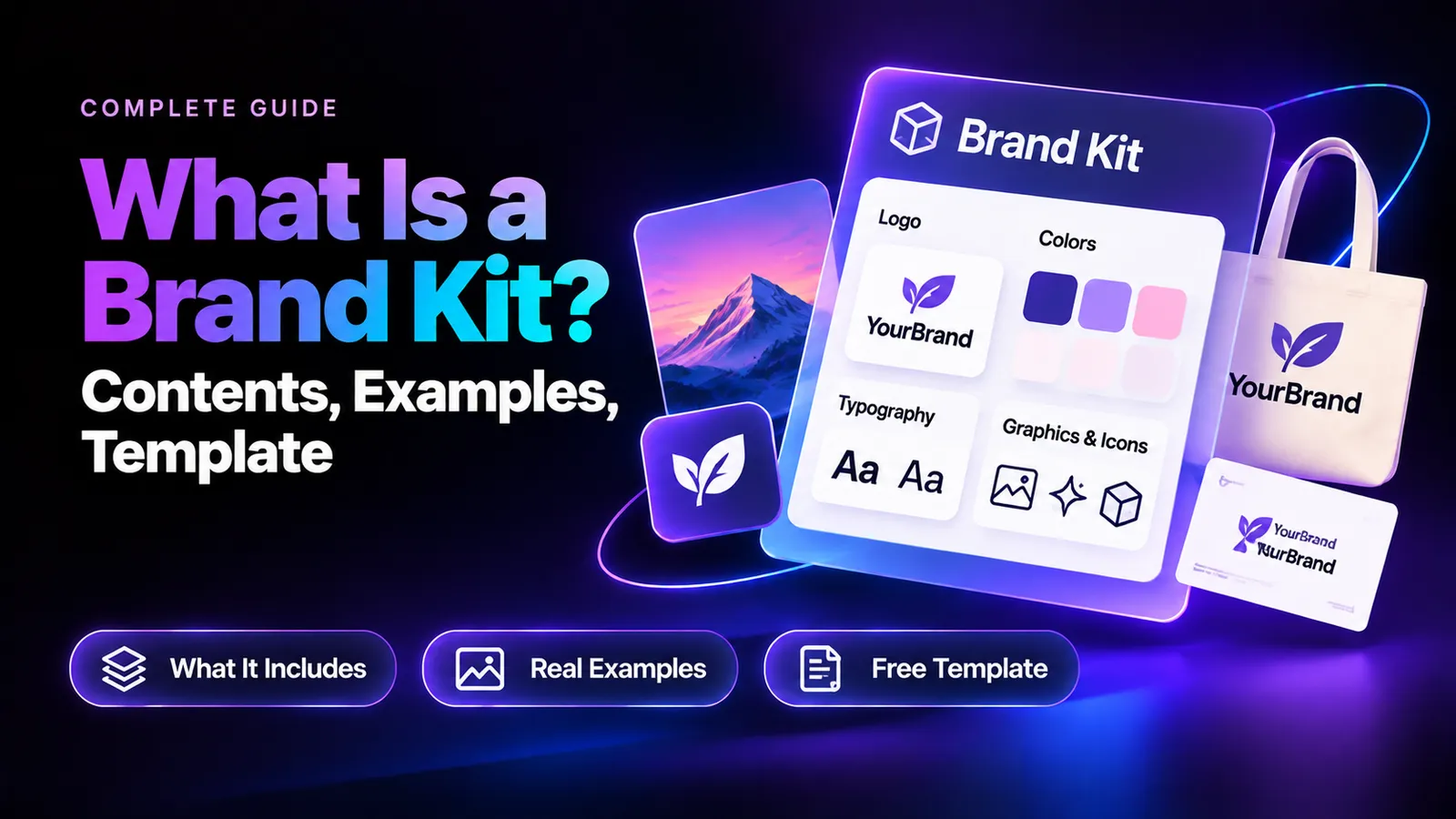
A brand kit is a collection of approved brand assets and usage guidelines that helps a business maintain a consistent identity across websites, social media, packaging, and marketing materials, supported by clear elements of design. It typically includes logos, brand colors, typography, visual elements, brand voice, and reusable templates.
Without a clear brand kit, teams often struggle with inconsistent designs, outdated logos, mismatched colors, and scattered files. Even detailed brand guidelines can fail when employees cannot easily find or apply the correct assets, making brand consistency across creative assets difficult to maintain. An effective brand kit should be simple to create, easy to share, and practical to use, whether you're running a small business or managing a growing brand.
Creating that consistency starts with the right creative tools. Virse brings 50+ AI models, visual references, and creative workflows together on an Infinite Canvas. Use the AI Brand Kit Generator to explore logo concepts, experiment with color palettes, refine brand graphics, and develop coordinated campaign visuals without constantly switching tools. With Virse Composer and connected creative workflows, you can move from early brand ideas to more consistent visual directions while maintaining creative control.
What Is a Brand Kit, and Why Does Your Business Need One?
A brand kit is a centralized resource containing the logos, colors, fonts, visual elements, and instructions needed to represent a business consistently. It gives employees, marketers, designers, and external agencies access to the same approved materials.
Imagine a coffee shop creating Instagram promotions, printed menus, packaging, and website banners. Without a shared reference, different employees might choose slightly different colors, use outdated logos, or create unrelated layouts.
A brand kit reduces that uncertainty by establishing a single source of truth for brand assets. Instead of repeatedly asking which design elements to use, employees can follow approved examples and templates.
Brand Kit vs. Brand Identity vs. Brand Guidelines
These concepts are closely related but serve different purposes.
Term | Meaning | Purpose |
Brand Identity | A brand's visual and verbal personality | Establish recognition |
Brand Kit | Approved assets and practical references | Make assets accessible |
Brand Guidelines | Rules for applying brand elements | Maintain consistency |
For example, a skincare brand's identity might emphasize simplicity and elegance. Its brand kit contains the actual logos, colors, fonts, and graphics. Its guidelines explain how those elements should appear on packaging, websites, and advertisements.
A brand kit provides the assets; brand guidelines explain how to use them. A complete brand kit may also contain a simplified version of those guidelines.
What Should a Brand Kit Include? 6 Essential Components
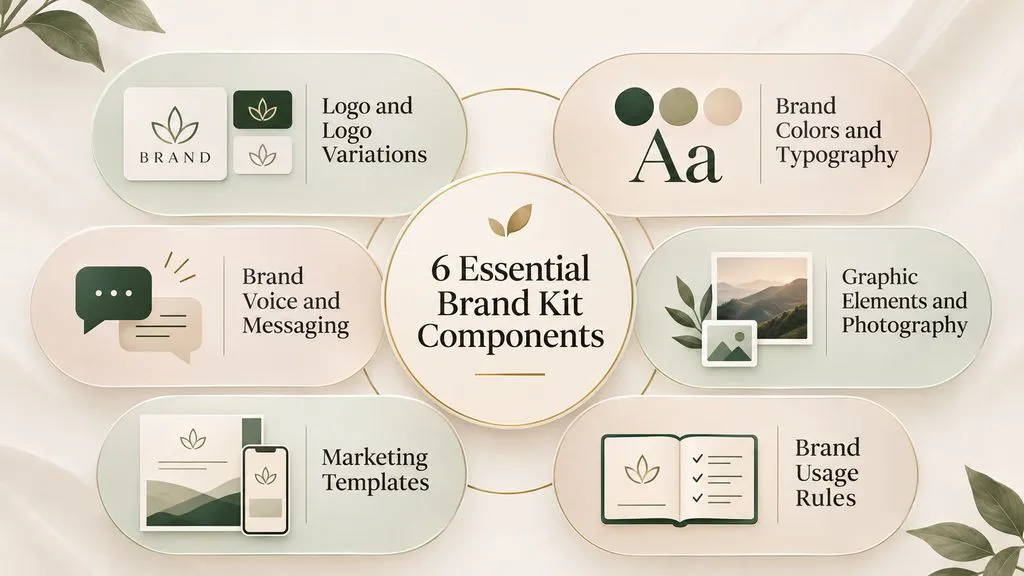
A practical brand kit includes six core components: logos, colors and typography, brand voice, visual elements, marketing templates, and usage guidelines.
Small businesses may only need basic versions, while larger organizations often require more detailed documentation.
Logo and Logo Variations
Include your primary logo, secondary arrangements, simplified icon, and monochrome versions where appropriate.
Prepare alternatives for light and dark backgrounds. Document minimum size, clear space, and prohibited modifications.
For example, stretching a horizontal logo to fit a square social media profile can distort its proportions. A dedicated icon or submark solves this problem.
Brand Colors and Typography
Define primary, secondary, accent, and neutral colors using exact HEX and RGB values. Add appropriate CMYK specifications when preparing print materials.
Typography should identify approved fonts for headings, body text, captions, and promotional graphics.
A small business might use two font families, while a larger organization may establish a detailed hierarchy with multiple weights and applications.
Also verify text contrast, readability, and font licensing before distributing the brand kit.
Brand Voice and Messaging
Visual consistency alone does not establish a complete brand identity.
Document the brand's personality, tone of voice, key messages, preferred terminology, and expressions to avoid.
For example, a financial services company may favor clear, reassuring language, while a creative studio might use a more expressive and conversational style.
Include short examples showing how the same message should and should not be written. These examples make verbal guidelines easier for marketing teams to apply.
Graphic Elements and Photography
Define the visual language supporting your brand beyond logos and typography with a considered art direction.
This may include:
- Icons and illustrations.
- Background patterns and textures.
- Photography styles and lighting.
- Graphic shapes and decorative elements.
- Approved image treatments.
A wellness brand might use natural lighting and soft compositions. A technology company may favor structured layouts, geometric illustrations, and consistent product imagery.
Show approved visual examples rather than relying entirely on abstract descriptions such as "modern," "premium," or "professional."
Marketing Templates
Include editable templates for frequently produced materials:
- Social media posts and stories.
- Presentation slides.
- Advertisements and promotional banners.
- Email graphics.
- Business cards and other stationery.
Templates help employees without professional design experience create consistent materials.
For example, an approved Instagram template can preserve the correct logo placement, colors, and typography while allowing employees to update images and promotional text.
Brand Usage Rules
Document how approved assets should appear in real applications.
Include logo spacing, minimum sizes, color combinations, typography hierarchy, and correct and incorrect usage examples.
A useful brand kit should also explain which assets are appropriate for different situations.
The goal is to make consistent design decisions easy to repeat, not simply to collect attractive assets.
Minimal Brand Kit vs. Complete Brand Kit: Which Do You Need?
A minimal brand kit contains the essential assets needed for everyday branding, while a complete brand kit provides detailed rules and resources for larger teams and more complex marketing workflows.
Our review of small-business branding questions identified a practical concern: extensive brand manuals can be difficult for employees to understand and maintain.
One documented scenario involved a small local shop whose employees needed straightforward branding instructions rather than an elaborate manual.
Minimal Brand Kit for Small Businesses
A practical starter kit should contain:
- Primary logo and essential variations.
- Brand colors with exact codes.
- One or two approved fonts.
- Basic logo usage instructions.
- Essential marketing templates.
- A shared folder containing approved assets.
A one-page or two-page reference may be sufficient for a coffee shop, freelancer, or small online store.
The priority is helping employees identify the correct assets quickly, not documenting every possible design situation.
Complete Brand Kit for Growing Companies
A growing organization may need a full logo system, detailed typography rules, photography direction, brand voice documentation, multi-channel templates, and centralized asset management.
For example, a software company working with several marketing agencies needs consistent instructions across its website, product campaigns, presentations, and advertising.
A complete kit may also establish approval workflows, asset ownership, and version-control practices.
The right brand kit is determined by how people use it, not by how many pages it contains.
Brand Kit Examples: What Does a Good Brand Kit Look Like?
The best brand kit examples demonstrate how approved visual assets work together across actual business applications.
The following coffee shop and startup examples are illustrative scenarios. The professional guidelines example is based on a documented design discussion.
Example 1: Coffee Shop Brand Kit
A local coffee shop might use a coffee cup logo, warm brown and cream colors, a distinctive heading font, and natural-light photography.
Its reusable templates could include menus, loyalty cards, Instagram promotions, and product announcements.
The same logo, colors, and typography should appear consistently across packaging, online promotions, and printed materials.
The most important requirement is usability. Employees should be able to create recognizable designs without consulting a professional designer for every update.
Example 2: Technology Startup Brand Kit
A technology startup may need more extensive visual references.
Its kit could include a primary logo, application icon, digital color palette, typography hierarchy, illustration styles, product screenshot guidelines, and presentation templates.
These elements help maintain a consistent appearance across product marketing, investor presentations, and social media.
As additional teams begin producing materials, centralized templates and more detailed guidelines become increasingly valuable.
Example 3: Professional Brand Guidelines Project
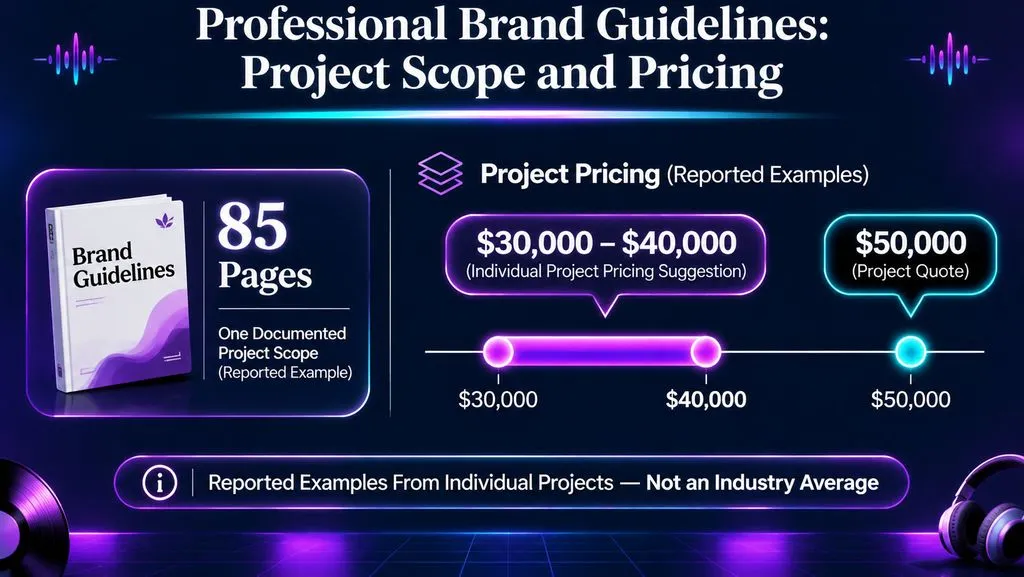
A professional design discussion examined a project involving approximately 85 pages of brand guidelines.
The documented scope included brand foundations, logo systems, colors, typography, illustration, photography, brand architecture, and real-world applications.
In the discussion, one designer suggested $30,000–$40,000 for a substantial branding project with appropriate revision safeguards. Another participant described a separate large branding engagement costing approximately $50,000.
These figures are individual project accounts, not verified industry-average prices. The projects also should not be treated as identical in scope.
The example illustrates why professional brand identity engagements can differ substantially from basic brand kit packages. Larger projects may involve strategy development, multiple stakeholders, extensive documentation, and complex implementation requirements.
Brand Kit Template: What Should Your Template Include?
A reusable brand kit template should provide a clear structure for essential assets, visual rules, and practical applications.
Use the following template as a starting point for a one-page reference or a more detailed brand document.
Section | What to Include |
Brand Overview | Name, audience, personality |
Logo System | Primary, secondary, icon |
Colors | Palette and exact codes |
Typography | Heading and body fonts |
Visual Style | Photography and graphics |
Brand Voice | Tone and key messages |
Usage Rules | Approved applications |
Templates | Reusable marketing assets |
How to Customize Your Brand Kit Template
Start by replacing the sample fields with your actual brand information.
Place the primary logo at the top, followed by color swatches with exact values, heading and body font examples, and a small selection of approved visuals.
Add a short section explaining logo placement, approved combinations, and common mistakes.
For a one-page brand kit, prioritize the essentials. Store detailed guidelines and editable assets separately.
You can recreate this template in Canva, Google Docs, or another design tool, export a PDF for reference, and retain the editable source.
A useful template should help another person apply your brand correctly without needing additional design instructions.
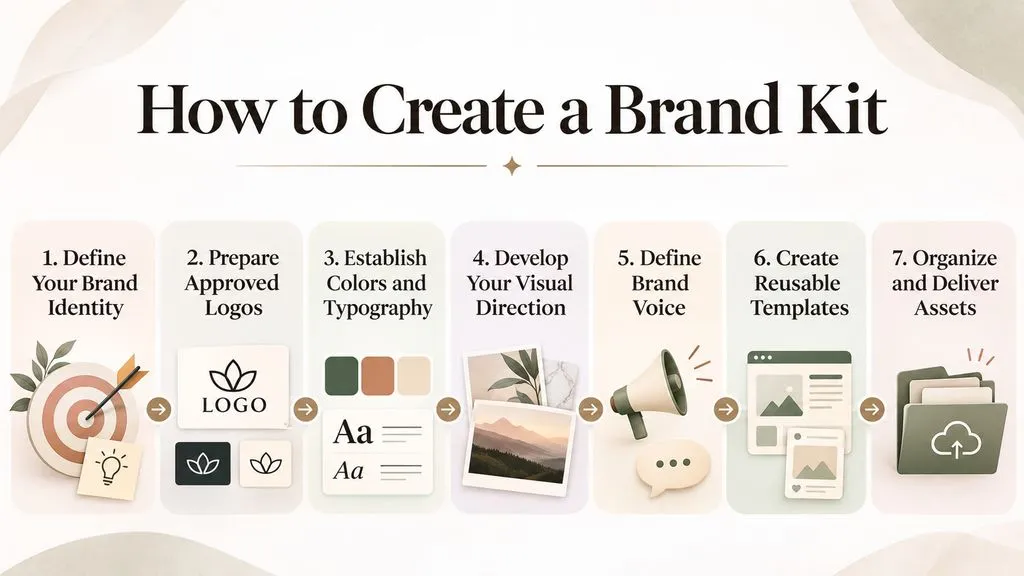
How to Create a Brand Kit in 7 Steps
Creating a brand kit becomes easier when you move from brand strategy to visual assets, reusable templates, and organized delivery.
Step 1: Define Your Brand Identity
Identify your target audience, market positioning, personality, and communication style.
A premium skincare brand and a budget-friendly skincare brand may offer similar products but require different visual identities.
Step 2: Prepare Approved Logos
Collect approved logo variations and test them in different contexts, including website headers, social media profiles, and printed materials.
Keep finalized versions separate from unfinished concepts.
Step 3: Establish Colors and Typography
Choose a consistent color palette and readable font system.
Document exact values, font names, approved combinations, and typography hierarchy.
Step 4: Develop Your Visual Direction
Organize photography references, illustrations, patterns, and other supporting graphics.
AI-assisted creative platforms such as Virse can support visual exploration through multiple image models and a connected canvas workflow, much like building a moodboard before finalizing a direction.
You can experiment with creative directions, compare visual concepts, and refine supporting brand graphics before selecting approved assets.
However, AI-generated assets should be reviewed for originality, consistency, accuracy, and commercial suitability before becoming part of an official brand identity.
Step 5: Define Brand Voice
Document tone, messaging principles, preferred terminology, and examples of appropriate communication.
Make the rules specific enough that different team members can apply them consistently.
Step 6: Create Reusable Templates
Prioritize materials your business produces frequently.
A social-media-focused company may need approved post and advertisement templates before presentation layouts.
Step 7: Organize and Deliver Your Assets
Create a central brand reference document and organize approved assets into clearly named folders.
Separate editable source files from ready-to-use exports.
Test the handoff by asking someone unfamiliar with the files to locate the correct logo, colors, and templates.
How to Share and Organize a Brand Kit
A brand kit should be shared through an accessible reference document and an organized collection of approved assets.
Creating the kit is only half the process. The other half is ensuring employees, clients, and designers can locate and use the correct files.
Our review of design delivery questions identified recurring concerns involving file formats, sharing permissions, and outdated materials.
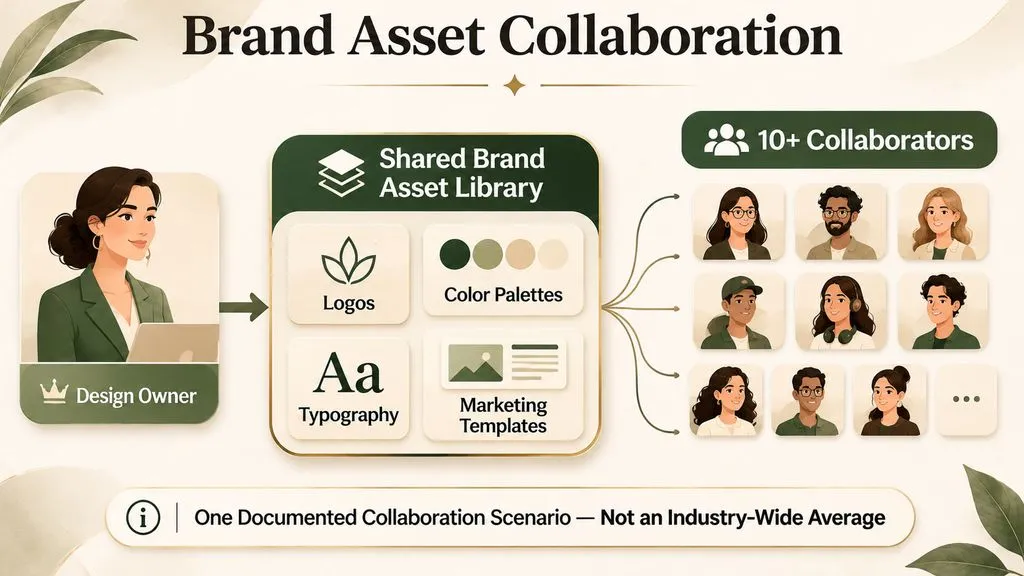
One documented scenario involved distributing brand assets to approximately ten or more collaborators without individually adding everyone to a design platform.
This illustrates why accessibility and collaboration requirements should influence how a brand kit is delivered.
Which Brand Kit File Formats Should You Include?
Different file formats serve different purposes:
- SVG: Scalable vector graphics for websites and digital applications.
- PNG: Transparent images for digital marketing.
- JPG: General-purpose raster images.
- PDF: Brand documentation and reference materials.
- AI: Editable Adobe Illustrator source files.
- EPS: Professional vector artwork exchange.
For most projects, provide ready-to-use exports alongside appropriate editable source files.
A practical folder structure separates Logos, Colors, Typography, Graphics, Photography, Templates, and Guidelines.
Use descriptive filenames such as logo-primary-dark.svg instead of vague names such as final-logo-2.
How Can You Prevent Clients from Using Incorrect Brand Assets?
One professional design account described clients continuing to use incorrect logos and requesting brand specifications after receiving detailed guidelines.
The problem was not necessarily missing documentation. It was the difficulty of applying the instructions consistently.
To reduce these problems:
- Keep approved assets in one shared location.
- Use clear and descriptive filenames.
- Include visual examples of correct and incorrect applications.
- Provide editable marketing templates.
- Remove outdated versions from shared folders.
- Assign responsibility for maintaining approved assets.
A successful brand kit makes the correct design choice easier than an inconsistent alternative.
Common Brand Kit Mistakes to Avoid
Even an attractive brand kit can fail when it is difficult to understand or maintain.
Common mistakes include:
- Overcomplicated guidelines: Employees may ignore excessively detailed instructions.
- Missing logo variations: Users may distort logos to fit unsuitable layouts.
- Incorrect color specifications: Marketing materials may use inconsistent shades.
- Unclear typography rules: Different designs lose their visual hierarchy.
- Missing editable templates: Teams create unofficial alternatives.
- Poor file organization: Outdated assets remain in circulation.
- No update process: Brand materials become inconsistent over time.
Our review of practical branding questions suggests that usability deserves as much attention as visual quality.
The strongest prevention strategy combines clear documentation, accessible assets, reusable templates, and defined ownership.
Best Tools for Creating and Managing a Brand Kit
Different tools support different stages of the brand kit workflow.
Canva is useful for template-based marketing design and organizing approved brand assets within supported plans, while AI design tools can support earlier concept exploration.
Adobe Illustrator provides professional vector editing for logos, icons, and other graphic elements.
Google Docs and Notion can serve as accessible reference documents for brand rules, messaging, and internal instructions.
Cloud storage platforms help distribute approved files and maintain an organized asset library.
For visual concept development, Virse complements these tools by bringing AI models, visual references, and iterative AI design workflows into one connected creative workspace.
A practical workflow might use Virse for concept exploration, a dedicated design application for preparing final assets, and a shared document or folder for maintaining the official brand kit.
Choose tools based on your team's design skills, collaboration requirements, and production needs rather than assuming one application must handle every stage.
Conclusion
A brand kit is an organized collection of approved visual assets, communication references, and usage instructions that helps businesses maintain a consistent identity. The most effective approach is to begin with essential logos, colors, typography, and reusable templates, then expand the system as your business grows. Whether you're creating a simple one-page reference or a comprehensive brand system, prioritize clear organization, accessibility, and everyday usability so employees and collaborators can confidently represent the same brand.
FAQ
What is included in a basic brand kit?
A basic brand kit includes a primary logo, logo variations, brand colors with exact codes, approved fonts, visual references, and basic usage instructions. Businesses may also include brand voice guidelines and reusable templates. The essential goal is to make approved brand assets easy to find and apply.
Is a brand kit the same as brand guidelines?
No. A brand kit contains approved brand assets and practical references, while brand guidelines explain how those elements should be used. A brand kit may include basic usage rules, but comprehensive guidelines typically cover more detailed visual, communication, and application standards.
How many pages should a brand kit have?
There is no universal page requirement. A small business may only need one or two pages covering logos, colors, fonts, and usage examples. Larger organizations may need more detailed documentation for multiple teams and marketing channels. The appropriate length depends on actual business needs.
How do I share a brand kit with clients?
Create a central reference document, organize approved assets into clearly labeled folders, and provide the file formats clients need. Share a PDF for reference and editable templates separately. Verify access permissions, explain which files to use, and maintain one updated source of truth.