
Panduan mulai cepat
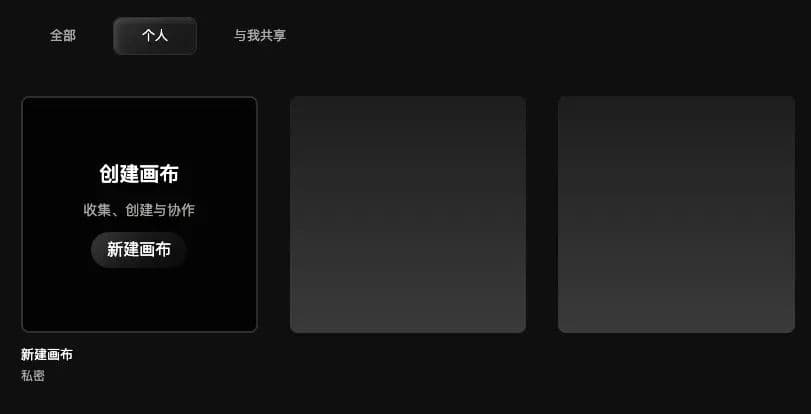
1. Buat kanvas
Buka Virse dan klik New Canvas. Kini Anda memiliki ruang kreatif yang dapat diperluas tanpa batas.
2. Buat node
Setelah masuk ke kanvas, Anda akan melihat beberapa jenis node. Setiap node menangani satu tugas, seperti membuat gambar, video, atau teks. Klik salah satunya untuk membuatnya dengan cepat.
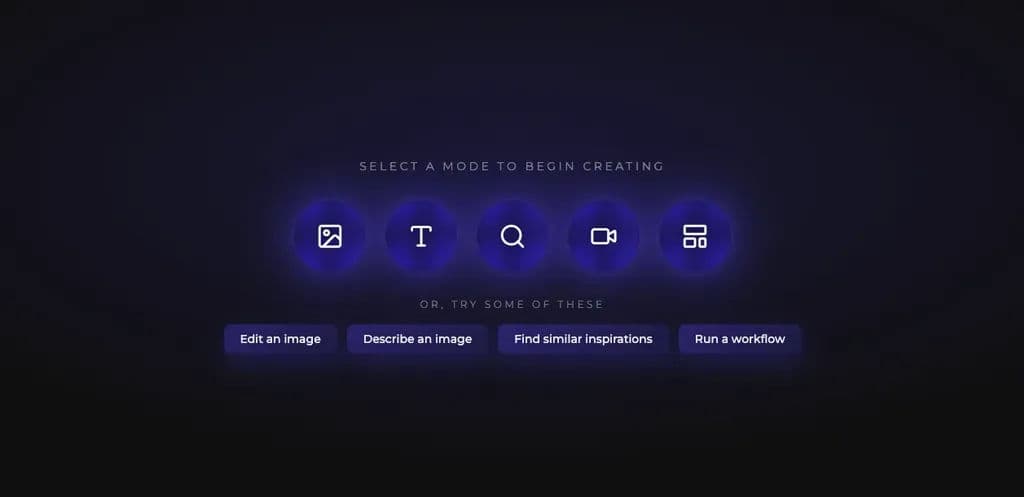
Mulailah dengan jenis node yang paling umum: Node Gambar.
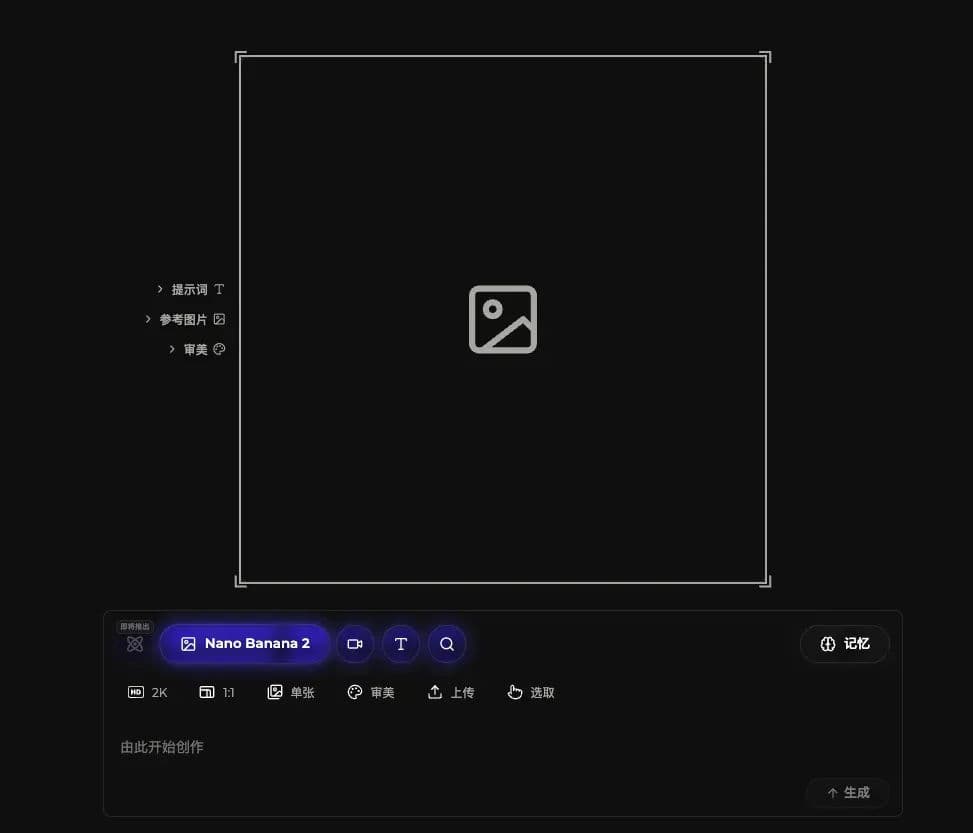
Pilih mode Image, jelaskan gambar yang diinginkan di panel kerja bawah, lalu klik Generate untuk membuat gambar.
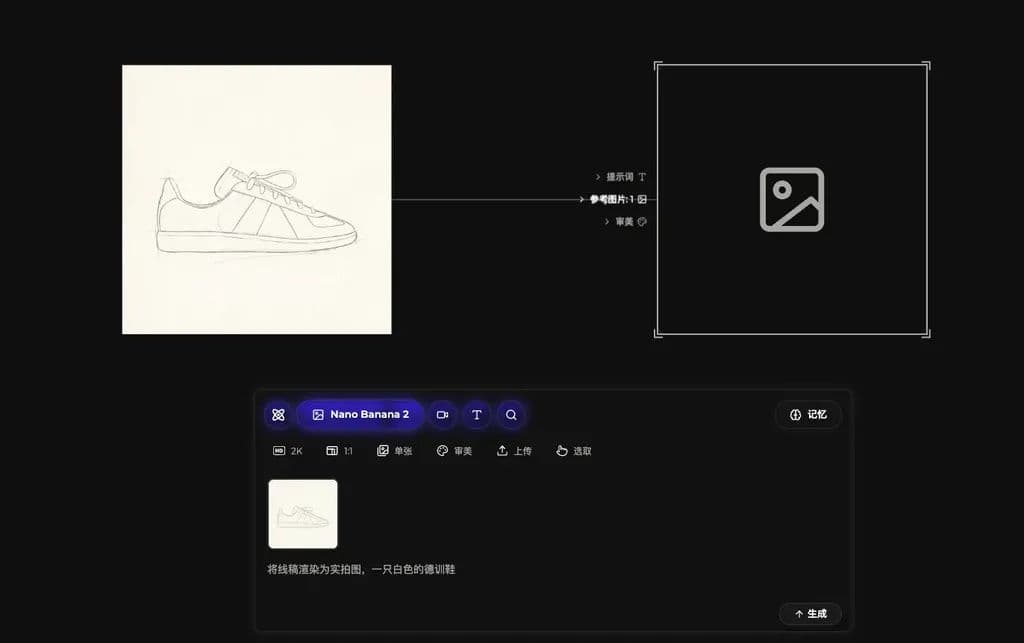
Luangkan waktu sejenak untuk memahami panel kerja di bawah. Semua generasi gambar berlangsung di sini, tersusun dalam tiga baris:
Baris 1 - Pemilih mode:Ganti jenis hasil yang ingin dibuat: gambar, video, atau teks.
Baris 2 - Parameter generasi:Sesuaikan hasilnya. Parameter umum meliputi:
Parameter | Deskripsi |
|---|---|
Resolusi | Mengendalikan tingkat detail hasil. |
Rasio aspek | Perbandingan lebar dan tinggi gambar. |
Ukuran batch | Jumlah gambar yang dibuat sekaligus agar lebih mudah dipilih. |
Gaya estetika | Menerapkan gaya yang telah dilatih agar hasilnya lebih sesuai dengan selera Anda. |
Unggah gambar referensi | Unggah gambar lokal sebagai referensi. |
Pilih gambar referensi dari kanvas | Gunakan gambar yang sudah ada di kanvas sebagai referensi. |
Baris 3 - Input instruksi:Jelaskan gambar yang diinginkan atau seret gambar referensi ke dalamnya.
- Tuliskan gambar yang diinginkan di sini, atau seret gambar referensi langsung ke kolom input. Teks maupun gambar dapat memandu generasi.

3. Buat koneksi
Setelah node pertama dibuat, bagian menarik dimulai: menghubungkan node. Buat atau seret gambar ke kanvas, lalu seret dari pegangan koneksi di sisi kanan node untuk membuat garis.
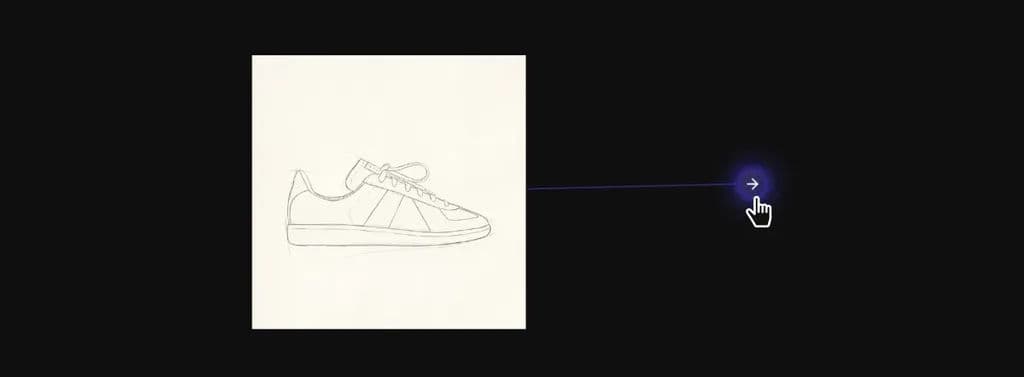
Saat dilepas, menu node muncul. Pilih jenis node yang diinginkan, dan node akan otomatis terhubung ke node sebelumnya sebagai input.
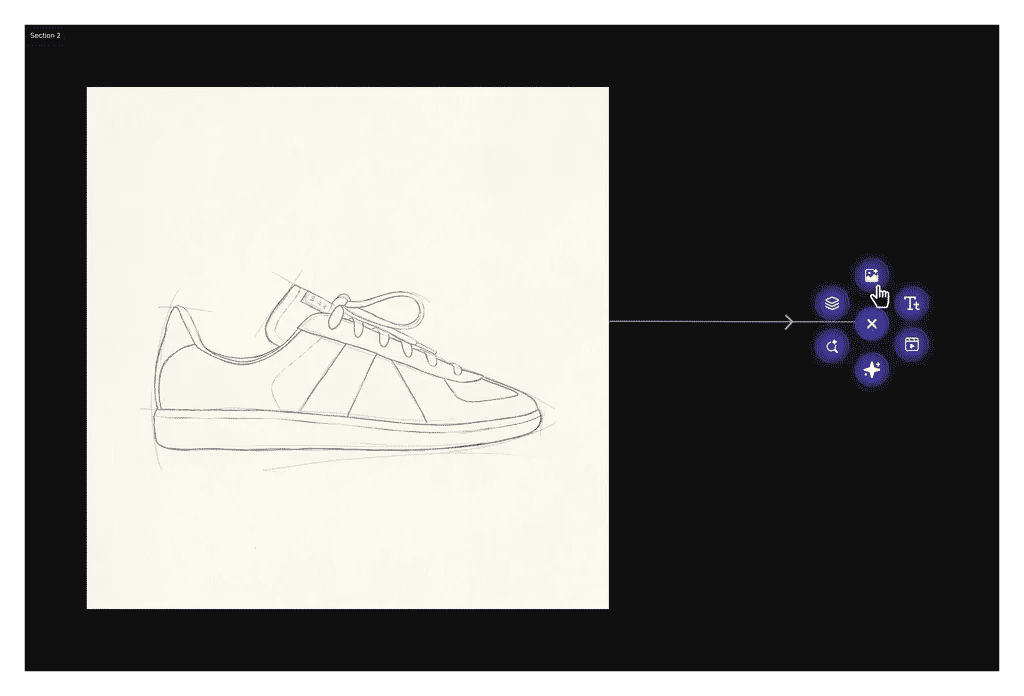
Dalam contoh ini, buat node gambar baru dan gunakan gambar garis sepatu sebagai referensi untuk menghasilkan gambar baru.
Pilih model di panel kerja, tulis prompt, lalu klik Generate.
Setelah menunggu sebentar, gambar Anda siap.
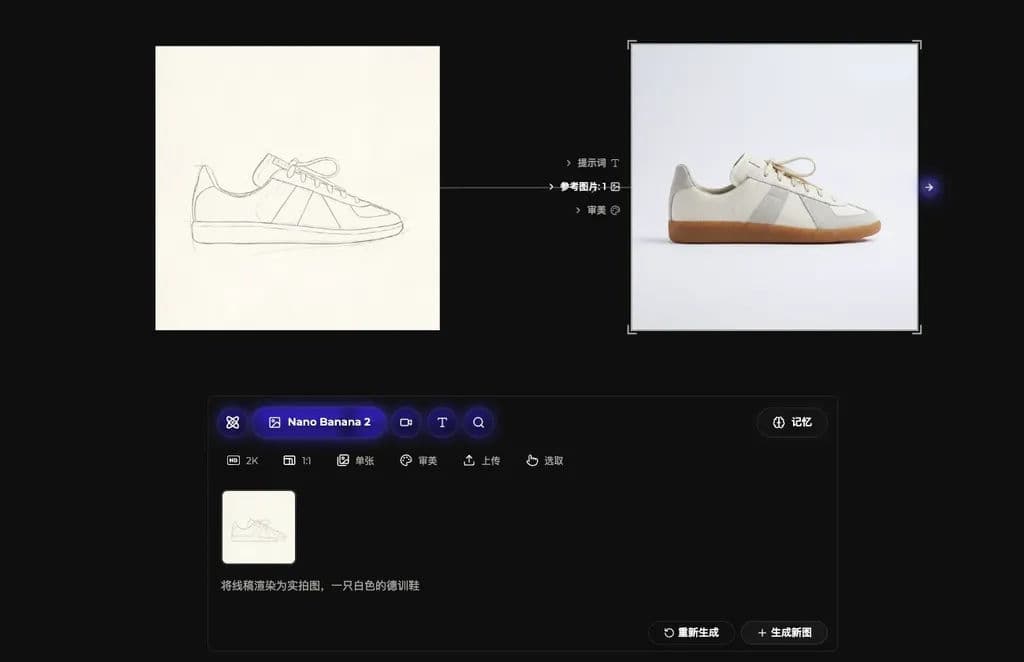
Dari sini, terus tambahkan node dan koneksi untuk membangun karya secara bertahap.
Lebih banyak cara berkreasi
Misalnya, hubungkan gambar ke node video untuk menghidupkannya:
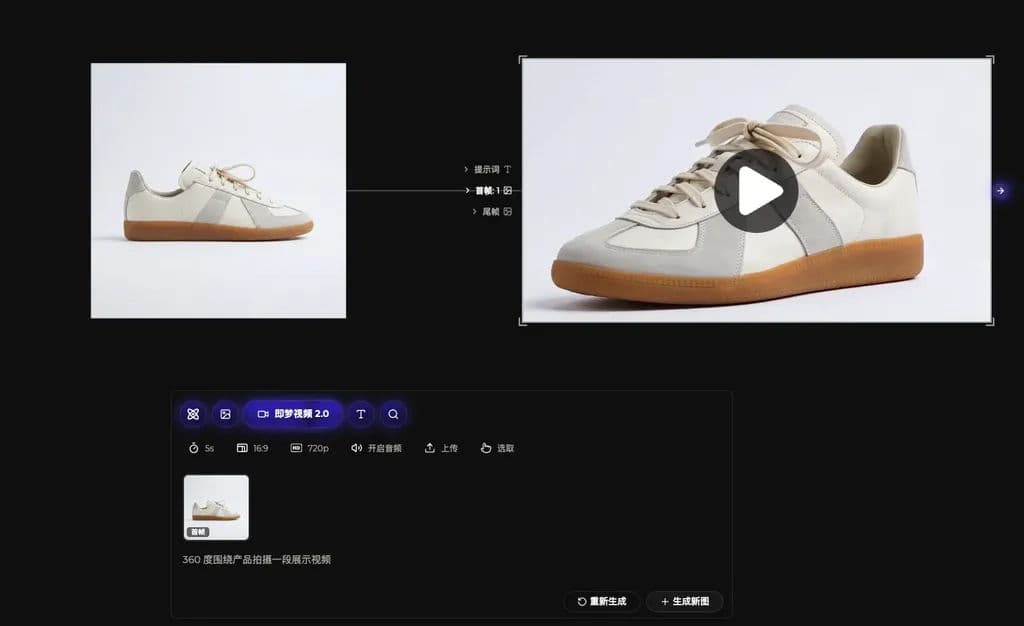
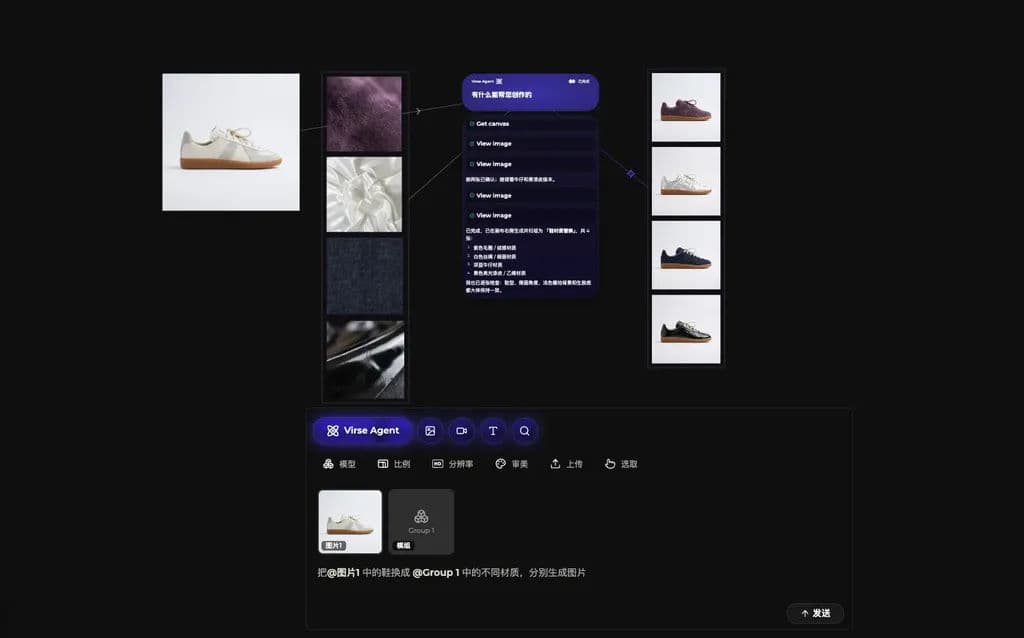
Atau serahkan pekerjaan kepada Agen Virse agar desain dapat diproses secara batch:
Terakhir diperbarui