
Apa Itu Generator Mockup AI? Mengapa Desain Terus Berubah
Vincent11 menit baca ·
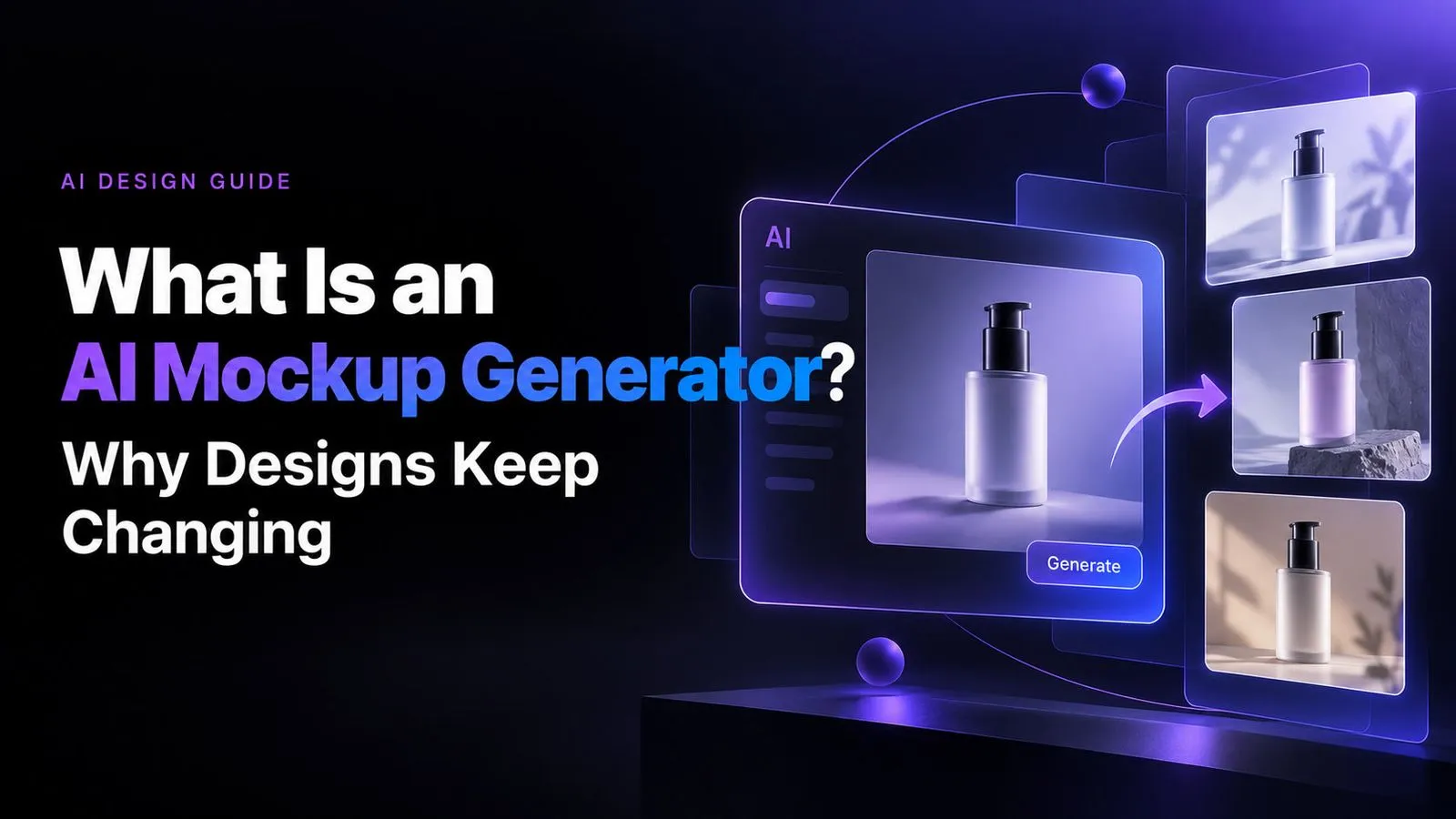
Sebuah generator mockup AI adalah alat berbasis AI yang menempatkan produk, grafis, UI, atau desain yang sudah ada ke dalam adegan visual baru yang dihasilkan. Berbeda dari templat tradisional, alat ini dapat membuat dan mengendalikan latar belakang, model, pose, pencahayaan, sudut kamera, dan komposisi melalui prompt bahasa alami, sehingga tim e-commerce, POD, periklanan, dan desain dapat menghasilkan lebih banyak variasi visual dengan lebih cepat.
Masalahnya, AI tidak selalu mempertahankan desain asli secara akurat. Logo bisa terdistorsi, teks berubah, warna bergeser, grafis berpindah, bahkan bentuk produk berubah. Mockup dapat terlihat realistis tetapi tidak lagi sesuai dengan produk sebenarnya—terutama saat diperluas menjadi puluhan variasi atau katalog 100 SKU.
Solusinya adalah memperlakukan mockup AI sebagai alur produksi terkendali, bukan generator gambar sekali klik: pertahankan referensi yang kuat, hasilkan variasi, periksa kesetiaan produk, dan perbaiki semua perubahan AI sebelum menerbitkan. Virse mendukung alur ini di kanvas tanpa batas, tempat tim dapat mengatur referensi visual, menjalankan beberapa Agent AI secara paralel, mempertahankan konteks proyek dan merek, serta memperbesar produksi mockup sambil menjaga desain asli tetap akurat dan konsisten.

Apa Itu Generator Mockup AI dan Apa Bedanya dengan Mockup Tradisional?
Mockup tradisional biasanya dimulai dari adegan yang sudah ada. Desainer membuka PSD, mengganti Smart Object, menyesuaikan skala atau perspektif, lalu mengekspor hasilnya. Platform templat menyederhanakan proses yang sama dengan produk, model, dan lingkungan yang sudah ditentukan.
Generator mockup AI mengubah pola ini karena adegan itu sendiri dapat dihasilkan sesuai kebutuhan.
Mockup AI Mengubah Arahan Kreatif Menjadi Adegan yang Dihasilkan
Alih-alih mencari templat dengan model, lokasi, pencahayaan, dan sudut kamera yang tepat, desainer dapat mendeskripsikan hasil yang diinginkan.
Arahan umumnya dapat menentukan:
- lingkungan
- penampilan model
- pose
- pencahayaan
- sudut kamera
- kedalaman bidang
- komposisi
- suasana
Satu alur terdokumentasi memakai layar aplikasi yang diunggah untuk membuat mockup ponsel dalam adegan gaya hidup, sambil mengarahkan lingkungan, pencahayaan, panjang fokus, sudut kamera, suasana, dan kedalaman bidang.
Perbedaannya sederhana: mockup tradisional menyesuaikan adegan yang sudah ada; mockup AI dapat menciptakan adegan itu sendiri.
Mockup AI Menukar Kepastian dengan Kebebasan Kreatif
Alur PSD dan templat sangat mudah diulang. Setelah Smart Object dikonfigurasi dengan benar, penempatan yang sama dapat dipakai kembali untuk banyak desain.
AI generatif memberi kebebasan visual yang jauh lebih besar, tetapi setiap generasi membawa ketidakpastian. Dari sisi produksi, templat lebih unggul saat keterulangan menjadi prioritas, sedangkan AI lebih unggul saat tim membutuhkan eksplorasi visual cepat dan variasi adegan.
Bagaimana Cara Kerja Generator Mockup AI?
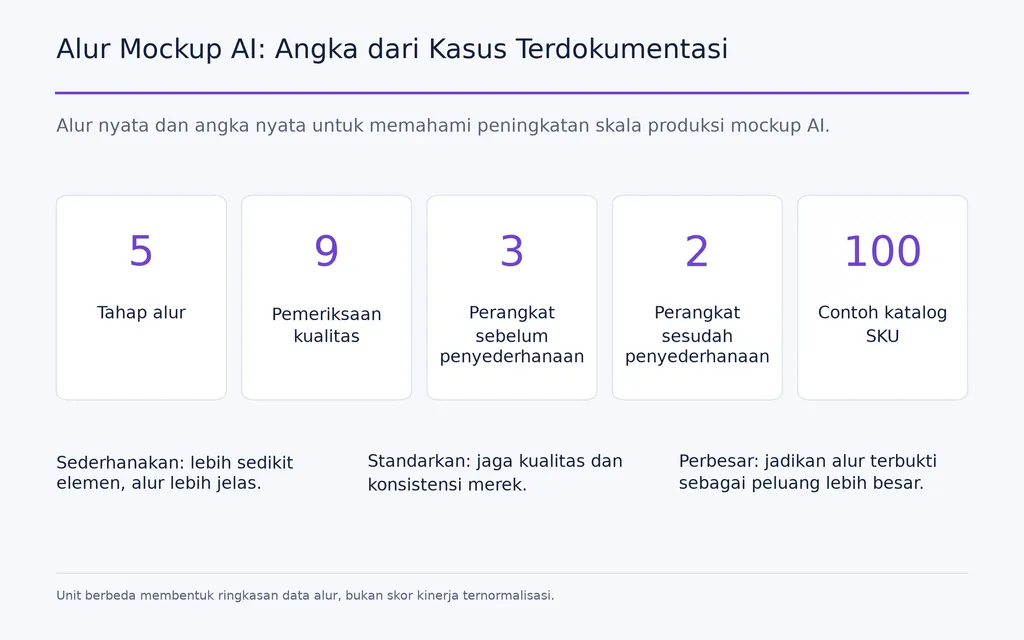
Sebagian besar alur mockup AI mengikuti lima tahap praktis.
Langkah 1: Unggah Referensi Produk atau Desain yang Jelas
Masukan dapat berupa foto produk, grafis kaus, desain kemasan, poster, layar UI, produk digital, atau pakaian yang ditata datar.
Referensi yang jelas mengurangi ambiguitas. Gambar rumit dengan objek bertumpuk, banyak perangkat, atau tipografi kecil membuka lebih banyak peluang rekonstruksi yang tidak diinginkan.
Langkah 2: Jelaskan Adegan, Bukan Hanya Produk
Instruksi yang berguna menjelaskan cara produk ditampilkan: lingkungan, model, pencahayaan, perspektif, suasana, permukaan, dan komposisi.
Di sinilah prompt desain AI memberikan banyak nilai pada alur kerja. Referensi yang sama dapat dieksplorasi dalam beberapa arah kreatif tanpa membangun ulang setiap adegan secara manual.
Langkah 3: Hasilkan Beberapa Variasi
Hasil pertama harus diperlakukan sebagai kandidat, bukan otomatis sebagai aset akhir.
Bandingkan keluaran berdasarkan:
- akurasi produk
- komposisi
- pencahayaan
- anatomi
- penempatan grafis
- kesesuaian merek
AI sangat berguna selama pengembangan konsep karena tim dapat mengeksplorasi alternatif sebelum berkomitmen pada produksi mahal.
Langkah 4: Periksa Kesetiaan Produk
Inilah langkah produksi terpenting.
Periksa apakah AI mengubah logo, tipografi, warna produk, label, proporsi grafis, posisi cetak, konstruksi pakaian, atau geometri produk.
Gambar realistis bukan mockup yang berhasil jika tidak lagi mewakili produk sebenarnya.
Langkah 5: Perbaiki, Hasilkan Ulang, atau Ekspor
Jika akurat, hasil dapat digunakan untuk daftar produk e-commerce, kampanye, presentasi, iklan, atau konten sosial.
Jika kesetiaan gagal, sederhanakan adegan, hasilkan ulang, pertahankan lebih banyak bagian gambar produk asli, atau pindahkan tugas ke alur desain terkendali.
Apa yang Bisa Dibuat dengan Generator Mockup AI?
Mockup AI kini mendukung e-commerce, POD, pakaian, produk digital, desain produk, dan pemasaran.
Mockup Produk AI untuk E-commerce
Tim e-commerce dapat memakai mockup produk AI untuk gambar gaya hidup, kampanye musiman, gambar galeri tambahan, variasi iklan, dan konsep sebelum pemotretan.
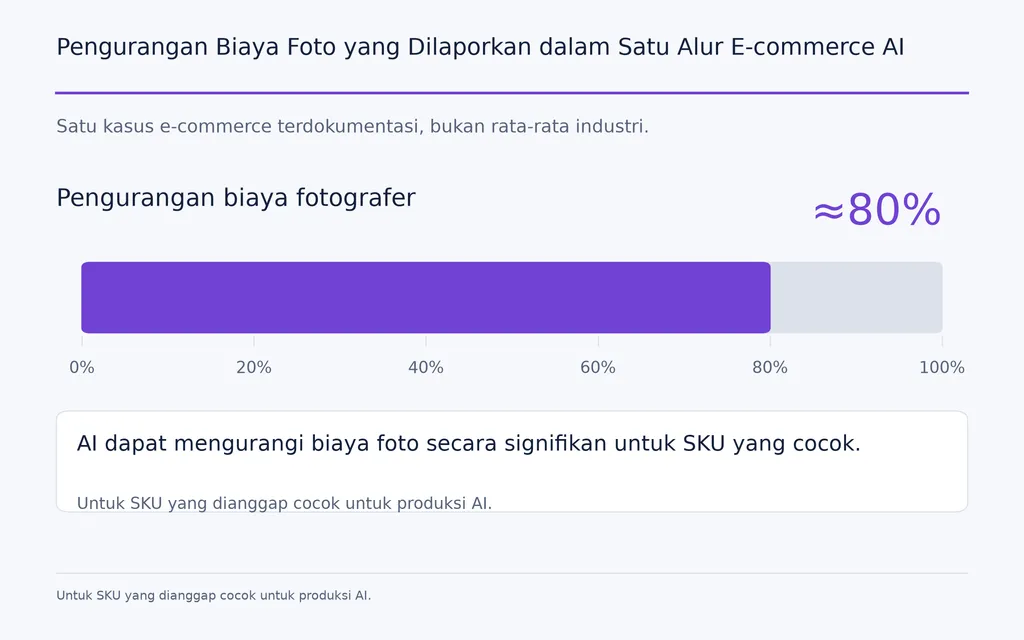
Dalam satu kasus e-commerce terdokumentasi yang kami tinjau, AI dilaporkan mengurangi biaya fotografer sekitar 80% untuk SKU yang dianggap cocok dengan alur tersebut. Ini adalah hasil satu praktisi, bukan rata-rata industri, tetapi menunjukkan daya tarik AI ketika merek membutuhkan banyak variasi visual.
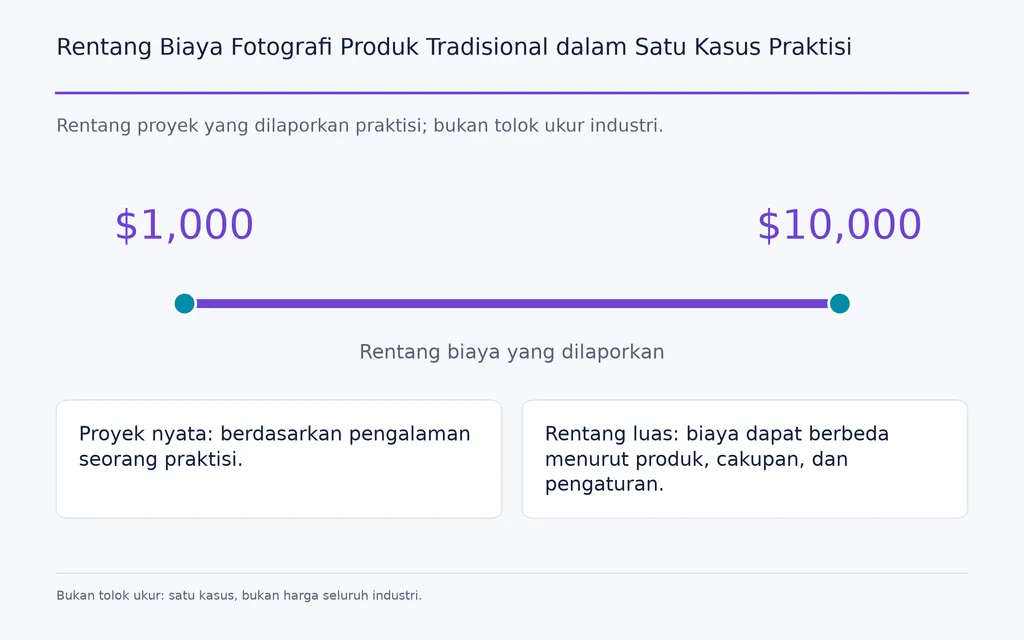
Praktisi lain menyebut biaya proyek fotografi produk tradisional sekitar $1.000 hingga $10.000, sementara eksperimen awal AI hanya membutuhkan sedikit sekali biaya fotografi langsung. Pelajaran yang berguna bukan tolok ukur biaya universal, melainkan model produksi yang berbeda.
Mockup Pakaian AI dan Gambar Model AI
Pakaian merupakan salah satu penggunaan paling jelas karena fotografi model tradisional dapat melibatkan persiapan pakaian, model, studio, pencahayaan, pemotretan, dan retus.
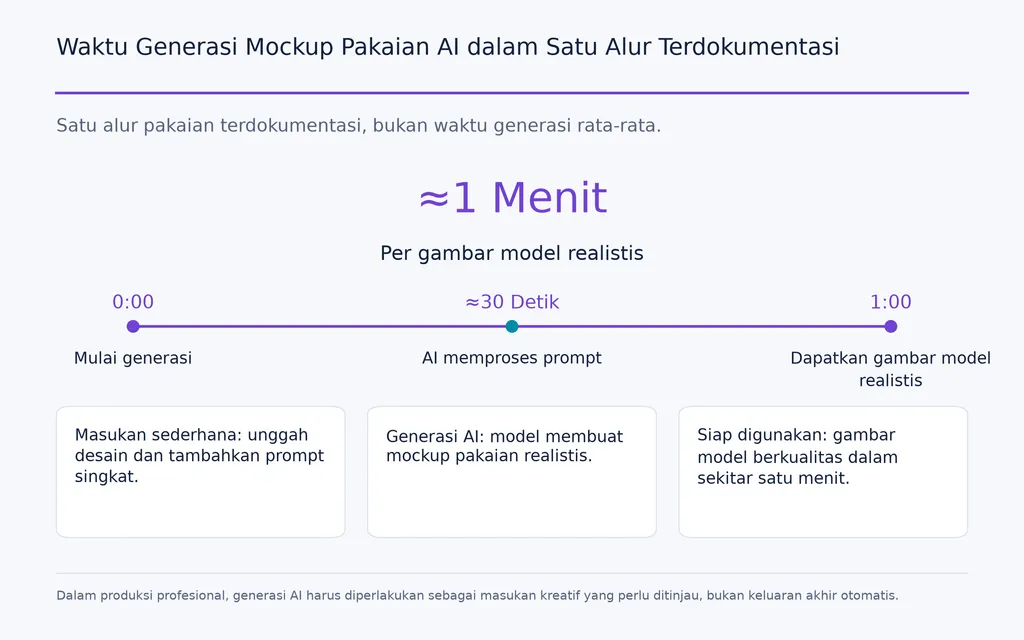
Dalam satu alur pakaian terdokumentasi, gambar pakaian datar dipadukan dengan Canva, Pic Copilot, dan penyusunan prompt berbantuan AI. Tim melaporkan pembuatan gambar model realistis dalam sekitar satu menit. Hasil ini harus dipandang sebagai contoh alur, bukan kecepatan generasi standar.
Tim POD juga membutuhkan jauh lebih dari kaus generik. Kebutuhan penting meliputi:
- warna pakaian yang tepat
- tampilan depan dan belakang
- penempatan cetak DTG
- grafis AOP menyeluruh
- jatuhnya kain yang realistis saat dikenakan
- pose model
- model produk polos dasar yang akurat
Tinjauan pertanyaan pengguna kami mencakup permintaan produk polos seperti BC3001 dan CC1717, yang menunjukkan pentingnya representasi pakaian yang tepat secara komersial.
Mockup Aplikasi dan UI AI
AI dapat menempatkan antarmuka di dalam ponsel, laptop, dan tablet untuk portofolio, peluncuran, presentasi, dan pemasaran.
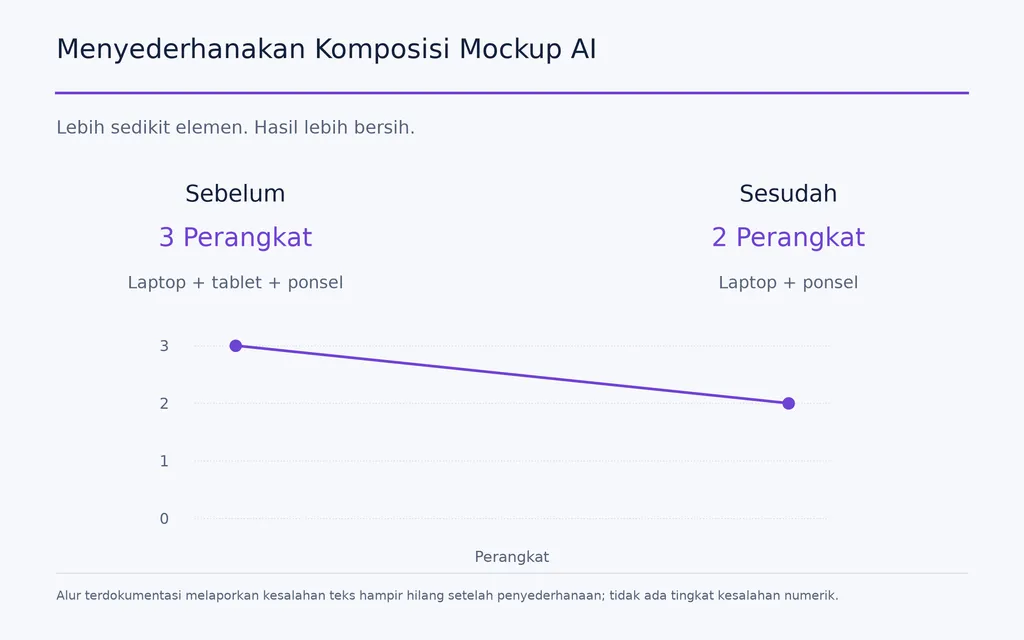
Tipografi tetap menjadi kelemahan. Dalam satu alur yang kami tinjau, adegan berisi laptop, tablet, ponsel, dan banyak teks layar menghasilkan kesalahan teks yang terlihat. Setelah komposisi disederhanakan menjadi laptop dan ponsel, kreator melaporkan bahwa masalah tersebut hampir sepenuhnya berkurang.
Pelajaran praktisnya jelas: komposisi yang lebih sederhana dapat mengurangi peluang AI menafsirkan ulang konten penting.
Generator Mockup AI Dibandingkan Photoshop, Templat, Fotografi, dan 3D
Tidak ada satu alur yang paling baik untuk setiap mockup.
Generator Mockup AI Dibandingkan Photoshop
AI paling unggul untuk eksplorasi adegan cepat. Photoshop lebih unggul untuk komposit terkendali dan penempatan aset yang tepat.
Dengan Photoshop, desainer dapat mengendalikan mask, perspektif, lapisan, tipografi, skala grafis, dan penempatan secara sengaja. Dalam alur yang kami tinjau, sebagian desainer mengganti banyak pekerjaan mockup pribadi dengan AI, sedangkan tim berorientasi produksi tetap memakai Smart Object PSD demi keterulangan.
Aturan keputusan yang berguna:
Gunakan AI ketika adegan perlu berubah. Gunakan komposit terkendali ketika produk tidak boleh berubah.
Generator Mockup AI Dibandingkan Alat Templat
Alat templat sederhana dan mudah diprediksi, tetapi merek dapat menemukan model, pose, dan lingkungan yang sama dengan yang dipakai banyak penjual lain.
AI memberi lebih banyak kebebasan kreatif dengan menghasilkan adegan khusus. Konsekuensinya adalah pemeriksaan kualitas: templat biasanya mempertahankan struktur produk, sedangkan AI generatif dapat menafsirkan ulang produk sekaligus lingkungannya.
Generator Mockup AI Dibandingkan Fotografi Nyata dan 3D
AI cocok untuk variasi gaya hidup, kampanye, iklan, dan eksplorasi awal.
Fotografi nyata tetap berharga saat pelanggan perlu menilai tekstur, material, konstruksi, kemasan, dimensi, atau bentuk saat dikenakan.
3D tetap berguna saat tim membutuhkan kendali presisi atas geometri, material, pencahayaan, kamera, dan keterulangan.
Dalam alur profesional, jawaban terkuat sering bukan penggantian, melainkan sistem gabungan yang menugaskan setiap metode pada pekerjaan yang paling dikuasainya.
Mengapa Generator Mockup AI Mengubah Logo, Teks, dan Produk?
Kesetiaan produk adalah salah satu keterbatasan terpenting mockup generatif.
Referensi AI Tidak Selalu Menjadi Aset Terkunci
Mengunggah gambar produk tidak selalu berarti memerintahkan model mempertahankan setiap piksel. Sistem dapat merekonstruksi bagian objek sambil menciptakan adegan baru.
Hal itu dapat menghasilkan:
- logo terdistorsi
- teks keliru
- label berubah
- warna bergeser
- grafis berubah
- jahitan tidak akurat
- proporsi pakaian tidak konsisten
- posisi cetak meleset
Untuk e-commerce, ini bukan kesalahan kosmetik kecil. Hal ini dapat membuat penyajian produk tidak akurat.
Mockup Kaya Teks Memerlukan Pemeriksaan Kualitas Tambahan
Label kemasan, layar UI, logo, dan desain dengan tipografi kecil membutuhkan pemeriksaan lebih teliti.
Alur praktisnya adalah memperlakukan logo, teks, warna, grafis, dan geometri produk sebagai informasi yang dilindungi serta memeriksa masing-masing secara terpisah dari realisme keseluruhan gambar.
Mockup yang mengesankan secara visual tetapi memiliki detail produk tidak akurat tetap harus gagal pemeriksaan kualitas.
Bagaimana Memperbesar Skala Mockup AI untuk E-commerce dan POD?
Menghasilkan satu mockup adalah tugas gambar. Menghasilkan ratusan secara konsisten merupakan persoalan sistem produksi.
Generasi Berbasis Chat Menjadi Tidak Efisien pada 100 SKU
Untuk satu barang, alur ini masih dapat dikelola:
Hasilkan → tinjau → revisi → ekspor
Pada skala katalog, pemberian prompt berulang, generasi ulang, pengunduhan, penggantian nama, dan pengorganisasian berkas menjadi pekerjaan produksi yang besar.
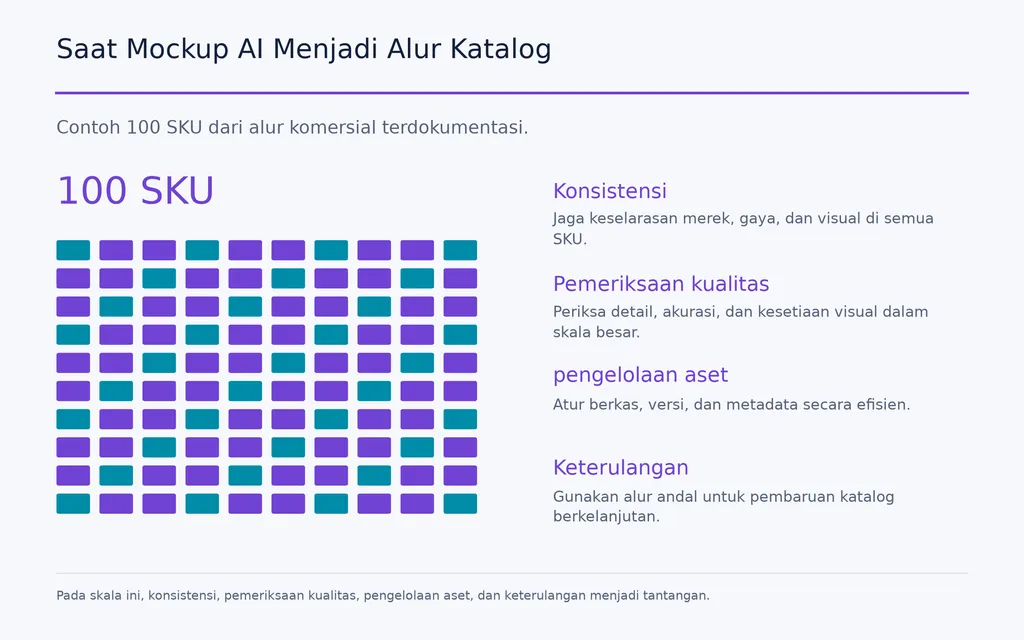
Satu alur komersial dalam tinjauan kami menggunakan 100 SKU sebagai contoh saat proses berbasis chat mulai tidak praktis.
POD menambah kombinasi desain, warna, jenis produk, tampilan depan-belakang, model, dan lingkungan. Dalam beberapa alur terdokumentasi, produksi mockup menjadi begitu berulang hingga kreator melaporkan menghabiskan lebih banyak waktu menyiapkan mockup daripada mendesain produknya sendiri.
Mockup AI Massal Memerlukan Operasi Kreatif yang Terstruktur
Proses yang dapat diperbesar skalanya lebih menyerupai:
Referensi produk → arahan visual disetujui → generasi massal → tinjauan galeri → pemeriksaan kualitas → koreksi → penerbitan
Pada tahap ini, kemampuan paling bernilai adalah:
- referensi pakai ulang
- generasi massal
- arahan visual konsisten
- pengelolaan aset
- kontrol versi
- dukungan API atau otomatisasi
- persetujuan manusia
Inilah juga alasan alur berbasis kanvas dan multi-Agent menjadi lebih relevan. Alih-alih memperlakukan setiap keluaran sebagai percakapan terpisah, sistem profesional dapat mempertahankan hubungan antara referensi, tugas, keluaran, dan revisi.
Pertanyaan skala yang sebenarnya bukan apakah AI dapat membuat 100 gambar, melainkan apakah tim dapat menjaga 100 produk tetap akurat dan konsisten secara visual tanpa melipatgandakan pekerjaan manual.
Bisakah Mockup AI Menggantikan Fotografi Produk?
AI dapat mengurangi sebagian kebutuhan fotografi, tetapi mengganti setiap foto produk nyata jarang menjadi tujuan yang tepat.
AI Paling Cocok untuk Konteks Kreatif
AI sangat berguna untuk:
- adegan gaya hidup
- konsep kampanye
- variasi musiman
- iklan
- konten sosial
- gambar e-commerce tambahan
Penggunaan tersebut mendapat manfaat dari keragaman visual dan dapat menerima proses produksi yang lebih generatif.
Foto Nyata Tetap Menjadi Bukti Keadaan Produk
Fotografi nyata tetap penting ketika pembeli memerlukan bukti tentang material, tekstur, konstruksi, bentuk saat dikenakan, kemasan, dimensi, atau lapisan akhir produk sebenarnya.
Tinjauan pertanyaan e-commerce kami juga menemukan kekhawatiran berulang terhadap gambar yang tampak sintetis atau membuat produk nyata sulit dinilai. Bukti yang tersedia tidak menetapkan dampak universal terhadap tingkat konversi, sehingga klaim bahwa gambar AI otomatis menurunkan penjualan tidak akurat.
Bagi banyak merek, strategi yang lebih baik adalah alur gabungan: fotografi nyata menetapkan keadaan produk sebenarnya, sementara AI memperluas konteks kreatif.
Apa yang Harus Diperiksa Sebelum Menerbitkan Mockup AI?
Alur mockup AI profesional memerlukan tahap pemeriksaan kualitas khusus.
Gunakan Daftar Pemeriksaan Kesetiaan Produk
Sebelum menerbitkan, verifikasi:
- Akurasi logo — bentuk, jarak, orientasi, dan proporsi.
- Tipografi — setiap kata, angka, dan label yang terlihat.
- Warna — warna produk, pakaian, kemasan, dan grafis.
- Grafis — skala, tepi, proporsi, dan detail yang hilang.
- Posisi cetak — posisi, ukuran, sudut, dan deformasi.
- Geometri produk — bentuk, jahitan, komponen, dan struktur kemasan.
- Anatomi model — tangan, postur, proporsi, dan interaksi pakaian.
- Pencahayaan — kesesuaian sorotan dan bayangan dengan adegan yang dihasilkan.
- Konsistensi — apakah produk yang sama tetap dapat dikenali di seluruh variasi.
Dalam produksi profesional, generasi AI harus diperlakukan sebagai masukan kreatif yang perlu ditinjau, bukan keluaran akhir otomatis.
Pertanyaan Umum
Mengapa AI terus mengubah desain saya dalam mockup?
Model gambar AI dapat memperlakukan referensi unggahan sebagai konten untuk direkonstruksi, bukan aset yang sepenuhnya terkunci. Karena itu, logo, tipografi, warna, grafis, label, dan posisi cetak dapat berubah. Referensi yang lebih jelas dan adegan lebih sederhana dapat mengurangi kesalahan, tetapi kesetiaan yang tepat tetap memerlukan pemeriksaan kualitas atau komposit terkendali.
Bisakah generator mockup AI memakai produk polos POD tertentu seperti BC3001 atau CC1717?
Produk polos tertentu dapat dijadikan referensi, tetapi hasilnya tidak boleh otomatis dianggap mereproduksinya secara persis. Bentuk, tampilan saat dikenakan, jahitan, perilaku kain, warna, dan penempatan grafis dapat berubah. Jika produk polos yang tepat memengaruhi keputusan membeli, bandingkan mockup dengan pakaian nyata sebelum menerbitkan.
Bisakah saya membuat mockup AI massal untuk 100 SKU?
Bisa, tetapi pada skala ini tantangan utamanya adalah konsistensi, bukan generasinya sendiri. Tim memerlukan referensi produk pakai ulang, pemrosesan massal, arahan visual konsisten, aset terorganisasi, pemeriksaan kualitas, dan sering kali dukungan API atau otomatisasi. Tujuannya menghindari perubahan katalog 100 SKU menjadi 100 sesi prompt manual yang terpisah.
Sebaiknya saya memakai AI atau foto nyata untuk e-commerce?
Gunakan AI untuk variasi gaya hidup, kampanye, iklan, gambar musiman, dan visual produk pendukung. Gunakan fotografi nyata ketika pelanggan perlu menilai karakteristik fisik seperti material, tekstur, bentuk saat dikenakan, konstruksi, kemasan, atau lapisan akhir. Alur gabungan biasanya memberi keseimbangan lebih baik antara skala kreatif dan kredibilitas produk.
Kesimpulan
Sebuah generator mockup AI adalah alat produksi visual berbasis prompt yang menggabungkan penciptaan adegan generatif dengan penyajian produk. Alat ini memberi desainer lebih banyak kebebasan atas lingkungan, model, pencahayaan, komposisi, dan variasi kreatif dibandingkan templat tetap. Keuntungan terbesarnya adalah eksplorasi visual yang lebih cepat, sedangkan tantangan terbesarnya menjaga kesetiaan produk. Bagi tim e-commerce dan POD, peluangnya makin bernilai pada skala besar, ketika referensi, generasi massal, pengorganisasian aset, otomatisasi, dan pemeriksaan kualitas ketat lebih penting daripada membuat satu gambar menarik. Alur mockup AI terbaik bukan sekadar yang tercepat, tetapi yang menjaga visual produk tetap akurat, konsisten, dapat diperbesar skalanya, dan kredibel.
Artikel lainnya dari Blog Virse
Alur kerja
FLUX 3 Image Prompt Guide: 12 Prompts & Editing Fixes
22 Oktober 2026 by Vincent
Alur kerja
How to Use FLUX 3 Image: Edit Photos Without Unwanted Changes
21 Oktober 2026 by Vincent
Alur kerja
Wan 3.0 Prompt Guide: Fix Wrong Motion, Character Drift, and Ignored Instructions
20 Oktober 2026 by Yifan Zhao