
Seis níveis de qualidade
Baixa (low), média (medium), alta (high), muito alta (xhigh), máxima (max) e automática (auto). Os dois níveis superiores são novos na versão 2.5.
O ChatGPT Images 2.5 da OpenAI chega à Virse nas duas edições da API, GPT Image 2.5 Flare e GPT Image 2.5 Sunburst, com seis níveis de qualidade e saída até 4K.
Abra esta página em um navegador de desktop para começar a criar.
O ChatGPT Images 2.5 foi lançado a 8 de setembro de 2026 como dois modelos em vez de um, e a diferença entre eles é o tempo.
O GPT Image 2.5 Flare é o mais rápido, que a OpenAI descreve como a escolha predefinida para a maioria das aplicações. O GPT Image 2.5 Sunburst demora mais tempo por imagem e foi concebido para trabalhos em que a precisão da edição é o mais importante. Na maioria das plataformas, essa escolha é também uma escolha orçamental, e a edição precisa torna-se discretamente aquela que guarda para a renderização final.
Na Virse, os dois estão no mesmo menu de modelos e custam o mesmo número de créditos em todos os níveis de qualidade, desde 1K Low até 4K Max. Faça o rascunho no Flare porque recebe o resultado mais cedo, passe para o Sunburst quando a imagem tiver de resistir a uma observação atenta, e deixe que seja o trabalho a decidir, e não a fatura.

ChatGPT Images 2.5 é o modelo de imagem da OpenAI lançado a 8 de setembro de 2026, disponível para todos os utilizadores do ChatGPT, ChatGPT Work e Codex em todos os níveis no desktop, em dispositivos móveis e na web. A OpenAI resume o lançamento como detalhes mais nítidos, edição mais precisa e geração mais rápida.
O nome funciona em dois níveis. ChatGPT Images 2.5 é o nome do produto dentro do ChatGPT. Na API, e no Virse, a mesma geração aparece como dois modelos: gpt-image-2.5-flare e gpt-image-2.5-sunburst, ambos com uma data de snapshot de 2026-09-08.
A OpenAI identifica três melhorias em relação à geração anterior:
Juntamente com o modelo, a OpenAI introduziu Sketch, modelos, edições baseadas em comentários e partilha de prompts. Estas quatro são funcionalidades da interface do ChatGPT, e não parâmetros do modelo, e não são aquilo que o Virse expõe. O que o Virse expõe é o próprio modelo, nos graus de qualidade, tamanhos e comportamento de imagens de referência descritos na própria documentação da OpenAI.
Esta página destina-se a quem está a decidir se deve transferir trabalho de imagem em produção para o 2.5, e para qual das duas edições o deve encaminhar.

Baixa (low), média (medium), alta (high), muito alta (xhigh), máxima (max) e automática (auto). Os dois níveis superiores são novos na versão 2.5.
A contagem total de píxeis vai de 655 360 a 8 294 400, sem qualquer lado acima de 3840 píxeis.
Qualquer WIDTHxHEIGHT com ambos os lados múltiplos de 16 e uma proporção entre 1:3 e 3:1.
São aceites briefings escritos e imagens de referência. A saída é sempre uma imagem.
Defina o fundo como transparente e obtenha o resultado em PNG ou WebP, sem uma passagem adicional de criação de máscara.
gpt-image-2.5-flare e gpt-image-2.5-sunburst, ambos com snapshot datado de 2026-09-08.

A OpenAI criou o 2.5 para trabalhar melhor a partir de fotografias de referência, preservando características distintivas quando um sujeito passa para um novo cenário, estilo ou composição. O mesmo rosto, a mesma garrafa, a mesma divisão, noutro lugar.

Peça uma alteração e é mais provável que o resto do enquadramento se mantenha no lugar. A OpenAI descreve o modelo como sendo melhor a editar apenas o que foi pedido, mantendo igual o detalhe envolvente, incluindo em sujeitos e fundos complexos.

As sessões de edição longas costumavam degradar-se. A OpenAI afirma que as alterações anteriores agora se mantêm à medida que chegam novas, por isso a décima revisão ainda conserva as primeiras nove, em vez de as desfazer discretamente.

O modelo lê instruções visuais complexas com mais precisão e reflete mais fielmente um estilo visual descrito, o que se nota sobretudo nas superfícies: tecido, pele, metal e qualquer coisa iluminada a partir de uma direção que especificou.

As composições densas mantêm a sua hierarquia, e os fundos transparentes são tratados como parte da composição, em vez de como uma ideia de última hora. Os elementos recortados saem prontos a colocar.

A OpenAI comunica uma latência de geração de imagem reduzida em até 50% face ao Images 2.0. Flare mantém esse ganho; Sunburst troca-o por precisão.
Ambas as edições 2.5 aceitam os mesmos parâmetros e custam os mesmos créditos no Virse. O que as distingue é o tempo que cada imagem demora.
| Dimensão | GPT Image 2.5 Flare | GPT Image 2.5 Sunburst | GPT Image 2 | Fonte |
|---|---|---|---|---|
| Descrição da OpenAI | "Geração de imagens rápida e de alta qualidade para o dia a dia" | "O nosso modelo mais capaz para geração e edição de imagens" | A geração anterior, ainda selecionável no Virse | Fonte |
| Criado para | A escolha predefinida para a maioria dos trabalhos, desde conteúdos para redes sociais a execuções de grande volume | Trabalho visual premium que beneficia de um controlo mais rigoroso ao longo das edições | Briefings longos com múltiplas restrições | Fonte |
| Graus de qualidade | Seis, até ao máximo | Seis, até ao máximo | Três, até alto | Fonte |
| Velocidade | Latência até 50% inferior à do Images 2.0 | Tempos de geração mais longos, em troca de precisão | Referência | Fonte |
| Créditos em 2K High no Virse | 18 | 18 | 36 | Fonte |
| Créditos em 2K Max no Virse | 69 | 69 | Nível não disponível | Fonte |
O trabalho orientado por referências raramente se resume a um único prompt. É uma fotografia, uma regra de marca, quatro tentativas e uma nota de outra pessoa sobre a terceira. A Virse mantém tudo numa só tela. A referência a partir da qual gerou, o briefing que escreveu e cada versão que voltou ficam lado a lado, para que comparar um resultado com a sua origem seja uma questão de olhar, não de procurar ficheiros.
Coloque a fotografia de origem na tela ao lado das gerações que produziu e avalie a fidelidade do sujeito olhando para ambas ao mesmo tempo.

Defina a composição na edição rápida e depois volte a executar o briefing acordado no Sunburst. O custo em créditos por imagem é o mesmo em todos os níveis, por isso só o tempo de espera muda.

Alterne entre o ChatGPT Images 2.5 e mais de 30 outros modelos de imagem e vídeo sem sair da tela nem reescrever o briefing.

Cada revisão aparece ao lado da anterior, por isso uma sessão de edição de dez interações mantém-se legível e pode voltar à quarta interação sem a regenerar.


Trabalho em série em que cada elemento tem de manter a mesma direção visual, hierarquia e tratamento.

Uma única fotografia de produto colocada em tantos cenários, estações e superfícies quantos a campanha precisar.

Layouts da frente da embalagem com nomes exatos dos produtos, descritores e texto legalmente obrigatório.

Elementos com fundo transparente para apresentações, faixas e composições que dispensam uma passagem posterior de criação de máscara.

Gráficos de processo e cortes transversais em que as legendas têm de estar corretas, não apenas decorativas.

Fotografias de pessoas e lugares reais transferidos para novos cenários, mantendo o sujeito reconhecível.
Selecione o modelo no menu. Comece com Flare enquanto a imagem ainda está a ser decidida, uma vez que devolve resultados mais cedo pelo mesmo custo em créditos.
Carregue as fotografias e identifique cada uma pela finalidade: esta é o sujeito, esta é o estilo, esta é o fundo. Diga como devem ser combinadas.
Descreva o resultado e a utilização prevista e, em seguida, liste o que não deve mudar e o que não deve aparecer. Coloque entre aspas quaisquer palavras que apareçam na imagem.
Envie o resultado de volta como entrada para a edição seguinte, peça uma única alteração e repita os detalhes que pretende preservar.
O próprio guia de prompts da OpenAI para o 2.5 constrói um prompt a partir de seis partes, por esta ordem. Escrever as restrições uma vez é o que permite repeti-las quando uma edição posterior se desvia.
Em vez de escrever
Cria uma fotografia de produto bonita da garrafa num fundo bonito, com aspeto profissional.
Escreva
Uma fotografia de produto para uma listagem de comércio eletrónico, quadrada, com a garrafa centrada e a ocupar os 70 por cento centrais do enquadramento. Vidro âmbar, tampa em alumínio escovado, condensação no terço inferior. Fundo de papel mate cor de areia, uma luz suave vinda do canto superior esquerdo, uma única sombra suave projetada para a direita. O rótulo frontal diz "NORTH FIELD" em versaletes no terço superior e "500 ml" na margem inferior. A Referência 1 é a garrafa e a arte do seu rótulo; mantém a geometria e a tipografia do rótulo exatamente como fornecidas. Sem texto adicional, sem logótipos, sem marca de água.

Uma fotografia do vaso de cerâmica da Referência 1, transferido para o parapeito de uma janela iluminada pelo sol numa sala branca rebocada, captada de frente a dois metros de distância, ao nível dos olhos. Luz de fim de tarde a entrar pela direita num ângulo baixo, projetando a sombra da moldura da janela na parede atrás. Mantém a cor do vidrado do vaso, o padrão craquelado e as proporções do gargalo exatamente como aparecem na referência. Altera apenas o cenário e a luz. Sem objetos adicionais no parapeito. Sem texto, sem logótipos, sem marca de água.

Um cartaz em composição plana para uma padaria de bairro, em orientação vertical, fotografado diretamente de cima sobre uma mesa de nogueira escura. No terço superior, as palavras "FIELD AND FLOUR" em letras serifadas largas, espaçadas, em creme. Por baixo, "Abre às seis" em itálico pequeno, com um terço do tamanho. Na margem inferior, "N.º 41, Bridge Street" em versaletes. Um pão de massa mãe rasgado no canto inferior esquerdo, um pano de linho dobrado duas vezes à direita, farinha espalhada de forma irregular pelo quarto inferior. Uma luz superior ligeiramente atrás do sujeito, sombras longas e suaves na direção da câmara. Nenhum outro texto em qualquer parte do enquadramento.

Um único par de ténis de corrida, em vista de três quartos a partir da frente esquerda, pousados na horizontal com o ténis esquerdo ligeiramente sobreposto ao direito. Parte superior em malha num coral vivo, com uma entressola branca e uma sola exterior translúcida âmbar. Atacadores atados, língua na vertical, sem vincos na biqueira. Luz difusa uniforme diretamente de cima, sem sombra projetada, contornos limpos e completos, incluindo os atacadores. Fundo transparente. Sem superfície por baixo dos ténis, sem texto, sem logótipos, sem marca de água.
Numere-os e diga para que serve cada um. Uma referência sem explicação é integrada na média do resultado, em vez de ser usada para aquela única coisa que queria dela.
Indique a geometria, as legendas, a iluminação e a identidade que têm de ser preservadas. Depois peça a alteração. Fazer isto por esta ordem é o que mantém as edições localizadas.
Vale a pena excluir explicitamente texto, logótipos e marcas de água indesejados. O mesmo se aplica a uma segunda fonte de luz que nunca pediu.
O grau de qualidade altera a renderização, não o que a imagem contém. Decidir o conteúdo em baixa qualidade e aumentar o grau depois mantém essas duas questões separadas.
Explore ferramentas especializadas para criar, editar e preparar recursos de design.
A maioria dos prompts de design falha nos detalhes aborrecidos: proporção errada, cor da marca em falta, nenhuma menção ao texto que tem de caber e onde. Liste o objetivo, o público, o formato e as restrições, e isto escreve um prompt estruturado para que um modelo de imagem consiga realmente acompanhar tudo, começando com créditos Virse gratuitos.
Letras entalhadas em madeira comportam-se de forma diferente sob a luz do que letras fundidas em metal líquido, e nenhum prompt único acerta em ambos por acaso. Escreva o seu texto, indique o material e receba um efeito que mantém o texto intacto enquanto determina como esse material deve realmente captar a luz. Os créditos gratuitos dão-lhe a primeira versão.
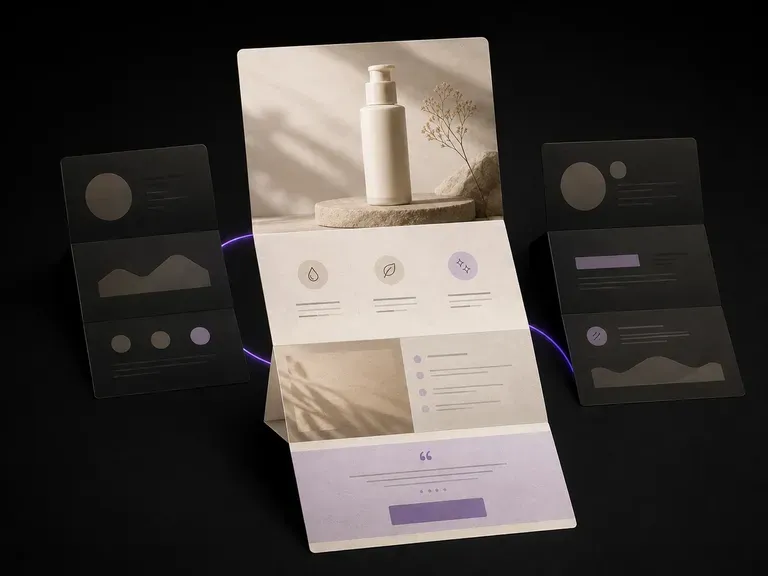
Uma página que nunca é construída não custa uma semana de trabalho de um programador. Carregue as suas fotografias de produto e argumentos de venda, e veja o visual da página completa antes de alguém tocar num construtor de páginas, imagem hero, blocos de benefícios, oferta final, tudo num só scroll, e a primeira versão é por nossa conta.

GPT Image 2.0 da OpenAI lê um briefing de cem palavras e tenta cumprir tudo, com controlos independentes de qualidade e resolução de 1K a 4K.

Gere imagens 4K de nível de estúdio com Nano Banana Pro, combinando várias referências e mantendo personagens, produtos e tipografia consistentes.

A geração mais recente da linha Seedream da ByteDance, disponível como Seedream 5.0 Pro e Seedream V5 Lite, ambos aceitando o mesmo briefing escrito.
Carregue a fotografia, escreva o que muda e o que não muda, e eleve o resultado um nível assim que a imagem estiver aprovada.