
O que é um mockup? Tipos, exemplos e como os designers realmente os criam
Vincent17 min de leitura ·
Um mockup é uma prévia visual realista de como um design ou produto pode ficar antes de ser construído, impresso, fabricado ou lançado. Designers usam mockups para avaliar aparência, escala, contexto, identidade de marca, materiais e apresentação antes de se comprometerem com a produção final. A distinção mais simples é: um wireframe mostra a estrutura, um mockup mostra a aparência e um protótipo mostra a interação.
O desafio é que bons mockups podem levar tempo. Designers talvez precisem encontrar o modelo certo, ajustar perspectiva e materiais, criar cenas 3D ou corrigir imagens geradas por IA que distorcem logotipos, tipografia, proporções ou consistência da marca. Um mockup pode parecer refinado e ainda assim ser impreciso.
Por isso, fluxos eficazes de criação de mockups precisam de velocidade e fidelidade ao design. Designers podem usar modelos PSD, Photoshop, renderização 3D, fotografia ou ferramentas assistidas por IA conforme o projeto. Virse apoia esse fluxo ajudando designers a organizar referências, gerar variações, manter o contexto do projeto e iterar mais rápido, com as decisões criativas sob controle humano.

O que é um mockup em design?
Em design, um mockup é uma prévia visual de como se espera que um conceito apareça em seu contexto de uso. Geralmente é mais completo visualmente do que um esboço estrutural inicial ou um wireframe, mas não inclui necessariamente as funções de um protótipo operacional.
Um mockup de interface pode conter tipografia, cores, imagens, botões, componentes e espaçamentos reais, muitas vezes refletindo um sistema de design estabelecido. Um mockup de marca pode colocar um logotipo em placas, papelaria, roupas ou embalagens. Um mockup de produto pode mostrar uma arte aplicada a uma garrafa, caixa, lata, dispositivo ou objeto promocional.
Considere o rótulo de uma bebida. A arte plana é o recurso de design. Quando essa arte é aplicada a uma garrafa realista com escala, curvatura, materiais, sombras, iluminação e perspectiva corretos, o resultado visual se torna um mockup de embalagem dentro de um fluxo de design de produto.
Essa distinção importa porque um mockup não é necessariamente o design final nem o produto final. Ele fornece um contexto visual que ajuda as pessoas a avaliar o possível resultado do design antes da execução definitiva.
O que um bom mockup inclui?
Um bom mockup contém as informações visuais necessárias para tomar a próxima decisão de design.
Conforme o projeto, isso pode incluir tipografia, cores, imagens, espaçamento, elementos da marca, superfícies do produto, materiais, textura, escala dos objetos, perspectiva, iluminação, sombras ou contexto ambiental.
Nossa análise de dúvidas sobre design profissional encontrou um equívoco recorrente: mais realismo não torna um mockup automaticamente mais útil. Se uma equipe de produto está avaliando a hierarquia de uma página, uma iluminação muito realista agrega pouco. Se uma equipe de embalagens avalia o comportamento da arte em uma garrafa reflexiva, material, curvatura e iluminação podem se tornar essenciais.
A regra prática é simples: use o nível de fidelidade adequado à decisão que está sendo tomada.
Um mockup é estático ou funcional?
Um mockup é normalmente estático e focado na aparência, não na funcionalidade completa.
Um mockup de aplicativo pode mostrar exatamente como uma tela de pagamento deve ficar sem permitir que alguém conclua a transação. Quando menus, controles, transições e fluxos de usuário passam a ser testáveis, o artefato se aproxima de um protótipo.
Essa distinção importa porque uma tela visualmente convincente pode parecer pronta para produção mesmo sem a validação de comportamento, usabilidade, acessibilidade ou viabilidade técnica.
Quais são os tipos mais comuns de mockups?
Mockups são usados em UI/UX, design gráfico, identidade de marca, embalagens, produtos digitais, conceitos em papel e produtos físicos. O formato muda, mas o objetivo continua o mesmo: colocar um design em contexto suficiente para as pessoas avaliarem o resultado pretendido.
Mockups de interfaces e sites
Um mockup de interface mostra a aparência esperada de uma interface digital antes do desenvolvimento final.
Pode conter navegação, conteúdo, botões, imagens, formulários, cartões, tipografia, espaçamento e estilo da marca. Equipes de produto podem usar esses visuais para avaliar hierarquia visual, consistência, estilo dos componentes e direção geral sem construir o produto completo.
Por exemplo, dois mockups de e-commerce podem usar a mesma estrutura básica e testar tipografias, espaçamentos, imagens de produto e sistemas de cores diferentes. Ao manter a estrutura constante, a equipe pode avaliar a própria decisão de design visual sem misturá-la a mudanças na arquitetura da informação.
Mockups de marca e logotipo
Um logotipo raramente existe apenas em uma prancheta branca. Pode aparecer em fachadas, embalagens, papelaria, uniformes, sites, materiais para redes sociais ou produtos promocionais.
Um mockup de marca coloca a identidade em um desses ambientes.
Isso frequentemente revela problemas difíceis de perceber em um arquivo vetorial isolado. Um logotipo detalhado pode ficar ilegível em tamanhos pequenos. Uma combinação de cores pode perder contraste em um material real. Um símbolo equilibrado na prancheta pode parecer visualmente fraco em uma placa grande.
Para equipes de marca, portanto, o mockup serve para mais do que apresentar uma imagem. Ele se torna uma forma de avaliar como a identidade se comporta em aplicações reais.
Mockups de embalagens e produtos
Um mockup de embalagem mostra como gráficos, rótulos, tipografia e identidade de marca podem aparecer em produtos físicos como garrafas, latas, caixas, bolsas, recipientes e objetos promocionais.
Um caso prático identificado em nossa pesquisa envolvia um fluxo de impressão e produtos promocionais em que designers aplicavam a arte do cliente às fotografias dos produtos do fornecedor antes da produção. Assim, o cliente podia avaliar posicionamento, escala, cor do produto e equilíbrio visual geral sem depender apenas de um arquivo-fonte plano.
O material de origem não fornece números verificados de conversão ou receita; portanto, seria inadequado atribuir um ROI específico. O valor operacional continua relevante: o mockup reduz o esforço de imaginação necessário para entender a proposta e oferece às duas partes uma referência visual concreta para aprovação.
Mockups de papel e de produtos físicos
Nem todo mockup precisa ser digital.
Mockups de papel podem ajudar equipes a explorar tamanho, dobras, organização, proporções físicas e forma básica a um custo relativamente baixo. Mockups de produtos físicos podem representar a aparência ou a escala pretendida de um objeto antes de todos os detalhes de engenharia ou fabricação estarem concluídos.
Essas abordagens são especialmente úteis para avaliar relações físicas difíceis de julgar na tela, como dimensões da embalagem, proporções do objeto, escala impressa ou interação entre várias superfícies.
Wireframe, mockup e protótipo: qual é a diferença?
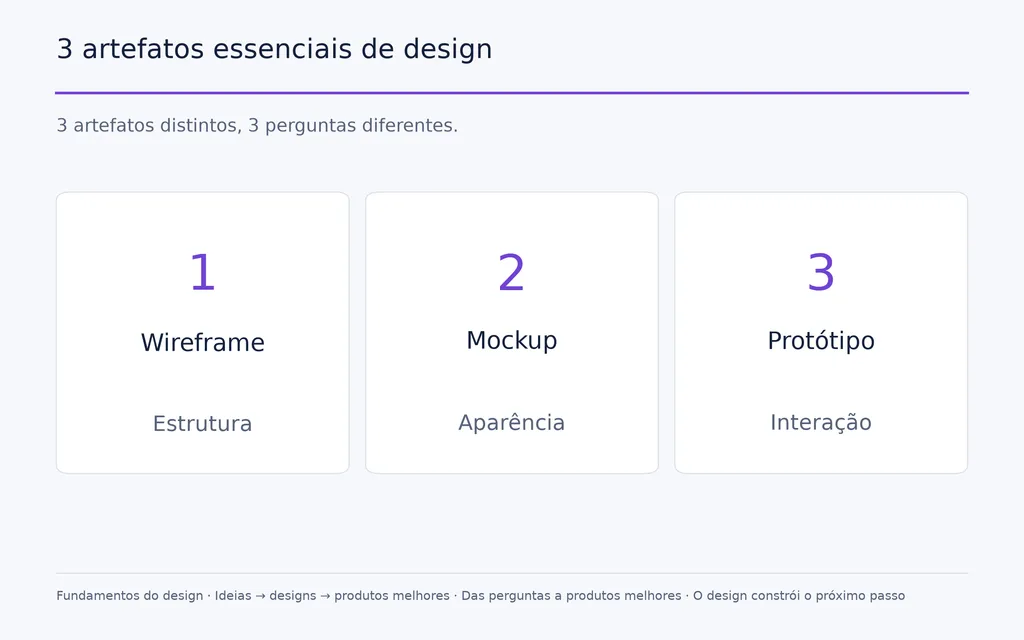
A forma mais clara de distinguir esses três artefatos de design é:
Wireframe = Estrutura
Mockup = Aparência
Protótipo = Interação
Esse é um modelo explicativo prático, não um fluxo obrigatório que toda equipe de design deve seguir exatamente na mesma ordem.
Artefato de design | Pergunta principal | Detalhe visual | Interação | Uso principal |
Wireframe | Como é estruturado? | Geralmente baixo | Geralmente mínima | Planejamento de layout e informação |
Mockup | Qual será a aparência? | Médio a alto | Geralmente não é o foco | Avaliação visual |
Protótipo | Como vai se comportar? | Varia | Importante | Testes de interação e fluxo |
Qual é a diferença entre wireframe e mockup?
Um wireframe define onde os elementos ficam, enquanto um mockup define a aparência desses elementos.
Em uma página de e-commerce, um wireframe pode especificar a localização das imagens do produto, título, preço, avaliações, descrição e controles de compra. O mockup acrescenta tipografia, cor, imagens, espaçamento, estilo dos componentes e expressão da marca.
Assim, duas telas podem compartilhar o mesmo wireframe e criar experiências visuais muito diferentes.
Qual é a diferença entre mockup e protótipo?
Um mockup comunica a aparência, enquanto um protótipo comunica ou testa o comportamento.
Um mockup pode mostrar um menu em seu estado visual pretendido sem permitir que alguém o abra. Um protótipo pode tornar essa interação testável.
Essa distinção protege as equipes de um erro importante: realismo visual não equivale a validação funcional. Um mockup refinado pode tornar um conceito convincente sem provar que seja utilizável, acessível, tecnicamente viável ou pronto para produção.
Por que os mockups importam nos fluxos de design profissional?
Mockups importam porque transformam uma intenção abstrata de design em algo que clientes, partes interessadas, designers e colaboradores podem avaliar juntos.
Profissionais de design podem imaginar com facilidade como artes planas, grades, componentes e especificações se transformarão no resultado final. Outras partes interessadas talvez não compartilhem esse modelo mental. Um mockup reduz essa distância mostrando a ideia em contexto.
Mockups reduzem a distância entre imaginar e visualizar
Um rótulo de garrafa plano não comunica imediatamente sua aparência em uma embalagem curva. Um arquivo de logotipo não mostra seu desempenho em uma fachada. Um conjunto de componentes não transmite automaticamente a atmosfera de um produto digital concluído.
Um mockup facilita a avaliação desses resultados.
No fluxo de impressão analisado durante nossa pesquisa, a arte do cliente era aplicada diretamente à fotografia do produto antes da fabricação. Esse visual podia apoiar conversas sobre posicionamento, tamanho, cor do produto, composição e expectativas antes de iniciar a produção.
Essa é uma das razões práticas mais fortes para usar mockups: eles substituem explicações abstratas por uma referência visual compartilhada.
Mockups melhoram a qualidade do feedback de design
Contexto fraco costuma gerar feedback pouco útil.
“Não gostei” dá pouca orientação ao designer.
“O logotipo parece pequeno demais nesta embalagem” ou “o título perde contraste sobre esta imagem” identifica um problema específico.
Ao mostrar um design em contexto, um mockup pode levar o feedback de preferências gerais a decisões visuais concretas e acionáveis.
Do ponto de vista do design de produto, esse também é o motivo para ajustar a fidelidade à questão analisada. Se a equipe está decidindo a hierarquia do conteúdo, gastar horas aperfeiçoando reflexos agrega pouco. Se avalia a presença na prateleira ou a aparência do material, esses detalhes podem importar muito mais.
Mockups contextualizam o trabalho no portfólio
Mockups também são usados com frequência para transformar arquivos isolados de design em estudos de caso mais convincentes para o portfólio.
Nossa análise dos fluxos de portfólio destacou uma contrapartida clara: modelos prontos são eficientes, mas cenas muito reutilizadas podem deixar parecidos portfólios sem relação entre si. Alguns designers resolvem isso criando composições personalizadas no Photoshop, cenas 3D ou produzindo o objeto e fotografando-o por conta própria.
O princípio mais útil é que o mockup deve fortalecer a narrativa do design e a direção de arte em vez de substituir o design em si.
Como os designers criam mockups?
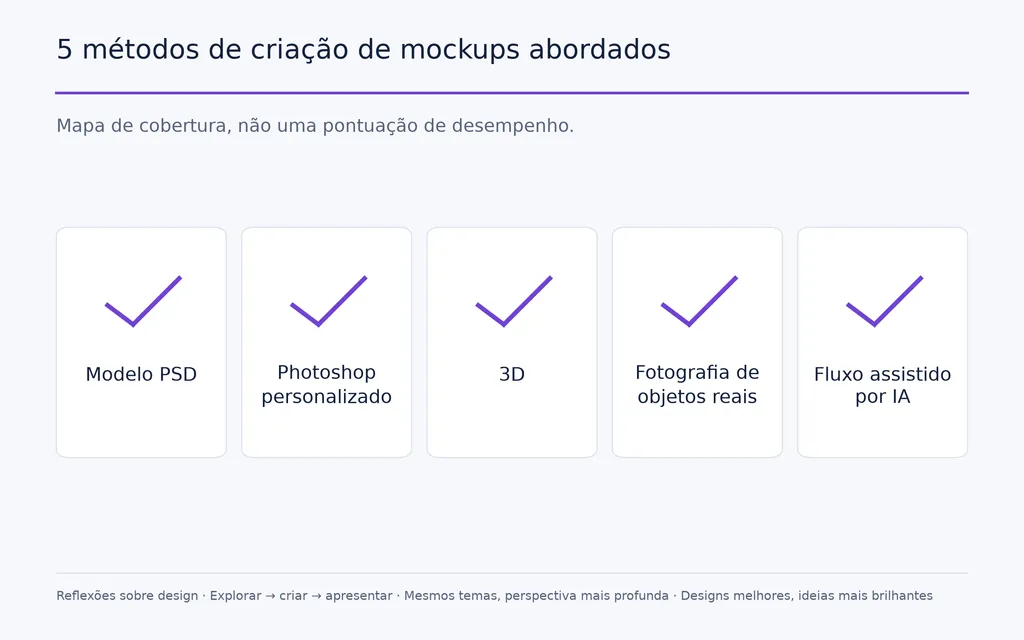
As abordagens práticas mais comuns são modelos PSD, composições personalizadas no Photoshop, visualização 3D e produção física com fotografia. Cada uma equilibra de maneira diferente velocidade, controle, realismo, originalidade e esforço técnico.
Como funcionam os modelos de mockup PSD?
Modelos PSD geralmente são o caminho mais rápido para um visual refinado.
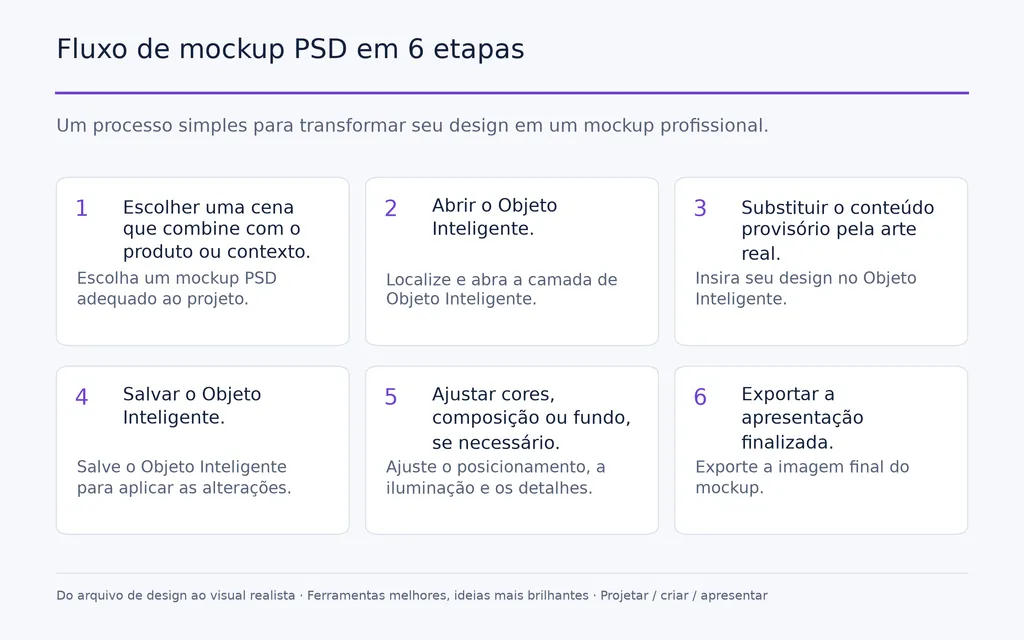
Um fluxo típico é:
- Escolher uma cena que combine com o produto ou contexto.
- Abrir o Objeto Inteligente.
- Substituir o conteúdo provisório pela arte real.
- Salvar o Objeto Inteligente.
- Ajustar cores, composição ou fundo, se necessário.
- Exportar a apresentação finalizada.
A principal vantagem é a velocidade. Perspectiva, sombras, textura e iluminação podem já estar prontas.
A limitação é encontrar a combinação certa. Nossa análise de dúvidas dos usuários revelou repetidamente dificuldades para encontrar modelos com exatamente o objeto, o ângulo, o material, o ambiente ou a sensação de marca necessários.
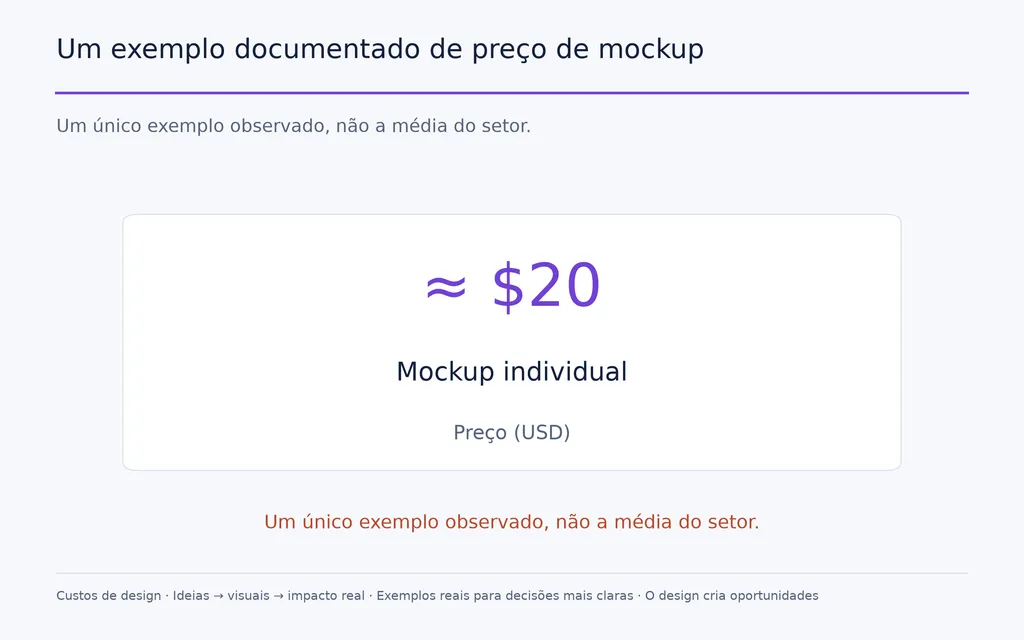
Os custos também podem se acumular. Um caso documentado citou um mockup individual de aproximadamente US$ 20. Esse é um único exemplo observado, não uma evidência da média do setor, mas ilustra por que a dependência frequente de modelos pagos pode se tornar uma consideração prática. Quando criar um mockup personalizado no Photoshop?
Quando criar um mockup personalizado no Photoshop?
Um fluxo personalizado no Photoshop é útil quando os modelos existentes não combinam com a marca, o objeto ou a direção visual.
O processo normalmente envolve posicionamento da arte, transformação de perspectiva, máscaras, integração de texturas, realces, sombras e correção de cor.
Isso leva mais tempo do que substituir um Objeto Inteligente, mas oferece muito mais controle sobre a cena.
Para trabalhos profissionais de marca, esse controle pode ser mais valioso que o fotorrealismo absoluto. Em vez de adaptar o projeto a um modelo disponível, o designer pode criar um ambiente de apresentação em torno da verdadeira direção de arte.
Quando um mockup 3D é melhor?
Um mockup 3D é especialmente útil quando o designer precisa controlar geometria, materiais, posição da câmera e iluminação.
Um fluxo típico passa por:
Modelo 3D → posicionamento da arte → materiais → iluminação → câmera → renderização
Os fluxos analisados na pesquisa incluem ferramentas como Blender, Adobe Dimension e 3D Studio Max. As evidências disponíveis não permitem considerar nenhuma delas universalmente superior.
A principal vantagem do 3D é a flexibilidade. Em vez de procurar uma fotografia com o ângulo exato, o designer pode modificar diretamente o objeto, a câmera, a iluminação ou o material.
Isso é especialmente útil em embalagens nas quais curvatura, reflexos, escala e variações repetidas de produto são importantes.
Quando usar fotografia de objetos reais?
Produção física e fotografia podem ser valiosas quando originalidade, materiais reais e contexto autêntico fazem parte da apresentação.
Um fluxo de portfólio identificado em nossa análise envolvia produzir ou imprimir o design, organizá-lo em um ambiente real e fotografá-lo, em vez de recorrer a um modelo disponível publicamente.
Isso exige mais esforço, mas resolve um problema importante de apresentação: a semelhança entre modelos.
Em projetos selecionados de portfólio, a fotografia real também pode comunicar textura, materiais, escala e interação com o ambiente que talvez sejam difíceis de reproduzir de forma convincente em uma cena digital genérica.
Modelos de mockup ou mockups personalizados: qual é melhor?
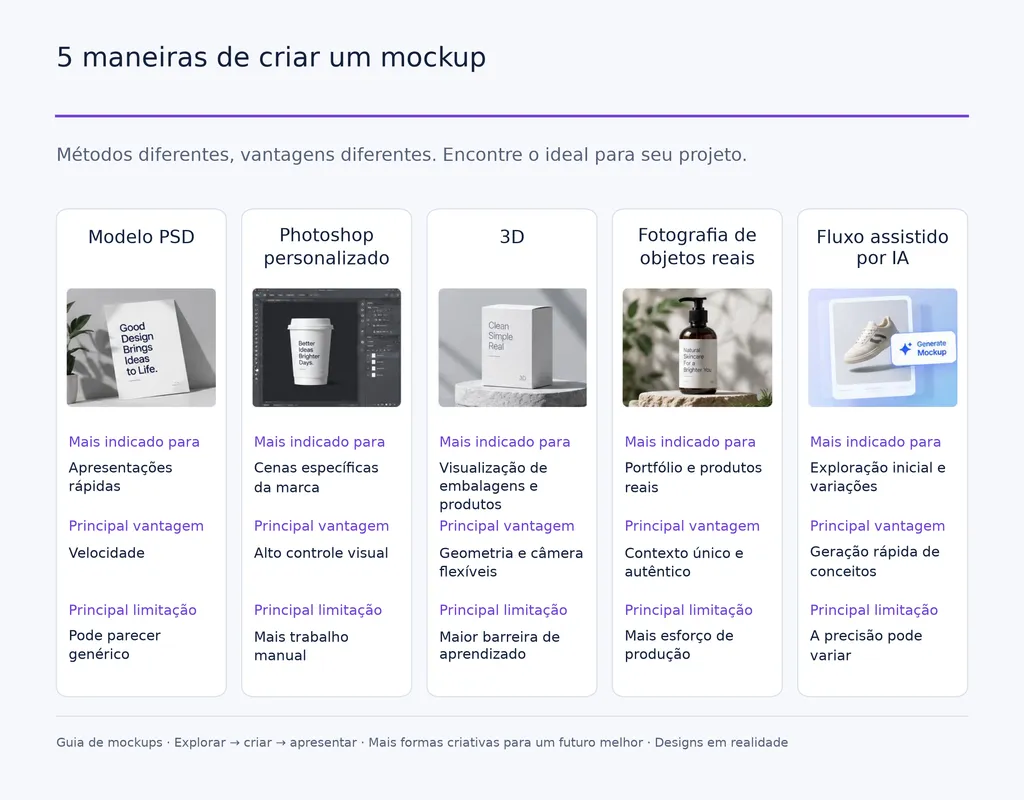
Não existe um método universalmente melhor para mockups. A escolha certa depende de quanto o projeto exige de velocidade, controle, realismo, originalidade e esforço técnico.
Método | Mais indicado para | Principal vantagem | Principal limitação |
Modelo PSD | Apresentações rápidas | Velocidade | Pode parecer genérico |
Photoshop personalizado | Cenas específicas da marca | Alto controle visual | Mais trabalho manual |
3D | Visualização de embalagens e produtos | Geometria e câmera flexíveis | Maior barreira de aprendizado |
Fotografia de objetos reais | Portfólio e produtos reais | Contexto único e autêntico | Mais esforço de produção |
Fluxo assistido por IA | Exploração inicial e variações | Geração rápida de conceitos | A precisão pode variar |
Uma regra útil é escolher o método de menor custo que responda com precisão à questão de design.
Para comparar duas direções internamente, um mockup simples pode bastar. Para aprovar uma embalagem, escala, materiais e perspectiva precisos podem justificar um fluxo personalizado ou 3D. Para um estudo de caso de destaque no portfólio, fotografias originais podem valer o esforço adicional.
Portanto, a opção mais cara ou realista não é automaticamente a melhor. O método certo oferece fidelidade suficiente sem acrescentar trabalho de produção desnecessário.
A IA pode criar mockups profissionais?
A IA pode apoiar ideação de mockups, geração de ambientes, exploração de conceitos, variação visual e desenvolvimento de apresentações, mas o uso profissional exige equilibrar velocidade e controle preciso.
Nossa pesquisa sobre dúvidas de design assistido por IA encontrou um padrão consistente: a exploração rápida é valiosa, enquanto as preocupações recorrentes envolvem geometria, tipografia, consistência da marca, realismo e repetibilidade.
Isso torna a IA especialmente útil na fase exploratória.
Um designer pode testar vários ambientes para embalagens, comparar direções de apresentação ou gerar contextos possíveis antes de investir tempo em uma composição final em 3D ou Photoshop.
A limitação se torna mais importante quando o próprio mockup é usado para validação. Se uma imagem gerada por IA muda um logotipo, inventa tipografia, altera proporções do produto ou modifica uma geometria importante da embalagem, o visual pode parecer convincente e ainda comunicar o design errado.
Para mockups profissionais, a velocidade só tem valor quando a fidelidade ao design permanece sob controle.
Como a IA se encaixa em um fluxo mais amplo de mockups?
A maior oportunidade não é simplesmente pedir à IA que gere um mockup pronto. É usá-la para ajudar em um fluxo de design com IA conectado, envolvendo referências, recursos de design, iterações, consistência de estilo, revisões e variações de produção.
A documentação fornecida do Virse descreve um fluxo organizado em torno de uma tela infinita, na qual designers podem organizar recursos e referências enquanto vários Agents executam tarefas diferentes e compartilham o contexto do projeto. Seu posicionamento enfatiza o apoio a designers profissionais na execução repetitiva, em vez de substituir todo o processo de design por um único prompt.
Esse modelo é relevante para mockups porque sua criação raramente ocorre de forma isolada. Um projeto pode envolver análise de referências, exploração de conceitos, geração de imagens, continuidade de estilo, adaptações de campanha, variações de embalagem e rodadas repetidas de feedback.
O Virse também descreve o conhecimento de longo prazo da equipe como parte de sua abordagem, permitindo ao sistema preservar preferências estéticas, padrões de marca e contexto do projeto ao longo do tempo. Na prática, isso enfrenta um dos problemas mais difíceis da produção criativa assistida por IA: manter a consistência em resultados repetidos, em vez de recomeçar com um prompt isolado a cada vez.
Quais são os erros mais comuns em mockups?
Um bom mockup facilita a avaliação do design. Um mockup fraco pode tornar a apresentação mais impressionante e, ao mesmo tempo, dificultar a avaliação do design real.
Usar um mockup que não combina com a marca
Um modelo visualmente refinado ainda pode ser inadequado para o projeto.
Ambiente, material, ângulo da câmera, iluminação e composição afetam como as pessoas percebem o trabalho. Uma identidade premium apresentada em uma cena casual sem relação pode distorcer o posicionamento pretendido, mesmo que o logotipo em si não mude.
O contexto faz parte da comunicação do design.
Dar mais importância ao mockup do que ao design
Sombras intensas, acessórios cinematográficos, perspectiva complexa e ambientes dramáticos podem gerar uma apresentação atraente, mas também esconder o trabalho que está sendo avaliado.
A pergunta mais útil é:
A pessoa que avalia ainda consegue julgar claramente o logotipo, o layout, a interface ou a embalagem?
Se não, o mockup se tornou ruído visual.
Tratar um mockup realista como prova
Um mockup realista de interface não prova que uma interação funciona.
Uma renderização de embalagem não prova sua viabilidade de fabricação.
Uma visualização de produto não prova sua viabilidade de engenharia.
Mockups comunicam a aparência pretendida. Usabilidade, acessibilidade, comportamento responsivo, engenharia, tolerâncias de fabricação, precisão de impressão e implementação técnica exigem formas separadas de validação.
Perguntas frequentes
O que é um mockup em termos simples?
Um mockup é uma prévia visual de como um design ou produto pode aparecer em seu contexto final. Geralmente contém mais detalhes visuais do que um wireframe, mas não precisa das interações de um protótipo. Mockups são amplamente usados em interfaces, marcas, embalagens, produtos, apresentações a clientes e portfólios.
Qual é a diferença entre wireframe, mockup e protótipo?
Um wireframe foca na estrutura, um mockup na aparência e um protótipo na interação. As equipes nem sempre seguem essas etapas em sequência rigorosa, mas a distinção ajuda a identificar se a questão atual de design envolve layout, direção visual ou comportamento do usuário.
Posso criar um mockup profissional sem Photoshop ou software 3D?
Sim. O método certo depende do projeto. Modelos PSD, fotografia de objetos reais e fluxos assistidos por IA podem apoiar a criação de mockups profissionais. O Photoshop oferece mais controle para composições personalizadas, enquanto o 3D é especialmente útil quando geometria, materiais, iluminação e ângulos de câmera precisam ser ajustados com precisão.
Devo usar mockups de IA em um portfólio profissional?
A IA pode ser útil para explorar ambientes e criar rapidamente conceitos de apresentação, mas o visual final deve preservar com precisão o design real. Nossa análise de dúvidas dos usuários encontrou preocupações recorrentes com tipografia, geometria, consistência e fidelidade à marca. No portfólio, a IA é mais útil quando apoia o projeto, em vez de esconder ou substituir o design original.
Conclusão
Um mockup é, em essência, uma ferramenta visual de tomada de decisão que mostra como um design pode aparecer em contexto antes do desenvolvimento, impressão ou produção final. Wireframes esclarecem a estrutura, mockups a aparência e protótipos a interação. Seja criado com um modelo PSD, trabalho personalizado no Photoshop, renderização 3D, fotografia real ou um fluxo assistido por IA, o melhor método é aquele que preserva o design com precisão, corresponde à etapa do projeto e oferece contexto suficiente para os avaliadores tomarem a próxima decisão com confiança.
Mais do blogue da Virse
Fluxo de trabalho
FLUX 3 Image Prompt Guide: 12 Prompts & Editing Fixes
22 de outubro de 2026 by Vincent
Fluxo de trabalho
How to Use FLUX 3 Image: Edit Photos Without Unwanted Changes
21 de outubro de 2026 by Vincent
Fluxo de trabalho
Wan 3.0 Prompt Guide: Fix Wrong Motion, Character Drift, and Ignored Instructions
20 de outubro de 2026 by Yifan Zhao