
Layout-First Architecture
Each image is planned as positioned elements before rendering begins.
Reve AI's second-generation model builds an addressable layout of positioned elements before it renders, so a specified arrangement comes back arranged.
Buka halaman ini di peramban desktop untuk mulai berkarya.
Reve v2 works differently from most image models in a way that shows up directly in the output.
Rather than interpreting a prompt straight into pixels, the Reve line plans each image as a structured layout first — every element carrying a position, a size, and its own local description — and renders from that plan. The consequence is that a brief specifying where things go tends to come back with things in those places, which is why prompt adherence, in-image text, and native high-resolution output are the three capabilities this line is consistently singled out for.
Use Reve v2 when the arrangement is the requirement. Build specified compositions, diagrams, product layouts, and any image where "contains exactly these things in exactly this relationship" matters more than "looks appealing".
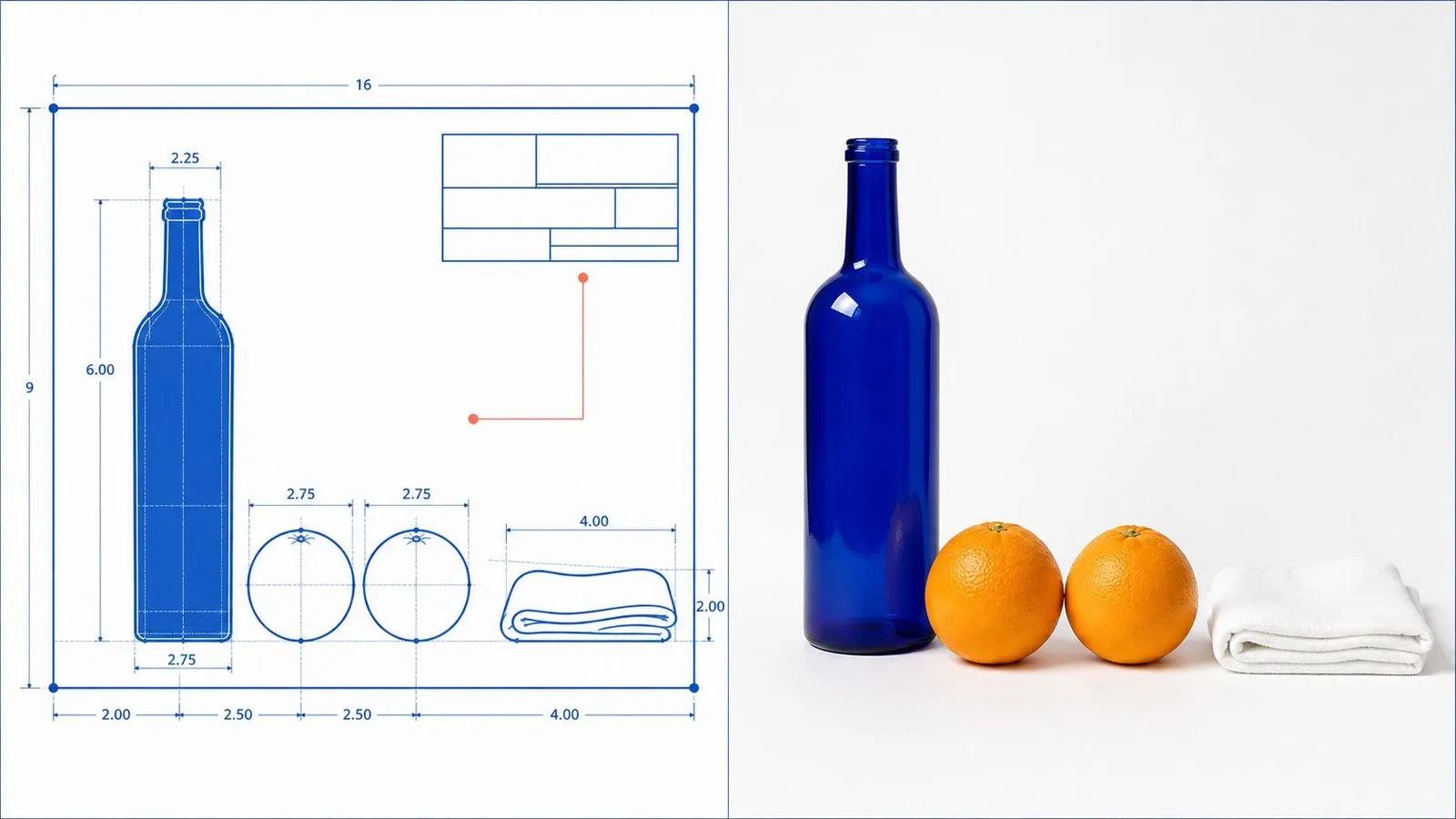
Reve v2 is the second-generation image model from Reve, sometimes referred to as Reve AI or Reve Image. It generates from written descriptions with no tier selector and no quality grade.
The model is built around three major strengths:
The line has placed near the top of public text-to-image rankings, and its defining architectural idea — replacing an interpreted prompt with an addressable structure — is also what makes its output more repeatable than models that rewrite your brief internally before generating.
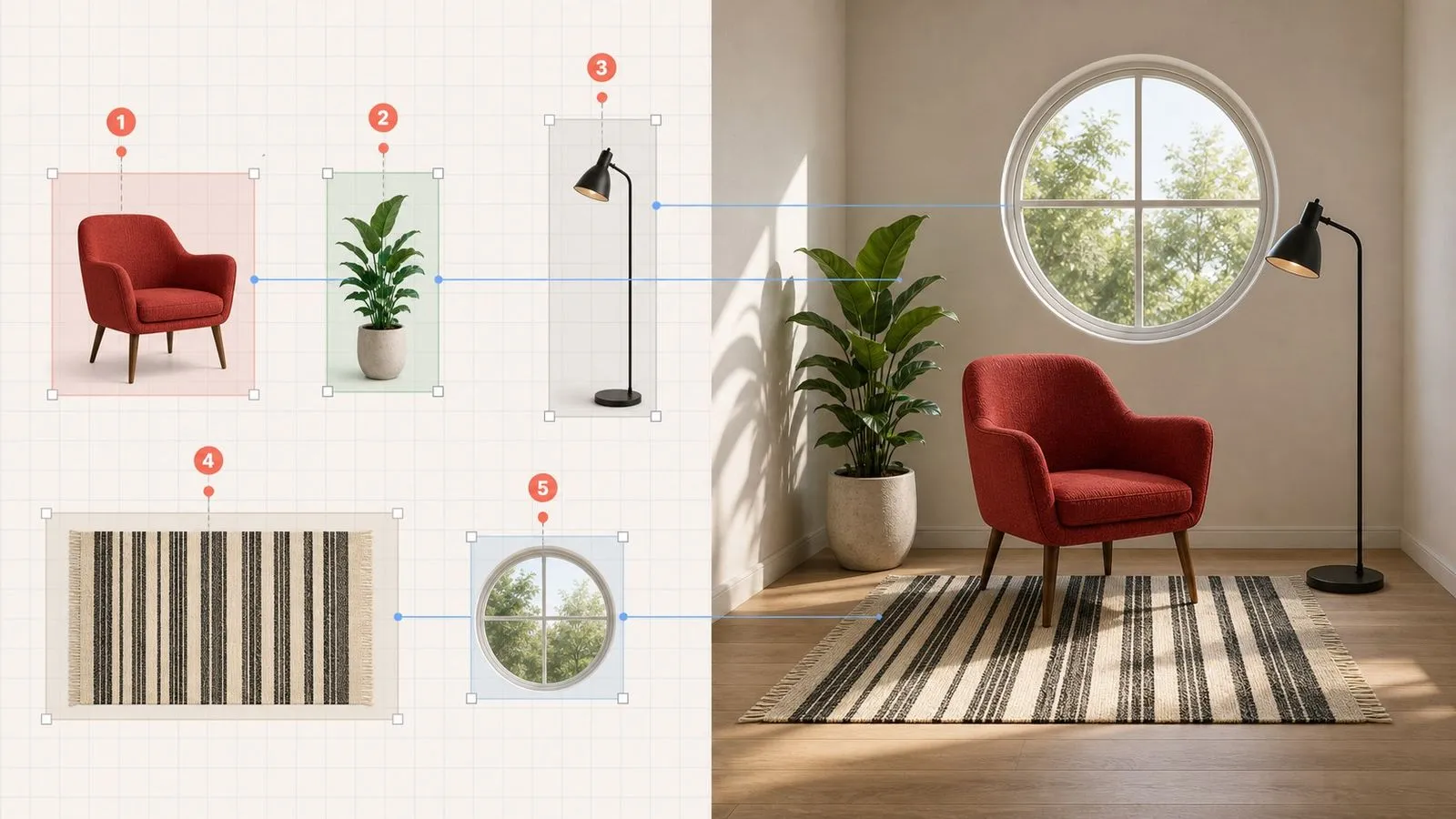
Each image is planned as positioned elements before rendering begins.
Elements described in a spatial relationship come back in that relationship.
Type handled as part of the planned layout rather than added at the end.
One configuration, nothing to choose before generating.
Less internal rewriting means less variance between runs of one prompt.
Generation from a written brief; editing is handled elsewhere in Virse.
Planning an addressable layout first is what makes a brief binding rather than suggestive. Elements are placed because they were assigned positions, not because the model happened to arrange them that way.
"Three objects in a row with the fourth balanced on the leftmost" is a specification this model can execute. Most generators treat that as a mood and return four objects somewhere.
Requests that other models quietly normalise into something more conventional are more likely to be taken at face value here, because the plan is built from what you wrote.
Models that rewrite prompts internally produce a different interpretation each time. Less rewriting means running the same brief twice returns two versions of the same idea.
Because type is part of the layout plan, on-image text sits in a considered relationship with everything else rather than being dropped onto a finished picture.
Vague prompts get vague results here rather than attractive inventions. That is the deal: the model will not fill in what you left out, which is exactly why it is useful when nothing should be filled in.
Specification-driven work has a review step that other image work does not: someone checks the output against a list. Virse makes that check possible in place. The written specification sits on the canvas beside the render, so verifying that all nine elements are present and correctly positioned happens by looking from one to the other rather than by remembering what was asked for.
Park the specification next to the image so review is a comparison, not a recollection.
When something is absent, add the clause and generate again next to the previous attempt, so the fix is visible rather than assumed.
Move between Reve v2 and 30+ other image and video models without leaving the canvas or rewriting the brief.
Take a correctly arranged result into FLUX Kontext when a single element needs changing without disturbing the arrangement.
Compositions where object positions and relationships are dictated rather than suggested.
Structural illustrations whose parts have to sit in the right places.
Multiple items arranged to a defined plan.
Combinations that other models would smooth into something more expected.
Ideas that depend on a specific visual relationship to read at all.
Sets where running the brief again should return the same idea, not a new interpretation.
Write down each thing that must appear. Anything left out is genuinely left out.
State where it sits, relative to the frame and to the other elements.
Compare item by item rather than judging by overall impression.
When something is absent, it is usually because it was not specified rather than because it was ignored.
A useful Reve v2 prompt usually includes three elements:
Alih-alih menulis
A desk with some office things on it, nicely arranged.
Tulis
A pale wooden desk seen from directly above. A closed grey laptop centred. A white ceramic mug to its upper right, empty. Three sharpened pencils in a row along the lower edge, parallel, pointing left. A folded pair of glasses at the upper left corner. Nothing else on the desk. Even overhead light, soft shadows directly beneath each object.
Four identical white cubes on a mid-grey seamless background, photographed straight on at cube height. Three cubes in a row along the bottom, evenly spaced with a gap of roughly one cube width between each. The fourth balanced on top of the leftmost cube, aligned flush at the front edge. Single soft light from the upper left. No other objects, no texture, no gradient in the background.
A formal portrait of a person seated in an ornate armchair, wearing a business suit and a full deep-sea diving helmet, hands resting on the chair arms. Dark green painted wall behind, single window light from the left, no other props. Photographic, waist-up, centred composition. Entirely straight-faced, with no visual joke or exaggeration in the treatment.
A cross-section diagram of a three-storey terraced house, viewed straight on with the front wall removed. Ground floor: a kitchen on the left, a living room on the right, a staircase between them against the back wall. First floor: two bedrooms of equal width. Second floor: one attic room with a sloped ceiling on both sides. Flat illustration, thin uniform line weight, three flat colours plus white, no shading, no furniture beyond what is named.
| Dimensi | Reve v2 | GPT Image 2 |
|---|---|---|
| Approach | Plans a layout, then renders it | Follows a long brief directly |
| Strength | Spatial arrangement and repeatability | Multi-constraint instruction following |
| Configuration | None, single setting | Quality grade and output size |
| Behaviour on vague briefs | Returns something vague | Fills gaps from world knowledge |
| Best used for | Dictated compositions and diagrams | Long specifications with many clauses |
| Choose it when | Position is the requirement | Detail volume is the requirement |
Every object you want has to be named. This model does not decorate a scene for you, which is the point.
"Upper right of the laptop" is placeable. "In the background" leaves the model to decide where the background is.
"Nothing else on the desk" is a real instruction here and it prevents the incidental clutter other models add by default.
Review by checking off elements. An image that looks good but is missing the third item has failed the brief.
Explore focused tools for creating, editing, and preparing design assets.
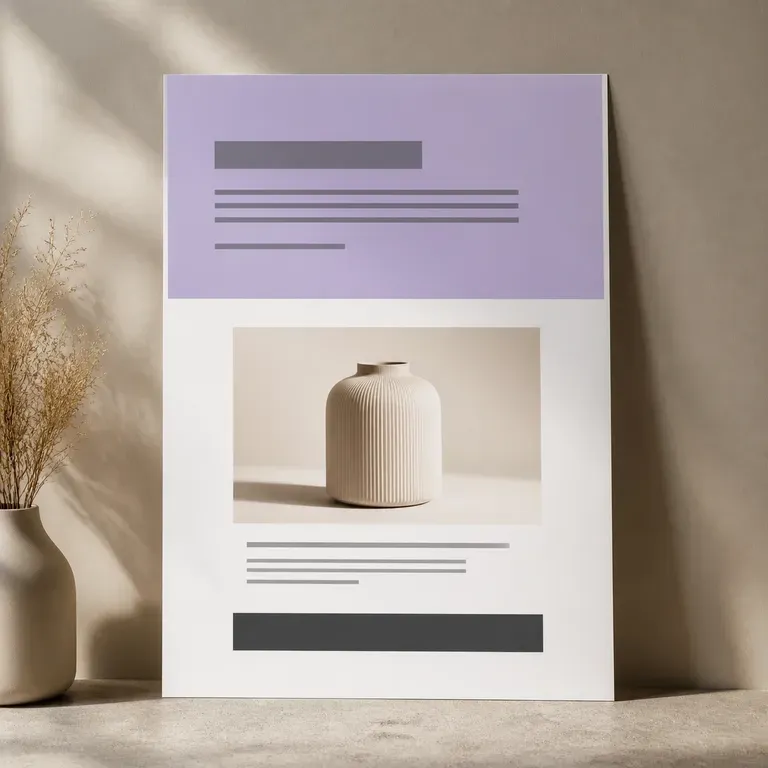
Halaman yang tidak pernah dibangun tidak menghabiskan satu minggu kerja developer. Unggah foto produk dan poin penjualan Anda, lalu lihat visual satu halaman penuh sebelum siapa pun menyentuh page builder, hero shot, blok manfaat, penawaran penutup, semuanya dalam satu scroll, dan versi pertamanya gratis.
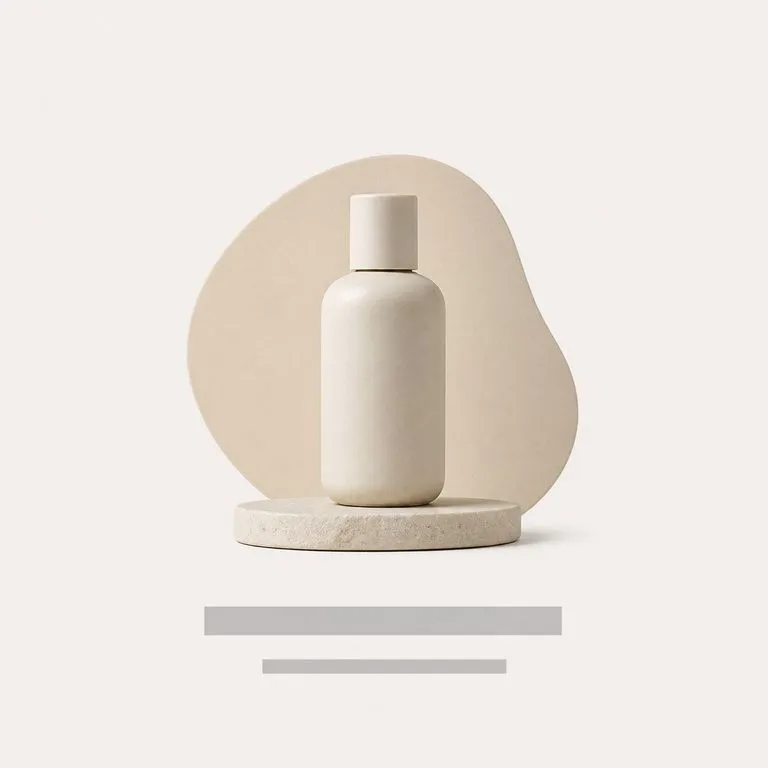
Unggah satu foto produk. Alat ini membaca kategori, warna, dan karakter dari apa yang Anda kirim, mengusulkan tema yang cocok, lalu merancang poster di sekitar produk: latar belakang, tata letak, dan posisi teks.
Jelaskan sebuah proyek dan dapatkan ringkasan terstruktur yang mencakup latar belakang, tujuan, audiens, dan deliverable. Atau unggah desain yang sudah dalam proses pengerjaan dan dapatkan temuan, saran, serta strategi desain sebagai gantinya. Keduanya berjalan di canvas Virse, dimulai dengan kredit gratis.
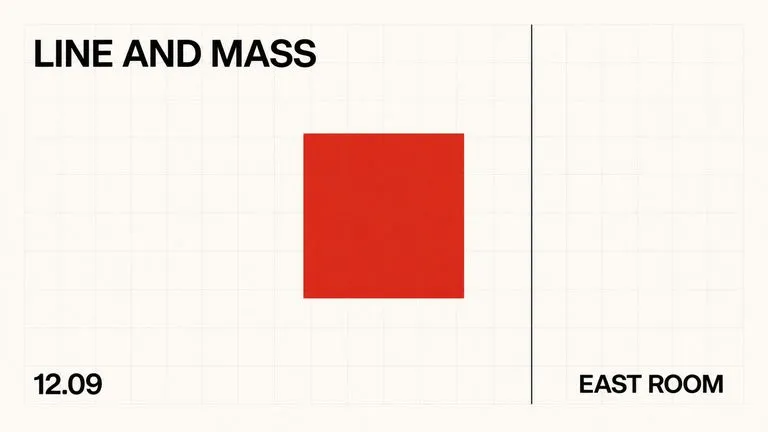
A text-to-image foundation model trained from scratch around layout, with bounding-box placement, hex colour conditioning, and native 2K output.

OpenAI's GPT Image 2.0 reads a hundred-word brief and attempts all of it, with independent quality and resolution controls from 1K to 4K.
Alibaba's Qwen Image 3.0 Pro renders type as language across a dozen scripts, holding legibility down to ten pixels in dense layouts.
Write the full list, place every element, and let the model build what you described rather than what it assumed you meant.